Route Maker - Route Planner

Route Maker - Route Planner


다운로드: App Store
로고: Route Maker - Route Planner

Route Maker - 경로 계획: 모든 여정을 위한 간편한 다중 경유지 최적화

되돌아가는 길을 멈추고 시간을 절약하세요. 현장 영업, 배달, 완벽한 로드 트립을 관리하든, 스마트 최적화 프로그램이 최대 30개의 경유지를 처리하여 가장 효율적인 경로를 찾아줍니다.

다운로드: App Store

개발사

TAIKI HIRATA

카테고리

Navigation

다운로드

509K+

사용자 평점

3.2/5

총 평가 수

200

지원 언어

2

움직이는 효율성

이 인터페이스를 사용하는 509K+ 명의 사용자.

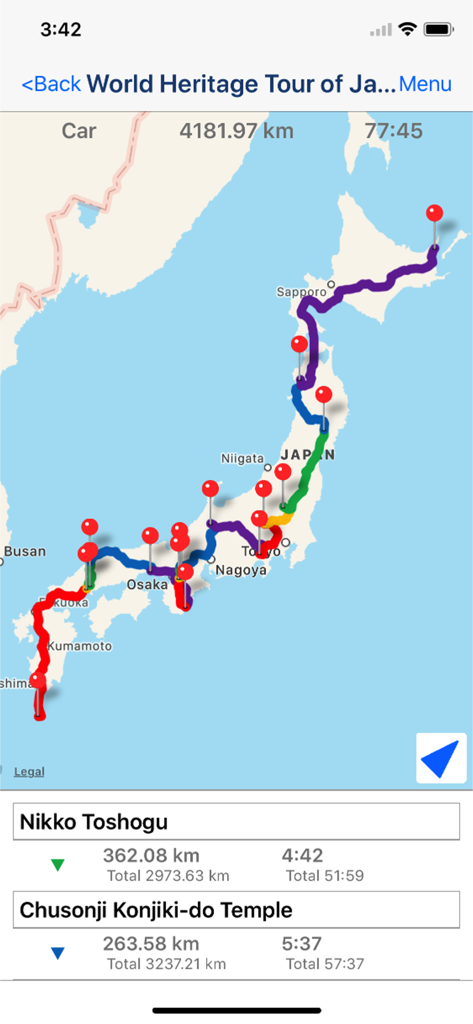
Route Maker 앱의 일본 다중 경유지 경로 지도, 헤리티지 투어의 이동 거리와 시간 표시

Route Maker 앱의 일본 다중 경유지 경로 지도, 헤리티지 투어의 이동 거리와 시간 표시

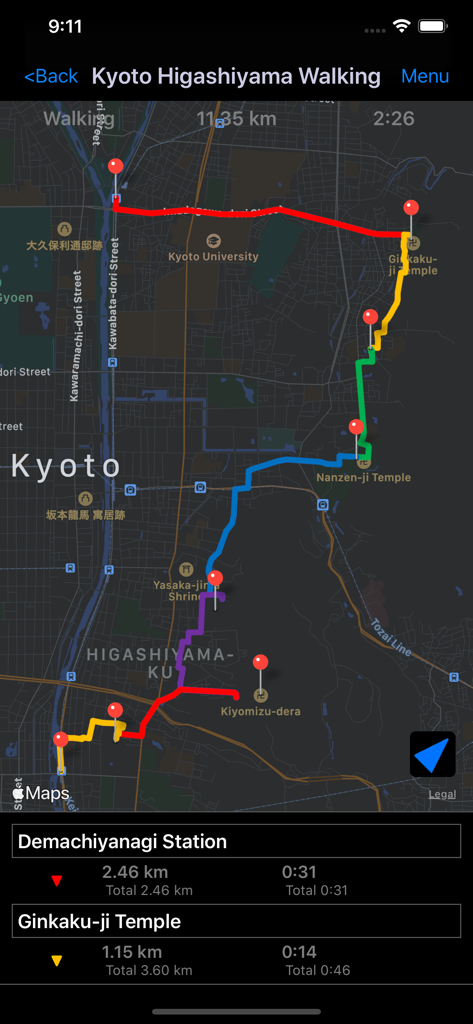
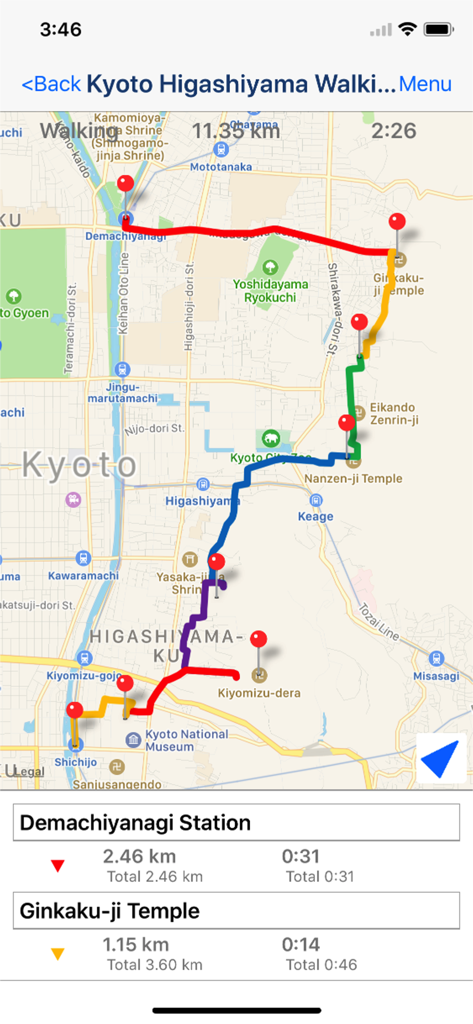
Route Maker 앱의 교토 다중 경유지 도보 경로 스크린샷, 지도 핀 및 거리 표시

Route Maker 앱의 교토 다중 경유지 도보 경로 스크린샷, 지도 핀 및 거리 표시

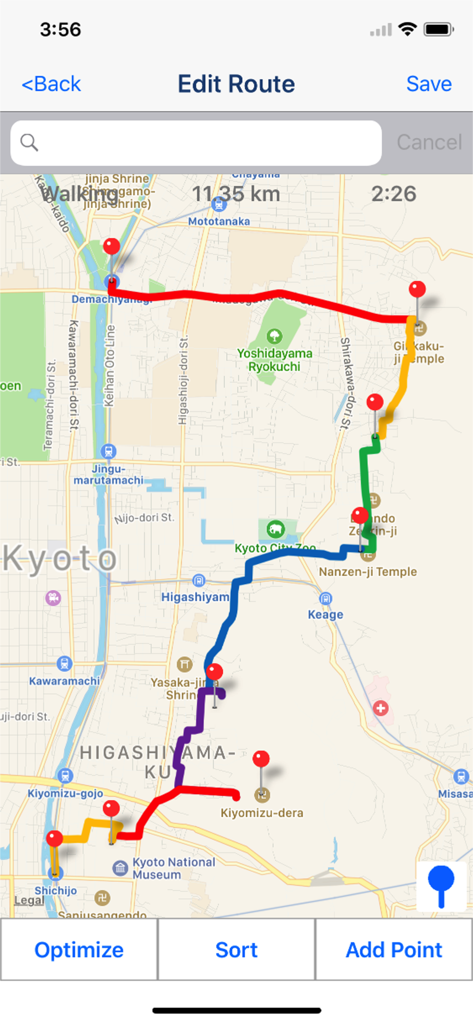
Route Maker 앱 화면, 거리 및 시간 정보와 함께 지도에서 최적화된 다중 경유지 도보 경로 표시

Route Maker 앱 화면, 거리 및 시간 정보와 함께 지도에서 최적화된 다중 경유지 도보 경로 표시

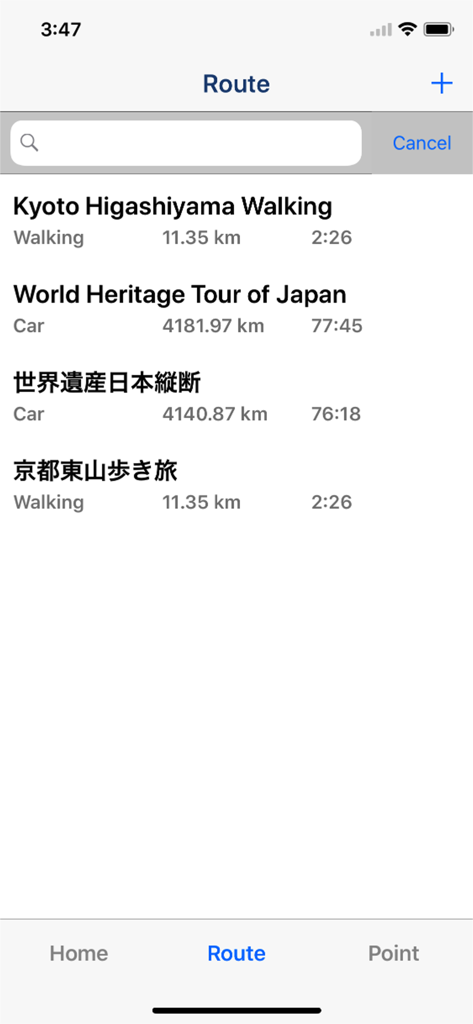
Route Maker 앱의 저장된 도보 및 운전 경로 목록 스크린샷, 거리 및 예상 이동 시간 표시

Route Maker 앱의 저장된 도보 및 운전 경로 목록 스크린샷, 거리 및 예상 이동 시간 표시

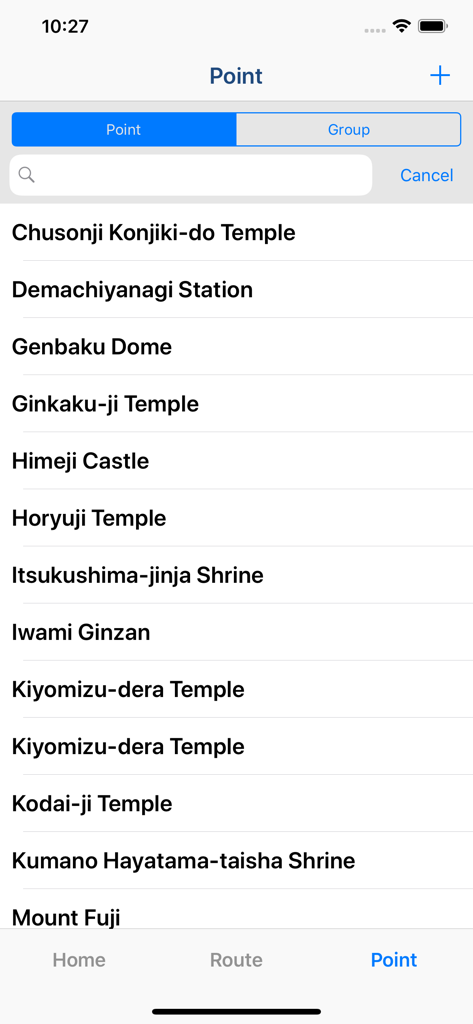
Route Maker 앱의 저장된 목적지 목록

Route Maker 앱의 저장된 목적지 목록

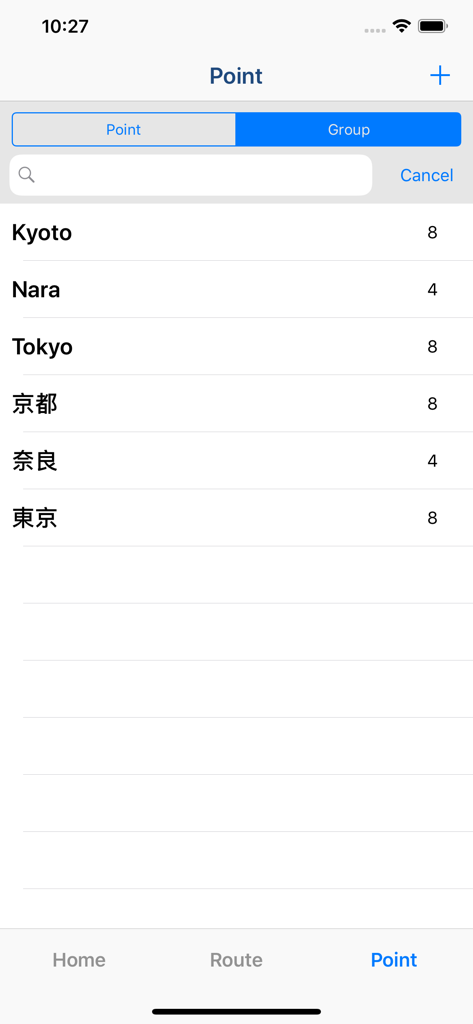
Route Maker 내비게이션 앱의 저장된 경유지 및 그룹 목록

Route Maker 내비게이션 앱의 저장된 경유지 및 그룹 목록

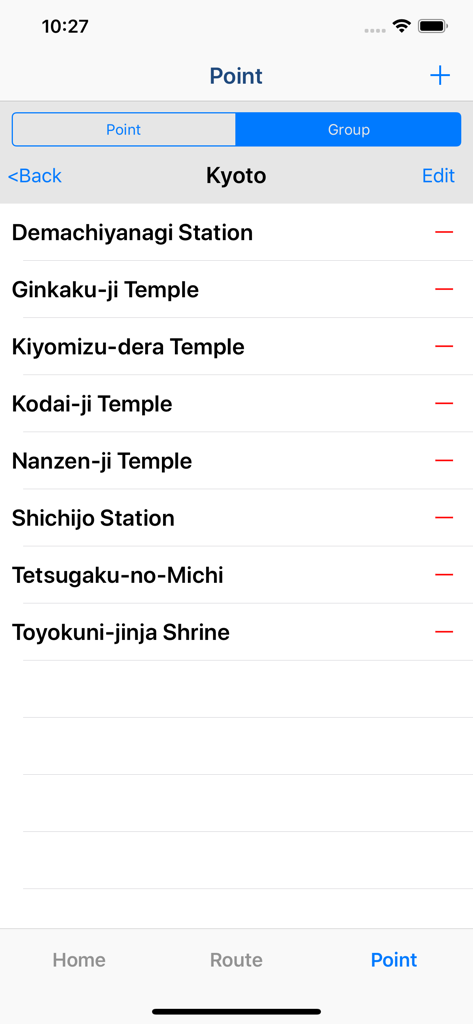
Route Maker 앱의 지점 관리 화면, 교토 경로에 대한 저장된 위치 목록 표시

Route Maker 앱의 지점 관리 화면, 교토 경로에 대한 저장된 위치 목록 표시

Route Maker 앱 인터페이스, 교토 지도에서 거리 및 시간과 함께 표시되는 다중 경유지 도보 경로

Route Maker 앱 인터페이스, 교토 지도에서 거리 및 시간과 함께 표시되는 다중 경유지 도보 경로

스마트 경로 설정으로 일정을 마스터하세요

이 앱을 돋보이게 하는 도구, 509K+ 명의 사용자가 선택.

지능형 경로 최적화

되돌아가는 길을 멈추세요. 최대 30개의 경유지를 자동으로 재정렬하여 가장 빠른 경로를 찾아 매일 귀중한 시간과 연료 비용을 절약하세요.

⏱️

정확한 시간 및 거리 추적

정확한 도착 시간을 알아보세요. 전체 여정과 각 경유지 간의 자세한 지표를 얻어 일정을 정확하게 유지하세요.

📁

전문적인 그룹화 및 공유

맞춤 그룹으로 고객 또는 랜드마크를 구성하고 KML을 통해 Google 내 지도에 경로를 내보내 원활한 전문 협업을 하세요.

앱 소개

에 대해 알아야 할 모든 것 Route Maker - Route Planner.

설명

Multiple Waypoints Route Planner Apps ! You can make trip route including multiple tourist attraction, when you plan travel. You can make business route to visit multiple customers, when you must do route sales. You can make drive route, when you must do delivery business. "Route maker" is app for making route including multiple waypoints. You can make route including multiple waypoints easily by using "Route Maker". You can know the time and distance of the entire interval. And you can also know the time and distance between each waypoints. If you purchase Add-on, you will be able to use additional functions for sharing your route with your friends. And you can make KML file. ■Function List 1. Make Point ・You can register point for making route by searching the location information from the facility name or address. ・You can include the facility name, address and phone number to the point. 2. Grouping points ・You can create a group of points and manage the registered points. 3. Make Route ・You can make route including multiple waypoints by using registered points. *Max number of waypoints is 10 in normally. If you purchase add-on, max number of waypoints will be 10 or more. ・You can sort waypoints freely, and optimize route. *Optimization is up to 30 points. ・Also you can use as a simple navigation apps by displaying your current location on map. ・You can know the time and distance of the entire interval. And you can also know the time and distance between each waypoints. 4. Share route by using "Route Maker" You can share your route with friends who use "Route Maker" by making Route File. *If you want to make route file, you need to purchase Add-on. 5. Share route by using "Google My Maps" You can share your route with friends through Google My Maps by making KML file. *If you want to make KML file, you need to purchase Add-on. ■About In-app Advertising Banner Advertising is displayed in Home Screen. You can hide these Advertising by purchasing "Additional Function Add-on".

최신 버전

2.5

크기

4.8 MB

출시일

2015년 3월 9일

되돌아가는 길을 멈추고 지금 바로 경로 최적화를 시작하세요

앱 스토어에서 가장 스마트한 다중 경유지 플래너로 시간과 연료를 절약하는 50만 명 이상의 전문가 및 여행자와 함께하세요.

다운로드: App Store

App information, icons, screenshots, and descriptions displayed on this page are sourced from the Apple App Store and are the property of their respective developers. Download estimates and rankings are based on MWM's proprietary models and may not reflect actual figures. This page is provided for informational and analytical purposes only.

Believe this page infringes your intellectual property? File a dispute