Router Setup Page

Router Setup Page

다운로드: App Store
로고: Router Setup Page

라우터 설정 페이지: 홈 Wi-Fi를 완벽하게 제어하세요

기술 용어나 잊어버린 IP 주소는 잊으세요. 게이트웨이를 자동으로 감지하고, 기본 비밀번호를 찾고, 몇 초 만에 라우터나 확장기를 관리하세요.

개발사

Black Sheep Media Ltd

카테고리

Utilities

다운로드

21K+

사용자 평점

3.8/5

총 평가 수

0

지원 언어

1

간단해진 네트워크

이 인터페이스를 사용하는 21K+ 명의 사용자.

라우터 설정 페이지 앱으로 라우터 설정을 관리하기 위해 노트북을 사용하는 사람들

라우터 설정 페이지 앱으로 라우터 설정을 관리하기 위해 노트북을 사용하는 사람들

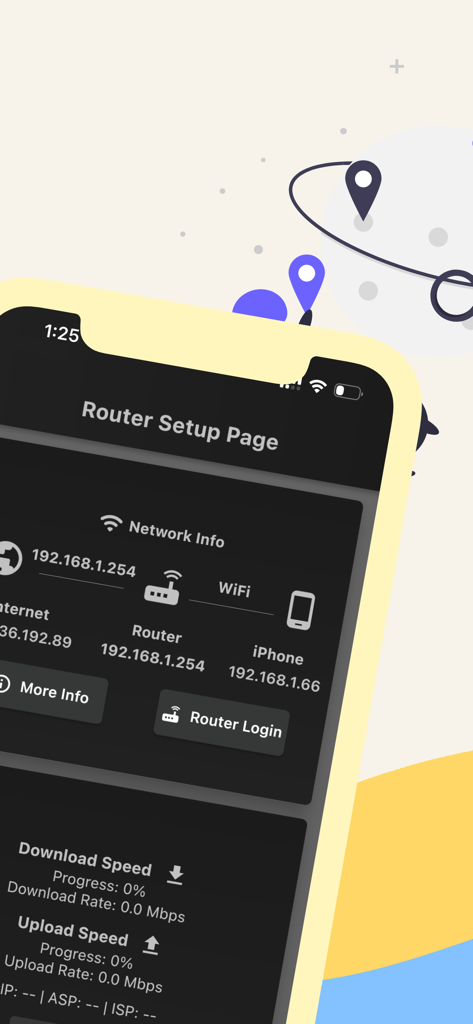
네트워크 IP 주소와 연결 상태를 보여주는 라우터 설정 페이지 앱의 iPhone 화면

네트워크 IP 주소와 연결 상태를 보여주는 라우터 설정 페이지 앱의 iPhone 화면

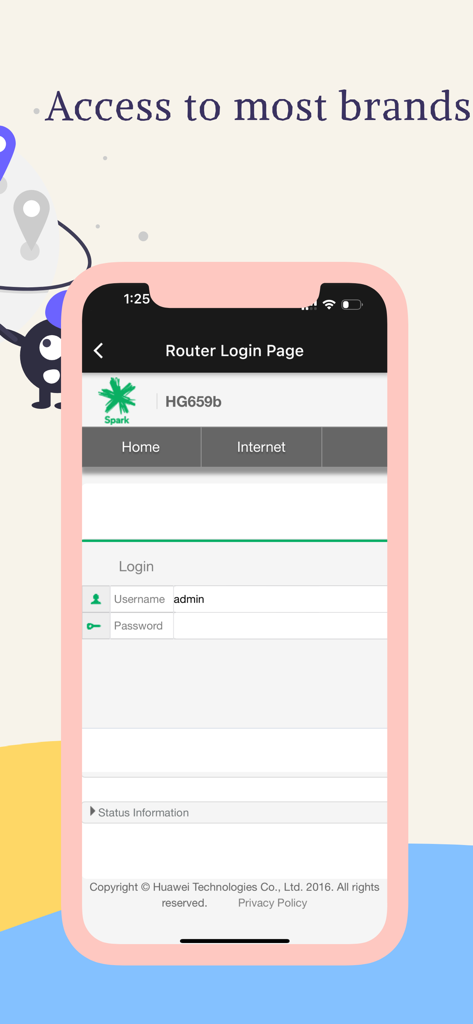
라우터 설정 페이지 앱에서 라우터 로그인 인터페이스를 보여주는 스마트폰 화면

라우터 설정 페이지 앱에서 라우터 로그인 인터페이스를 보여주는 스마트폰 화면

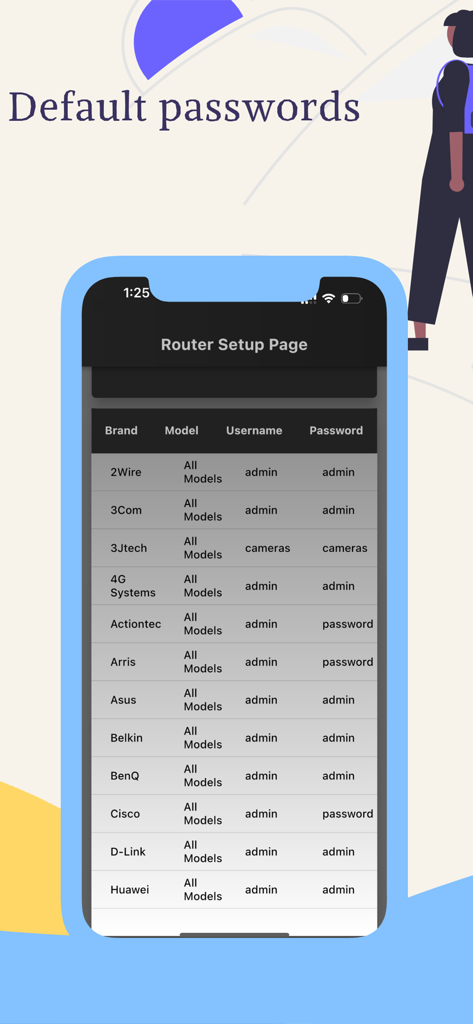
라우터 설정 페이지 앱에 표시된 다양한 브랜드의 기본 라우터 사용자 이름 및 비밀번호 목록

라우터 설정 페이지 앱에 표시된 다양한 브랜드의 기본 라우터 사용자 이름 및 비밀번호 목록

홈 네트워크를 완벽하게 제어하세요

이 앱을 돋보이게 하는 도구, 21K+ 명의 사용자가 선택.

🔍

즉시 게이트웨이 감지

기술 용어는 건너뛰세요. 라우터의 기본 IP 주소를 자동으로 식별하고 한 번의 탭으로 로그인 페이지를 열어드립니다.

🔑

마스터 로그인 디렉토리

다시는 잠기지 마세요. Netgear, TP-Link, Xfinity 등 주요 브랜드의 기본 사용자 이름과 비밀번호에 대한 포괄적인 데이터베이스에 액세스하세요.

성능 최적화

게이머 및 원격 근무자에게 적합합니다. Wi-Fi 채널을 쉽게 업데이트하고, 사용자 액세스를 관리하고, 네트워크를 보호하여 최고의 연결 속도를 보장하세요.

앱 소개

에 대해 알아야 할 모든 것 Router Setup Page.

설명

Router Setup Page is an all-in-one tool to manage your routers, repeaters, and extenders. For every router brand, there will be an IP address that will give access to the settings page of the router. For some reason, most people are not aware of this IP address. Here comes the importance of the router setup page. We will automatically pick up the default gateway address of your router and display the login page. You just need to enter the username and password to connect. Following are the router brands we have tested and working perfectly. You should be able to access the setup page of the following router brands. We already listed the majority of the router's default username and password. However, if it doesn't work, please check the device manual for further details. TP Link router Login:- We support access to the setup page of TP-Link routers and repeaters. The gateway address can be either 192.168.1.1 or 192.168.0.1. No need to remember these IP addresses as we will pick them for you by default. Netgear Router Login:- You can easily access the Netgear router or repeater admin page using this app. The Netgear brand comes with the default IP address 192.168.0.1 which can straightly be accessed within this app. Tenda Router Login:- Tenda routers, by default, comes with the IP 192.168.1.1. If you don't want to remember this IP and want to log in straight to the admin page, try our app. You will be able to manage Wi-Fi settings, User Access Control, and other Tenda settings. Huawei Router Login:- Great news for those who are using Huawei routers at home or office. We have tested our app on Huawei routers and extenders and it is working perfectly. Along with these popular brands, you can also access -ZTE Router Login page -Sky router login -Xfinity router login -Zyxel router login etc. Contact us if you want more devices to be added to the list. Terms of Use: https://www.apple.com/legal/internet-services/itunes/dev/stdeula/ Privacy Policy:- https://blacksheepmedia.co.nz/router-setup-page-privacy-policy/

최신 버전

2.1

크기

48.2 MB

출시일

2023년 7월 5일

지금 바로 홈 네트워크를 완벽하게 제어하세요

설명서를 건너뛴 21,000명 이상의 사용자와 함께하세요. 라우터 설정에 즉시 액세스하고, 기본 비밀번호를 찾고, 탭 한 번으로 Wi-Fi를 최적화하세요.

다운로드: App Store

App information, icons, screenshots, and descriptions displayed on this page are sourced from the Apple App Store and are the property of their respective developers. Download estimates and rankings are based on MWM's proprietary models and may not reflect actual figures. This page is provided for informational and analytical purposes only.

Believe this page infringes your intellectual property? File a dispute