School Assistant – Planner

School Assistant – Planner

다운로드: App Store
로고: School Assistant – Planner
School Assistant – 플래너: 당신의 학업 생활 전체를 아름답게 정리하고 100% 무료로 관리하세요.

구독의 번거로움 없이 Google Classroom 과제와 A/B 일정을 완벽하게 관리하세요. Apple 생태계를 위해 제작되었으며, 심층적인 사용자 정의, 위젯, 그리고 광고 없이 — 학생이, 학생을 위해 만들었습니다.

개발사

Sun Apps, LLC

카테고리

Education

다운로드

234K+

사용자 평점

4.8/5

총 평가 수

4K+

지원 언어

1

생산성의 엿보기

이 인터페이스를 사용하는 234K+ 명의 사용자.

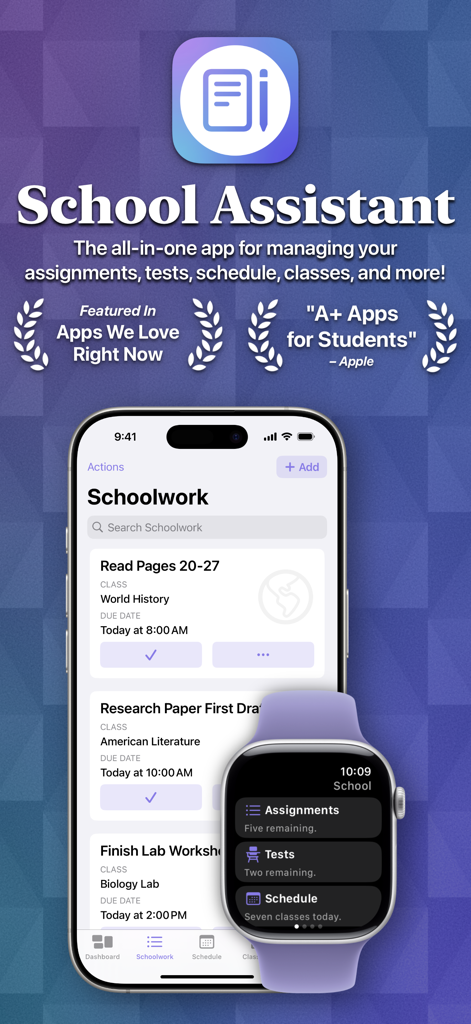
School Assistant 앱 인터페이스에 iPhone의 학업 과제와 Apple Watch의 요약 대시보드가 표시됩니다.

School Assistant 앱 인터페이스에 iPhone의 학업 과제와 Apple Watch의 요약 대시보드가 표시됩니다.

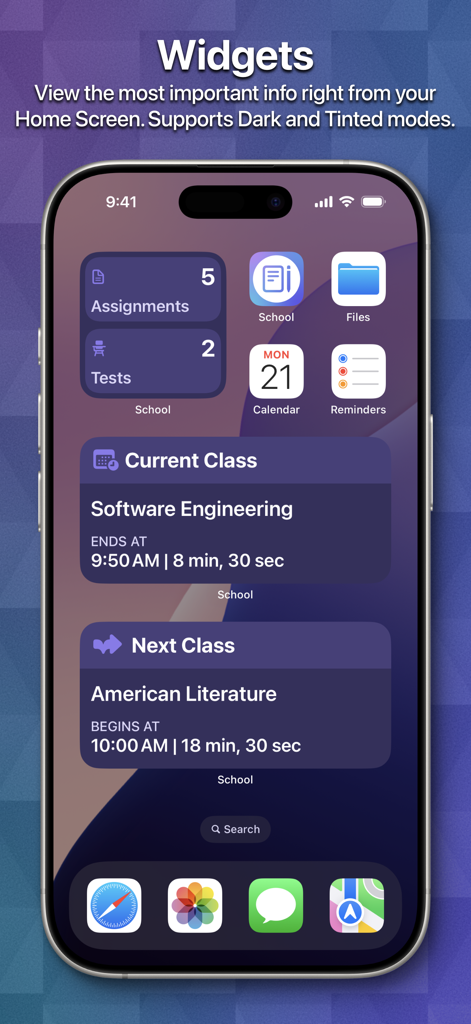
iPhone 홈 화면에 과제 및 수업 일정을 위한 학교 플래너 위젯이 표시됩니다.

iPhone 홈 화면에 과제 및 수업 일정을 위한 학교 플래너 위젯이 표시됩니다.

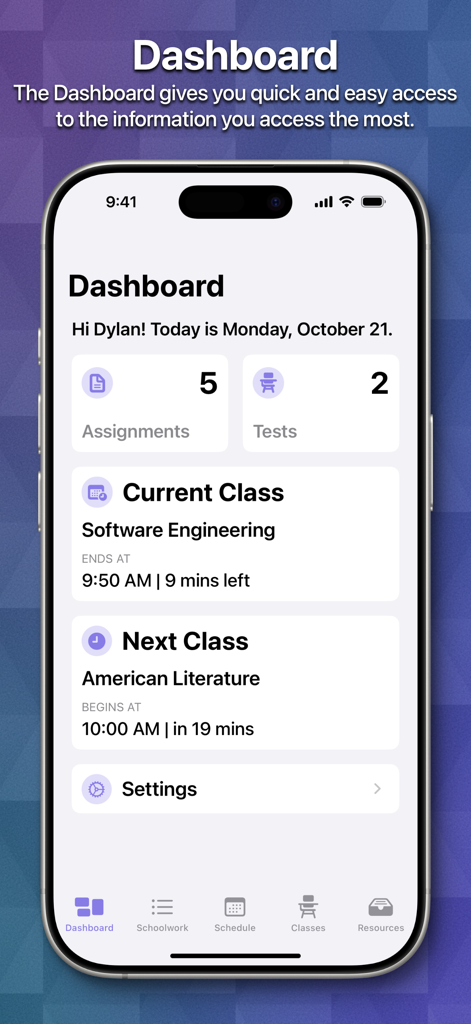
iPhone의 School Assistant Planner 앱 대시보드에 학생 과제, 시험 및 현재 수업 일정 개요가 표시됩니다.

iPhone의 School Assistant Planner 앱 대시보드에 학생 과제, 시험 및 현재 수업 일정 개요가 표시됩니다.

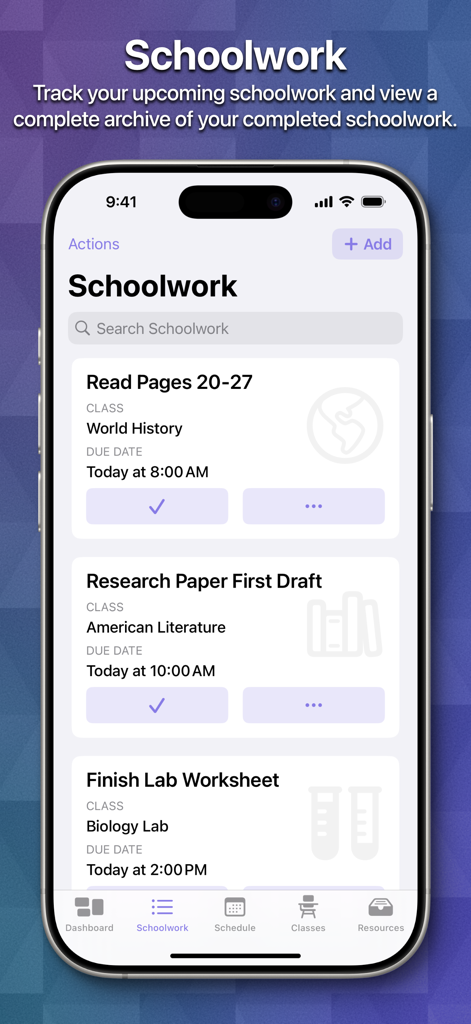
School Assistant 앱의 Schoolwork 섹션이 표시된 iPhone 화면에 학생 과제 및 마감일 목록이 표시됩니다.

School Assistant 앱의 Schoolwork 섹션이 표시된 iPhone 화면에 학생 과제 및 마감일 목록이 표시됩니다.

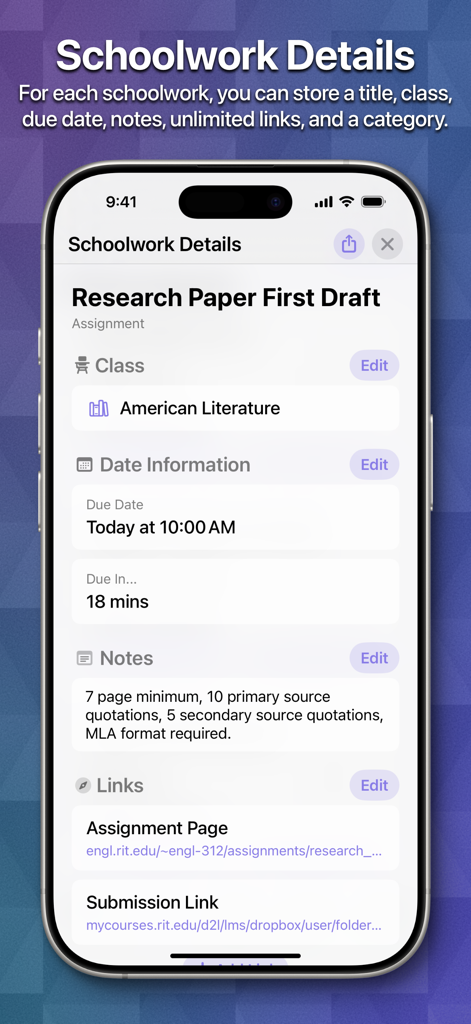
School Assistant 앱의 Schoolwork Details 화면으로, 미국 문학 수업의 리서치 페이퍼 과제가 표시됩니다.

School Assistant 앱의 Schoolwork Details 화면으로, 미국 문학 수업의 리서치 페이퍼 과제가 표시됩니다.

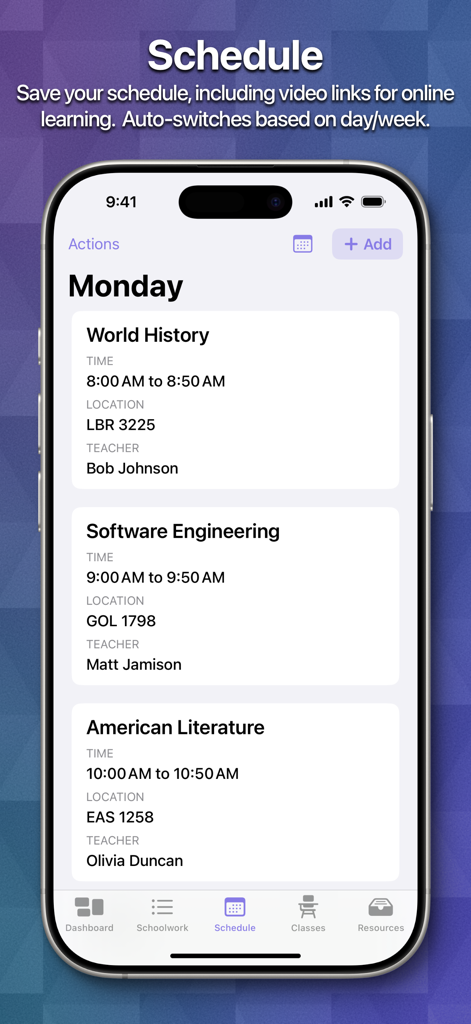
School Assistant Planner 앱에 시간, 장소, 교사가 포함된 일일 수업 일정이 표시됩니다.

School Assistant Planner 앱에 시간, 장소, 교사가 포함된 일일 수업 일정이 표시됩니다.

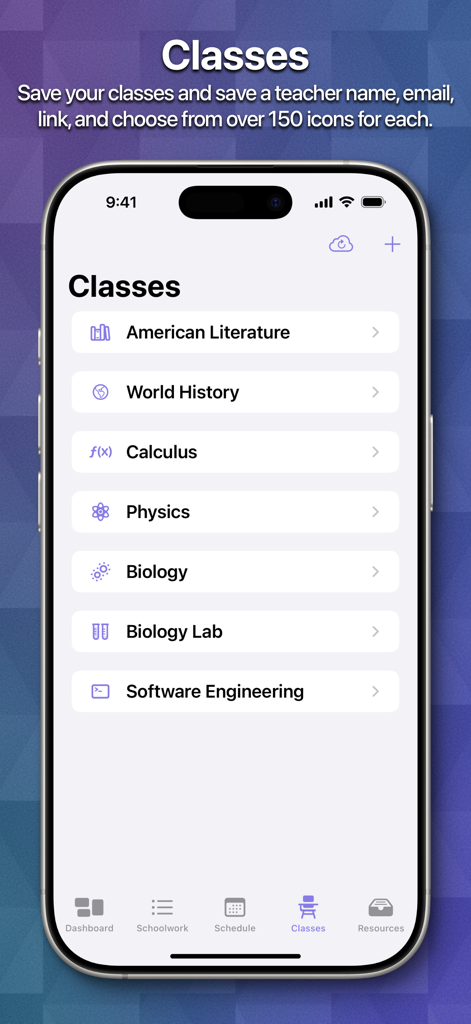
School Assistant 앱의 스크린샷으로 문학, 역사, 미적분을 포함한 체계적인 수업 목록과 사용자 정의 아이콘이 표시됩니다.

School Assistant 앱의 스크린샷으로 문학, 역사, 미적분을 포함한 체계적인 수업 목록과 사용자 정의 아이콘이 표시됩니다.

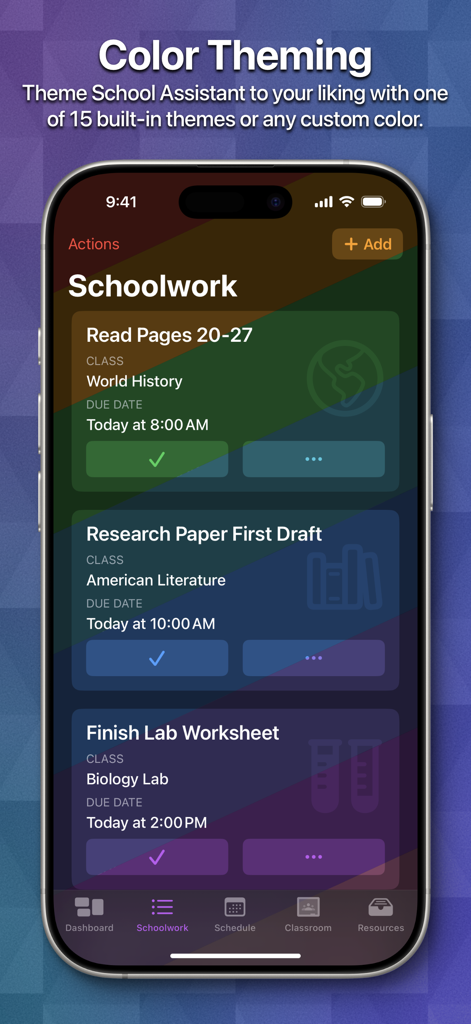
School Assistant 앱 Schoolwork 섹션이 표시된 iPhone 화면으로, 무지개 색상 테마와 학업 과제 목록이 표시됩니다.

School Assistant 앱 Schoolwork 섹션이 표시된 iPhone 화면으로, 무지개 색상 테마와 학업 과제 목록이 표시됩니다.

학업 생활을 완벽하게 관리하세요

이 앱을 돋보이게 하는 도구, 234K+ 명의 사용자가 선택.

🎓

스마트 Google Classroom 동기화

과제를 통합 대시보드로 직접 가져옵니다. 마감일, 수업, 우선순위별로 정렬하여 집중해야 할 것을 정확히 파악하세요.

유연한 일정 관리

복잡한 미국 블록 스케줄에 완벽합니다. A/B 주를 자동으로 전환하고 대화형 위젯으로 다음 수업을 한눈에 확인하세요.

매끄러운 Apple 생태계 통합

iPhone, Mac, Apple Watch 간에 동기화 상태를 유지하세요. iCloud 통합으로 손목이나 데스크톱에서 즉시 일정에 액세스하세요.

앱 소개

에 대해 알아야 할 모든 것 School Assistant – Planner.

설명

School Assistant by Sun Apps is a simple but powerful school planner app. It allows you to quickly and easily keep track of homework, tests, and your schedule, see and save Google Classroom assignments, quickly access saved websites, and more. First, as a student myself, I know how hard it can be to pay for these types of apps. So, School Assistant is 100% free: no subscriptions, no paywalls, no premium features, and no ads! There is a tip jar if you feel like supporting, though (these are the in-app purchases the App Store shows). Schoolwork: - Manage your upcoming assignments and tests - Sort by due date, class, category, alphabetically, or manually - Add a related class, due date, links, and notes - Schedule reminders - Highlight upcoming and overdue schoolwork - Keep an entire archive of your completed schoolwork - View how many assignments/tests you have right from your Home Screen / Desktop with Widgets Schedule: - Keep track of your classes for every day - Add associated teacher and room information (or, add a link for online classes) - Automatically switch days based on the day of the week - Automatically switch between two weeks (great for A/B week schedules) - Manually switch between up to ten weeks - See your current class and next class on the Dashboard and with Home Screen / Desktop Widgets Classes: - In addition to Schoolwork and Schedule, you can manage your classes with a dedicated feature - Store your teacher’s name and email - Store notes for each class - Assign an icon to each class, which also shows in Schoolwork Apple Watch App: - Super quick access to your most important information - View your Schoolwork, automatically sorted into assignments and tests - View your Schedule for any day - View your current and next classes, and how long you have left - Set a custom theme color to match your Watch, band, or outfit - Designed for quick interactions Other features: - Set a custom accent color - Theme the entire app with a color of your choosing - Over 20 app icon choices - Full and automatic data syncing over iCloud - Tight iOS and iPadOS integration with support for features like Slide Over and Split View, iPad cursor, keyboard shortcuts, system sidebars, Home Screen widgets, Dynamic Text, and multi-window support - Support for iPhone, iPad, iPod touch, Mac, Apple Watch, and Apple Vision Pro - Designed with quick and easy usability in mind - Full support for Dark Mode and Tinted Home Screens Legal disclaimers for Google Classroom: ©2018 Google LLC, used with permission. Google and the Google logo are registered trademarks of Google LLC.

최신 버전

4.0

크기

117.4 MB

출시일

2019년 11월 25일

학업 생활을 100% 무료로 정리하세요

학생이, 학생을 위해 만든 플래너를 사용하는 234,000명 이상의 학생들과 함께하세요. 구독이나 광고 없이, 모든 Apple 기기에서 완벽하게 집중할 수 있습니다.

다운로드: App Store
FAQ

자주 묻는 질문

에 대해 알아야 할 모든 것 School Assistant – Planner

School Assistant – Planner는 무료 앱인가요?

네, School Assistant – Planner는 100% 무료입니다. 구독, 유료 결제, 프리미엄 기능 또는 광고가 없습니다. 지원을 위한 선택적 팁 상자가 제공됩니다.

School Assistant – Planner는 학업 관리에서 어떻게 도움을 주나요?

School Assistant – Planner는 다가오는 과제와 시험 관리를 도와주며, 정렬, 마감일 및 링크와 같은 세부 정보 추가, 미리 알림 예약, 완료된 작업 보관 기능을 제공합니다.

School Assistant – Planner는 Google Classroom과 연동되나요?

네, School Assistant – Planner를 사용하면 Google Classroom 과제를 보고 저장할 수 있으며, 이 기능이 앱 경험에 직접 통합됩니다.

School Assistant – Planner는 어떤 기기와 호환되나요?

School Assistant – Planner는 iPhone, iPad, iPod touch, Mac, Apple Watch 및 Apple Vision Pro를 포함한 다양한 Apple 기기를 지원하며 iOS 및 iPadOS와 긴밀하게 통합됩니다.

School Assistant – Planner에 홈 화면 위젯이 포함되어 있나요?

네, School Assistant – Planner는 홈 화면 및 데스크톱 위젯을 제공합니다. 이러한 위젯은 예정된 과제/시험, 현재 수업, 다음 수업을 표시하며 다크 모드 및 틴트 모드를 지원합니다.

School Assistant – Planner는 여러 기기 간에 데이터를 동기화하나요?

네, School Assistant – Planner는 iCloud를 사용하여 모든 기기 간에 완전하고 자동화된 데이터 동기화를 제공하여 정보가 항상 최신 상태인지 확인합니다.

School Assistant – Planner Apple Watch 앱은 어떤 기능을 제공하나요?

School Assistant – Planner Apple Watch 앱은 학업 작업, 정렬된 과제 및 시험, 일일 일정, 현재/다음 수업, 사용자 정의 테마 색상에 빠르게 액세스할 수 있습니다.

사용자는 School Assistant – Planner의 모양을 사용자 정의할 수 있나요?

네, School Assistant – Planner는 사용자 정의 악센트 색상 설정, 전체 앱 테마 지정, 20가지 이상의 앱 아이콘 옵션 선택을 포함한 광범위한 사용자 정의를 허용합니다.

App information, icons, screenshots, and descriptions displayed on this page are sourced from the Apple App Store and are the property of their respective developers. Download estimates and rankings are based on MWM's proprietary models and may not reflect actual figures. This page is provided for informational and analytical purposes only.

Believe this page infringes your intellectual property? File a dispute