Screen Mirroring - 1001 TVs

Screen Mirroring - 1001 TVs


다운로드: App Store다운로드: Google Play
로고: Screen Mirroring - 1001 TVs
1001 TVs: PC, Mac 및 스마트 TV로 간편한 화면 미러링

폐쇄적인 생태계를 벗어나세요. 전문적인 수준의 낮은 지연 시간과 완벽한 오디오-비디오 동기화로 iPhone 또는 iPad를 모든 Windows 컴퓨터, TV 또는 브라우저로 전송하세요.

개발사

Nero AG

카테고리

Utilities

다운로드

998K+

사용자 평점

4.1/5

총 평가 수

2K+

지원 언어

43

더 큰 화면에서 확인하세요

이 인터페이스를 사용하는 998K+ 명의 사용자.

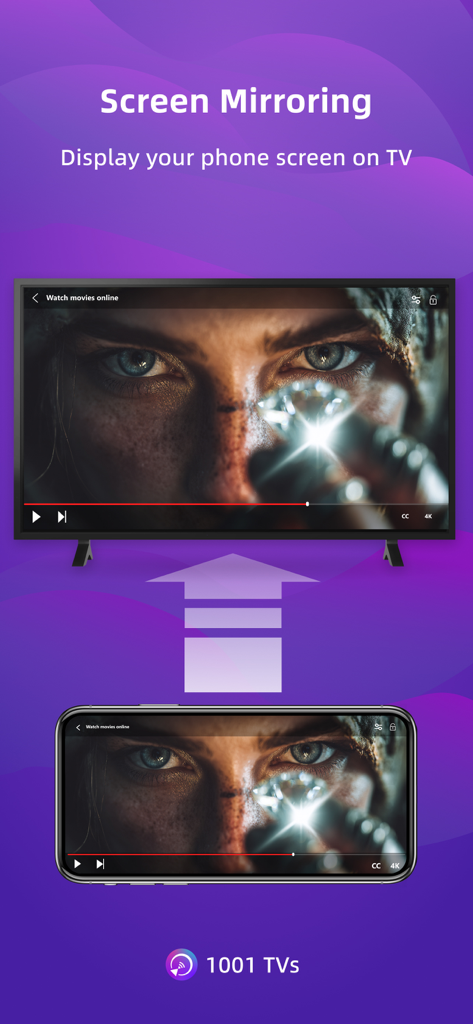
스마트폰 화면이 영화가 표시된 대형 스마트 TV 디스플레이에 미러링되고 있습니다.

스마트폰 화면이 영화가 표시된 대형 스마트 TV 디스플레이에 미러링되고 있습니다.

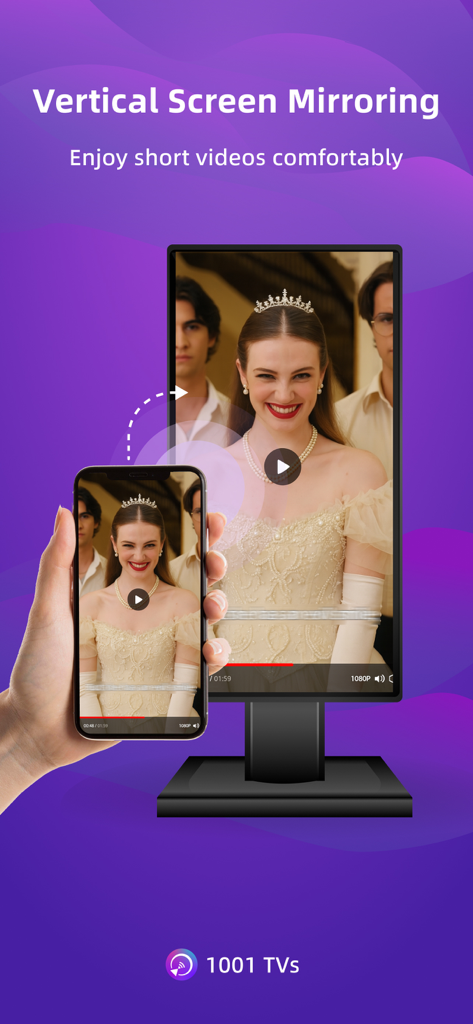
1001 TVs 앱을 사용하여 세로 동영상을 데스크톱 모니터로 미러링하는 스마트폰.

1001 TVs 앱을 사용하여 세로 동영상을 데스크톱 모니터로 미러링하는 스마트폰.

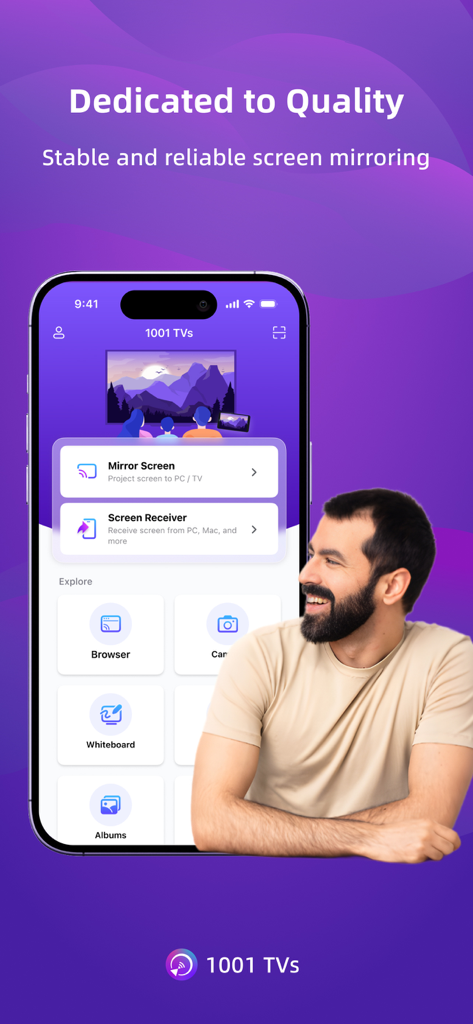
다양한 화면 미러링 및 캐스팅 옵션이 있는 1001 TVs 앱 인터페이스를 표시하는 스마트폰.

다양한 화면 미러링 및 캐스팅 옵션이 있는 1001 TVs 앱 인터페이스를 표시하는 스마트폰.

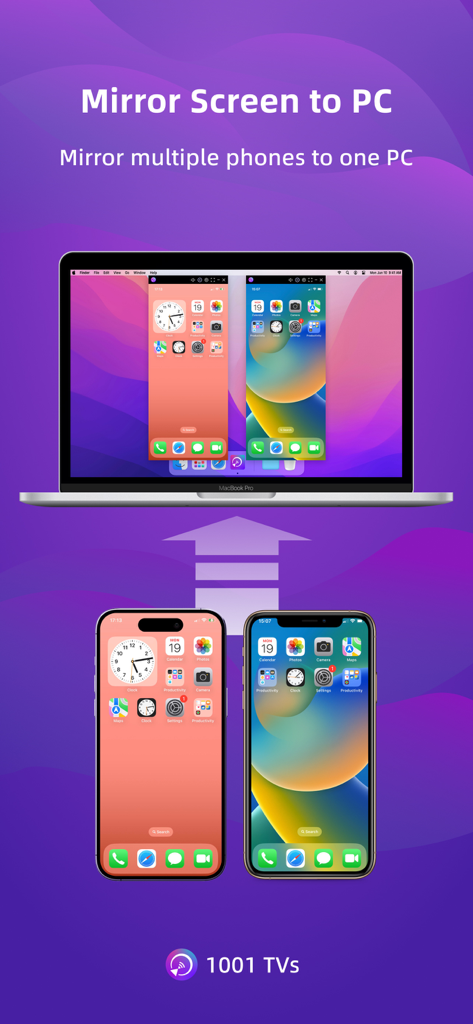
두 개의 휴대폰이 하나의 노트북 컴퓨터로 동시에 화면을 미러링하고 있습니다.

두 개의 휴대폰이 하나의 노트북 컴퓨터로 동시에 화면을 미러링하고 있습니다.

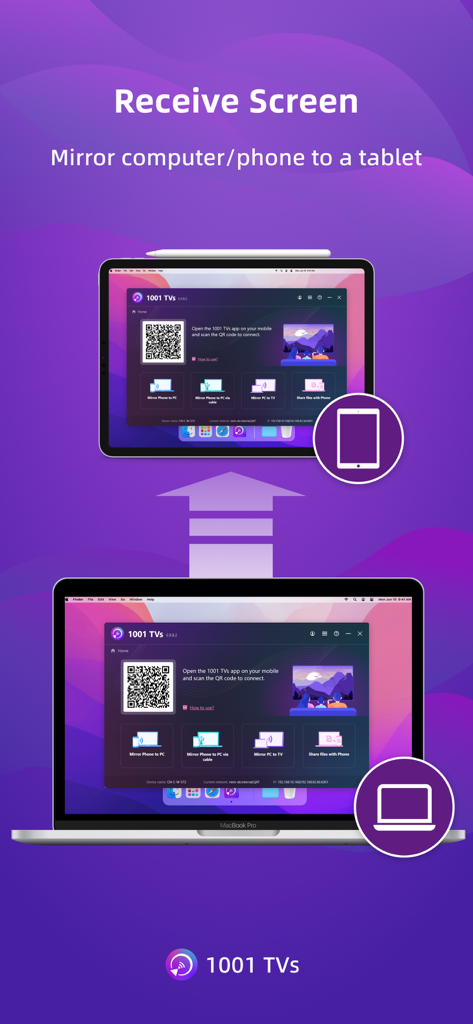
1001 TVs 앱을 사용하여 태블릿으로 미러링된 노트북 화면에 연결을 위한 QR 코드가 표시되어 있습니다.

1001 TVs 앱을 사용하여 태블릿으로 미러링된 노트북 화면에 연결을 위한 QR 코드가 표시되어 있습니다.

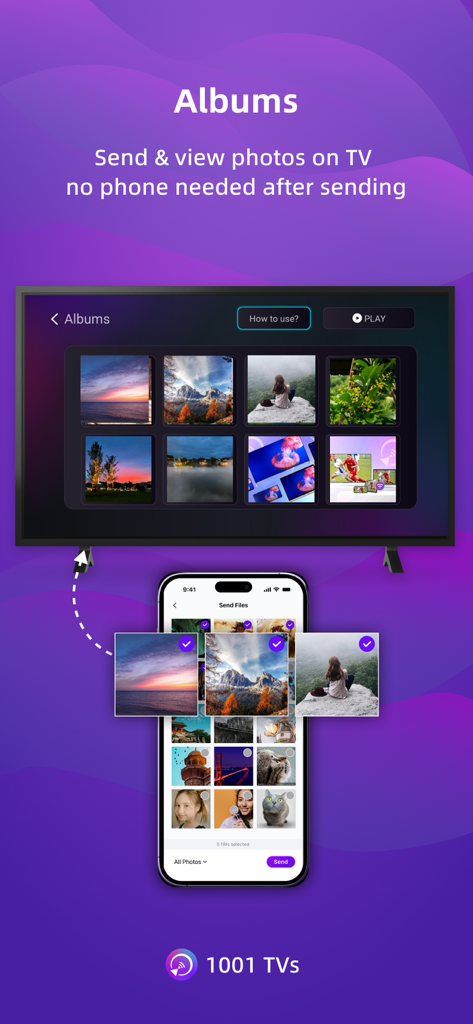
1001 TVs를 사용하여 스마트폰에서 TV 화면으로 사진 앨범을 전송하고 있습니다.

1001 TVs를 사용하여 스마트폰에서 TV 화면으로 사진 앨범을 전송하고 있습니다.

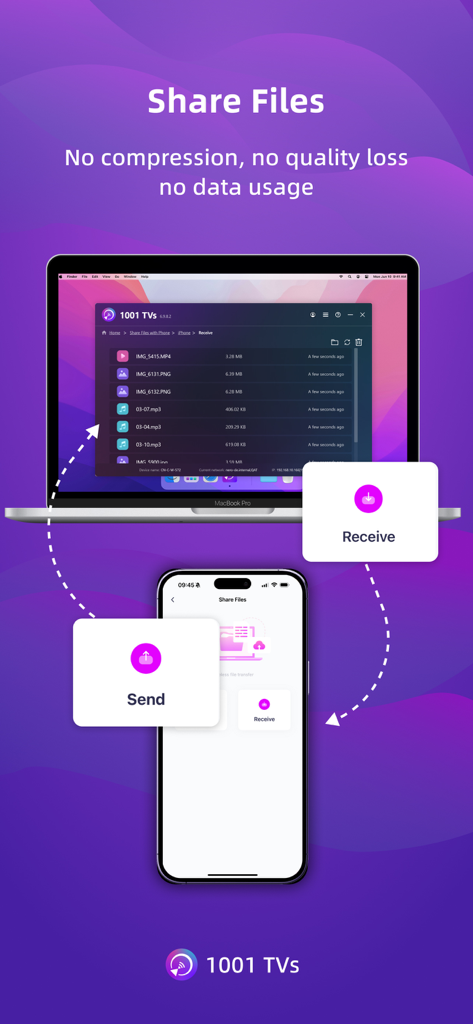
1001 TVs 앱을 사용하여 스마트폰과 노트북 간의 무선 파일 전송을 보여주며 품질 손실 및 데이터 사용량이 없음을 나타냅니다.

1001 TVs 앱을 사용하여 스마트폰과 노트북 간의 무선 파일 전송을 보여주며 품질 손실 및 데이터 사용량이 없음을 나타냅니다.

모든 화면을 연결하세요

이 앱을 돋보이게 하는 도구, 998K+ 명의 사용자가 선택.

💻

iPhone을 Windows 및 Mac으로 미러링

마침내 모바일 화면을 업무용 컴퓨터와 원활하게 공유할 수 있는 방법입니다. AirPlay가 없어도 문제가 없습니다. 플랫폼 간 즉시 연결됩니다.

초저지연 성능

완벽하게 동기화된 오디오 및 비디오로 실시간 미러링을 경험하세요. 모바일 게임, 라이브 데모 및 원활한 4K 비디오 재생에 완벽합니다.

🌐

즉시 브라우저 캐스팅

웹 브라우저가 있는 모든 기기로 미러링하세요. 수신 측에 소프트웨어 설치가 필요 없습니다. 제한된 업무용 PC에 대한 완벽한 해결책입니다.

리뷰 분석

사용자 리뷰 인사이트.

감정 점수

13%
부정적

요약

The app receives overwhelmingly negative feedback, primarily due to an aggressive subscription model and widespread technical issues. Many users report being unexpectedly charged after free trials or encountering immediate paywalls, labeling the app as a 'scam.' Common complaints include significant performance lag, audio/video synchronization problems, and an inability to reliably cast content, alongside issues with an outdated Fire TV receiver app. Despite these frustrations, a few users found the app simple to use and effective for basic screen mirroring, particularly valuing features like screen rotation.

주요 테마

Subscription Model(26)
Free Trial Transparency(10)
Performance & Latency(9)
Core Functionality(7)
Billing & Refund Issues(6)
Ease of Use(2)

앱 소개

에 대해 알아야 할 모든 것 Screen Mirroring - 1001 TVs.

설명

1001 TVs lets you cast your phone or tablet to Windows, Mac, Smart TV, Apple TV—even a web browser. You can also receive screen mirroring from other phones and PCs. We are a professional team on screen mirroring, always focus on the core features: - Support landscape mode and portrait mode that keep same ratio with phone's screen - Real-Time screen mirroring, keep best balance with low Latency and good quality - Audio and video stay perfectly in sync - Mirror multiple phones to one PC at the same time - Automatically rotates screen to match your phone’s orientation - Fit, Fill, or Zoom mode to remove black borders - Support screen mirroring to older devices that don't support AirPlay or Miracast - Mirror to any browser (like Chrome) — no app needed on the receiver side - Live Camera Mirroring — mirror what your camera sees to a big screen in real time. Great for selfies, support mirror flip - Whiteboard — draw or write and share in real time on TV or PC Also provide additional features: * Photo Albums — Upload and display photos on your TV * Web Streaming — Stream videos, music, and images to Smart TVs * Fast File Transfer — Quickly send files between devices without cables How to Get Started? # Install 1001 TVs on your phone and the device you want to cast to (PC, TV or tablet) # Connect both devices to the same Wi-Fi network # Open the app, select a device, and start mirroring No cables, no complicated setup — just tap and go. [Feedback] Reach out to us at 1001tvs@nero.com or visit our website: www.1001tvs.com [Subscription Plan] -Service Title: Auto-renew Weekly, Auto-renew Monthly, Auto-renew Yearly and Lifetime; -Your payment will be charged to your store account once you confirm the purchase; -Your subscription will automatically renew unless canceled at least 24 hours before the end of the current period; -You can always cancel the subscription through your store account; [Terms of Use] http://1001tvs.com/license/en/terms.html [Privacy Policy] http://1001tvs.com/license/en/privacy.html For privacy, screen casting data remains within your local network and will never be uploaded.

최신 버전

3.0.23

크기

90.6 MB

출시일

2019년 5월 28일

모든 기기 간의 격차를 해소할 준비가 되셨나요?

100만 명 이상의 사용자와 함께 오늘 iPhone을 Windows PC, 스마트 TV 또는 브라우저로 미러링하세요. 고품질, 낮은 지연 시간, 그리고 케이블이 필요 없습니다.

다운로드: App Store다운로드: Google Play
FAQ

자주 묻는 질문

에 대해 알아야 할 모든 것 Screen Mirroring - 1001 TVs

1001 TVs 화면 미러링은 어떻게 작동하나요?

1001 TVs는 휴대폰이나 태블릿을 Windows, Mac, 스마트 TV, Apple TV 또는 웹 브라우저로 전송합니다. 두 장치 모두 동일한 Wi-Fi 네트워크에 연결되어야 합니다. 화면 미러링을 시작하려면 두 장치 모두에 설치가 필요합니다.

Screen Mirroring - 1001 TVs로 무엇으로 전송할 수 있나요?

휴대폰이나 태블릿을 Windows, Mac, 스마트 TV, Apple TV 및 모든 웹 브라우저로 전송할 수 있습니다. 1001 TVs는 다른 휴대폰과 PC로부터 화면 미러링을 수신하는 것도 지원합니다.

1001 TVs에 TV 리모컨 기능이 있나요?

네, 1001 TVs에는 TV 리모컨 기능이 포함되어 있습니다. 동일한 Wi-Fi 네트워크에 있는 스마트 TV를 자동으로 감지하여 전원, 볼륨, 홈, 채널 및 방향 패드를 제어할 수 있습니다.

1001 TVs를 사용하여 휴대폰 화면을 PC로 미러링할 수 있나요?

네, 1001 TVs를 사용하면 휴대폰이나 태블릿 화면을 PC로 미러링할 수 있습니다. 또한 PC가 다른 휴대폰으로부터 화면 미러링을 수신하도록 할 수도 있습니다.

1001 TVs로 화면 미러링이 실시간으로 작동하나요?

네, 1001 TVs는 실시간 화면 미러링을 제공합니다. 낮은 지연 시간과 좋은 품질 사이의 최적의 균형을 유지하여 오디오와 비디오가 완벽하게 동기화되도록 합니다.

1001 TVs가 AirPlay 또는 Miracast가 없는 구형 TV로의 미러링을 지원하나요?

네, 1001 TVs는 AirPlay 또는 Miracast 기능이 없는 구형 장치로의 화면 미러링을 지원합니다. 이를 통해 다양한 디스플레이 설정에 대한 호환성을 확장할 수 있습니다.

1001 TVs로 파일을 어떻게 전송하나요?

1001 TVs는 케이블 없이 장치 간에 파일을 빠르게 전송할 수 있는 빠른 파일 전송 기능을 제공합니다. 두 장치 모두 앱이 설치되어 있고 동일한 Wi-Fi 네트워크에 연결되어 있어야 합니다.

1001 TVs의 구독 옵션은 무엇인가요?

1001 TVs는 자동 갱신 주간, 자동 갱신 월간, 자동 갱신 연간 및 평생 구독 요금제를 제공합니다. 결제는 구매 확인 시 스토어 계정으로 청구됩니다.

1001 TVs 구독을 취소할 수 있나요?

네, 언제든지 스토어 계정을 통해 1001 TVs 구독을 취소할 수 있습니다. 현재 기간이 종료되기 최소 24시간 전에 취소하면 자동 갱신이 중지됩니다.

Screen Mirroring - 1001 TVs를 사용할 때 내 개인 정보가 보호되나요?

네, 개인 정보가 보호됩니다. 1001 TVs의 화면 전송 데이터는 로컬 네트워크 내에 유지되며 앱은 절대로 업로드하지 않습니다.

App information, icons, screenshots, and descriptions displayed on this page are sourced from the Apple App Store and are the property of their respective developers. Download estimates and rankings are based on MWM's proprietary models and may not reflect actual figures. This page is provided for informational and analytical purposes only.

Believe this page infringes your intellectual property? File a dispute