Screen Recorder - RecordX

Screen Recorder - RecordX


다운로드: App Store
로고: Screen Recorder - RecordX

Screen Recorder - RecordX: 크리에이터를 위한 올인원 4K 스튜디오

음성-텍스트, 사용자 지정 워터마크, 즉시 GIF 내보내기와 같은 강력한 도구로 멋진 60fps 게임 플레이를 캡처하고, 전문가 수준의 튜토리얼을 제작하고, 이동 중에도 편집하세요.

개발사

哲 魏

카테고리

Utilities

다운로드

298K+

사용자 평점

4.3/5

총 평가 수

2K+

지원 언어

33

픽셀 완벽한 성능

이 인터페이스를 사용하는 298K+ 명의 사용자.

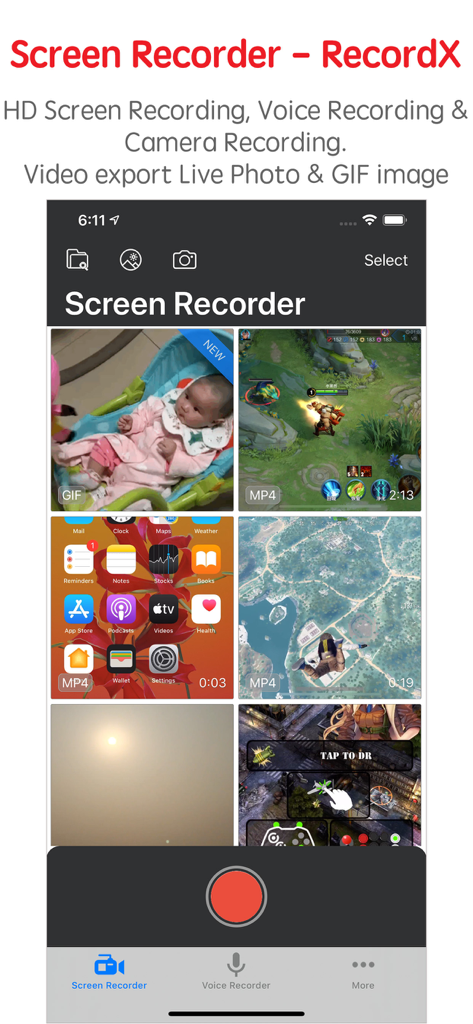
다양한 동영상 녹화와 녹화 버튼이 있는 Screen Recorder RecordX의 라이브러리 보기

다양한 동영상 녹화와 녹화 버튼이 있는 Screen Recorder RecordX의 라이브러리 보기

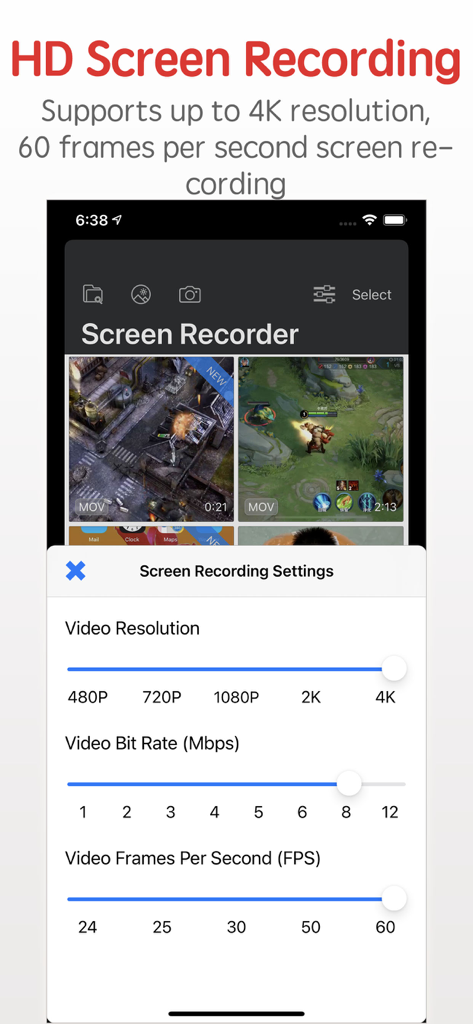
4K 해상도 및 60 FPS 옵션이 있는 HD 화면 녹화 설정이 표시된 RecordX 인터페이스

4K 해상도 및 60 FPS 옵션이 있는 HD 화면 녹화 설정이 표시된 RecordX 인터페이스

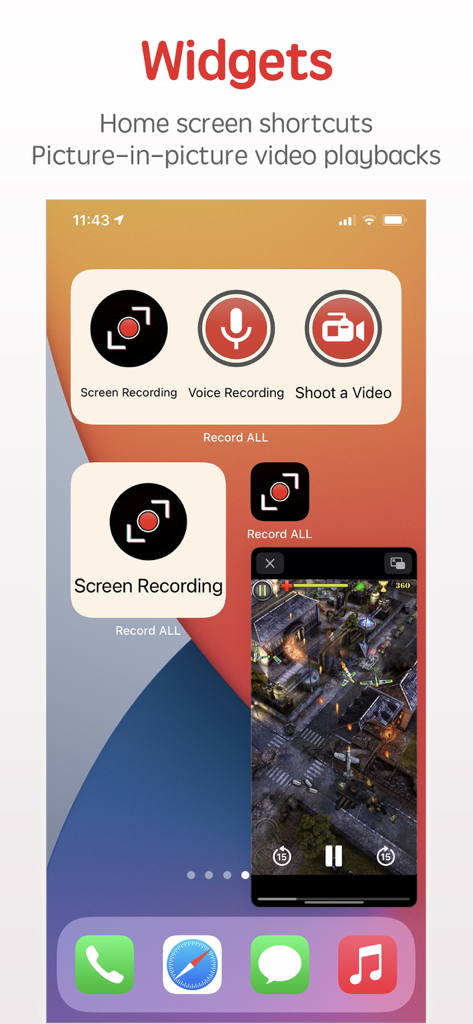
홈 화면 바로 가기 및 Picture-in-Picture 동영상 재생을 위한 Screen Recorder RecordX 위젯

홈 화면 바로 가기 및 Picture-in-Picture 동영상 재생을 위한 Screen Recorder RecordX 위젯

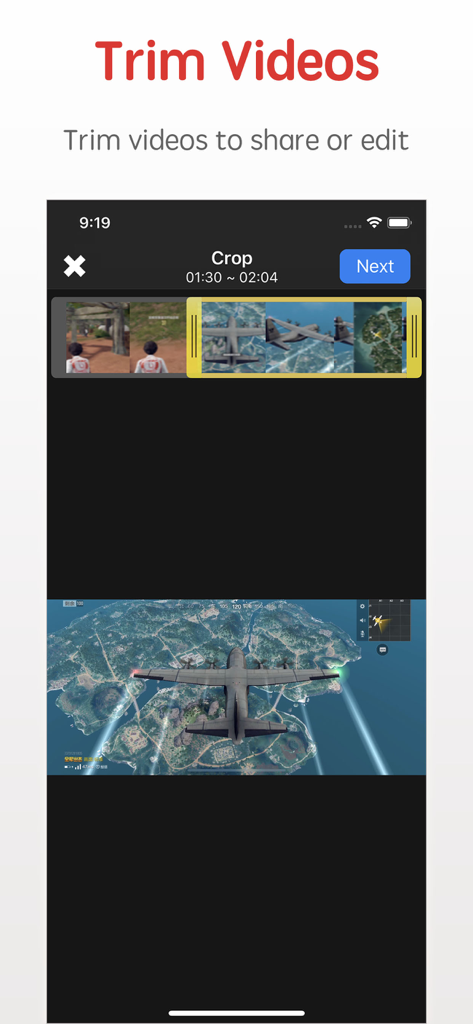
게임 클립과 함께 동영상 자르기 및 편집 기능이 표시된 RecordX 화면 녹화 앱 인터페이스

게임 클립과 함께 동영상 자르기 및 편집 기능이 표시된 RecordX 화면 녹화 앱 인터페이스

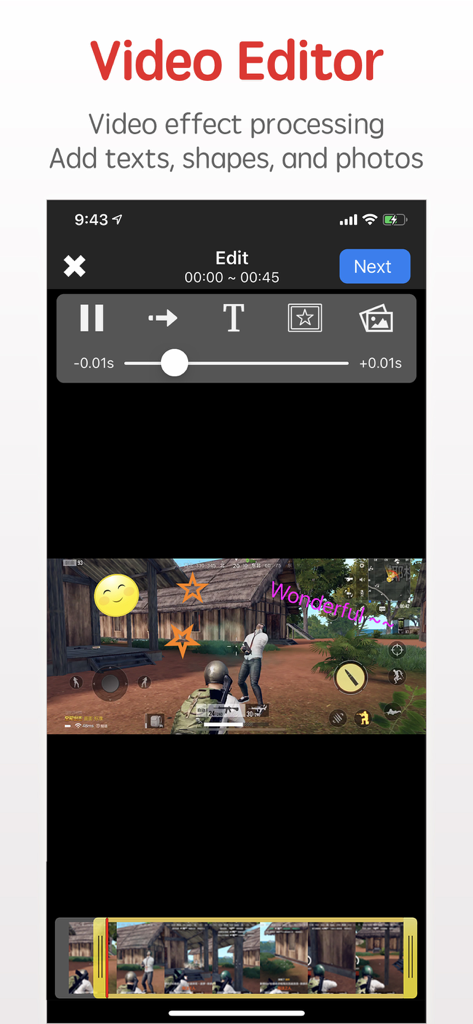
모바일 게임 플레이에 텍스트 및 스티커 오버레이가 표시된 RecordX 동영상 편집기 인터페이스

모바일 게임 플레이에 텍스트 및 스티커 오버레이가 표시된 RecordX 동영상 편집기 인터페이스

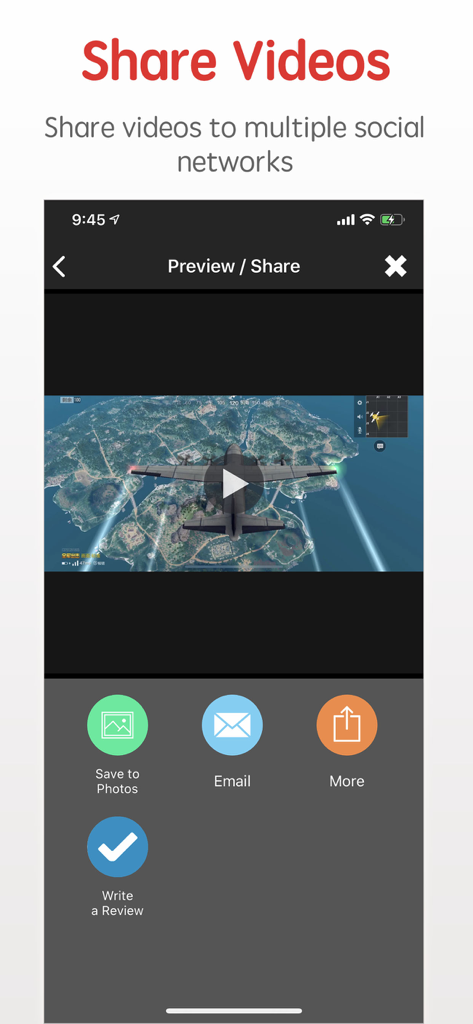
Screen Recorder RecordX 앱에서 동영상 녹화 게임 플레이를 공유하고 사진에 저장하기 위한 인터페이스

Screen Recorder RecordX 앱에서 동영상 녹화 게임 플레이를 공유하고 사진에 저장하기 위한 인터페이스

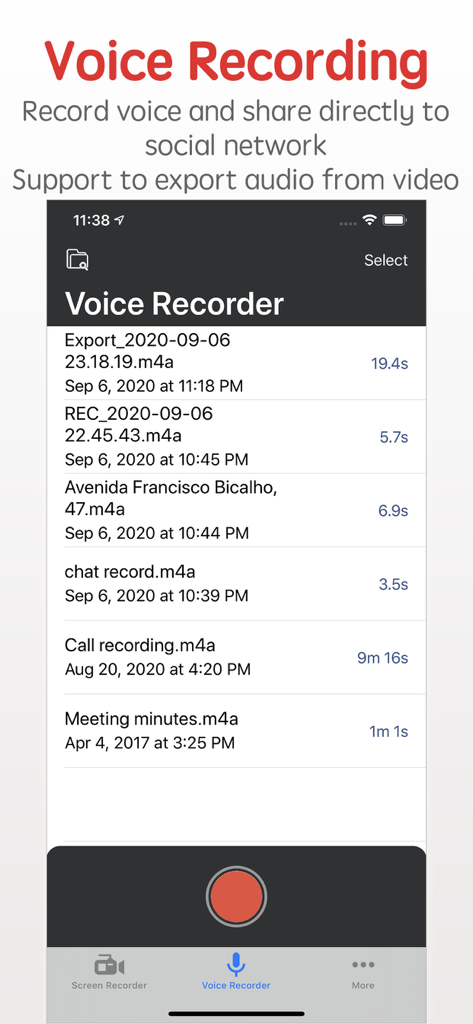
음성 녹음 목록과 빨간색 녹화 버튼이 표시된 Screen Recorder RecordX 앱 인터페이스

음성 녹음 목록과 빨간색 녹화 버튼이 표시된 Screen Recorder RecordX 앱 인터페이스

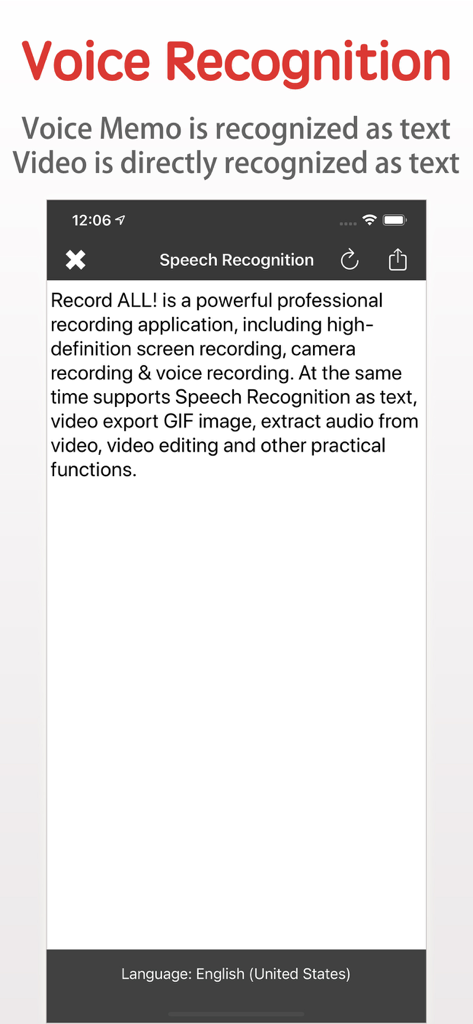
텍스트로 음성을 변환하는 RecordX 앱 음성 인식 기능

텍스트로 음성을 변환하는 RecordX 앱 음성 인식 기능

전문가처럼 제작하는 데 필요한 모든 것

이 앱을 돋보이게 하는 도구, 298K+ 명의 사용자가 선택.

🎬

초고화질 4K 성능

최고의 게임 플레이나 앱 튜토리얼의 모든 프레임을 놀라운 4K 60FPS로 캡처하여 어떤 화면에서도 전문적인 콘텐츠를 볼 수 있도록 합니다.

📱

스튜디오 품질의 모바일 편집

앱 내에서 클립을 자르고, 사용자 지정 워터마크를 추가하고, 속도를 조절하세요. 즉각적인 소셜 미디어 효과를 위해 GIF 또는 라이브 포토로 직접 내보낼 수 있습니다.

🎙️

AI 기반 음성 인식

오디오 및 동영상 녹화를 텍스트로 즉시 변환하세요. 수동 입력 없이 자막, 회의록 또는 스크립트를 생성하는 데 완벽합니다.

앱 소개

에 대해 알아야 할 모든 것 Screen Recorder - RecordX.

설명

Screen Recorder - RecordX is a powerful professional recording application, including high-definition screen recording up to 4K resolution 60 frames, camera recording & voice recording. At the same time supports Voice Recognition as text, video export Live Photo or GIF images, extracting audio from video, picture-in-picture video playback on the home screen, video editing, and other practical functions. With RecordX, You can easy to capture your favorite videos, music videos, games, apps for gameplay shows, app tutorials, game reviews, game walkthroughs, video chats, and other screen activities on your iPhone or iPad. Game players can share great moments or research game tactics. Features: - HIGH-QUALITY screen recording 1. Record Full-Screen videos without any limitations 2. Support up to 4K resolution 60 frames screen recording 3. Quick one-touch screen recording and directly close the screen recording on the home screen. 4. Record screen in multiple display directions: You can set the display orientation of the recording screen, and the default landscape screen recording (the video direction of most games). 5. Record screen with all kinds of audio 6. Build-in video player 7. Extract audio from video 8. PIP: Recorded video can be picture-in-picture played on the home screen - Export the video as a Live Photo or GIF image, which is convenient for you to share on social media - Camera Recording, the recorded video is directly edited or exported as a Live Photo or GIF image - Voice Recording 1. Record the voice of the microphone directly, and support background recording 2. Set the voice recording quality - Voice Recognition 1. Voice Memos are directly recognized as text 2. The audio in the video is directly recognized as text - Video Editor 1. Trim or cut the length of the recorded video 2. Add rotation and mirror effects to your videos 3. Adjust the video playback speed 4. Adjust the video playback direction, play forward or backward 5. Add a text watermark to set the text size, color, font, etc. 6. Add a graphic watermark or photo watermark, can set display transparency 7. Import video and edit from system Photo Library - Share videos & audio with your friends. 1. Share videos and voice recordings to social networks 2. The recorded videos can be saved directly to the system Photos app 3. WiFi file sharing to other mobile devices or computers 4. Import videos directly from the system Photos app 5. Import video and audio directly from iCloud Drive - Privacy protection 1. App password login 2. Emergency switch to other application functions - One-click control screen recording and voice recording on the desktop - One-click control screen recording and voice recording on the lock screen - Built-in video user guides * * * * * * * * * If you enjoy using RecordX, please give us a 5-star rating. Your 5-star rating for each version will keep the updates coming. Thanks in advance. ◆ Subscription Terms ◆ • You can subscribe for unlimited access to all features within RecordX • Subscriptions are billed annually, monthly, or weekly at the rate selected depending on the subscription plan. Payment will be charged to App Store Account at confirmation of purchase By using RecordX, you agree to our Privacy Policy and Terms of Use: http://www.elinapp.com/privacy_policy_new.html http://www.elinapp.com/terms.html

최신 버전

3.5

크기

39.4 MB

출시일

2018년 8월 16일

다음 바이럴 순간을 캡처할 준비가 되셨나요?

RecordX를 신뢰하는 298,000명 이상의 크리에이터 및 게이머와 함께하세요. 지금 다운로드하여 iPhone 또는 iPad에서 바로 4K 녹화, 이동 중 편집, 전문가 수준의 콘텐츠 공유를 시작하세요.

다운로드: App Store

App information, icons, screenshots, and descriptions displayed on this page are sourced from the Apple App Store and are the property of their respective developers. Download estimates and rankings are based on MWM's proprietary models and may not reflect actual figures. This page is provided for informational and analytical purposes only.

Believe this page infringes your intellectual property? File a dispute