Screenia

Screenia

다운로드: App Store
로고: Screenia

Screenia: 전문적인 스크린샷을 즉시 캡처, 편집 및 공유하세요

기술 전문가를 위한 최고의 크로스 플랫폼 워크플로. 정밀하게 주석을 추가하고 macOS와 iOS 간에 원활하게 동기화하며 즉시 안전한 클라우드 링크로 데스크톱의 혼란을 없애세요.

다운로드: App Store

개발사

FRESH DYZAIN, TOV

카테고리

Developer Tools

다운로드

3K+

사용자 평점

4.3/5

총 평가 수

100

지원 언어

1

모든 픽셀의 정밀함

이 인터페이스를 사용하는 3K+ 명의 사용자.

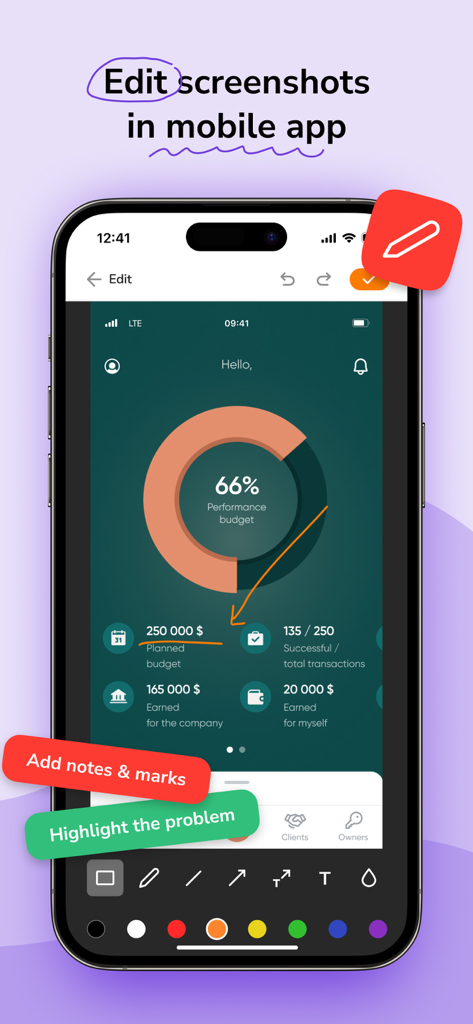
Screenia 앱의 모바일 인터페이스로 스크린샷 편집 및 주석 도구를 보여줌

Screenia 앱의 모바일 인터페이스로 스크린샷 편집 및 주석 도구를 보여줌

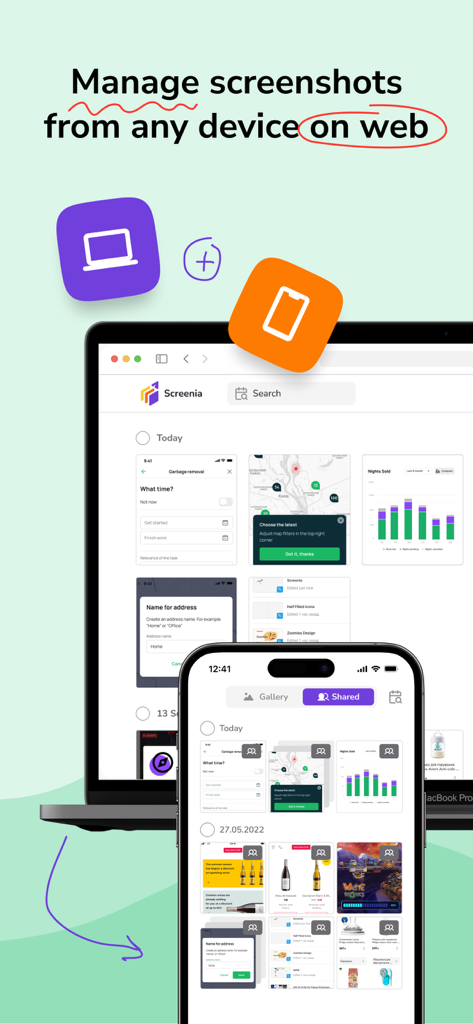
Screenia 앱 인터페이스로 노트북과 휴대폰 간에 동기화된 스크린샷 관리를 보여줌

Screenia 앱 인터페이스로 노트북과 휴대폰 간에 동기화된 스크린샷 관리를 보여줌

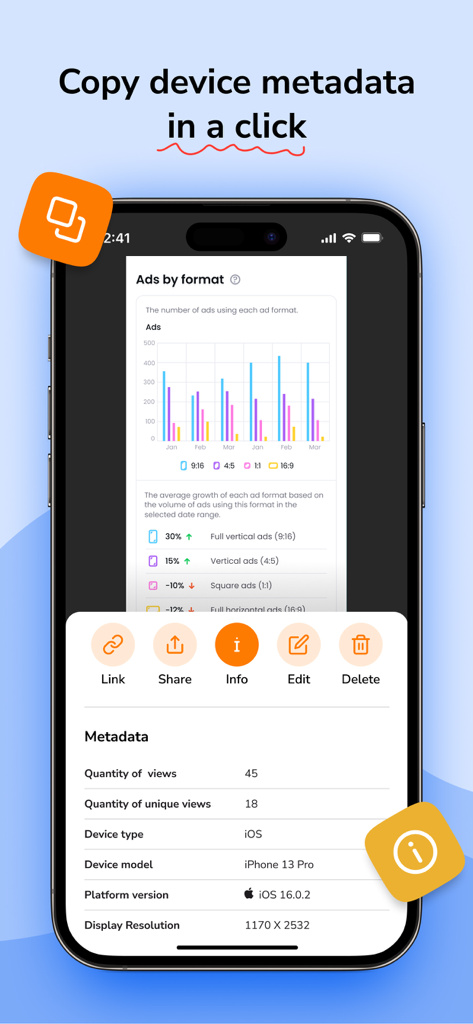
Screenia 모바일 앱으로 스크린샷에 대한 장치 모델 및 OS 버전을 포함한 장치 메타데이터 표시

Screenia 모바일 앱으로 스크린샷에 대한 장치 모델 및 OS 버전을 포함한 장치 메타데이터 표시

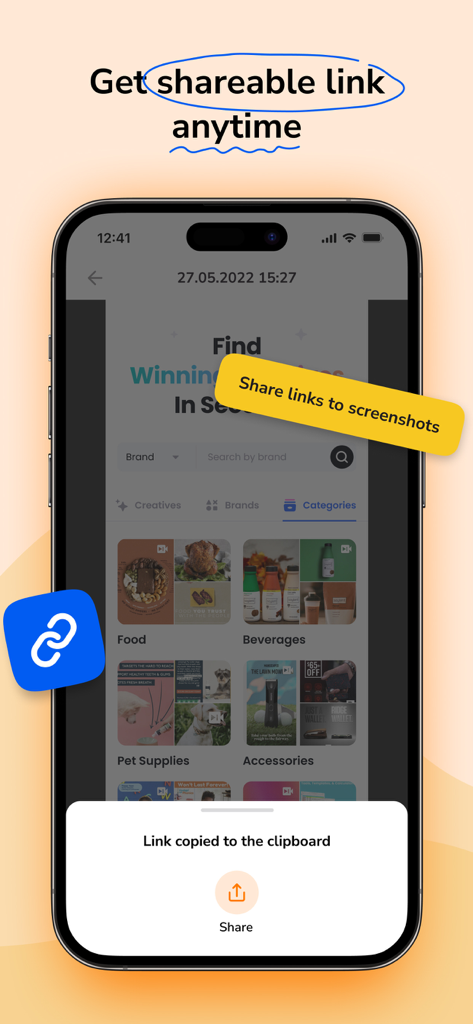
Screenia 앱이 클립보드 알림에 복사된 링크가 있는 스마트폰 화면을 보여줌

Screenia 앱이 클립보드 알림에 복사된 링크가 있는 스마트폰 화면을 보여줌

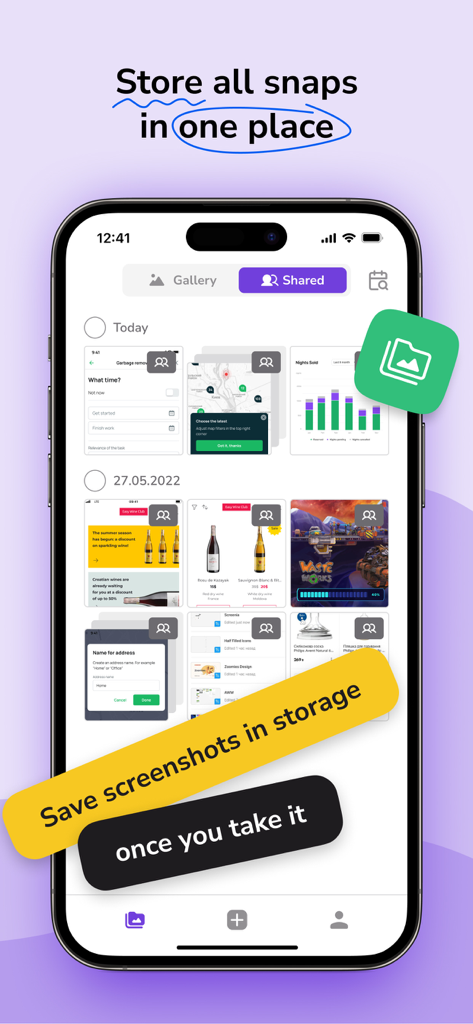
Screenia 앱 인터페이스로 iPhone의 저장된 스크린샷 갤러리를 보여주고 클라우드 스토리지 홍보 문구 포함

Screenia 앱 인터페이스로 iPhone의 저장된 스크린샷 갤러리를 보여주고 클라우드 스토리지 홍보 문구 포함

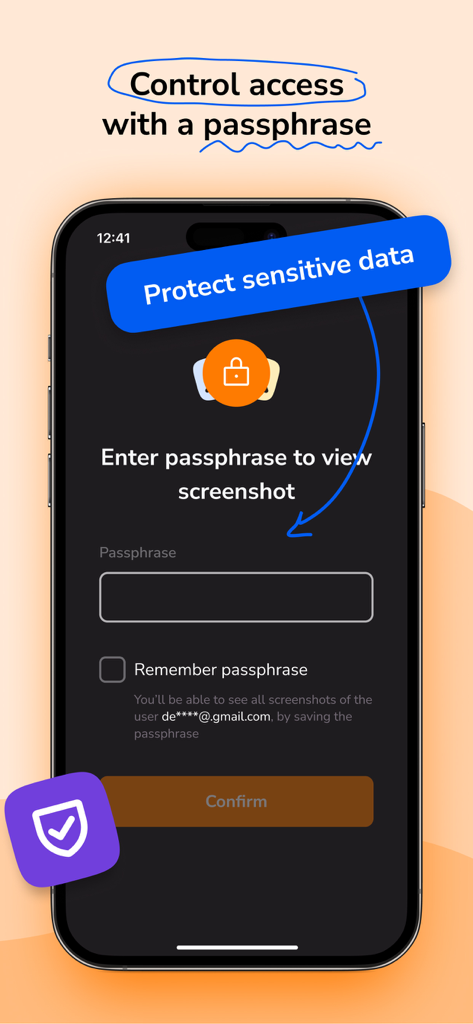
Screenia 모바일 앱 인터페이스로 안전한 스크린샷 공유를 위한 암호 보호 표시

Screenia 모바일 앱 인터페이스로 안전한 스크린샷 공유를 위한 암호 보호 표시

시각적 워크플로를 마스터하세요

이 앱을 돋보이게 하는 도구, 3K+ 명의 사용자가 선택.

☁️

통합 클라우드 환경

파일을 찾아 헤매지 마세요. 원활한 클라우드 동기화 및 정리된 컬렉션을 통해 macOS 및 iOS 간에 모든 스크린샷 기록에 즉시 액세스하세요.

✏️

정밀 편집 도구 모음

선명한 화살표, 도형 및 텍스트로 전문적인 수준의 피드백을 제공하세요. 어수선한 그림 대신 권위를 부여하는 세련된 주석을 사용하세요.

🔗

즉시 공유 및 보안

마찰을 제거하기 위해 클릭 한 번으로 공유 가능한 링크를 생성하세요. 암호 암호화 및 장치 메타데이터 제어로 민감한 회사 데이터를 보호하세요.

앱 소개

에 대해 알아야 할 모든 것 Screenia.

설명

Screenia is a cross-platform tool for taking and editing screenshots. It also provides cloud storage and allows you to share links to your screenshots. Available for macOS, iOS, web, and other platforms. Free version: • Capture fullscreen or fragment • Edit screenshots with pencil, text, arrows, and shapes • Save 100 screenshots on the cloud • Customize hotkeys • Sharable screenshot links • Original screenshot quality • 14-day screenshot storing period • Screenshot collection • Shared with me history Premium version: • Capture fullscreen or fragment • Edit screenshots with pencil, text, arrows, and shapes • Save unlimited screenshot amount on the cloud • Customize hotkeys • Sharable screenshot links • Original screenshot quality • Unlimited screenshot storing period • Screenshot collection • Shared with me history • Device metadata • Screenshot passphrase protection ____________ Screenia can be used without an activated subscription, with limited features. Premium version can be enabled with paid: • Monthly subscription $7.99 • Seasonal subscription $6.99 / per month ($20.99 total cost) • Yearly subscription $4.99 / per month ($59.99 total cost) Subscription will be charged to your credit card through your App Store account. Your subscription will automatically renew unless canceled at least 24 hours before the end of the current period. Manage your subscription in the Account Settings on the App Store after purchase. Follow us: Facebook: https://www.facebook.com/screeniaapp Twitter: https://twitter.com/ScreeniaAPP LinkedIn: https://www.linkedin.com/company/screeniaapp Contact us: hello@screenia.app Legal: Privacy Policy: https://screenia.app/privacy-policy Terms of Use: https://screenia.app/terms-and-conditions

최신 버전

1.7.0

크기

82.5 MB

출시일

2022년 11월 1일

전문적인 워크플로를 간소화할 준비가 되셨나요?

데스크톱의 혼란을 버리세요. Screenia를 사용하여 모든 장치에서 아이디어를 즉시 캡처, 주석 추가 및 공유하는 수천 명의 개발자, 디자이너 및 원격 팀에 합류하세요.

다운로드: App Store

App information, icons, screenshots, and descriptions displayed on this page are sourced from the Apple App Store and are the property of their respective developers. Download estimates and rankings are based on MWM's proprietary models and may not reflect actual figures. This page is provided for informational and analytical purposes only.

Believe this page infringes your intellectual property? File a dispute