Send Fax App-Faxes From iPhone

Send Fax App-Faxes From iPhone

다운로드: App Store
로고: Send Fax App-Faxes From iPhone

Send Fax 앱: iPhone에서 팩스를 스캔, 서명 및 전송하는 가장 안정적인 방법

부피가 큰 하드웨어와 전화선을 버리세요. 실시간 추적 및 원활한 클라우드 통합을 통해 현대 전문가를 위한 초당 고품질, 보안 팩스를 전 세계로 전송하세요.

다운로드: App Store

개발사

7 Mobile Teknoloji Anonim Sirketi

카테고리

Business

다운로드

116K+

사용자 평점

4.2/5

총 평가 수

1K+

지원 언어

33

팩스는 현대적으로

이 인터페이스를 사용하는 116K+ 명의 사용자.

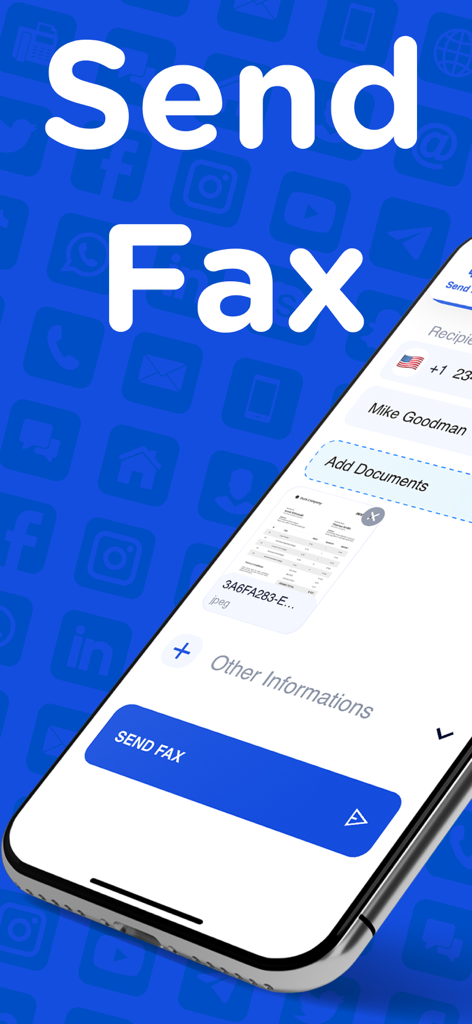
수신자 세부 정보와 보낼 준비가 된 문서를 보여주는 iPhone의 Send Fax 앱 인터페이스.

수신자 세부 정보와 보낼 준비가 된 문서를 보여주는 iPhone의 Send Fax 앱 인터페이스.

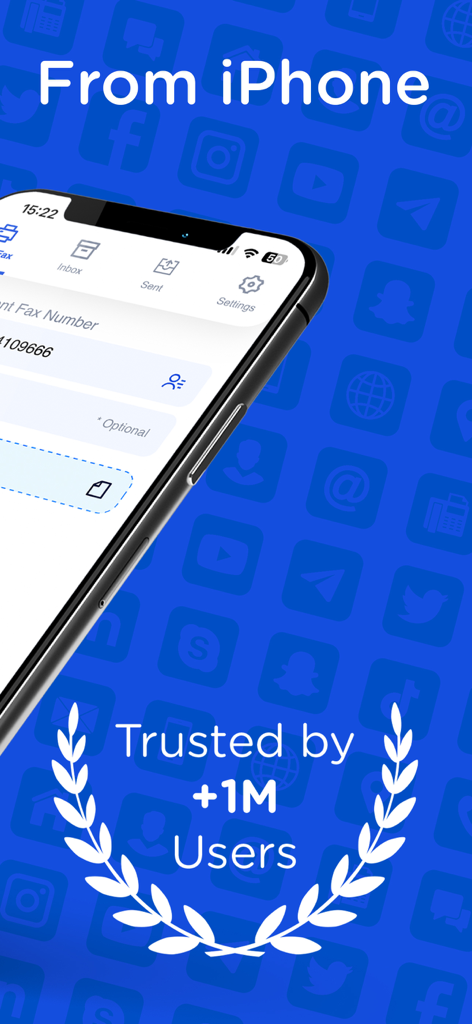
백만 명 이상의 사용자로부터 신뢰받는다는 배지가 표시된 Send Fax 앱 for iPhone 인터페이스

백만 명 이상의 사용자로부터 신뢰받는다는 배지가 표시된 Send Fax 앱 for iPhone 인터페이스

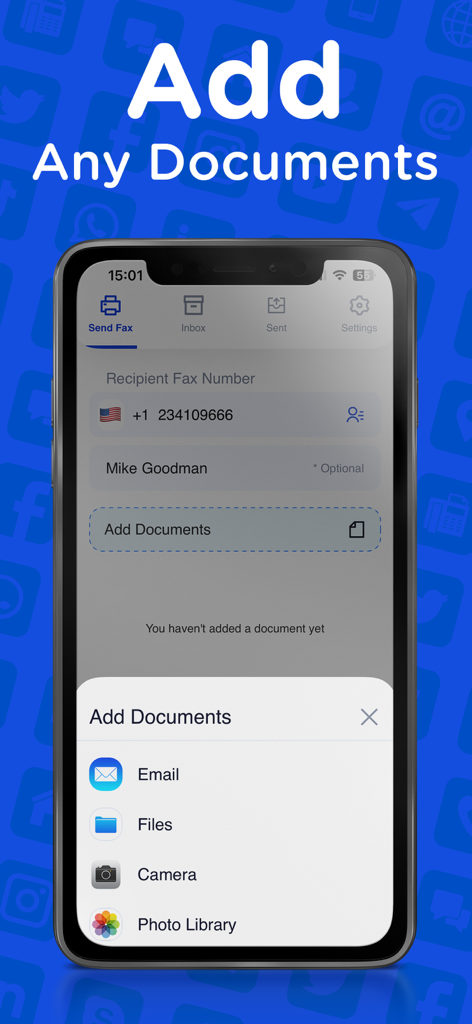
이메일, 파일, 카메라, 사진 라이브러리에서 문서를 추가하는 옵션을 보여주는 Send Fax 앱 인터페이스

이메일, 파일, 카메라, 사진 라이브러리에서 문서를 추가하는 옵션을 보여주는 Send Fax 앱 인터페이스

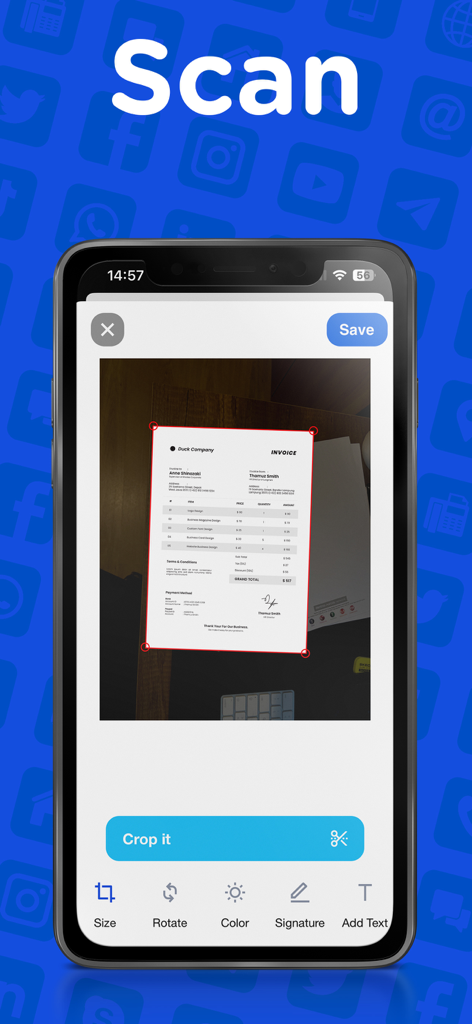
Send Fax 앱의 문서 스캔 및 자르기 인터페이스를 표시하는 iPhone 화면

Send Fax 앱의 문서 스캔 및 자르기 인터페이스를 표시하는 iPhone 화면

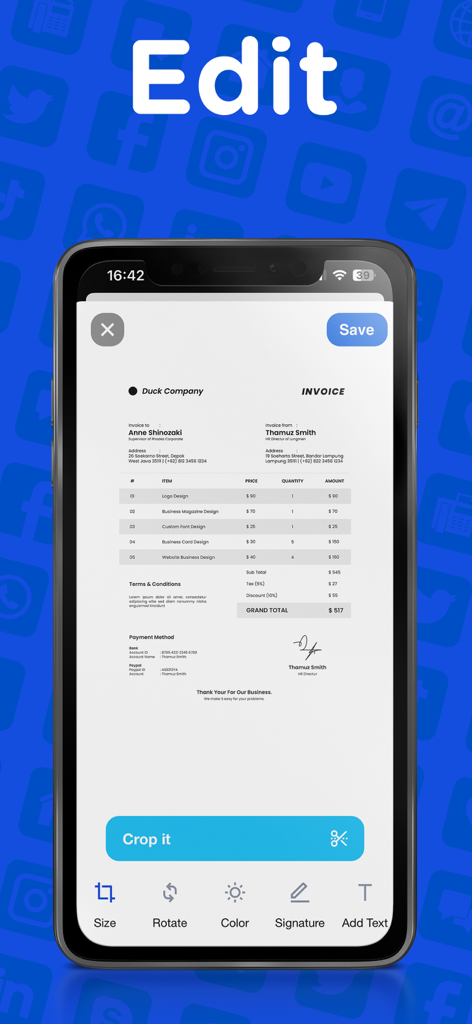
송장에 대한 자르기, 서명 및 텍스트 추가 도구가 있는 팩스 앱의 편집 인터페이스를 보여주는 스마트폰

송장에 대한 자르기, 서명 및 텍스트 추가 도구가 있는 팩스 앱의 편집 인터페이스를 보여주는 스마트폰

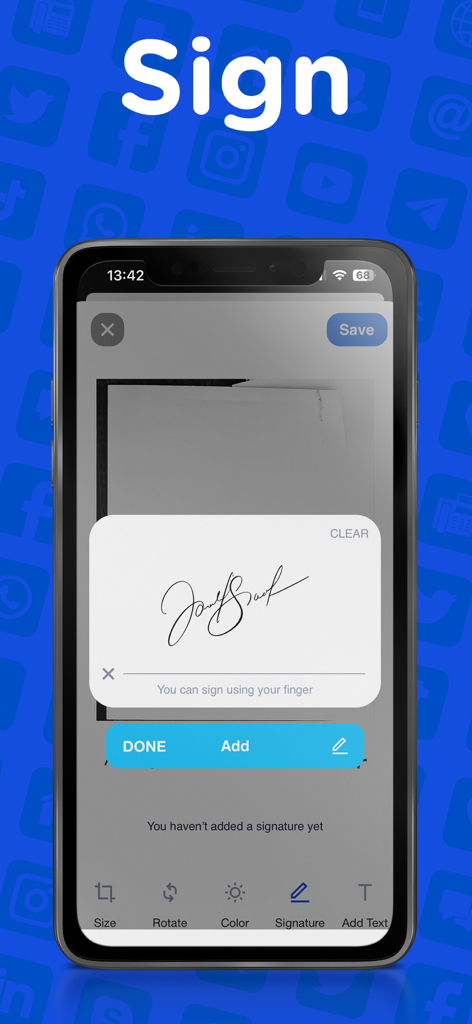
팩싱을 위해 문서에 디지털 서명을 추가하는 방법을 보여주는 스마트폰 인터페이스

팩싱을 위해 문서에 디지털 서명을 추가하는 방법을 보여주는 스마트폰 인터페이스

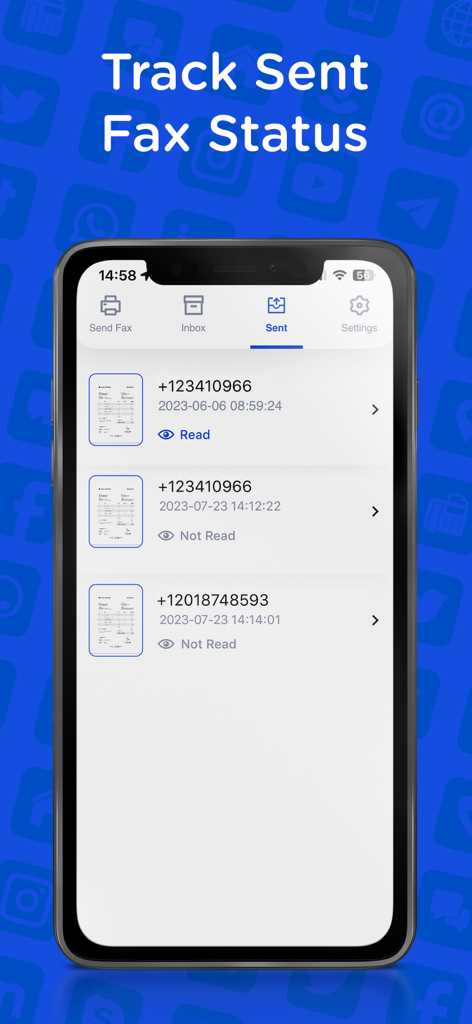
배달 상태 및 수신자 전화번호와 함께 보낸 팩스 기록을 표시하는 Send Fax 앱의 iPhone 스크린샷.

배달 상태 및 수신자 전화번호와 함께 보낸 팩스 기록을 표시하는 Send Fax 앱의 iPhone 스크린샷.

전문적으로 팩스를 보내는 데 필요한 모든 것

이 앱을 돋보이게 하는 도구, 116K+ 명의 사용자가 선택.

✍️

디지털 스캔 및 서명

카메라를 사용하여 문서를 스캔하고 즉시 서명을 추가하세요. 프린터를 건너뛰고 모든 계약서에 시간을 절약하세요.

🔔

즉시 상태 업데이트

실시간 배달 추적을 통해 정보를 얻으세요. 팩스가 목적지에 도착하는 즉시 확인을 받아 완전한 마음의 평화를 얻으세요.

🌍

글로벌 클라우드 연결

iCloud, Google Drive 또는 Dropbox에서 직접 파일을 가져옵니다. 탭 한 번으로 전 세계 어떤 팩스 번호로든 모든 파일 형식을 보냅니다.

앱 소개

에 대해 알아야 할 모든 것 Send Fax App-Faxes From iPhone.

설명

Send high-quality fax all around the world! Fast, reliable, fully capable fax app. Scan and send as many faxes as you want in seconds! This is not another fax app that can’t do the work. With our fax app, your documents will be cropped properly, will be sent and received with lightning-fast and high quality. This app is suitable for all your fax needs. Send your school or business documents, book pages, receipts, IDs, passports, licenses, certificates, music scores, and more! ALL OF OUR BEST FEATURES - HIGH QUALITY: Send readable documents of the best quality to anyone! - FAST & EASY: A few taps and you’re ready. Send fax apps just like sending a text! - EDIT & SIGN: Just take a photo or upload your document. Add comments and signature, fill forms. Edit, crop, and send in seconds. - SEE YOUR FAX STATUS: Watch the delivery status of your document and see any success or failure. - CROP PERFECTLY: Unlike other apps, your fax documents will be cropped and formatted properly and perfectly. - VIEW FAX HISTORY: See and organize your fax archive that many other apps don't have. - AUTO SCAN & AUTO DETECT: Our app recognizes your documents and helps you to scan & crop properly in the best way! - ANY FILE TYPES: Send a fax in any type of file. (PDF, DOC, JPG, PNG & TIFF, HTML) No need to convert your files! - ANYWHERE IN THE WORLD: Send and receive your fax documents all around the world. WHY SEND & RECEIVE FAX APP? * Perfect for iOS devices, this fax app will be the go-to app you can use from your iPhone & iPad. * No need for a fax machine or a dedicated phone line. * You can upload or attach documents from your device or your cloud storage, Dropbox, Google Drive, Box, iCloud Drive. * Resend your faxes to any fax machine. * Our modern layout will simply let you do everything you need. Just like sending a text, sending a fax is supposed to be fast and simple, not complicated. From a student to office employee, everyone needs to send a fax. If you’re looking for the right app that will help you to send fax documents, you’ve come to the right place. These days fax documents are still needed and we know how struggling to find an app that won't disappoint their users. You may only need to send a fax and you may try several services that are complicated, expensive, or low quality. Send & Receive Fax is the most affordable, easy, and fast way to send your documents from your iOS devices. No matter where you are if you have an iOS device, you can send your fax document anywhere in the world. Download and try now! Terms and Conditions: https://madduck.com/terms-of-use/ Privacy Policy: https://madduck.com/privacy-policy/ Support: https://support.madduck.app/fax/help-center

최신 버전

5.4.1

크기

26.6 MB

출시일

2019년 3월 3일

팩스 기계를 버리세요. 지금 iPhone에서 팩스를 보내세요.

시간당 116,000명 이상의 전문가와 함께 유선 전화기 없이 언제 어디서나 초당 보안 문서를 스캔, 서명 및 전송하세요.

다운로드: App Store

App information, icons, screenshots, and descriptions displayed on this page are sourced from the Apple App Store and are the property of their respective developers. Download estimates and rankings are based on MWM's proprietary models and may not reflect actual figures. This page is provided for informational and analytical purposes only.

Believe this page infringes your intellectual property? File a dispute