SetMyCameraDF

SetMyCameraDF

다운로드: App Store
로고: SetMyCameraDF

SetMyCameraDF: 모든 샷에 대한 기술적 정밀도를 마스터하세요

진지한 사진가를 위한 궁극의 현장 도우미. DSLR, 미러리스 및 필름 카메라를 위한 전문가 수준의 도구로 심도 계산, 빛 측정 및 시야각 시각화를 수행하세요.

개발사

Roger Bauchspies

카테고리

Photo & Video

다운로드

52K+

사용자 평점

4.4/5

총 평가 수

0

지원 언어

30

손끝에서 펼쳐지는 정밀도

이 인터페이스를 사용하는 52K+ 명의 사용자.

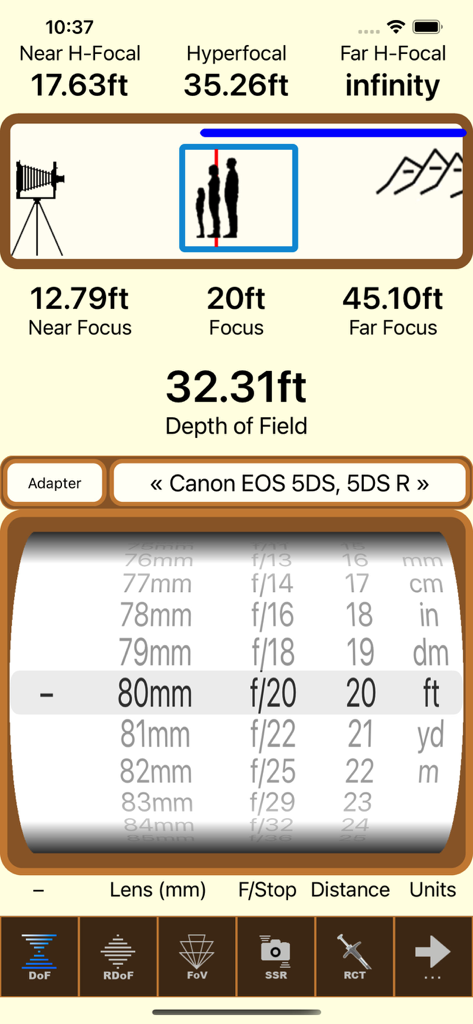
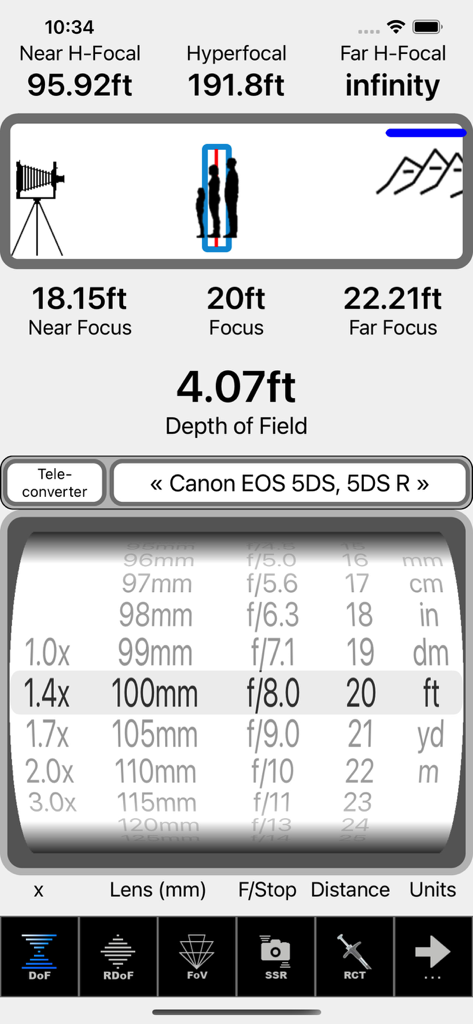
전문 사진가를 위한 SetMyCameraDF 앱 인터페이스, 심도 및 최대 초점 거리 계산 표시

전문 사진가를 위한 SetMyCameraDF 앱 인터페이스, 심도 및 최대 초점 거리 계산 표시

SetMyCamera 심도 및 최대 초점 거리 계산기 인터페이스

SetMyCamera 심도 및 최대 초점 거리 계산기 인터페이스

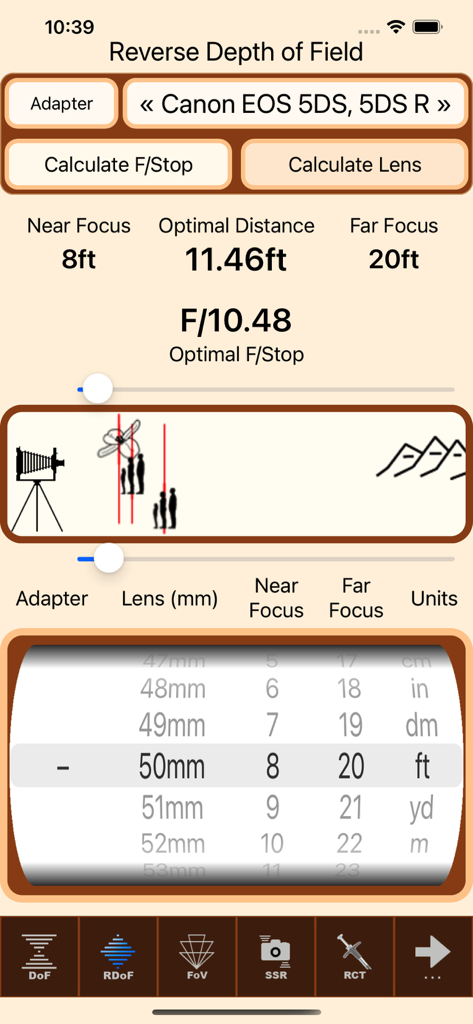
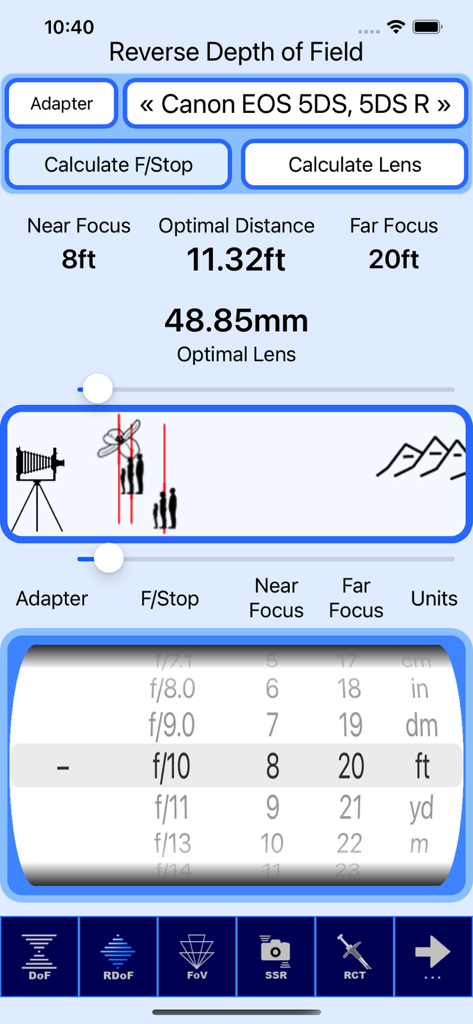
카메라 설정 및 거리 휠과 함께 SetMyCameraDF 앱의 역심도 계산기 표시 인터페이스

카메라 설정 및 거리 휠과 함께 SetMyCameraDF 앱의 역심도 계산기 표시 인터페이스

Canon EOS 카메라에 대한 역심도 계산을 보여주는 SetMyCameraDF 앱 인터페이스

Canon EOS 카메라에 대한 역심도 계산을 보여주는 SetMyCameraDF 앱 인터페이스

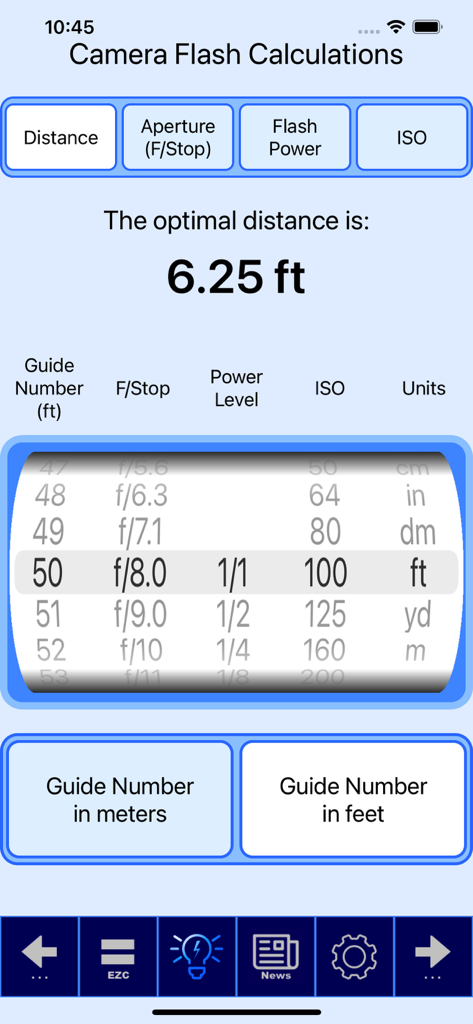
가이드 넘버, 조리개 및 ISO를 기반으로 최적의 거리 설정을 보여주는 SetMyCamera 앱 내 카메라 플래시 계산 도구

가이드 넘버, 조리개 및 ISO를 기반으로 최적의 거리 설정을 보여주는 SetMyCamera 앱 내 카메라 플래시 계산 도구

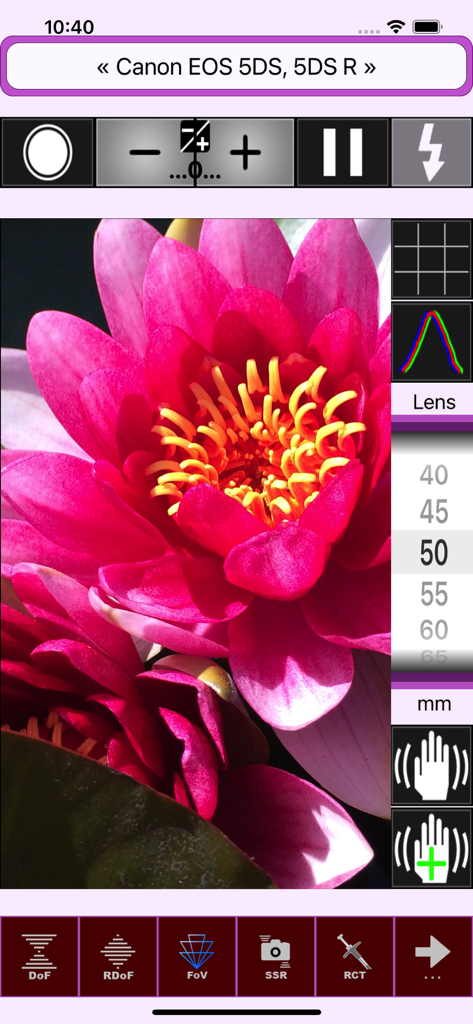
핑크 꽃 및 카메라 설정 오버레이가 있는 SetMyCameraDF 시야각 시각화 도구

핑크 꽃 및 카메라 설정 오버레이가 있는 SetMyCameraDF 시야각 시각화 도구

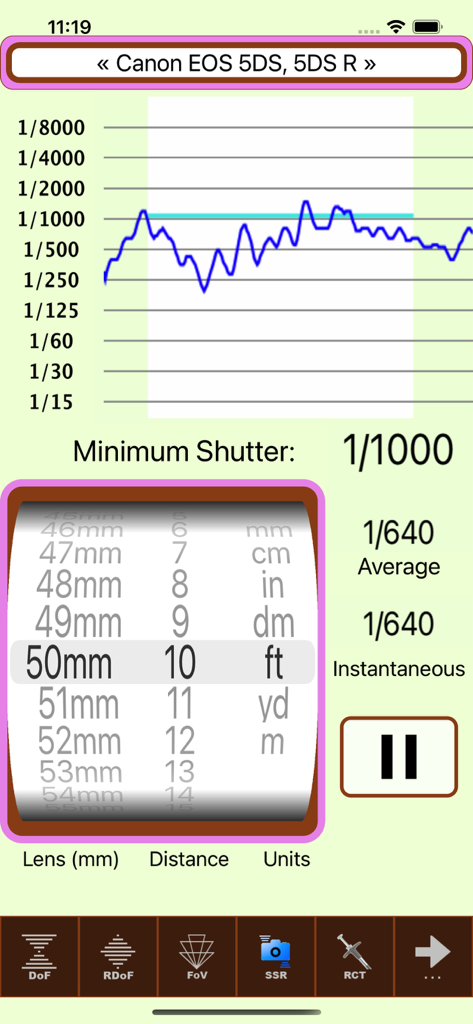
Canon DSLR에 대한 셔터 속도 권장 사항을 보여주는 SetMyCamera 사진 앱 인터페이스

Canon DSLR에 대한 셔터 속도 권장 사항을 보여주는 SetMyCamera 사진 앱 인터페이스

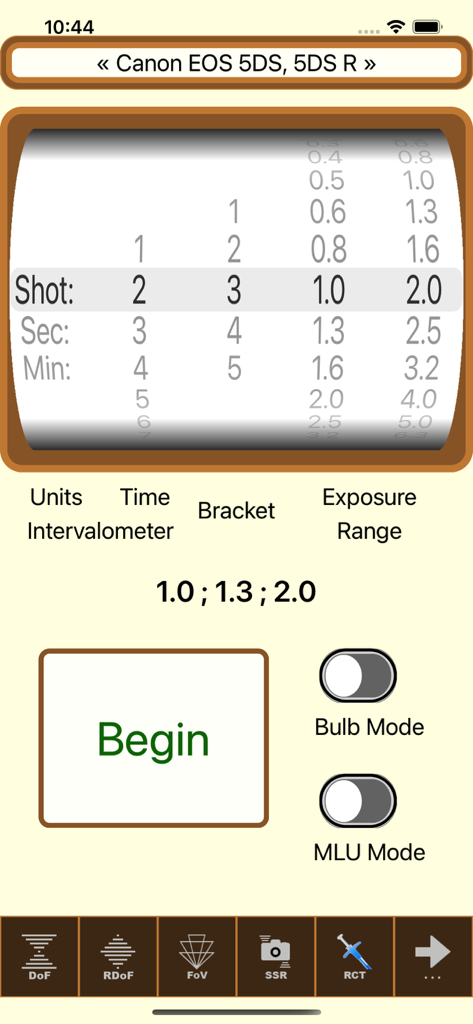
SetMyCameraDF 앱에서 인터벌로미터 및 노출 브래킷 설정을 위한 인터페이스

SetMyCameraDF 앱에서 인터벌로미터 및 노출 브래킷 설정을 위한 인터페이스

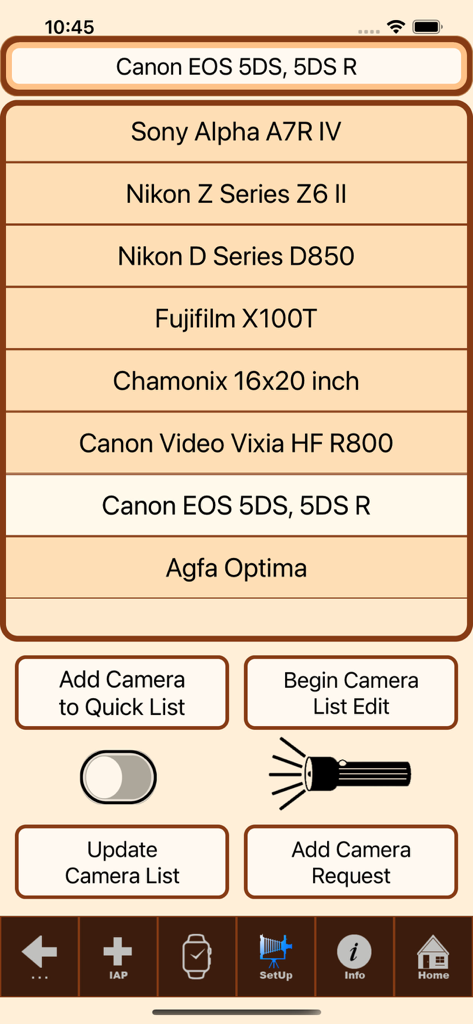
다양한 DSLR 및 미러리스 옵션을 보여주는 SetMyCameraDF의 카메라 모델 선택 화면

다양한 DSLR 및 미러리스 옵션을 보여주는 SetMyCameraDF의 카메라 모델 선택 화면

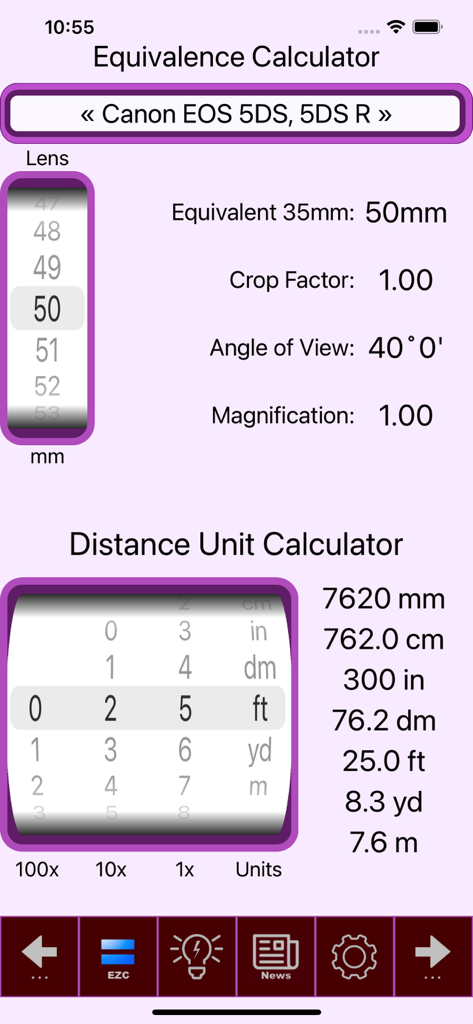
사진가를 위한 렌즈 등가 및 거리 단위 변환 계산기를 보여주는 SetMyCamera 앱 인터페이스

사진가를 위한 렌즈 등가 및 거리 단위 변환 계산기를 보여주는 SetMyCamera 앱 인터페이스

사진의 기술적 예술을 마스터하세요

이 앱을 돋보이게 하는 도구, 52K+ 명의 사용자가 선택.

📐

정밀 심도

애니메이션 그래픽으로 최대 초점 거리와 보케를 계산하세요. 특정 초점 범위에 필요한 정확한 조리개를 결정하기 위해 고유한 역심도 도구를 사용하세요.

☀️

전문가 수준의 측광

주변광 및 입사광 모두에 대한 정확한 노출 판독값을 얻으세요. 상호 작용 및 16법칙 계산이 필요한 수동 촬영자와 필름 애호가에게 필수적입니다.

원활한 현장 워크플로우

Apple Watch에서 직접 중요한 계산에 액세스하세요. 시야각 시각화 및 셔터 속도 권장 사항을 보면서 장비를 계속 제어하세요.

앱 소개

에 대해 알아야 할 모든 것 SetMyCameraDF.

설명

Are you ready to take your photography to the next level? Look no further than SetMyCamera! With SetMyCamera’s advanced tools, you will be able to create visually stunning images with exceptional technical expertise. Imagine capturing award-winning photos in no time! SetMyCamera is your secret weapon for taking control of camera settings. SetMyCamera offers various base versions, each of which can be upgraded to the full feature set. For a complete list of features, head over to SetMyCamera.com. SetMyCamera Df includes features for mid range camera setting options. What is SetMyCamera? SetMyCamera is the ultimate photography app for all your photography needs. Whether you are a pro or a beginner, use digital or film cameras, capturing videos or photos, SetMyCamera has you covered. SetMyCamera offers a range of features, including depth of field, composition assistance, light metering, print resolutions, flash settings, and more. You can even learn about reciprocity, field of view, angle of view, depth of field, f/stop, shutter speed, ISO, and hyperfocal distances. SetMyCamera also supports accessories like filters, diopters, bellows, speed boosters, extension tubes, and teleconverters. SetMyCamera has an in-app tutorial to help you get started. Settings are easily adjusted using a thumbwheel or slider, and animated graphics make learning a breeze. Here are some SetMyCamera features: Traditional depth of field: This feature helps you find the perfect depth of field by entering aperture (f/stop) and subject distance. An animated graphic shows what you are setting. Reverse depth of field: This unique feature lets you set the perfect aperture (f/stop) or lens focal length by entering the near and far in-focus distances. An animated graphic helps you visualize the settings. Light meter: This handy tool measures the available ambient light, whether it’s the light the camera sees or the light that falls on the subject. It even includes a sunny 16 light guide. Photo shoot notes: The built-in notes database is perfect for your photo shoots to make your photography experience easier and more organized. Print size calculator: This tool helps you convert your photos into high-quality prints based on your camera. Field of view visualizer: This feature enables you to preview your photo capture. It utilizes your iPhone or iPad’s camera and offers various options, including histograms, the rule of thirds, hot spot detection, and adjustable exposure settings. Angle of view calculator: This tool helps you position your camera according to the lens and subject, considering the camera distance. Flash configuration: This tool eliminates the guesswork when setting up flash photos. Exposure value, neutral density filter, and reciprocity calculations: SetMyCamera can also calculate these values for you. Shutter speed recommendations: This tool helps you choose the right shutter speed to avoid blurry photos. Standard conversion information: SetMyCamera includes standard conversion information for cameras and field information. A wide range of cameras and settings: SetMyCamera has an extensive list of pre-defined cameras or you can define your own. Included is support for both Imperial and Metric units. User-Friendly: Customizable interface with selectable themes including dark mode, and support for over 30 languages. SetMyCamera is compatible with iPhone and iPad. On iPhone, an Apple Watch app is included. A MacOS version is available for your desktop or laptop. Some features may require in-app purchases. For a comparison chart of included features, visit https://setmycamera.com/products/compare/. What others say: “SetMyCamera assists depth of field calculations and serves as a great teaching tool” – MacWorld SetMyCamera respects your privacy and doesn’t collect user data. For more information, visit SetMyCamera.com. https://setmycamera.com/SMC_PP/SMC_PrivacyPolicy.html https://setmycamera.com/SMC_PP/SMC_TermsOfUse.html

최신 버전

1.7.15

크기

30.1 MB

출시일

2012년 7월 25일

사진의 기술적 예술을 마스터할 준비가 되셨나요?

추측을 없애고 기술적 우수성을 달성하기 위해 SetMyCamera를 사용하는 50,000명 이상의 사진작가들과 함께하세요. 지금 iPhone, iPad 및 Apple Watch를 위한 궁극의 현장 도우미를 다운로드하세요.

다운로드: App Store

App information, icons, screenshots, and descriptions displayed on this page are sourced from the Apple App Store and are the property of their respective developers. Download estimates and rankings are based on MWM's proprietary models and may not reflect actual figures. This page is provided for informational and analytical purposes only.

Believe this page infringes your intellectual property? File a dispute