Shot On Watermark for Photos

Shot On Watermark for Photos


다운로드: App Store
로고: Shot On Watermark for Photos

사진을 위한 Shot On 워터마크: iPhone 사진 촬영에 걸맞은 인정을 선사하세요

전문적인 'Shot On' 라벨, 서명 태그, 사용자 정의 로고로 갤러리를 변환하세요. 단 몇 초 만에 작품을 보호하고 창의적인 아이덴티티를 뽐내세요.

개발사

Chirag Gabani

카테고리

Photo & Video

다운로드

249K+

사용자 평점

4.5/5

총 평가 수

12K+

지원 언어

1

한눈에 보는 전문성

이 인터페이스를 사용하는 249K+ 명의 사용자.

Shot On iPhone 워터마크와 사용자 정의 서명이 있는 커플 사진

Shot On iPhone 워터마크와 사용자 정의 서명이 있는 커플 사진

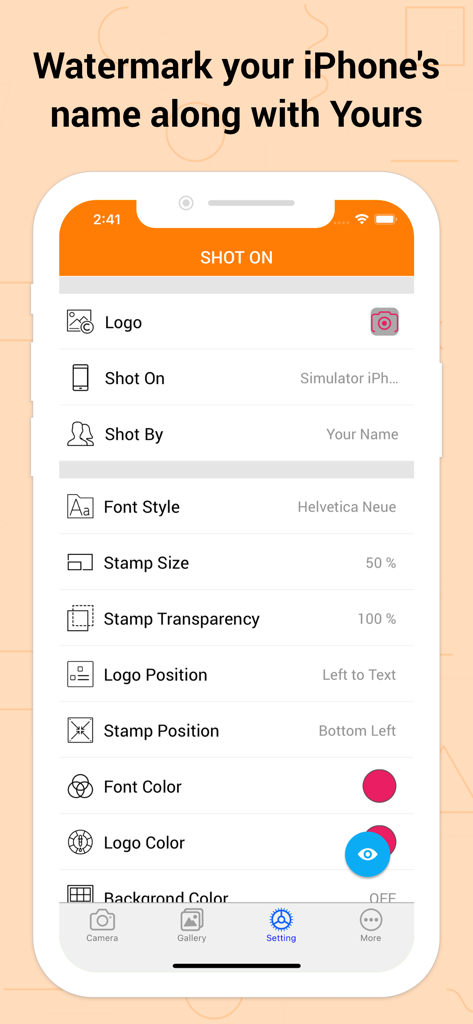
로고, 기기 이름, 서명 스탬프에 대한 사용자 정의 가능한 옵션을 보여주는 Shot On Watermark 앱 설정 화면

로고, 기기 이름, 서명 스탬프에 대한 사용자 정의 가능한 옵션을 보여주는 Shot On Watermark 앱 설정 화면

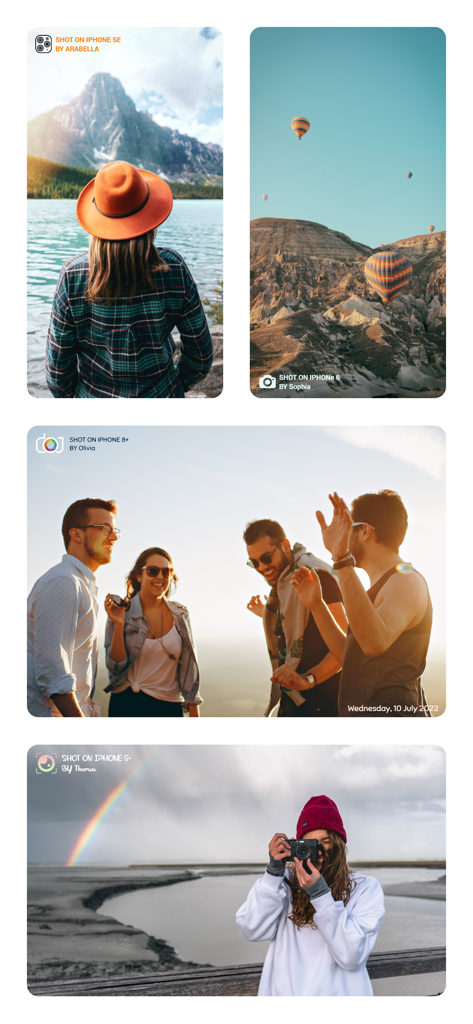
Shot On iPhone 및 개인 서명으로 워터마크 처리된 5가지 라이프스타일 사진 예시

Shot On iPhone 및 개인 서명으로 워터마크 처리된 5가지 라이프스타일 사진 예시

Shot On iPhone 워터마크 스탬프와 디지털 서명이 있는 사진 콜라주

Shot On iPhone 워터마크 스탬프와 디지털 서명이 있는 사진 콜라주

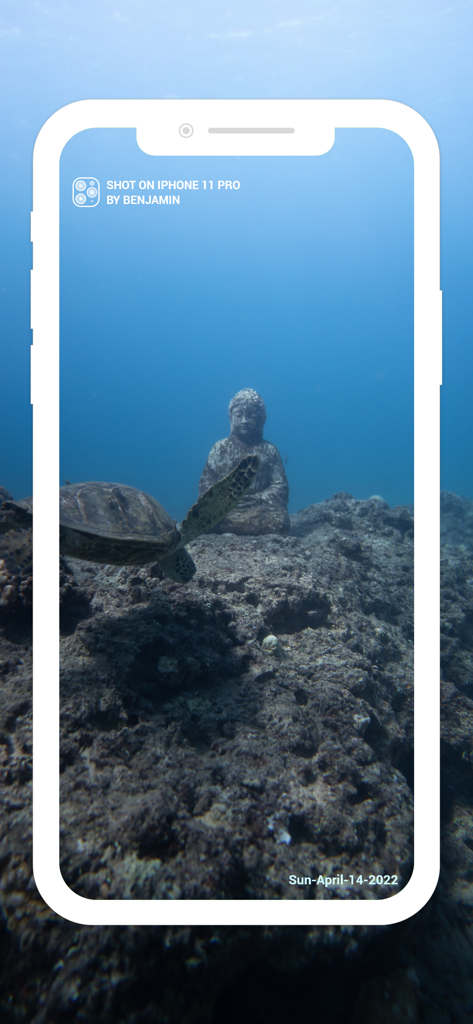
Shot on iPhone 워터마크와 날짜 스탬프가 특징인 바다거북과 부처상 수중 사진

Shot on iPhone 워터마크와 날짜 스탬프가 특징인 바다거북과 부처상 수중 사진

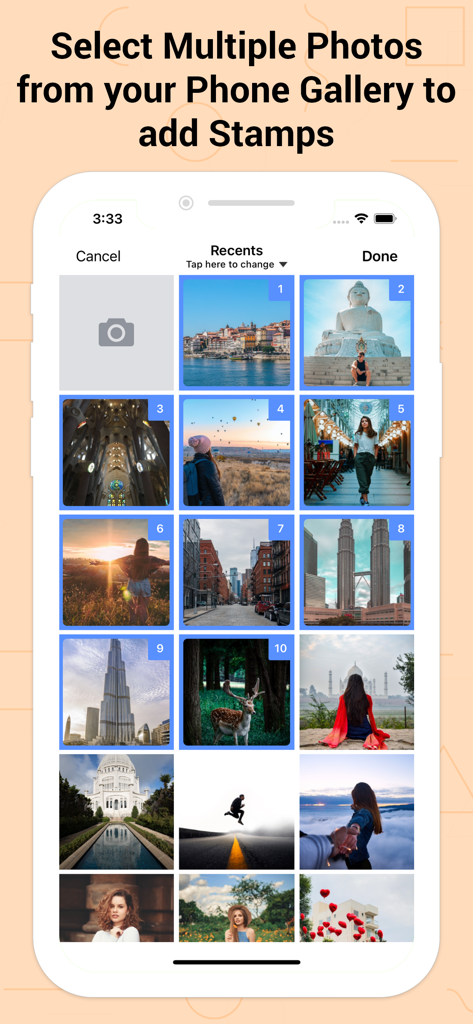
Shot On 앱에서 워터마크 스탬프를 추가하기 위해 휴대폰 갤러리에서 여러 사진을 선택하는 것을 보여주는 사용자 인터페이스

Shot On 앱에서 워터마크 스탬프를 추가하기 위해 휴대폰 갤러리에서 여러 사진을 선택하는 것을 보여주는 사용자 인터페이스

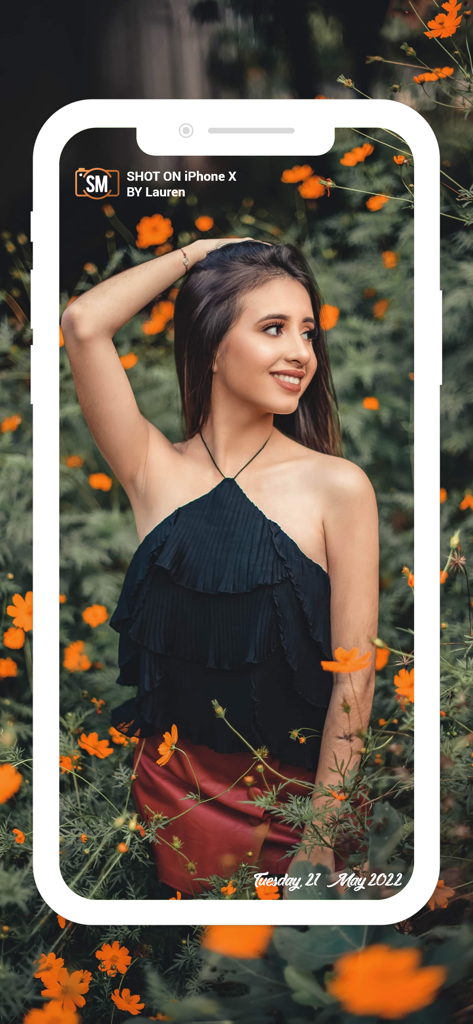
Shot On iPhone X 워터마크와 서명을 한 여성의 꽃밭에서의 포즈

Shot On iPhone X 워터마크와 서명을 한 여성의 꽃밭에서의 포즈

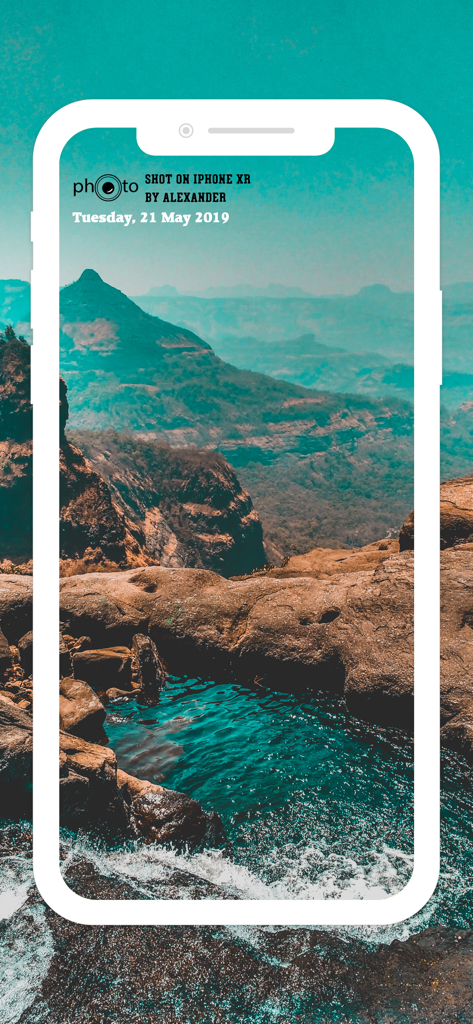
Shot On iPhone XR 워터마크와 이름이 있는 풍경 사진

Shot On iPhone XR 워터마크와 이름이 있는 풍경 사진

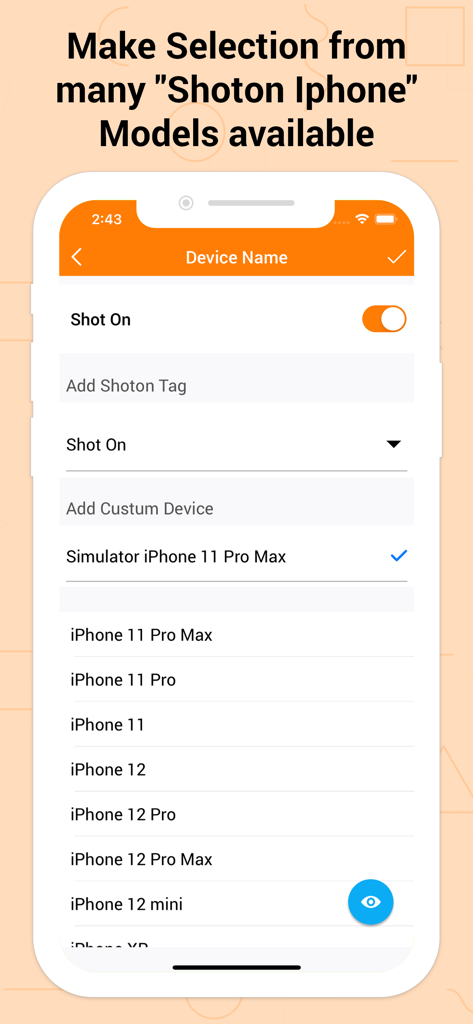
Shot On 워터마크 태그에 선택할 iPhone 모델 목록을 보여주는 화면

Shot On 워터마크 태그에 선택할 iPhone 모델 목록을 보여주는 화면

맞춤형 Shot On iPhone 워터마크 및 서명이 있는 사진 컬렉션

맞춤형 Shot On iPhone 워터마크 및 서명이 있는 사진 컬렉션

iPhone 사진 촬영을 전문적으로 만드세요

이 앱을 돋보이게 하는 도구, 249K+ 명의 사용자가 선택.

📱

상징적인 ShotOn 브랜딩

전문적인 수준의 라벨로 최신 기기를 뽐내세요. Apple의 상징적인 캠페인에서 영감을 받은 명성을 빌려 소셜 피드에서 당신의 위상을 높이세요.

✍️

서명 크레딧 및 보호

바이럴 콘텐츠가 출처 없이 공유되지 않도록 하세요. 사용자 정의 'Shot By' 서명을 추가하여 사진을 보호하고 독창적인 창의적 스타일을 인정받으세요.

🎨

매끄러운 미학적 통합

사진의 분위기에 맞게 모든 스탬프를 조정하세요. 로고, 글꼴, 색상, 위치를 사용자 정의하여 워터마크가 예술을 방해하는 대신 향상시키도록 하세요.

앱 소개

에 대해 알아야 할 모든 것 Shot On Watermark for Photos.

설명

Shot On Watermark for Photos App quickly watermark your photos with a trinity of “Shot On” labels in variation of “ShotOn for iPhone or Shot On for iPad Name”, “Shot By (Signature Text),'' as well as “ShotOn Watermark Brand Logo” A complete catalog of Shot on for Apple iPhone & ShotOn for iPad Model Names, which makes your work go in a flow. One-time setup to furnish your Shot on for iPhone pre-captured photos stunningly. - Simply Swipe the Toggle on, • Choose Model Name • Add Shot by Signature Text • Pick up Shot On for iPhone Watermark Logo & here you go! You can even edit and custom these Shot On Watermark Stamps as you wish to! - What makes 'Shot On Watermark Stamper' different? • Only App with 3 -in-1 ShotOn for iPhone Tags in Single Download • Quick and Simple User-Interface • Preview before adding a ShotOn “Shot On Watermark for Photos is specifically developed for iPhone users to take their photographs a step ahead & grab all the kudos they deserve.” What does it offer to jazz up the gallery photos stunningly? - Default ShotOn for iPhone Series: • A great catalog of every single Shot on for iPhone Model name to choose your Shot On device Name tag. - Adjustable Stamp Position: • Easily place your ShotOn for iPhone to eight different areas of your image. - Flexible Font Size: • Pick Shot On Stamp size from M to XXXL as per your image look and feel. - Varieties of Font Formats: • Classy font options to choose from according to image background. - Editable ShotOn Tags: • Customize by adding your own ShotOn Device Name as well as your Shot By Signature Text. - Customize Watermark Logo: • Import & add your own ShotOn logo using (+) symbol. Shot on for iPhone Photography is booming the current market! So why not exhibit these images vigorously by adding a cluster of ShotOn for iPhone to it. This will not only showcase a Shot on tag for iPhone Model among everyone but will also disclose the name behind the captured image. Looking for some more add-ons to get it? Update to the latest version to get benefits of DateTime functionality. You can adjust date format, size, color, position & font style for the same. And to highlight the logo, relish the logo color and its position that suits your photo. Benefits of Adding ShotOn to Photos: - Flaunt your Mobile Device Then Shot On for iPhone tag can be the best addition to do it automatically with your pre-captured photograph. Ex: Add Tag i.e.,Shot on for iPhone X - Showcase your Identity and skills Mobile Photography is the new trend, isn’t it? No matter you take pictures casually or professionally, you definitely deserve the credits. Simply adding Shot By Signature will do it for you. Ex: Add Tag i.e Shot By Paul - Secure while Sharing Online Anything shared online can be copied easily & be reused without your permission, isn’t it? You obviously don’t want this to happen! Then mask your gallery photo with Shot By Signature Watermark & preserve it. - Frame up Branding & Advertising Watermarking images and adding signature is mainly used for branding your company behind your products, isn’t it? These trinity Shot On's will even do it for you and make your photograph distinct. Ex: Add Tag i.e ShotOn for iPhone Logo - Embellish your Photo distinctly ShotOn tags shall decorate your gallery pictures in such an elegant way, that you won’t really need numerous elements to enhance it. Just tap & add tags to amplify it as picture perfect! Briefing it up, Shot On Watermark for Photos is compiled with every single functionality you wish to have with any Shot on Watermark Stamp. The best addition to the category of your mobile apps! • Gift your device this ShotOn Watermark app now & start labeling your pictures NOW!

최신 버전

1.5.15

크기

39.5 MB

출시일

2018년 3월 21일

모든 사진을 공식 서명으로 만드세요

자신의 작품을 보호하고 iPhone 스타일을 뽐내는 249,000명 이상의 크리에이터와 함께하세요. 지금 바로 궁극의 3-in-1 워터마크 도구를 받으세요.

다운로드: App Store

App information, icons, screenshots, and descriptions displayed on this page are sourced from the Apple App Store and are the property of their respective developers. Download estimates and rankings are based on MWM's proprietary models and may not reflect actual figures. This page is provided for informational and analytical purposes only.

Believe this page infringes your intellectual property? File a dispute