ShotBOT

ShotBOT

다운로드: App Store
로고: ShotBOT

ShotBOT: 현장 VFX 데이터 관리를 위한 전문가 표준

정확한 추적, Teradek 통합 및 포괄적인 보고를 통해 비용이 많이 드는 후반 작업 오류를 제거합니다. 업계 베테랑들이 현대 영화 및 TV 현장의 높은 압력 요구를 충족하기 위해 설계했습니다.

다운로드: App Store

개발사

Todd Freese

카테고리

Photo & Video

다운로드

2K+

사용자 평점

1.0/5

총 평가 수

0

지원 언어

1

현장의 정밀함

이 인터페이스를 사용하는 2K+ 명의 사용자.

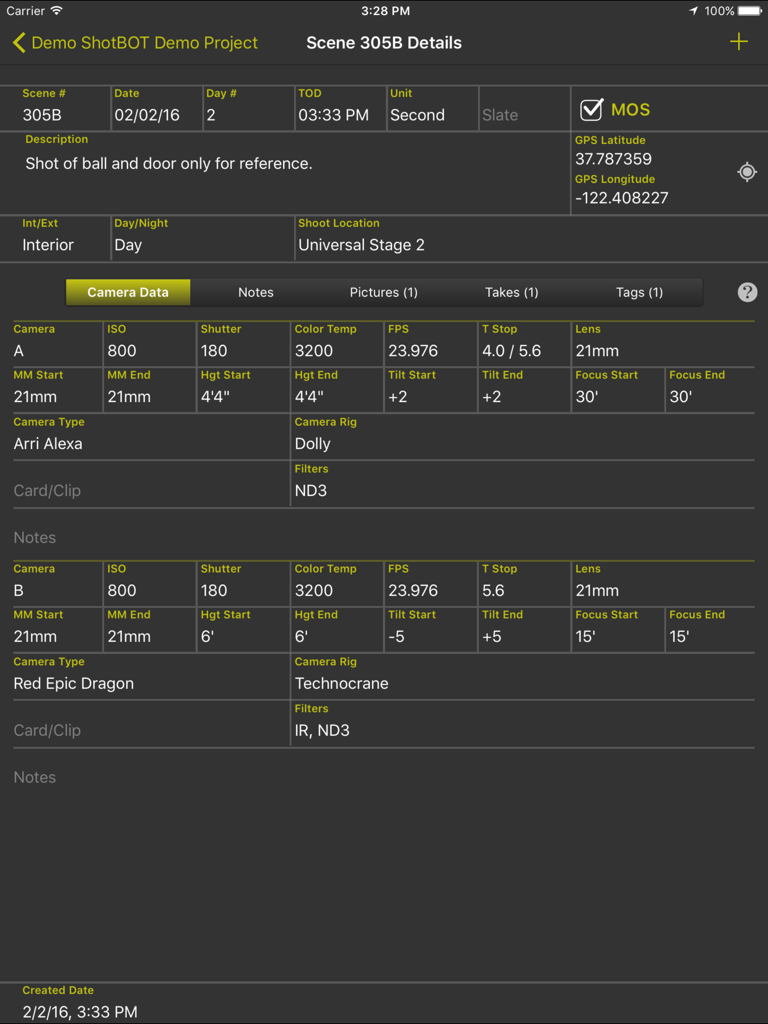
iPad의 ShotBOT 앱 인터페이스에 상세한 카메라 메타데이터 및 장면 정보 표시

iPad의 ShotBOT 앱 인터페이스에 상세한 카메라 메타데이터 및 장면 정보 표시

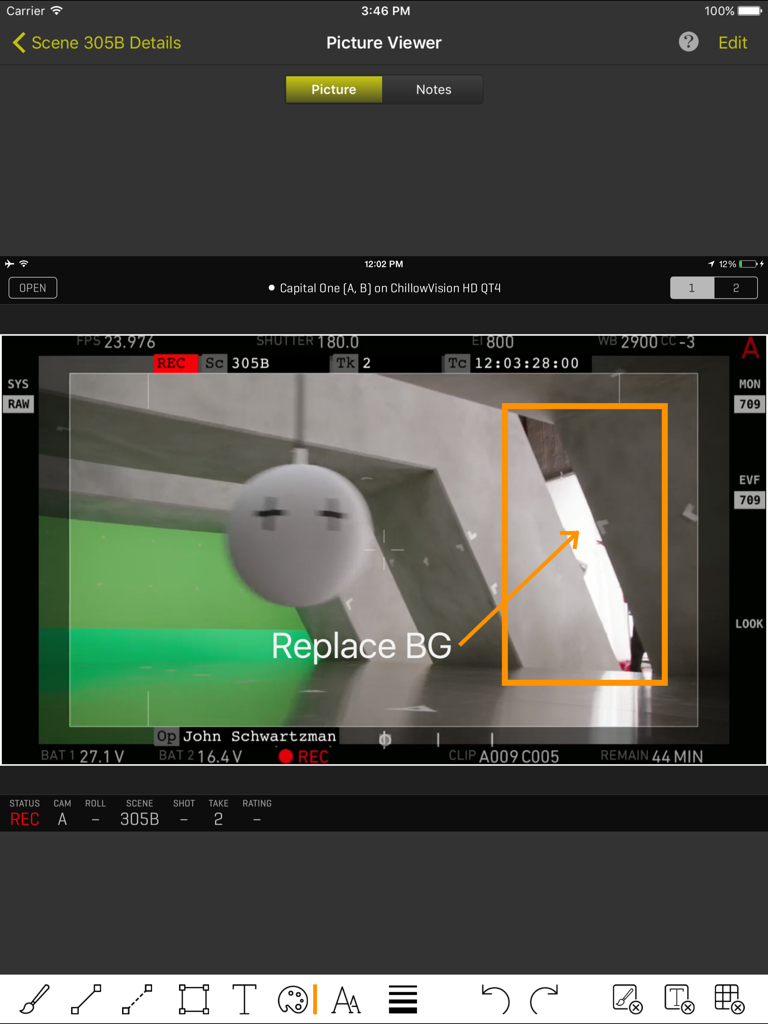
전문 VFX 주석 및 장면 메타데이터와 함께 카메라 프레임 가져오기를 보여주는 ShotBOT iPad 인터페이스.

전문 VFX 주석 및 장면 메타데이터와 함께 카메라 프레임 가져오기를 보여주는 ShotBOT iPad 인터페이스.

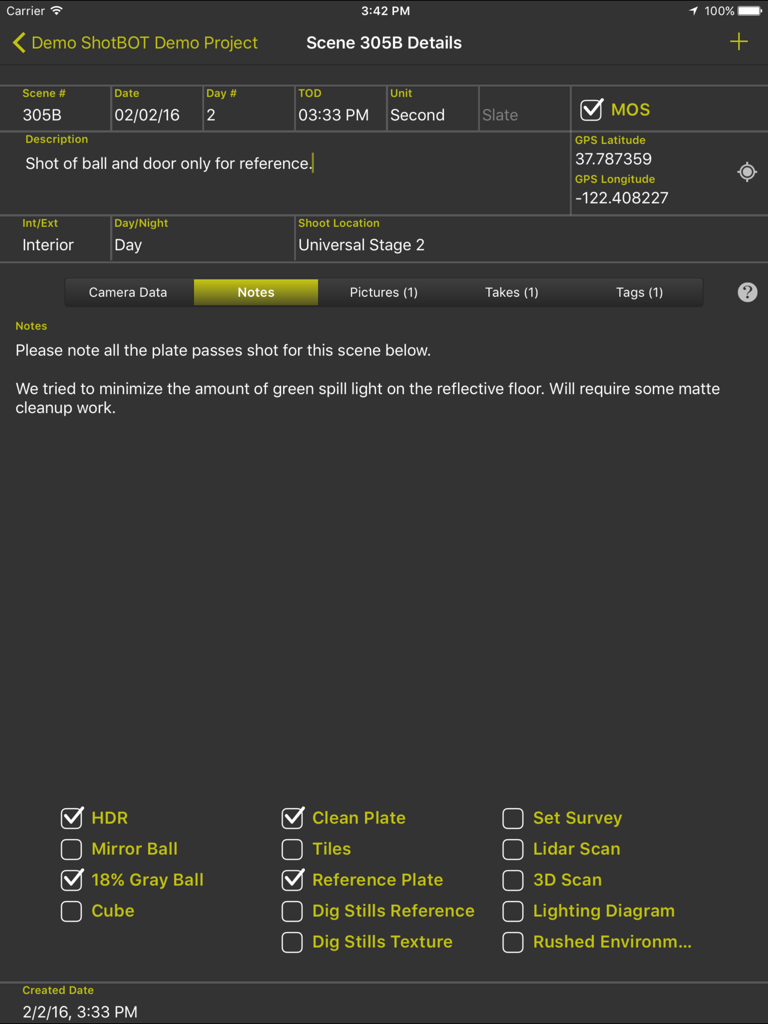
iPad의 ShotBOT 앱 인터페이스에 영화 프로덕션을 위한 VFX 장면 세부 정보, 노트 및 기술 확인란 표시

iPad의 ShotBOT 앱 인터페이스에 영화 프로덕션을 위한 VFX 장면 세부 정보, 노트 및 기술 확인란 표시

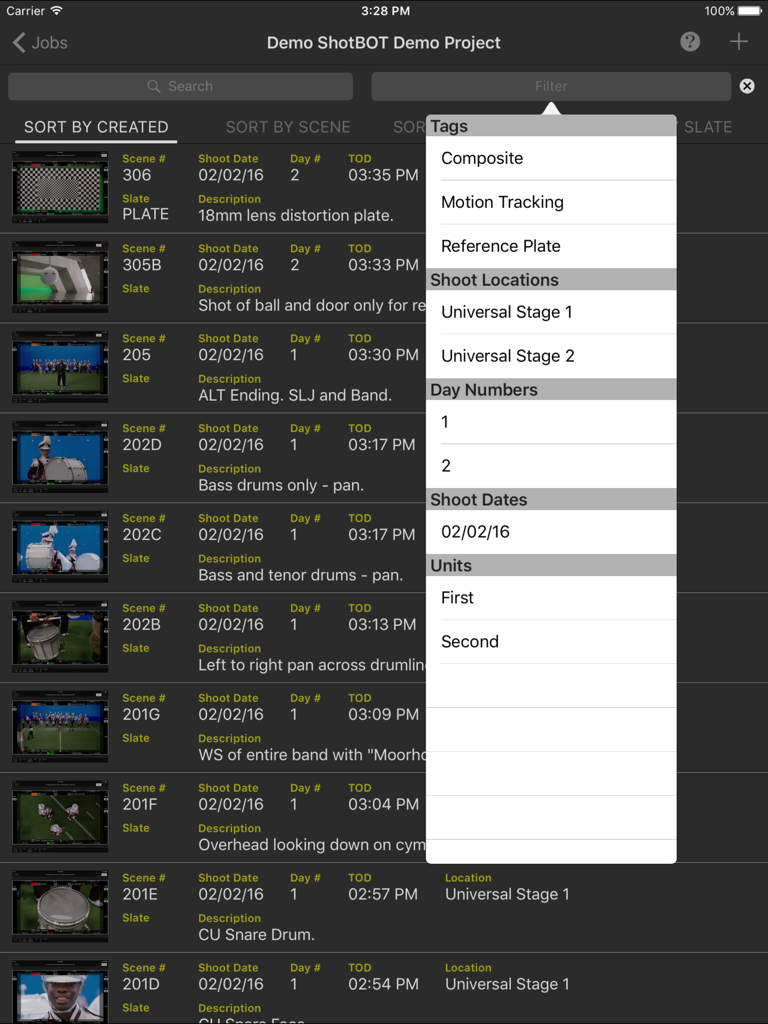
태그 및 촬영 위치가 있는 열린 필터 메뉴와 VFX 장면 목록을 보여주는 ShotBOT iPad 앱 인터페이스

태그 및 촬영 위치가 있는 열린 필터 메뉴와 VFX 장면 목록을 보여주는 ShotBOT iPad 앱 인터페이스

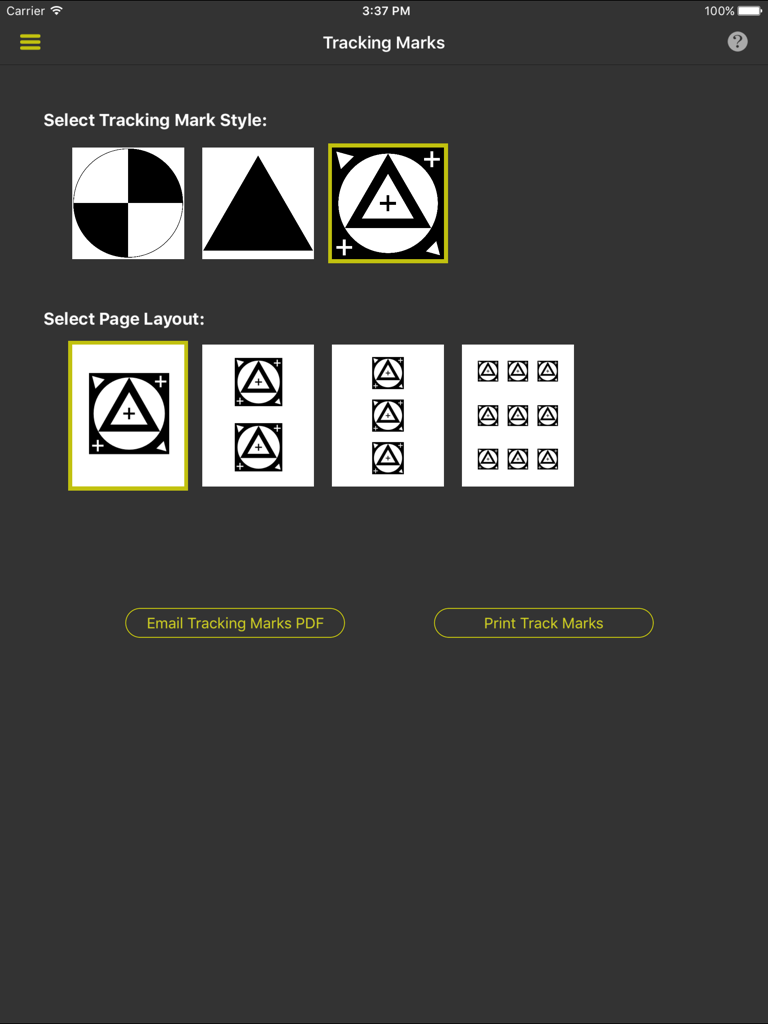
ShotBOT에서 VFX 추적 마크 스타일 및 인쇄 레이아웃을 선택하는 인터페이스

ShotBOT에서 VFX 추적 마크 스타일 및 인쇄 레이아웃을 선택하는 인터페이스

프로덕션의 요구 사항에 맞춰 제작

이 앱을 돋보이게 하는 도구, 2K+ 명의 사용자가 선택.

🎯

업계 표준 데이터 필드

일반 노트 앱 사용을 중지하세요. T-스톱 및 렌즈 높이부터 HDR 플래그 및 그레이 볼 참조까지 모든 것을 특수하고 빠른 입력 필드로 추적하세요.

🎬

무선 비디오 통합

Teradek 인코더에 직접 연결하여 참조 프레임을 가져오고 라이브 비디오 피드를 시청하여 시각적 노트가 카메라의 관점과 완벽하게 일치하도록 보장합니다.

📄

자동화된 전문 보고

포괄적인 VFX 촬영 보고서를 즉시 생성하거나 구조화된 데이터를 내보내 물리적 프로덕션과 후반 작업 소프트웨어 간의 격차를 해소합니다.

앱 소개

에 대해 알아야 할 모든 것 ShotBOT.

설명

ShotBOT is designed for professional visual effects supervisors, to use during production, to take all the necessary production notes when shooting visual effects scenes. It tracks all the VFX needs for film, TV, documentaries, music videos and commercial production. This app is designed by someone who has spent 20 years shooting visual effects. All advanced features are sold via in-app purchases so you only need to buy what you need. For more detailed information on ShotBOT, please check out our web site for demo screencasts and a comprehensive FAQ page. FEATURES -ShotBOT has all the fields you would expect. A full list of fields is at the bottom of this page. -Track general scenes or individual takes. -Print or email a comprehensive shooting report to your VFX artists after the shoot. -Built in drawing feature to create diagrams or annotate pictures. -App-wide built in help screens to explain every feature. -Supports multi-camera shoots. -Full support for user defined presets for all commonly used fields. Includes default set of presets for professional production. Entering the data for a scene is very fast! -Scenes can be tagged to group sets of scenes together for complete organization of the scenes. -Take pictures or import existing images for scene reference. -View and grab frames from a wireless, live video feed from the camera. (Requires Teradek wireless encoder and in-app purchase) -Print a variety of different style tracking marks in a variety of sizes. (Requires in-app purchase) -Two different interface styles. Dark for indoor, Light for outdoor. You will always be able to view screen content without blinding your eyes. -Export your data so you can import it into your own post production tracking software. (Require in-app purchase) -Optional ShotBOT Cloud option to backup your data in realtime and sync between multiple devices. (Require in-app purchase) JOB FIELDS -Job Number -Episode Name and Number -Working Title -Agency and Client Name -Product Description -Production Company Name -Default FPS -Job Description SCENE FIELDS -Scene Number -Scene Description -Slate -Shot Date, Day Number, Time of day. -Unit (First unit, second unit, plate unit) -MOS or Sync sound. -Interior/Exterior -Day, Night, or Day For Night -Shoot Location -Scene Notes -Flags for: HDR, Mirror Ball, 18% Gray Ball, Cube, Clean Plate, Tiles, Ref Plates, Dig Stills Ref, Dig Stills Texture, Set Survey, Lidar Scan, 3D Scan, Lighting Diagram, Rushed Enviroment. CAMERA FIELDS -Camera ID -Camera Type -Camera Rig -Card/Clip Info -Filters -ISO -Shutter -Color Temp -FPS -T Stop -Lens -MM Start & End -Camera Height Start & End -Camera Tilt Start & End -Camera Focus Start & End -Camera Notes TAKE FIELDS -Take Number -Hero or Circled Take Flag -Take Notes

최신 버전

1.62

크기

60.0 MB

출시일

2015년 6월 25일

현장 VFX 워크플로우 간소화할 준비가 되셨습니까?

고정밀 추적을 위해 ShotBOT을 신뢰하는 업계 전문가 및 데이터 랭글러에 합류하세요. 지금 다운로드하고 iPad에서 바로 전문가 수준의 VFX 보고서를 제공하기 시작하세요.

다운로드: App Store

App information, icons, screenshots, and descriptions displayed on this page are sourced from the Apple App Store and are the property of their respective developers. Download estimates and rankings are based on MWM's proprietary models and may not reflect actual figures. This page is provided for informational and analytical purposes only.

Believe this page infringes your intellectual property? File a dispute