Simple Flash Card Maker

Simple Flash Card Maker

다운로드: App Store
로고: Simple Flash Card Maker

간편 암기 카드 제작기: 나만의 멀티미디어 카드로 어떤 주제든 마스터하세요

동영상, 오디오, 이미지로 상호작용하는 학습 덱을 만드세요. SAT 준비든 새로운 언어 학습이든, 한 번에 10장의 카드로 목표를 마스터하세요.

다운로드: App Store

개발사

Paul Stevenson

카테고리

Education

다운로드

3K+

사용자 평점

3.1/5

총 평가 수

0

지원 언어

1

실제 학습 모습

이 인터페이스를 사용하는 3K+ 명의 사용자.

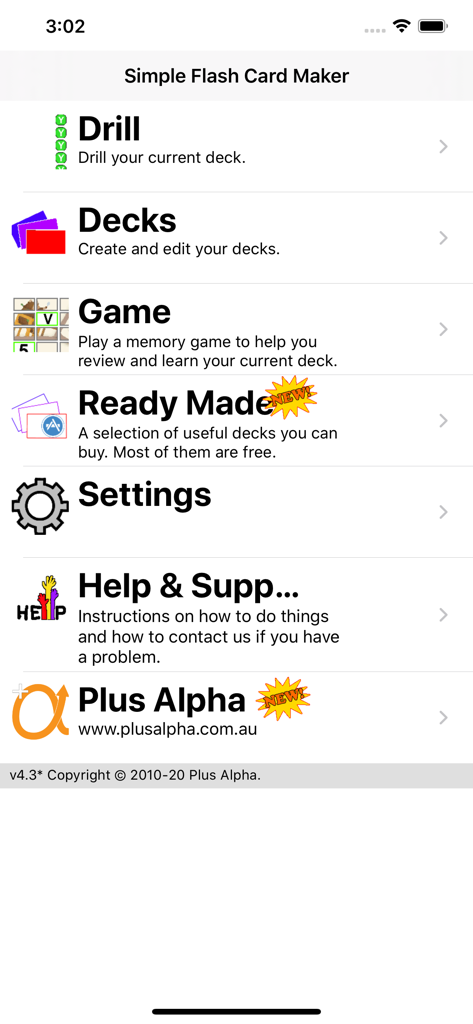
간편 암기 카드 제작기 앱의 메인 메뉴 화면으로, 복습, 덱, 게임, 설정 옵션을 보여줍니다.

간편 암기 카드 제작기 앱의 메인 메뉴 화면으로, 복습, 덱, 게임, 설정 옵션을 보여줍니다.

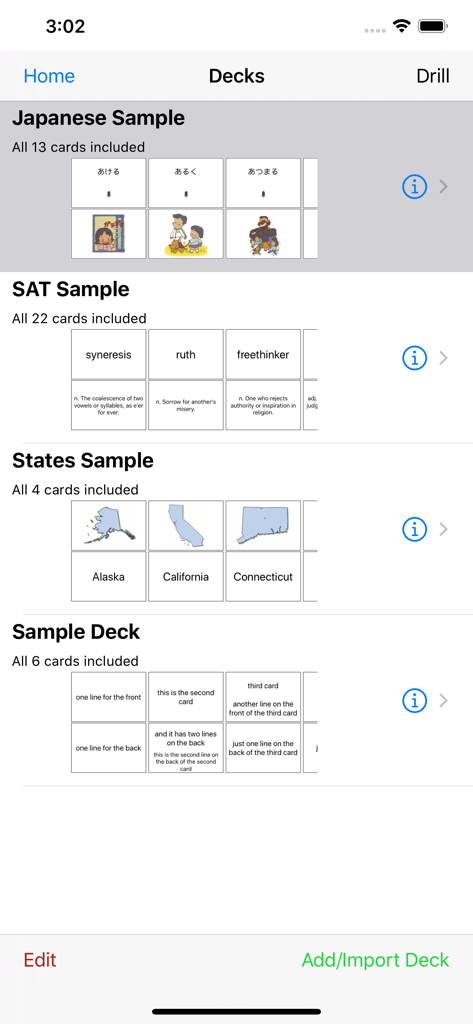
일본어 SAT 및 미국 주를 포함한 다양한 학습 덱을 보여주는 간편 암기 카드 제작기의 메인 인터페이스

일본어 SAT 및 미국 주를 포함한 다양한 학습 덱을 보여주는 간편 암기 카드 제작기의 메인 인터페이스

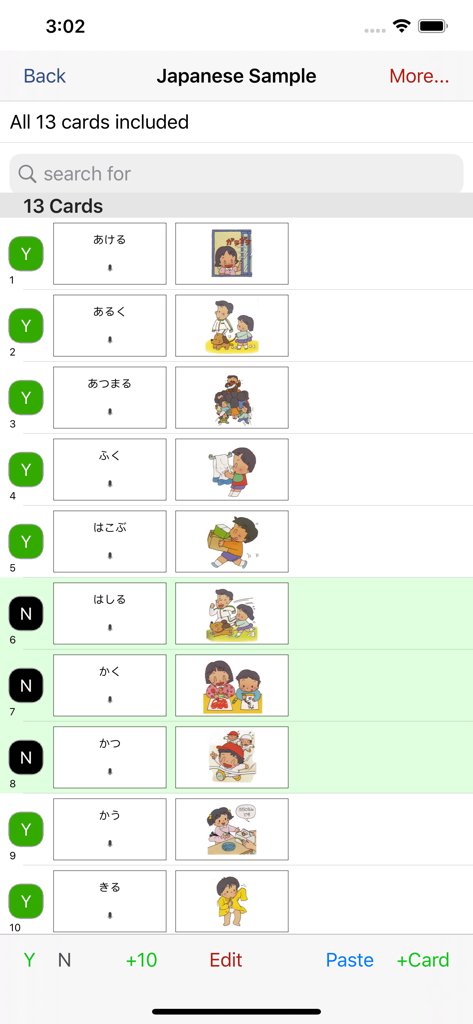
간편 암기 카드 제작기 앱에서 텍스트와 다채로운 삽화가 있는 일본어 학습 카드의 목록

간편 암기 카드 제작기 앱에서 텍스트와 다채로운 삽화가 있는 일본어 학습 카드의 목록

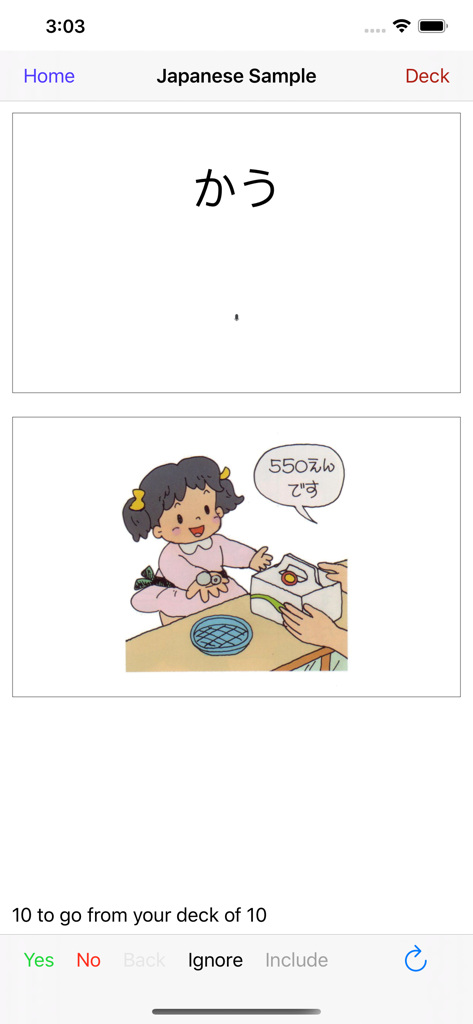
상점 계산대에 있는 히라가나 텍스트와 캐릭터 삽화를 보여주는 일본어 학습 카드 복습 인터페이스

상점 계산대에 있는 히라가나 텍스트와 캐릭터 삽화를 보여주는 일본어 학습 카드 복습 인터페이스

흰색 수건으로 손을 닦는 어린 소년의 만화 삽화

흰색 수건으로 손을 닦는 어린 소년의 만화 삽화

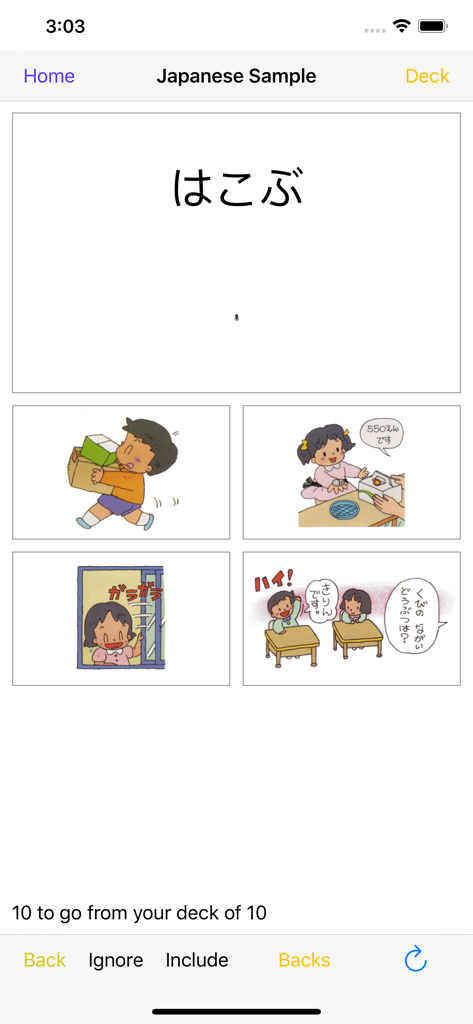
히라가나와 다채로운 삽화가 있는 객관식 복습 인터페이스를 보여주는 일본어 학습 카드 복습

히라가나와 다채로운 삽화가 있는 객관식 복습 인터페이스를 보여주는 일본어 학습 카드 복습

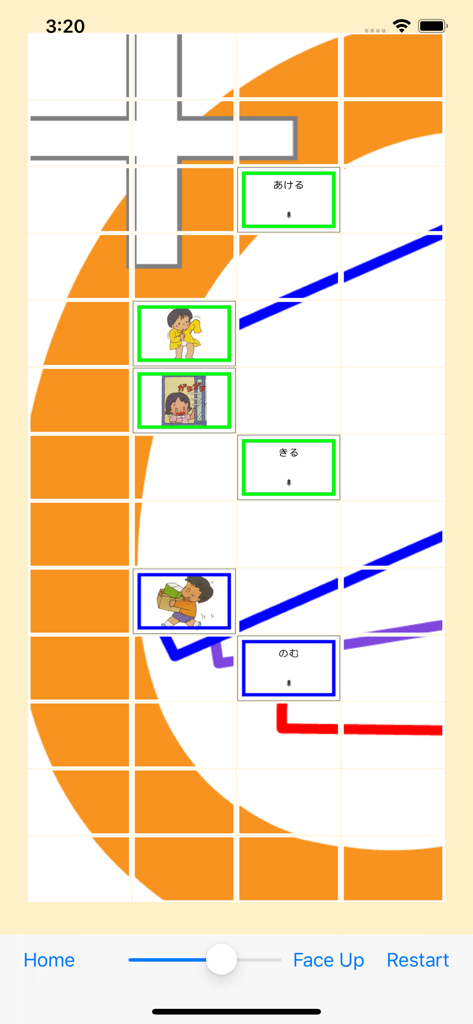
어휘 연습을 위한 일본어 히라가나와 삽화 카드를 보여주는 매칭 게임 인터페이스.

어휘 연습을 위한 일본어 히라가나와 삽화 카드를 보여주는 매칭 게임 인터페이스.

어떤 주제든 쉽게 마스터하세요

이 앱을 돋보이게 하는 도구, 3K+ 명의 사용자가 선택.

🎥

상호작용하는 멀티미디어

동영상, 오디오, 이미지로 카드를 생생하게 만드세요. 텍스트 이상의 것이 필요한 언어 학습자와 시각 학습자에게 완벽합니다.

10장 학습법

방대한 주제를 작은 단위로 나누세요. 10장씩 학습하며 집중력을 유지하고 짧은 휴식 시간에 진척 상황을 확인하세요.

🚀

손쉬운 맞춤 설정

컴퓨터나 휴대폰에서 빠르게 덱을 만드세요. 즉시 콘텐츠를 가져와 몇 시간이 아닌 몇 초 만에 학습을 시작하세요.

앱 소개

에 대해 알아야 할 모든 것 Simple Flash Card Maker.

설명

User comment: "This app is very convenient for getting some quick studying in when walking from class to class or waiting at a bus stop etc. I highly recommend it especially for college students." User comment: "I like being able to study two ways: playing the matching game as well as drilling with the flashcards." Don't like our flash cards? Then make your own. Simple Flash Card Maker lets you easily make your own flash cards. Either right there on your iOS device, or make them even more quickly on your computer, (mac or pc), and import them using iTunes. Or you can download our ready made decks from within the app (for FREE). We currently have decks for Japanese, Chinese and the SAT. Each card can have combinations of text, images, sound or video. The text can be in any language that you can enter using your keyboard. Images and Video can come direct from your camera, from your albums or from your mac/pc. Sound can be recorded live, from your music, or imported from your mac/pc using iTunes. Cards within your deck can be marked to be included (or not) when you are doing drills. This lets you learn the cards 10 at a time. Easily add 10 more when you master those. And after you have learned those 10, easily drill yourself on the whole deck so far. 10 at a time is a great way to learn even a very large deck. Easily drill just the last 10 cards at the tap of a button. During a drill you can see either the front, the back or both. Or you can rotate to landscape and see "Just the Card" - one side of the card filling the entire screen. You can also do a multichoice drill and choose from one of four answers. If you get a card right it is removed from that drill, (not the deck). If you get it wrong it's shuffled back in and it will come back again later. Keep going until you get them all right. You can also play a simple memory game, (face up or face down), to test your knowledge of the cards by finding pairs of matching cards. Simple Flash Card Maker is great for elementary maths and for learning to read. It is indispensable for language study, and for learning vocabulary. Use it to memorise your favorite Bible verses. Or cram key facts for upcoming examinations. Video takes it to a whole new level beyond old school paper flash cards. Kids can learn from short videos instead of just static text or images. They can record their own voices for names of animals. Video is also great for learning things like sign language where complicated diagrams usually just make it harder to get started. Regular practice and review is the only way to memorise anything using flash cards. You always have your phone with you, so use those spare moments throughout the day to review your deck and you will be amazed at how quickly your knowledge grows.

최신 버전

4.3

크기

10.4 MB

출시일

2012년 1월 27일

자투리 시간을 학습 성공으로 바꾸세요

바쁜 학생들과 적극적인 학부모를 위해 설계된 간단하고 직관적인 도구를 다운로드하세요. 기기나 컴퓨터에서 맞춤형 멀티미디어 카드를 만들고 한 번에 10장씩 목표를 마스터하세요.

다운로드: App Store

App information, icons, screenshots, and descriptions displayed on this page are sourced from the Apple App Store and are the property of their respective developers. Download estimates and rankings are based on MWM's proprietary models and may not reflect actual figures. This page is provided for informational and analytical purposes only.

Believe this page infringes your intellectual property? File a dispute