SlideShow Maker Photo to Video

SlideShow Maker Photo to Video


다운로드: App Store
로고: SlideShow Maker Photo to Video

슬라이드쇼 메이커 사진을 비디오로: 좋아하는 추억을 잊을 수 없는 영화로 만들기

가족 생일부터 꿈같은 휴가까지, 몇 분 안에 전문가 수준의 슬라이드쇼를 만드세요. 음악, 전환 효과, 마음을 담아 친구 및 가족과 공유하는 모든 이야기에 생명을 불어넣으세요.

개발사

Mosaic S.r.l.

카테고리

Photo & Video

다운로드

23M+

사용자 평점

4.2/5

총 평가 수

243K+

지원 언어

12

움직이는 추억

이 인터페이스를 사용하는 23M+ 명의 사용자.

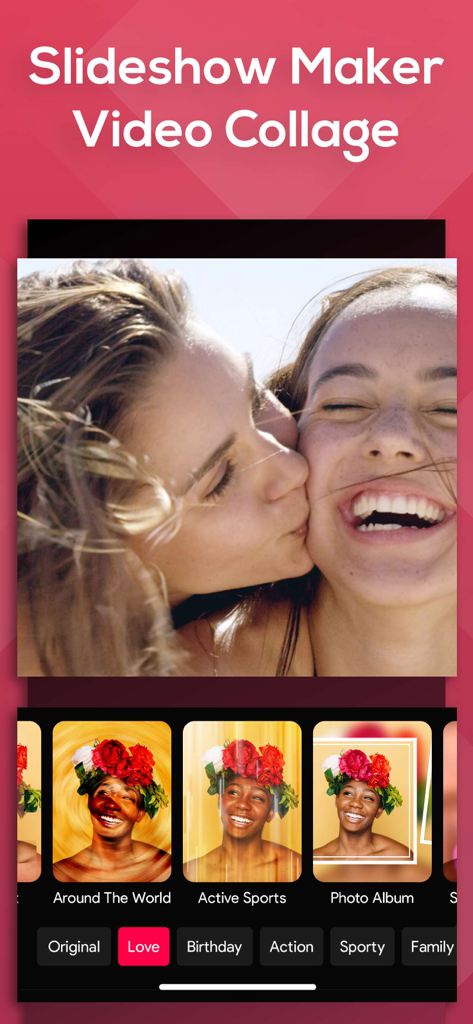
슬라이드쇼 메이커 앱 인터페이스가 비디오 콜라주 편집을 무드 필터 및 사진 효과와 함께 보여줍니다.

슬라이드쇼 메이커 앱 인터페이스가 비디오 콜라주 편집을 무드 필터 및 사진 효과와 함께 보여줍니다.

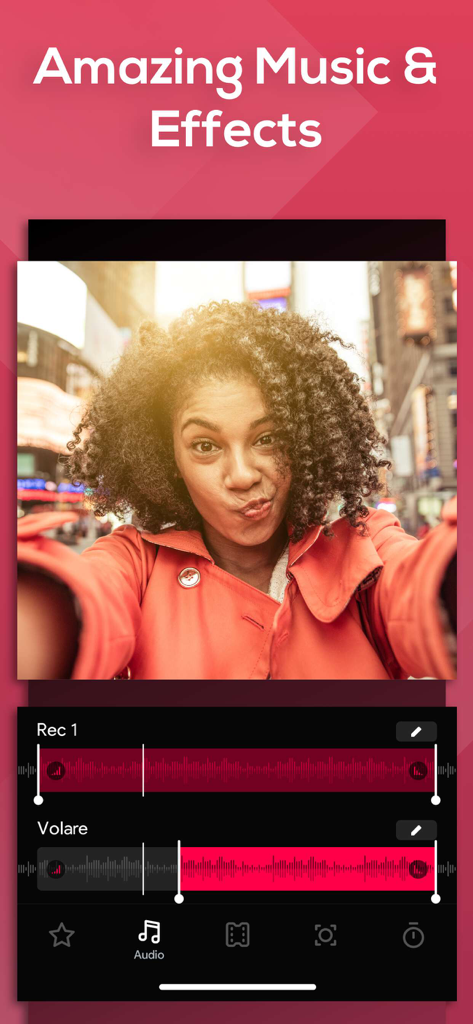
헤드라인 '놀라운 음악 및 효과'와 함께 사진 슬라이드쇼를 만드는 오디오 파형 트랙과 음악 편집 도구를 보여주는 앱 화면입니다.

헤드라인 '놀라운 음악 및 효과'와 함께 사진 슬라이드쇼를 만드는 오디오 파형 트랙과 음악 편집 도구를 보여주는 앱 화면입니다.

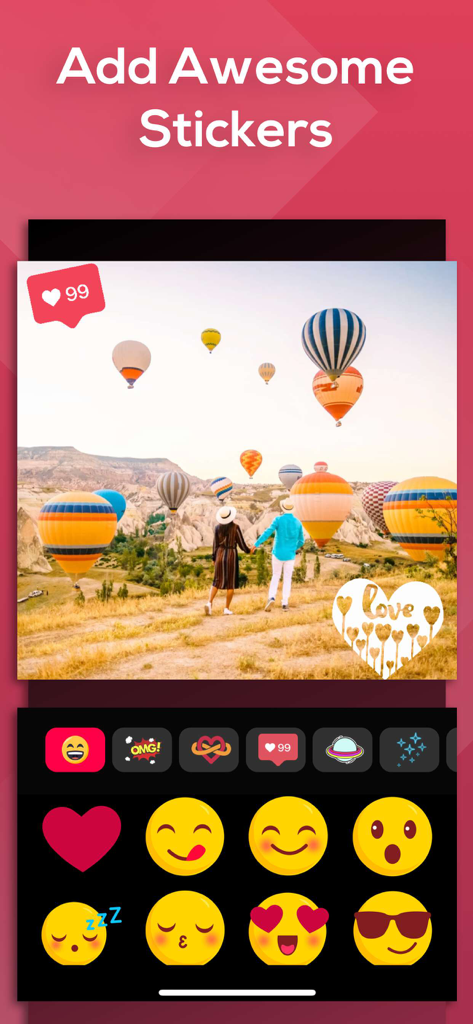
핫 에어 벌룬이 있는 여행 사진과 이모티콘 및 하트 아이콘이 포함된 스티커 선택 메뉴를 보여주는 사진 편집 인터페이스입니다.

핫 에어 벌룬이 있는 여행 사진과 이모티콘 및 하트 아이콘이 포함된 스티커 선택 메뉴를 보여주는 사진 편집 인터페이스입니다.

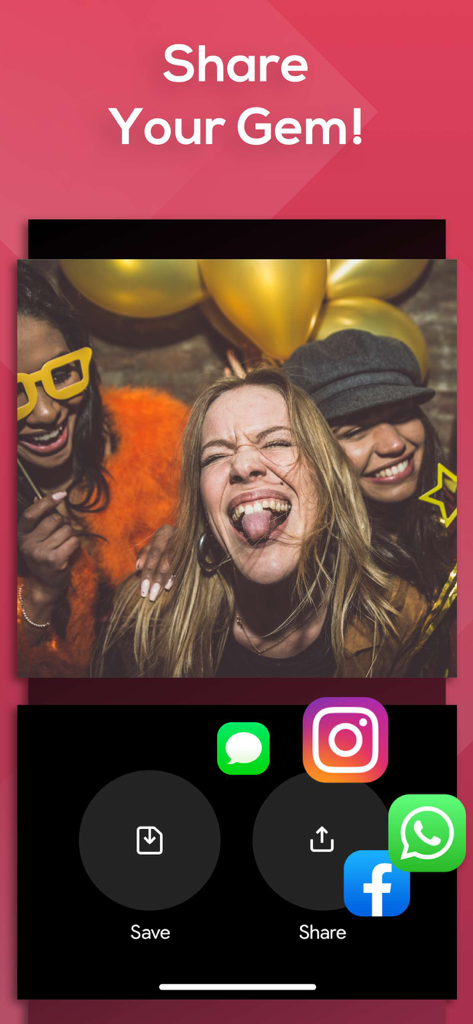
슬라이드쇼 메이커 앱 인터페이스가 인스타그램, 페이스북, 왓츠앱과 같은 소셜 미디어 공유 옵션을 보여줍니다.

슬라이드쇼 메이커 앱 인터페이스가 인스타그램, 페이스북, 왓츠앱과 같은 소셜 미디어 공유 옵션을 보여줍니다.

모든 순간을 손쉽게 기념하세요

이 앱을 돋보이게 하는 도구, 23M+ 명의 사용자가 선택.

즉각적인 스토리텔링

미디어를 선택하고 '무드'를 적용하여 몇 초 안에 카메라 롤을 세련된 영화로 변환하세요. 비디오 편집 경험이 필요하지 않습니다.

🎨

감성적인 테마

큐레이션된 가족, 빈티지, 생일 컬렉션 중에서 선택하여 특별한 날의 감성과 진심을 완벽하게 포착하세요.

📤

공유 준비 완료

최적화된 비율로 인스타그램, 페이스북 또는 유튜브로 직접 내보내 소셜 서클과 추억을 손쉽게 공유할 수 있습니다.

앱 소개

에 대해 알아야 할 모든 것 SlideShow Maker Photo to Video.

설명

Create slideshows with SlideShow Movie Maker using your photos & videos from your camera roll and add on top of that your own music! Make your own slideshow in just a few taps choosing from a great mood collection - from adventure to vintage, birthday or family, find your own style! Add photo, video, and music to your movie creation and share it with friends and family. Creating a slideshow with SlideShow Movie Maker is quick: 1) Pick your photos and videos 2) Select moods, filters, and transitions 3) Choose your favorite music from our gallery or your own songs and recordings 4) Select the slideshow's length, ratio, and trim videos 5) Finalize your slideshow with text & stickers 6) Save it to your camera roll and share it on Facebook, Instagram or Youtube SUBSCRIPTION INFO: Subscribe to take advantage of the features described above. •Subscription length: Weekly •Your payment will be charged to your iTunes Account as soon as you confirm your purchase. •You can manage your subscriptions and turn off auto-renewal from your Account Settings after the purchase. •Your subscription will renew automatically, unless you turn off auto-renew at least 24 hours before the end of the current period. •The cost of renewal will be charged to your account in the 24 hours prior to the end of the current period. •When canceling a subscription, your subscription will stay active until the end of the period. Auto-renewal will be disabled, but the current subscription will not be refunded. •Any unused portion of a free trial period, if offered, will be forfeited when purchasing a subscription. Terms of service: https://support.bendingspoons.com/tos?app=552341639 Privacy policy: https://bendingspoons.com/privacy.html?app=924826256 Have a feature request you would like to see in a future version of the app? Do not hesitate to contact us at slideshow@bendingspoons.com Disclaimer: You will be required to sign up for an auto-renewable In-App Purchase before you are able to access the app. Have fun!

최신 버전

5.6.44

크기

145.3 MB

출시일

2015년 2월 17일

오늘 당신의 이야기를 만들기 시작하세요

인생의 최고의 순간들을 멋진 음악 슬라이드쇼로 만드는 2,300만 명 이상의 사람들과 함께하세요. 생일부터 휴가까지, 몇 번의 탭만으로 추억을 잊을 수 없게 만드세요.

다운로드: App Store
FAQ

자주 묻는 질문

에 대해 알아야 할 모든 것 SlideShow Maker Photo to Video

SlideShow Maker Photo to Video로 슬라이드쇼를 만드는 방법은 무엇인가요?

SlideShow Maker Photo to Video로 슬라이드쇼를 만들려면 사진과 동영상을 선택하고, 분위기, 필터, 전환 효과를 선택하세요. 그런 다음 음악을 선택하고, 길이와 비율을 설정하고, 텍스트와 스티커를 추가하고, 완료하세요.

SlideShow Maker Photo to Video의 기능은 무엇인가요?

SlideShow Maker Photo to Video는 사진 및 동영상으로 슬라이드쇼를 만들고, 음악을 통합하며, 분위기, 필터, 전환 효과, 텍스트, 스티커를 제공합니다. 동영상 자르기, 길이 조절, 공유 옵션이 포함되어 있습니다.

SlideShow Maker Photo to Video에서 슬라이드쇼에 내 음악을 추가할 수 있나요?

네, SlideShow Maker Photo to Video를 사용하면 앱 갤러리의 음악을 선택하는 것 외에도 기기에서 자신의 노래와 녹음 파일을 추가할 수 있습니다.

SlideShow Maker Photo to Video로 만든 슬라이드쇼를 어떻게 공유하나요?

SlideShow Maker Photo to Video로 만든 슬라이드쇼는 카메라 롤에 저장하거나 Facebook, Instagram 또는 YouTube에서 직접 공유하여 공유할 수 있습니다.

SlideShow Maker Photo to Video는 무료 앱인가요?

아니요, SlideShow Maker Photo to Video를 사용하려면 앱 기능에 액세스하기 위해 자동 갱신되는 인앱 구매에 가입해야 합니다.

SlideShow Maker Photo to Video의 구독 기간은 어떻게 되나요?

SlideShow Maker Photo to Video의 구독 기간은 주간입니다. 이 세부 정보는 구독 정보 섹션에 명시되어 있습니다.

SlideShow Maker Photo to Video 구독을 어떻게 관리하거나 취소하나요?

구매 후 계정 설정에서 SlideShow Maker Photo to Video 구독을 관리하고 자동 갱신을 끌 수 있습니다. 자동 갱신은 기간이 종료되기 24시간 전에 꺼야 합니다.

SlideShow Maker Photo to Video로 슬라이드쇼에 스티커를 추가할 수 있나요?

네, SlideShow Maker Photo to Video를 사용하면 다양한 스티커를 추가하여 슬라이드쇼를 완성할 수 있습니다.

App information, icons, screenshots, and descriptions displayed on this page are sourced from the Apple App Store and are the property of their respective developers. Download estimates and rankings are based on MWM's proprietary models and may not reflect actual figures. This page is provided for informational and analytical purposes only.

Believe this page infringes your intellectual property? File a dispute