Quick Slideshow Maker + Music
다운로드: App Store

이 페이지는 앱이나 개발자의 공식 페이지가 아니며, 정보 제공 및 논평을 목적으로 작성된 독립 편집 간행물입니다. 명시적으로 달리 언급되지 않는 한, 해당 앱이나 개발자는 MWM, Apple, Google Play, 앱 퍼블리셔 또는 앱 개발자와 제휴, 보증, 후원, 승인 또는 공식적으로 연결되어 있지 않으며, 이 페이지의 어떤 내용도 해당 앱이 MWM의 서비스를 사용하여 개발되었음을 의미하지 않습니다. 모든 상표, 로고, 스크린샷 및 기타 콘텐츠는 해당 소유자의 자산입니다.


로고: Quick Slideshow Maker + Music
다운로드: App Store

Quick Slideshow Maker + Music

바쁜 가족들이 추억을 전문적인 뮤직 비디오로 바꾸는 가장 쉬운 방법입니다. 생일, 결혼식, 기념일에 완벽합니다. 단 3단계로 나만의 동영상을 만드세요.

주요 수치

다운로드

161K+

사용자 평점

4.9/5

총 평가 수

14K+

개발사

Zipo Apps Ltd.

카테고리

Photo & Video

지원 언어

18

최신 버전

1.5.4

크기

185.7 MB

출시일

2021년 3월 8일
기능

몇 분 안에 추억을 영화로 만드세요

복잡한 편집 소프트웨어 학습 없이 전문적인 품질의 슬라이드쇼를 만들고 싶은 바쁜 부모와 추억을 간직하는 사람들을 위해 설계되었습니다.

3단계 제작 과정

편집에 시간을 낭비하지 마세요. 사진을 선택하고, 사운드트랙을 고르고, 내보내기만 하면 됩니다. 사진 갤러리를 스토리로 만드는 가장 빠른 방법입니다.

스마트 음악 자동 동기화

음악 비트에 자동으로 맞춰지는 전문적인 전환 효과. 라이브러리에서 선택하거나 자신의 노래를 사용하여 완벽한 감성 분위기를 연출하세요.

다음 스크린샷과 설명은 앱의 공식 스토어 목록에서 직접 가져온 것이며 앱 개발자의 자산입니다.

앱 스토어

스크린샷
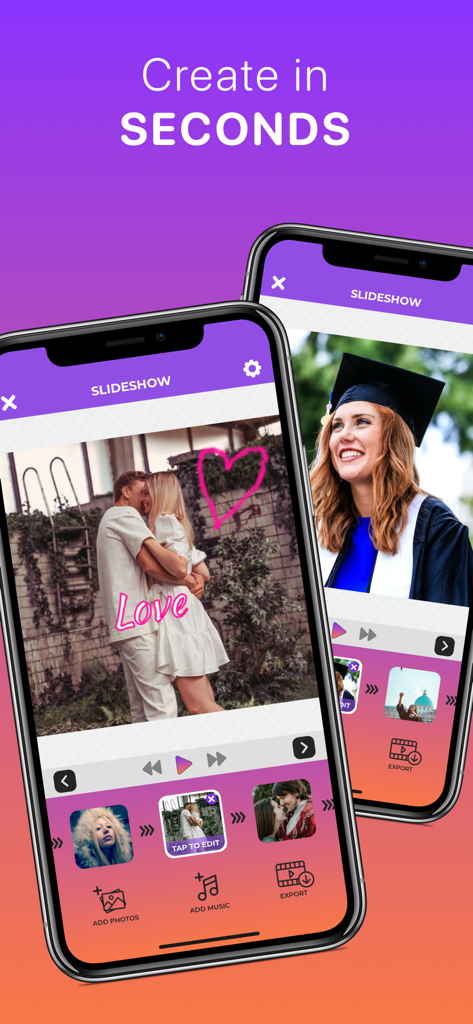
Quick Slideshow Maker + Music - 졸업 사진과 커플 사진이 있는 Quick Slideshow Maker 앱 인터페이스를 보여주는 두 개의 아이폰
졸업 사진과 커플 사진이 있는 Quick Slideshow Maker 앱 인터페이스를 보여주는 두 개의 아이폰

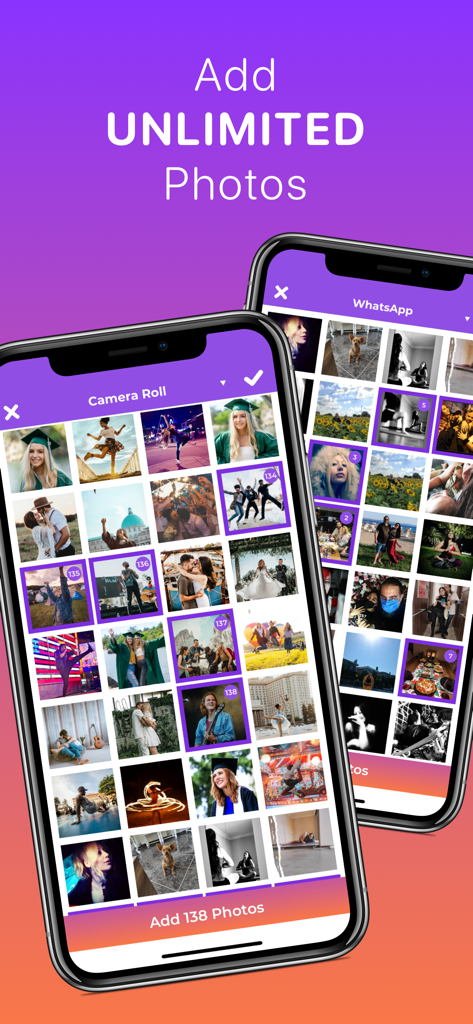
Quick Slideshow Maker + Music - 카메라 롤에서 사진 선택 화면과 '무제한 사진 추가' 텍스트가 표시되는 Quick Slideshow Maker 앱의 인터페이스
카메라 롤에서 사진 선택 화면과 '무제한 사진 추가' 텍스트가 표시되는 Quick Slideshow Maker 앱의 인터페이스

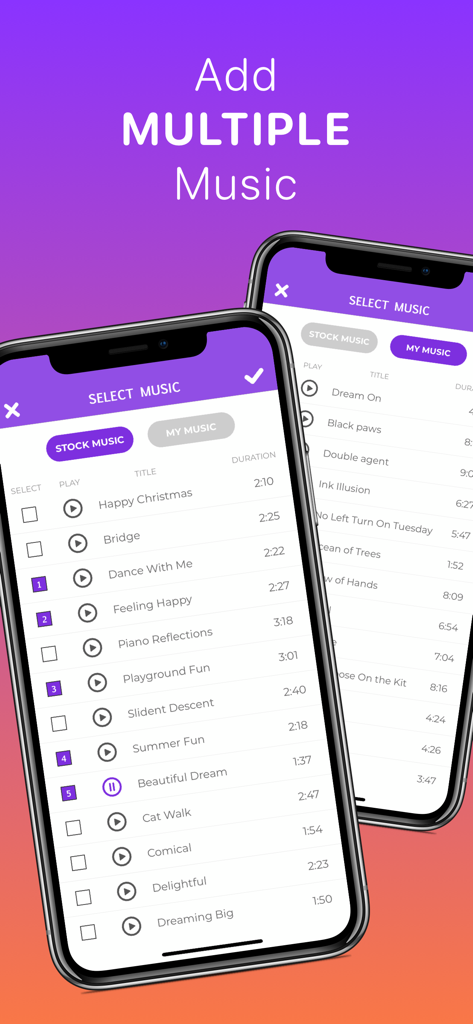
Quick Slideshow Maker + Music - 스톡 음악 및 개인 음악 트랙 옵션이 있는 음악 선택 화면을 표시하는 두 개의 모바일 폰
스톡 음악 및 개인 음악 트랙 옵션이 있는 음악 선택 화면을 표시하는 두 개의 모바일 폰

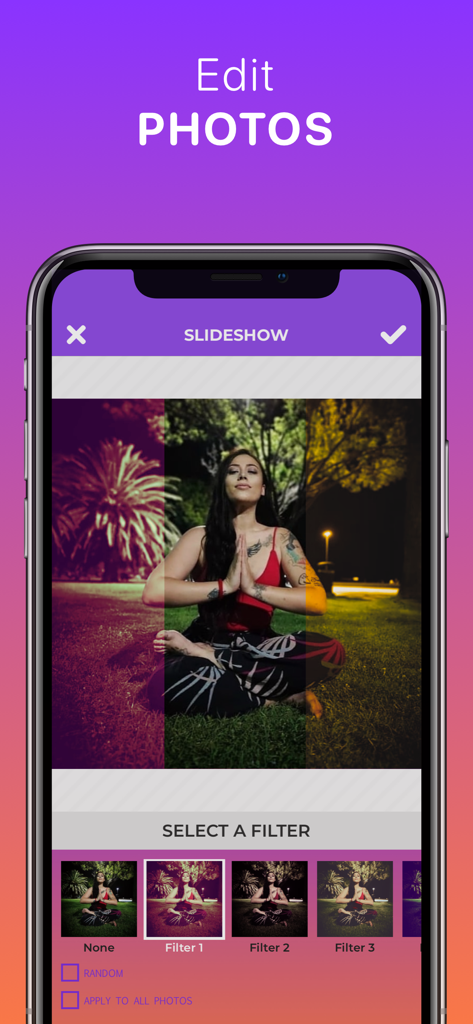
Quick Slideshow Maker + Music - 사진 필터 선택 옵션을 보여주는 Quick Slideshow Maker의 인터페이스
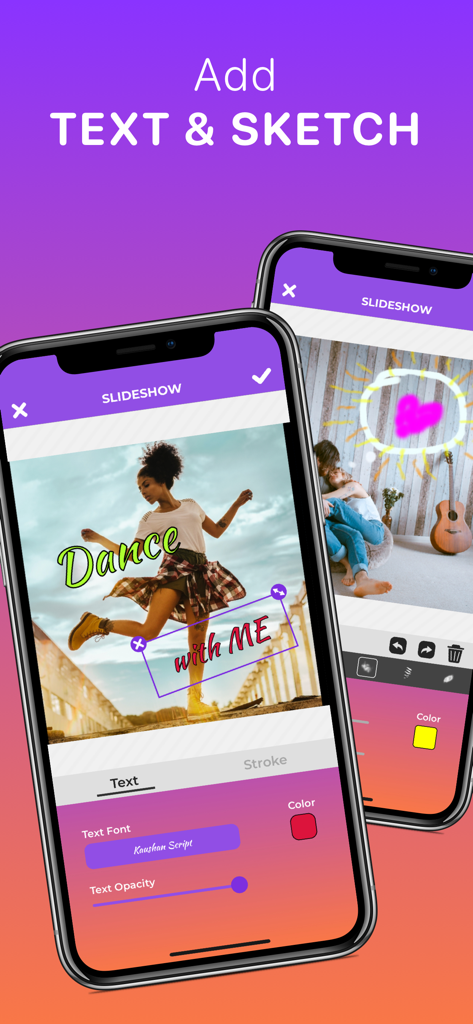
사진 필터 선택 옵션을 보여주는 Quick Slideshow Maker의 인터페이스

Quick Slideshow Maker + Music - 사진에 사용자 지정 텍스트 및 손글씨 스케치를 추가하기 위한 Quick Slideshow Maker 앱 인터페이스
사진에 사용자 지정 텍스트 및 손글씨 스케치를 추가하기 위한 Quick Slideshow Maker 앱 인터페이스

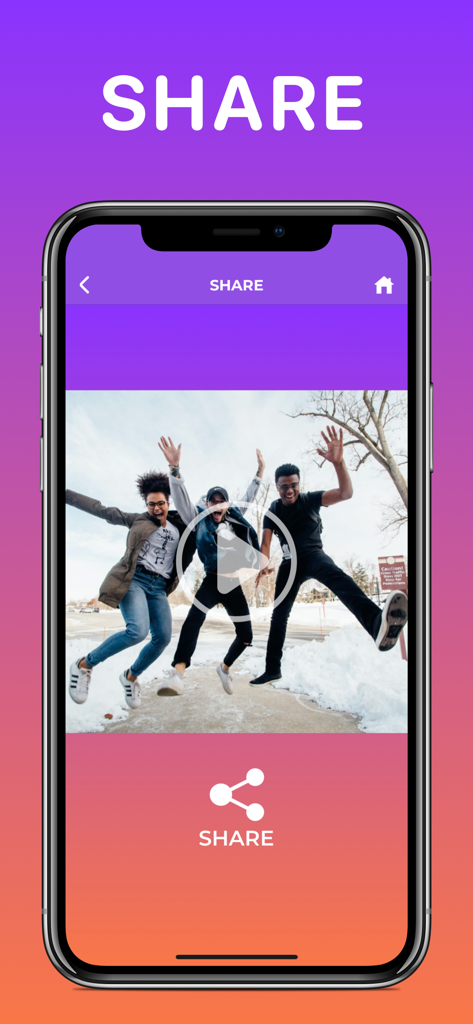
Quick Slideshow Maker + Music - 행복하게 뛰노는 사람들의 비디오가 특징인 Quick Slideshow Maker 앱의 공유 화면

행복하게 뛰노는 사람들의 비디오가 특징인 Quick Slideshow Maker 앱의 공유 화면

설명

It's so quick and easy to use! Do not waste your time making a slideshow when you can do it in just a few seconds. Step 1. Add Photos Step 2. Add Music Step 3. Export Video To Gallery It's that simple! Now you can share your slideshow with your friends and family on Facebook, Instagram, Youtube and more. Perfect for your special days like birthdays, weddings, anniversaries, graduations, etc. Create stunning slideshows in seconds with this music video maker! Easily add photos, music, effects, and text to make a movie you'll love. Whether you're crafting memories or highlights, this powerful video clip maker lets you express yourself effortlessly. Try this music video maker now and make a movie worth sharing with our top video clip maker! Perfect for birthdays, weddings, and special moments—this music video maker helps you make a movie with style. Use the video clip maker to add transitions, sync music, and wow your friends! Features: ► Add as many photos as you want ► Apply your favourite photo effects ► Add specialized texts and drawings ► Add multiple songs from our own library or yours ► Animated transitions between photos ► Auto-sync music with your slideshow ► Customizable photo and transition durations - Premium Membership And Terms - We offer a one-time "forever" upgrade for $12.99 and a monthly subscription for $3.99/month to the premium membership which will give you access to additional features on an ongoing basis including: • Unlimited Photos • Unlock Stock Music • Unlock All Transitions • Unlock All Text Options • Unlock All Filters • Unlock Sketch • Remove Watermark • Remove Final Slide • Remove Ads Payment for Premium Membership will be will be charged to your iTunes Account at confirmation of purchase. Your monthly subscription will automatically renew and your account will be charged for renewal within 24-hours prior to the end of the current period. You can turn off auto-renew at any time from your iTunes account settings but refunds will not be provided for any unused portion of the term. If you purchase your subscription during the free trial period, any unused portion of the free trial period will be forfeited. Terms of Use: https://zipoapps.com/quickslideshowios/terms Privacy Policy: https://zipoapps.com/quickslideshowios/privacy

Download

다운로드: App Store

이 페이지는 앱이나 개발자의 공식 페이지가 아니며, 정보 제공 및 논평을 목적으로 작성된 독립 편집 간행물입니다. 명시적으로 달리 언급되지 않는 한, 해당 앱이나 개발자는 MWM, Apple, Google Play, 앱 퍼블리셔 또는 앱 개발자와 제휴, 보증, 후원, 승인 또는 공식적으로 연결되어 있지 않으며, 이 페이지의 어떤 내용도 해당 앱이 MWM의 서비스를 사용하여 개발되었음을 의미하지 않습니다. 모든 상표, 로고, 스크린샷 및 기타 콘텐츠는 해당 소유자의 자산입니다.