SmartSDR™ - FlexRadio Systems®

SmartSDR™ - FlexRadio Systems®

다운로드: App Store
로고: SmartSDR™ - FlexRadio Systems®

SmartSDR™ - FlexRadio Systems®를 위한 전문 원격 제어

iPad와 iPhone에서 6000 또는 8000 시리즈 SDR의 모든 성능을 활용하세요. FT8 및 DX 클러스터부터 고급 파나댑터 제어까지, 전문가급 원격 운영으로 완벽한 스테이션 자유를 경험하십시오.

다운로드: App Store

개발사

Marcus Roskosch

카테고리

Utilities

다운로드

6K+

사용자 평점

4.2/5

총 평가 수

200

지원 언어

1

무전실의 자유

이 인터페이스를 사용하는 6K+ 명의 사용자.

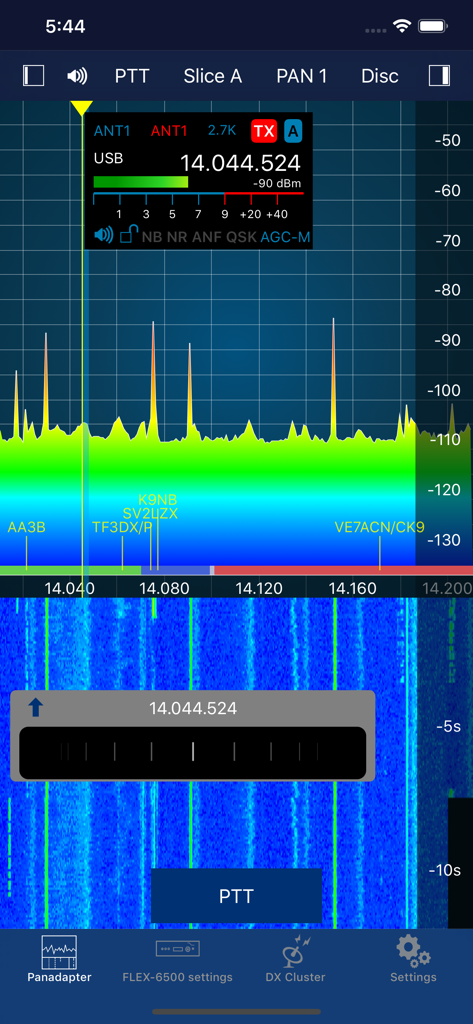
무선 주파수 파나댑터와 폭포수 디스플레이를 보여주는 SmartSDR 모바일 앱 인터페이스

무선 주파수 파나댑터와 폭포수 디스플레이를 보여주는 SmartSDR 모바일 앱 인터페이스

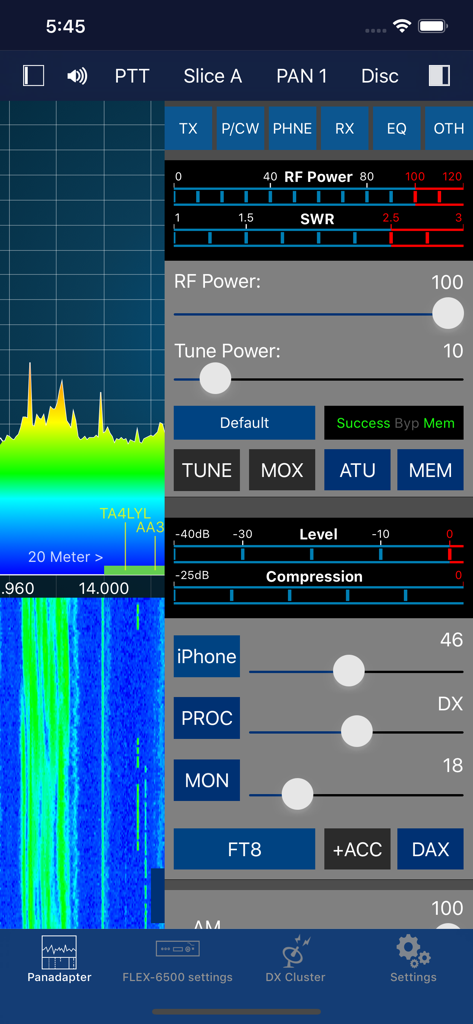
스펙트럼 파나댑터와 무선 송신 제어 기능을 보여주는 SmartSDR 앱 인터페이스

스펙트럼 파나댑터와 무선 송신 제어 기능을 보여주는 SmartSDR 앱 인터페이스

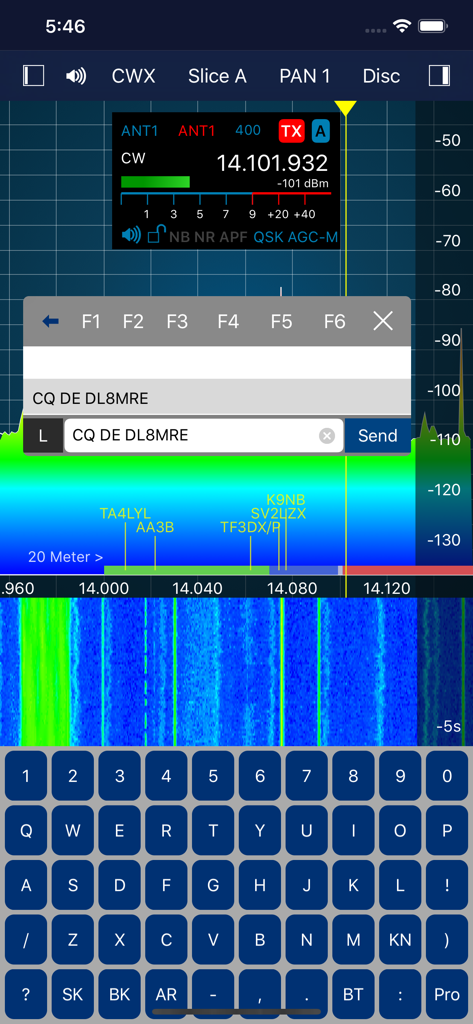
무선 스펙트럼 폭포수와 CW 텍스트 입력 키보드를 보여주는 SmartSDR 앱 인터페이스

무선 스펙트럼 폭포수와 CW 텍스트 입력 키보드를 보여주는 SmartSDR 앱 인터페이스

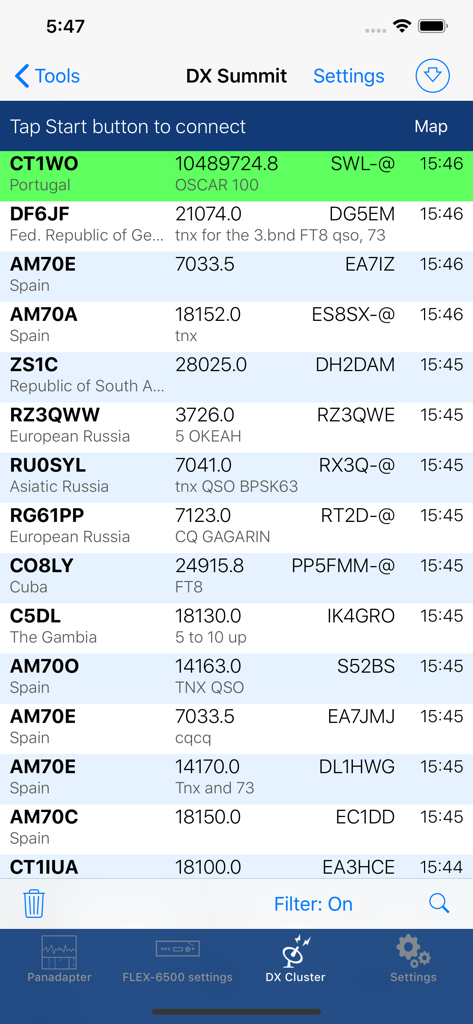
SmartSDR 앱에서 호출 부호와 주파수가 포함된 DX 스팟 목록을 보여주는 화면

SmartSDR 앱에서 호출 부호와 주파수가 포함된 DX 스팟 목록을 보여주는 화면

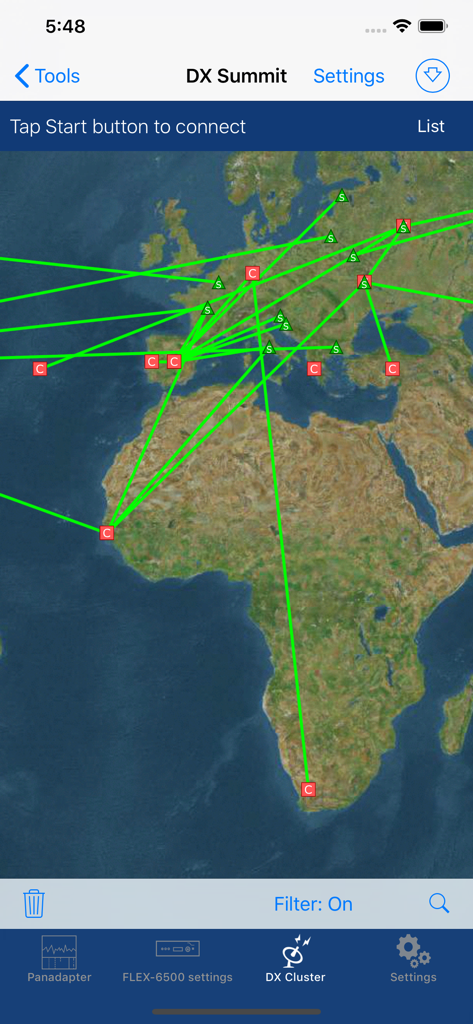
세계 지도에 아마추어 무선 스팟을 표시하는 SmartSDR 앱 DX 클러스터 인터페이스

세계 지도에 아마추어 무선 스팟을 표시하는 SmartSDR 앱 DX 클러스터 인터페이스

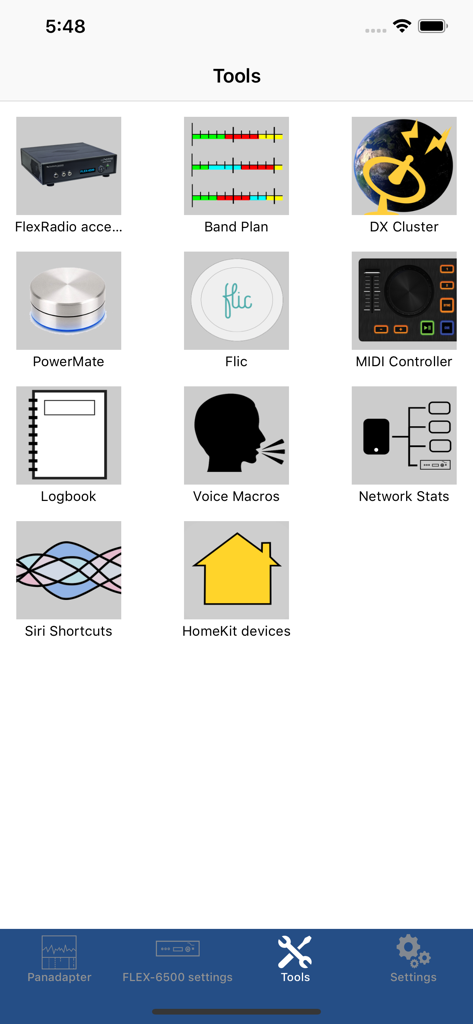
밴드 플랜 및 DX 클러스터와 같은 아마추어 무선 유틸리티 아이콘을 보여주는 SmartSDR 앱의 도구 메뉴

밴드 플랜 및 DX 클러스터와 같은 아마추어 무선 유틸리티 아이콘을 보여주는 SmartSDR 앱의 도구 메뉴

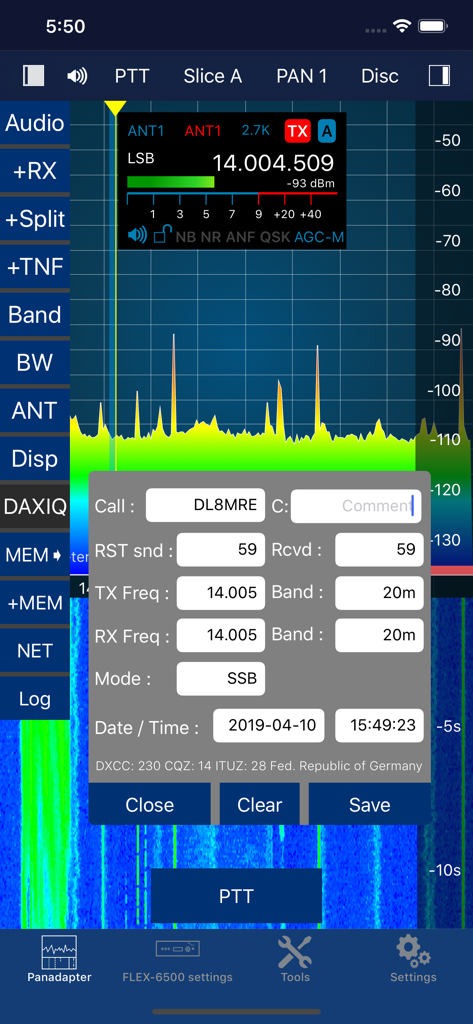
무선 주파수 파나댑터와 아마추어 무선 교신 기록 창을 보여주는 SmartSDR 앱 인터페이스

무선 주파수 파나댑터와 아마추어 무선 교신 기록 창을 보여주는 SmartSDR 앱 인터페이스

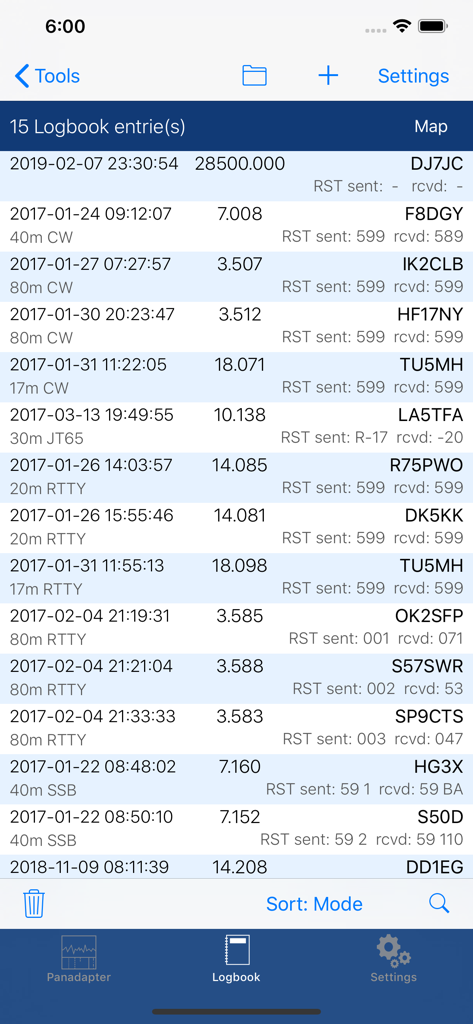
호출 부호와 주파수가 포함된 아마추어 무선 교신 기록을 보여주는 디지털 로그북 화면

호출 부호와 주파수가 포함된 아마추어 무선 교신 기록을 보여주는 디지털 로그북 화면

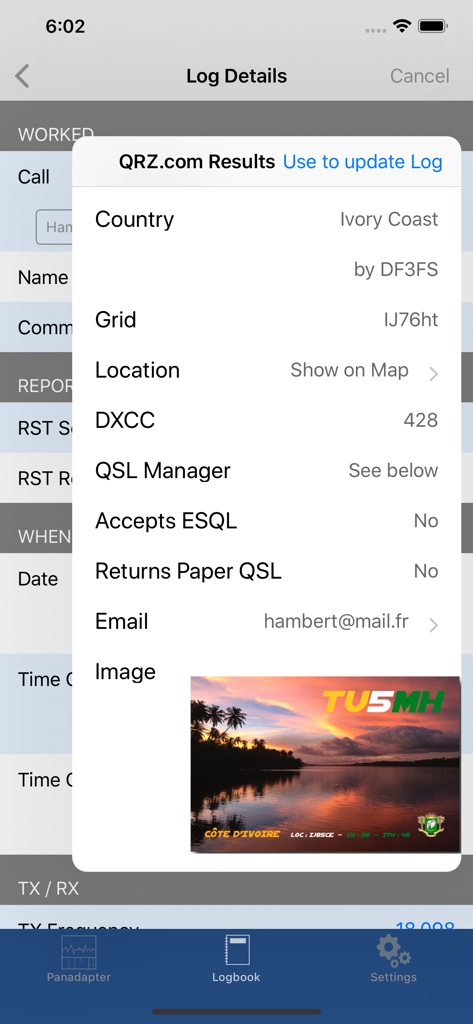
코트디부아르에서의 교신을 보여주는 SmartSDR 앱의 로그북 상세 정보 및 QRZ 조회 결과

코트디부아르에서의 교신을 보여주는 SmartSDR 앱의 로그북 상세 정보 및 QRZ 조회 결과

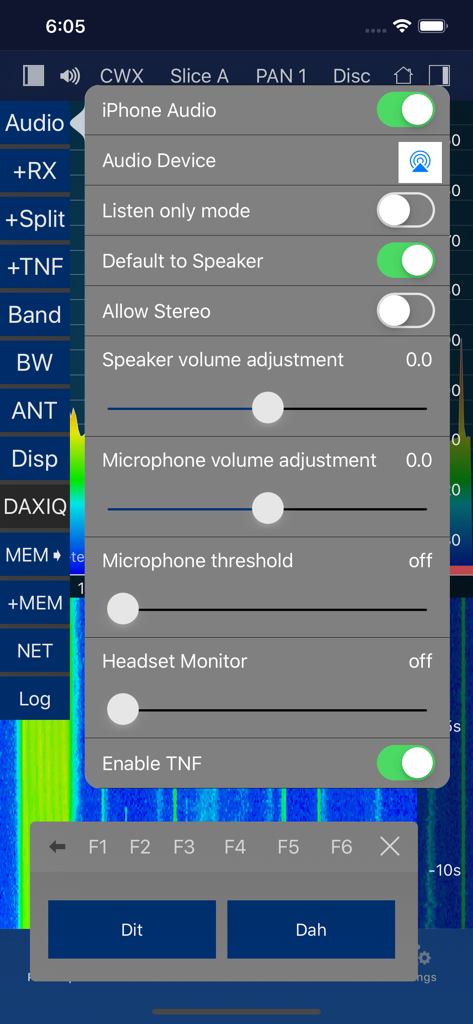
오디오 설정 구성과 단점(Dit) 및 장점(Dah) 버튼이 있는 모스 부호 CW 키어를 보여주는 SmartSDR 앱 인터페이스

오디오 설정 구성과 단점(Dit) 및 장점(Dah) 버튼이 있는 모스 부호 CW 키어를 보여주는 SmartSDR 앱 인터페이스

손안의 데스크톱 성능

이 앱을 돋보이게 하는 도구, 6K+ 명의 사용자가 선택.

🌍

글로벌 SmartLink™ 원격 접속

무전실에서 기대하는 것과 동일한 기능과 저지연 경험으로 전 세계 어디에서나 FLEX-6000 또는 8000 시리즈 스테이션을 운영하세요.

🛰️

통합 디지털 모드 및 도구

FT8, FT4, SSTV 및 CW 디코딩을 기기에서 직접 실행하세요. 외부 PC, 복잡한 케이블 또는 타사 소프트웨어가 필요하지 않습니다.

🔍

고급 스펙트럼 탐색

고해상도 파나댑터와 통합된 DX 클러스터 스팟으로 밴드를 시각화하여, 희귀한 신호를 정밀하게 찾아내고 기록할 수 있습니다.

앱 소개

에 대해 알아야 할 모든 것 SmartSDR™ - FlexRadio Systems®.

설명

Official FlexRadio Systems® Client - NOW: All-Inclusive, no In-App Purchase! SmartSDR is a full featured radio client that enables your iPad or iPhone to operate your FlexRadio device. It is fully compatible to SmartSDR v1, v2 (including SmartLink) and v3 (including MultiFlex and SmartControl) and v4. Please note: This App requires a FlexRadio Systems® Series 6000 or 8000 Software Defined Radio (SDR) Device. FACTS AND FEATURES: SmartSDR offers almost all features of SmartSDR for Windows such as: ■ Supports FT8 and FT4 (iPad and iPhone Max, Firmware 2 required) ■ SSTV TX and RX (NEW!) ■ APRS TX and RX (NEW!) ■ Included CW Decoder and keyer ■ Weather Fax (HF-Fax) Decoder ■ Creation, maintenance of Slices, TNFs, Filters ■ Unlimited number of Slices, Panadapters (limited only by radio model) ■ CWX support including Sidetone and live send mode ■ Software Paddle or Straight-Key support ■ Maintain all Radio, Slice and Panadapter settings ■ Support for Memories ■ Profiles integration (TX, Microphone and Global) ■ Audio settings supported including equalizers ■ Support for TX Settings like Power including all Tuning features ■ Transverter support ■ SmartLink™ remote access ■ APD / SmartSignal™ support ■ MultiFlex™ support ■ SmartControl support ■ HomeKit support to control radio, antenna switches etc. remotely ■ Direct support for Power Genius XL (PGXL), Tuner Genius (TGXL), Antenna Genius (AGXL) and Rotator Genius (RGXL) local and remote For HomeKit, you can use any Power Plug or Switch that are HomeKit compatible. In addition to SmartSDR for Windows, this App offers these features: ■ Band limits and Band maps and modes will be displayed inside the Pan adapter ■ DX Cluster support which displays spots directly inside the Pan adapter ■ Graphical tuning knob for easy and exact frequency selection. ■ Various additional minor bells and whistles such as easy TNF maintenance, ■ Direct Bandwidth selection, Split Mode, instant Memory creation and more. ■ Device logging and device parameter monitoring (e.g. PA Temperature etc.) ■ Logbook integration with ADIF Im- and Export ■ Support for two Bluetooth and USB Controllers ■ Voice Macro recording and playback There are just a few limitations compared to SmartSDR for Windows which are: - Only one Panadapter visible at the same time. - Diversity is not implemented. WHAT YOU NEED: - A FlexRadio Systems® FLEX-6000 or 8000 series radio - An iPhone or iPad that runs at least iOS 17 NETWORK REQUIREMENTS: To run this App at your home, nothing else but a regular WiFi connection is needed that can access your FLEX Radio. You can immediately start using the App. For Remote operation via SmartLink™ a Version 2 License is required for your Radio. The App supports Splitscreen Multitasking on the newer iPads so you can run SmartSDR in split mode parallel to your browser, Email software or any other App. SUPPORTED SDR HARDWARE: FLEX-6300, FLEX-6400, FLEX-6400M, FLEX-6500, FLEX-6600, FLEX-6600M, FLEX-6700,FLEX-8400, FLEX-8400M, FLEX-8600, FLEX-8600M Find out more here: https://ham-radio-apps.com Read the Manual: https://go-to.me/smartsdr-manual

최신 버전

7.0.94

크기

58.3 MB

출시일

2016년 9월 2일

FlexRadio를 완벽하게 제어하세요

FLEX-6000 및 8000 시리즈 하드웨어를 위한 가장 강력하고 포괄적인 모바일 클라이언트를 사용하는 수천 명의 엘리트 운영자와 함께하세요. 무전실의 제약에서 벗어난 자유를 경험하십시오.

다운로드: App Store

App information, icons, screenshots, and descriptions displayed on this page are sourced from the Apple App Store and are the property of their respective developers. Download estimates and rankings are based on MWM's proprietary models and may not reflect actual figures. This page is provided for informational and analytical purposes only.

Believe this page infringes your intellectual property? File a dispute