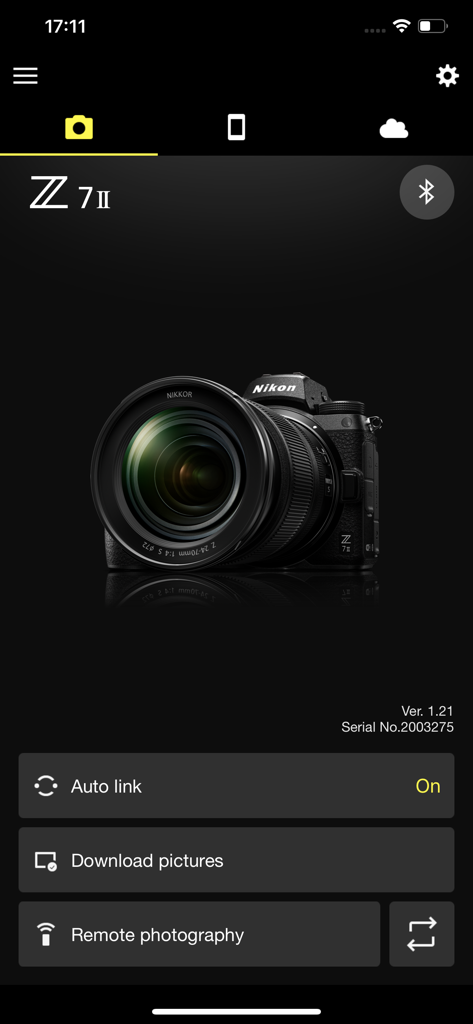
원격 사진 촬영 및 다운로드 옵션이 있는 연결된 니콘 Z 7II 카메라를 보여주는 SnapBridge 모바일 앱 인터페이스.
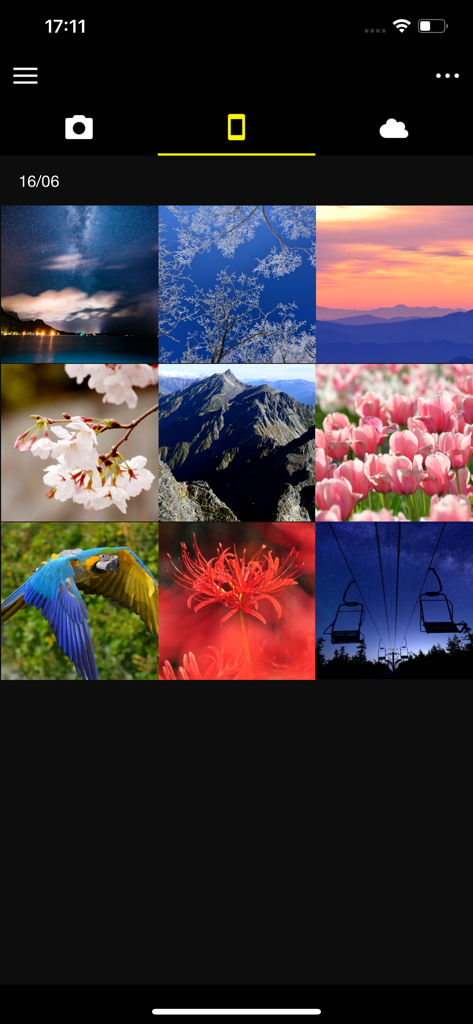
풍경과 자연을 포함하여 다운로드된 카메라 사진 그리드를 보여주는 SnapBridge 앱 인터페이스.
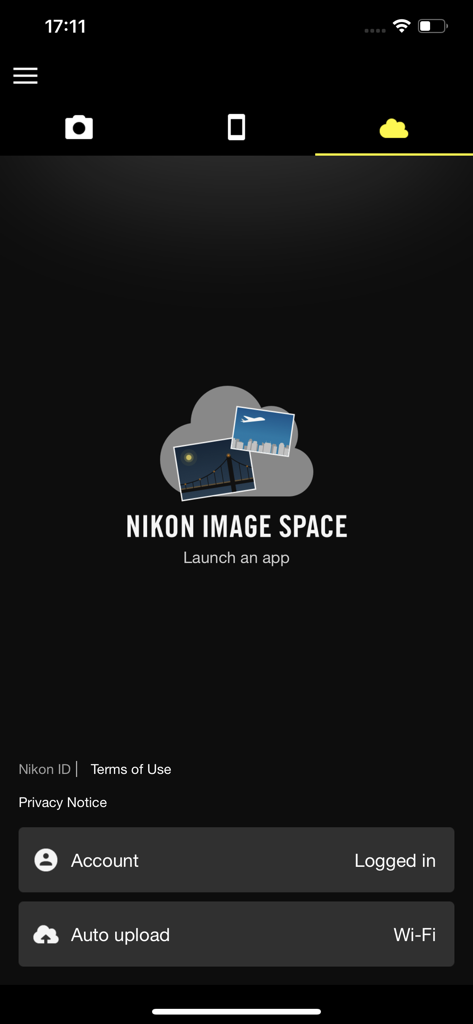
자동 업로드가 활성화된 Nikon Image Space 클라우드 스토리지 설정을 보여주는 SnapBridge 앱 인터페이스
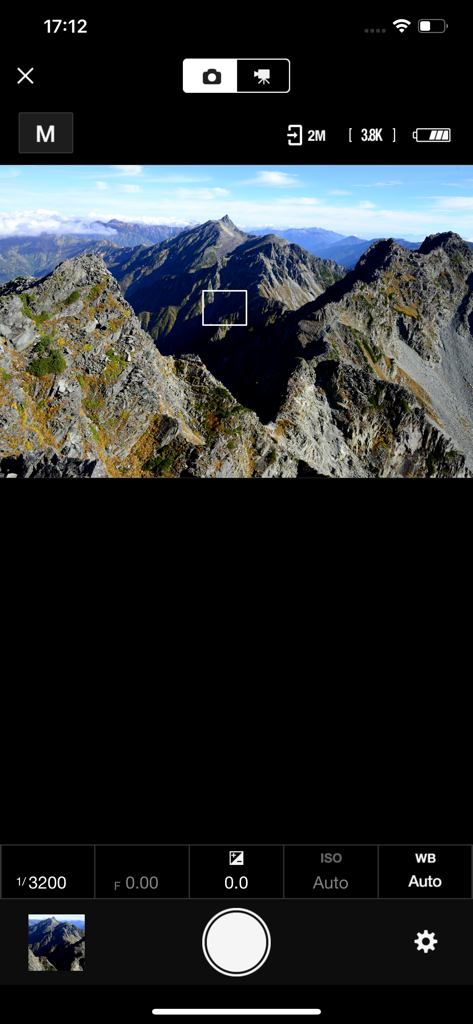
카메라 설정과 함께 산 풍경 라이브 뷰를 표시하는 SnapBridge 원격 촬영 인터페이스
전문가급 품질과 모바일 속도의 만남
이 앱을 돋보이게 하는 도구, 8M+ 명의 사용자가 선택.
⚡
매끄러운 자동 다운로드
사진을 촬영하는 즉시 스마트폰으로 자동 전송되므로, 케이블이나 카드 리더기 없이도 소셜 미디어에 즉시 편집하고 공유할 수 있습니다.
📱
원격 라이브 뷰 및 셔터
스마트폰을 원격 화면 및 트리거로 사용하세요. 손안에서 바로 라이브 프리뷰를 확인하며 완벽한 단독 샷이나 단체 사진의 구도를 잡을 수 있습니다.
📍
스마트 위치 태깅
스마트폰의 GPS 데이터와 시간을 카메라 메타데이터로 직접 자동 동기화하여 여행의 추억을 완벽하게 정리하세요.
리뷰 분석
사용자 리뷰 인사이트.
감정 점수
11%
부정적
요약
Users widely report significant frustration with the app, primarily citing persistent and widespread connection issues across various Nikon camera models (e.g., Z5, D3500, Z8, D850) and different iOS versions (e.g., iPhone 13, 15, 17 Pro). Common complaints include difficulties in pairing, unstable connections, and app crashes, with specific mention that version 1.8 did not resolve Bluetooth problems for the P1000. Beyond connectivity, users criticize slow photo transfer speeds, a cumbersome user interface that lacks essential features like batch selection and filtering, and inadequate automatic download options. While a few users find the photo sharing features positive, the overall sentiment points to a deeply flawed and unreliable application.
주요 테마
Connection and Compatibility(35)
User Interface and Features(10)
Photo Transfer Speed(7)
App Stability(4)
General Positive Experience(4)
Photo Sharing(3)
Automatic Download Customization(1)
앱 소개
에 대해 알아야 할 모든 것 SnapBridge.
설명
Supported Digital Cameras as of October 2025
ZR, Z9, Z8, Z7II, Z7, Z6III, Z6II, Z6, Z5II, Z5, Zf, Zfc, Z50II, Z50, Z30, D6, D850, D780, D500, D7500, D5600, D3500, D3400, COOLPIX P1100, P1000, P950, A1000, A900, A300, B700, B500, B600, W300, W150, W100, KeyMission 80
The foregoing may include models not available in some regions.
Be sure to update the camera firmware to the latest version.
Use a computer to download the latest camera firmware from the Nikon Download Center. * According to your camera's model, you can download your camera's firmware via the SnapBridge app.
http://downloadcenter.nikonimglib.com/
Principal Features
- Once the camera is paired with your smart device, new photos can be downloaded automatically.
- Adjust camera settings and take photos.
- View the pictures on and download photos from the camera.
- Use the app to pair the device with up to five cameras.
- Automatically upload pictures taken with the camera to NIKON IMAGE SPACE (Note 1).
- View downloaded photos or share them via e-mail or social media.
- Add photo info or text to uploaded photos.
- Download location data to the camera (Note 2) or set the camera clock to the time reported by the smart device.
- Receive notifications of firmware updates for paired cameras.
System Requirements
iOS17.7, iOS18.7, iOS26.1
iPadOS17.7, iPadOS18.7, iPadOS26.1
iPhone 7 or later, iPad 5th or later, iPad mini 5th or later
Bluetooth 4.0 or later
There is no guarantee that this app will run on all devices.
Notes
- Note 1: Upload to NIKON IMAGE SPACE requires a Nikon ID.
- Note 2: The GPS function runs continuously in the background, increasing the drain on the battery. The drain on the battery can be reduced by choosing power-saving mode. This feature is not recommended for use with devices not equipped with GPS.
- If you are unable to download images or connect via Bluetooth or Wi-Fi after pairing, try one or more of the following solutions:
- Turn the paired camera off and then on again.
- Switch tabs in SnapBridge.
- Exit and relaunch SnapBridge.
- Users can register for a Nikon ID using this app.
- Enable Bluetooth and Wi-Fi when using this app.
- Remote movie recording is not supported on some cameras.
- Movies can be downloaded by switching to Wi-Fi and selecting the files manually.
- Upload/download of AVI and interlaced movies is not supported.
- 4K UHD movies transfer and playback are not supported on some devices.
- Remote photography and movie download are available only if the camera has Wi-Fi (some cameras only).
- Keep the app displayed in the foreground when downloading images from the camera via Wi-Fi. Download is not available when the app is running in the background.
- The app may not perform as expected depending on your environment and network conditions.
Using the App
For more information, use the app "Help" option.
최신 버전
2.13.3
크기
78.4 MB
출시일
2016년 9월 6일
전문가급 품질과 즉각적인 공유 사이의 간극을 메울 준비가 되셨나요?
800만 명 이상의 크리에이터와 함께하세요. 지금 SnapBridge를 다운로드하여 니콘 카메라와 스마트폰을 동기화하고, 몇 초 만에 고해상도 이야기를 세상과 공유하기 시작하세요.
FAQ
자주 묻는 질문
에 대해 알아야 할 모든 것 SnapBridge
SnapBridge 앱이란 무엇인가요?
SnapBridge는 니콘 카메라용 애플리케이션으로, 사용자가 사진을 자동으로 다운로드하고, 카메라 설정을 조정하고, 원격 촬영을 수행하고, NIKON IMAGE SPACE에 이미지를 업로드할 수 있습니다.
SnapBridge 앱과 호환되는 니콘 카메라는 무엇인가요?
SnapBridge는 2025년 10월 현재 Z 시리즈(예: Z9, Z7II), D 시리즈(예: D850, D780) 및 COOLPIX 모델(예: P1000, A1000)을 포함한 다양한 니콘 카메라를 지원합니다.
SnapBridge가 카메라에서 사진을 자동으로 다운로드할 수 있나요?
네, SnapBridge는 페어링된 카메라에서 스마트 장치로 새 사진을 자동으로 다운로드할 수 있습니다. 이 기능은 카메라가 성공적으로 페어링되면 활성화됩니다.
SnapBridge가 원격 촬영을 지원하나요?
네, SnapBridge는 원격 촬영을 지원합니다. 사용자는 앱에서 직접 카메라 설정을 조정하고 사진을 찍을 수 있습니다. 원격 촬영은 일부 모델에서 카메라 Wi-Fi가 필요합니다.
SnapBridge를 사용하여 NIKON IMAGE SPACE에 사진을 업로드할 수 있나요?
네, SnapBridge는 카메라로 촬영한 사진을 NIKON IMAGE SPACE에 자동으로 업로드합니다. 이 서비스를 이용하려면 Nikon ID가 필요합니다.
SnapBridge 사용 시스템 요구 사항은 무엇인가요?
SnapBridge는 iOS17.7, iOS18.7 또는 iOS26.1 또는 iPadOS 버전 17.7, 18.7 또는 26.1이 필요합니다. iPhone 7 이상, iPad 5세대 이상 또는 iPad mini 5세대 이상이 필요하며, Bluetooth 4.0 이상이 필요합니다.
SnapBridge 앱과 몇 대의 카메라를 페어링할 수 있나요?
사용자는 SnapBridge 앱과 최대 5대의 카메라를 페어링할 수 있습니다. 이를 통해 단일 스마트 장치에서 여러 니콘 장치를 관리할 수 있습니다.
SnapBridge 앱에서 펌웨어 업데이트 알림을 제공하나요?
네, SnapBridge 앱은 페어링된 카메라의 펌웨어 업데이트 알림을 제공합니다. 최적의 성능을 위해 사용자는 카메라 펌웨어를 최신 버전으로 업데이트해야 합니다.
SnapBridge 앱으로 동영상을 다운로드할 수 있나요?
네, Wi-Fi로 전환하고 SnapBridge에서 파일을 수동으로 선택하여 동영상을 다운로드할 수 있습니다. 일부 카메라에서는 원격 동영상 녹화가 지원되지 않으며, AVI/인터레이스 동영상은 업로드/다운로드가 지원되지 않습니다.
SnapBridge에서 4K UHD 동영상 전송을 지원하나요?
아니요, 일부 장치에서는 SnapBridge를 사용하여 4K UHD 동영상 전송 및 재생을 지원하지 않습니다. 사용자는 특정 카메라 및 스마트 장치의 호환성을 확인해야 합니다.
App information, icons, screenshots, and descriptions displayed on this page are sourced from the Apple App Store and are the property of their respective developers. Download estimates and rankings are based on MWM's proprietary models and may not reflect actual figures. This page is provided for informational and analytical purposes only.
Believe this page infringes your intellectual property? File a dispute