Speedtest: wifi analyzer

Speedtest: wifi analyzer


다운로드: App Store
로고: Speedtest: wifi analyzer

Speedtest: wifi analyzer: 가정 및 사무실을 위한 전문 진단

느린 속도로 타협하지 마세요. ISP 성능을 확인하고, WiFi 신호를 최적화하고, 실시간 네트워크 인사이트를 통해 원격 근무, 4K 스트리밍 및 게임을 위한 최고의 안정성을 보장하세요.

다운로드: App Store

개발사

SPEIS UAI, OOO

카테고리

Utilities

다운로드

4K+

사용자 평점

4.2/5

총 평가 수

200

지원 언어

9

모든 픽셀의 정밀도

이 인터페이스를 사용하는 4K+ 명의 사용자.

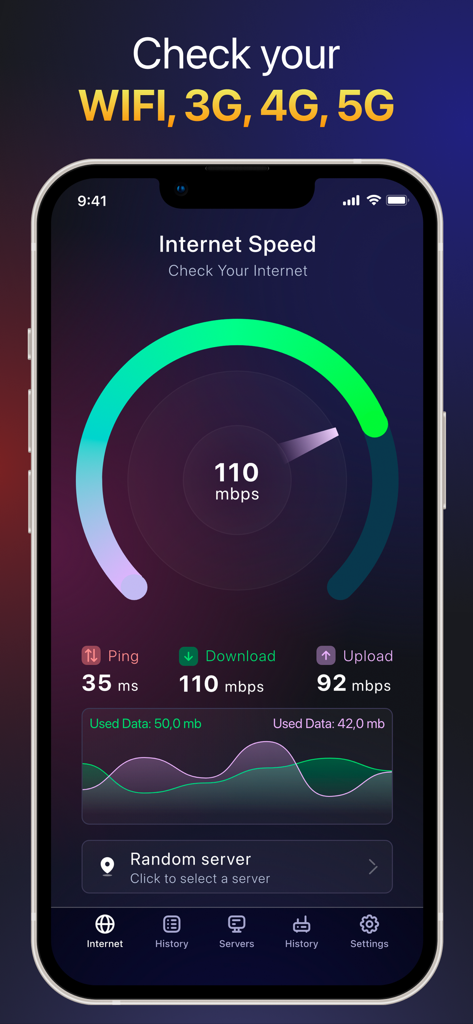
스마트폰에서 핑, 다운로드, 업로드 지표를 포함한 인터넷 속도 결과를 보여주는 Speedtest wifi analyzer 앱 인터페이스

스마트폰에서 핑, 다운로드, 업로드 지표를 포함한 인터넷 속도 결과를 보여주는 Speedtest wifi analyzer 앱 인터페이스

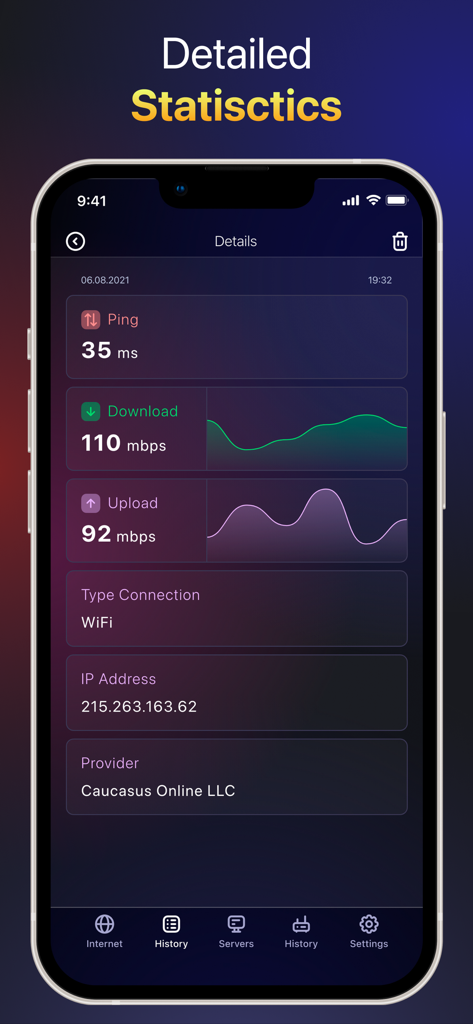
핑, 다운로드 속도, 업로드 속도, IP 주소를 포함한 상세 인터넷 연결 통계를 보여주는 모바일 앱 화면

핑, 다운로드 속도, 업로드 속도, IP 주소를 포함한 상세 인터넷 연결 통계를 보여주는 모바일 앱 화면

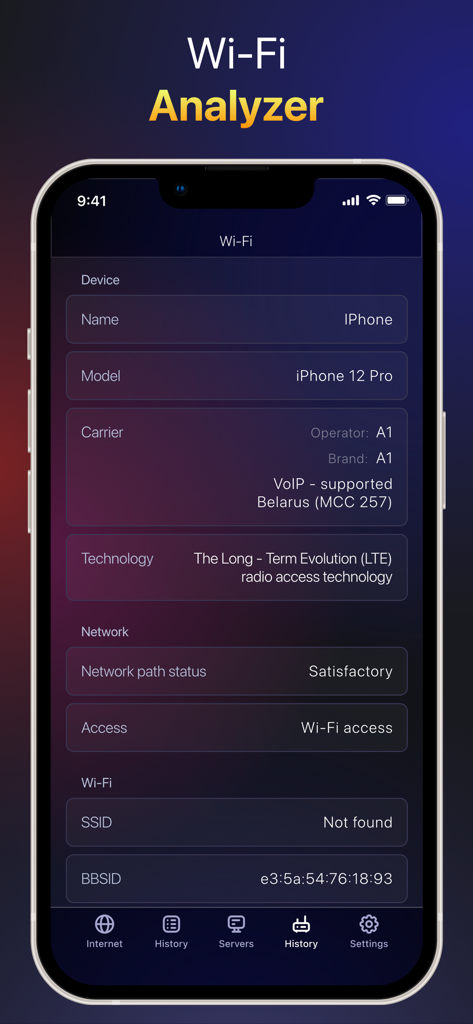
상세 장치 정보 및 네트워크 연결 상태를 표시하는 모바일 앱 화면

상세 장치 정보 및 네트워크 연결 상태를 표시하는 모바일 앱 화면

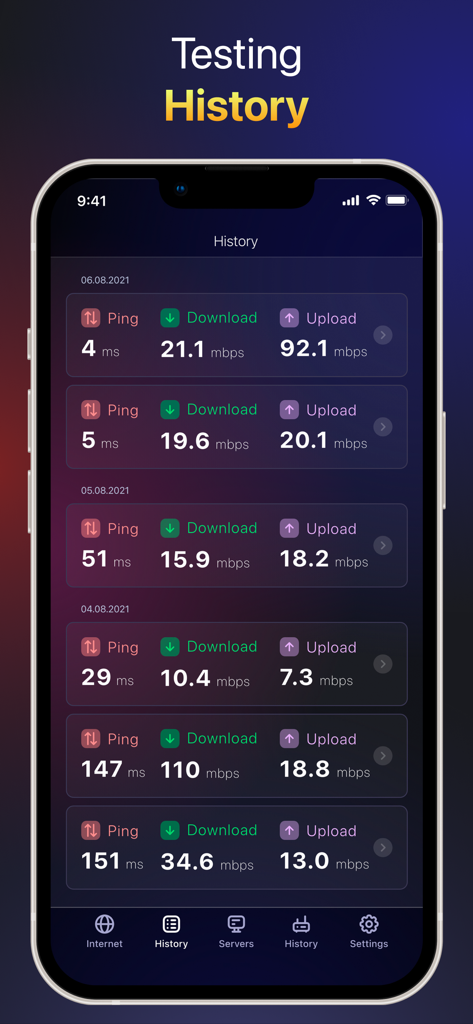
핑 및 데이터 속도를 포함한 과거 네트워크 속도 테스트 결과 목록을 보여주는 Speedtest 앱 인터페이스

핑 및 데이터 속도를 포함한 과거 네트워크 속도 테스트 결과 목록을 보여주는 Speedtest 앱 인터페이스

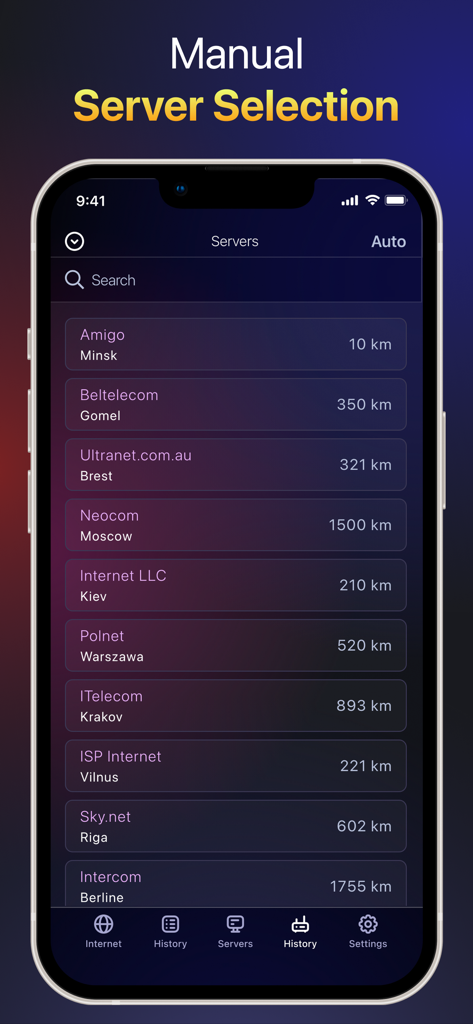
사용 가능한 서버 위치와 거리를 보여주는 speedtest wifi analyzer 앱의 수동 서버 선택 화면

사용 가능한 서버 위치와 거리를 보여주는 speedtest wifi analyzer 앱의 수동 서버 선택 화면

네트워크 성능 마스터하기

이 앱을 돋보이게 하는 도구, 4K+ 명의 사용자가 선택.

🚀

실시간 5G 및 WiFi 감사

ISP가 요금을 제대로 청구하는지 확인하기 위해 실제 다운로드 및 업로드 속도를 즉시 확인하세요.

🔍

고급 WiFi 분석기

네트워크를 스캔하여 무단 장치를 감지하고 간섭 및 데드 존을 제거하는 데 가장 적합한 채널을 식별하세요.

🎮

지연 없는 최적화

밀리초 단위의 정밀도로 Ping, Jitter 및 Latency를 모니터링하여 원활한 화상 통화 및 경쟁력 있는 게임 성능을 보장하세요.

앱 소개

에 대해 알아야 할 모든 것 Speedtest: wifi analyzer.

설명

"What is Speedtest for? Smart Speedtest is a network tool to quickly and accurately test your internet connection speed on all your iOS mobile devices. The app can test speed for 2G, 3G, 4G, 5G, DSL and ADSL. What indicator characterizes the quality of the Internet connection? Ping shows the server response time, measured in milliseconds. The lower the ping rate, the better the internet connection. WiFi Analyzer. Supports advanced tool for network diagnostics, LAN scanning and problem detection. Features of Smart Speedtest: - Test the speed of data download (download) in real time; - Test of data transfer rate (upload) in real time; - Measurement of the delay time for sending packets (ping, latency, jitter); -WiFi Analyzer; - Choice of speed units (Mbps, kbps); - Display of basic information about the connection (IP-address, provider, connection type, WiFi network name); - Automatic configuration of testing algorithms depending on the type of connection (WiFi or mobile networks 2G / 3G / 4G LTE / 5G); - History of results (measured values ​​of download / upload / ping, connection type, date, test parameters); - Simple interface, usability. SUBSCRIPTION: A premium subscription will allow you to use the application without ads, as well as use the basic functions. You can try the subscription for free for three days from the first week of purchase. Subscription Fee: Week - $2.99, 6 Months - $ 19.99, Year - $ 29.99 The user will be able to use the following features and capabilities: - 24/7 Premium Support; -Manual selection of servers; -WiFi Analyzer; -No Ads. * If you do not cancel your free three-day trial at least 24 hours before the last day of the free trial, you will be charged for the automatic renewal of your premium subscription. Privacy policy: https://spacey.dev/privacy.html Terms of use: https://spacey.dev/terms.html If you have any problems, questions or suggestions, we are always happy to help. Just send us an email at spaceyllc@gmail.com"

최신 버전

1.5

크기

65.3 MB

출시일

2021년 10월 7일

추측은 그만, 네트워크 최적화를 시작하세요

중요한 Zoom 통화나 지연 없는 게임 세션을 준비하든, ISP를 확인하고 오늘날의 전문가 수준 도구로 데드 존을 제거하세요.

다운로드: App Store

App information, icons, screenshots, and descriptions displayed on this page are sourced from the Apple App Store and are the property of their respective developers. Download estimates and rankings are based on MWM's proprietary models and may not reflect actual figures. This page is provided for informational and analytical purposes only.

Believe this page infringes your intellectual property? File a dispute