Split Video Into Parts

Split Video Into Parts


다운로드: App Store
로고: Split Video Into Parts

동영상을 여러 부분으로 나누기: 크리에이터를 위한 정밀 동영상 분할기

프레임 단위의 정확한 제어와 완벽한 온디바이스 개인 정보 보호를 통해 긴 4K HDR 동영상을 틱톡, 릴스 및 스토리에 맞는 완벽한 세그먼트로 즉시 나누세요.

다운로드: App Store

개발사

Aliaksandr Andrashuk

카테고리

Photo & Video

다운로드

1K+

사용자 평점

4.7/5

총 평가 수

0

지원 언어

1

정밀함과 단순함의 만남

이 인터페이스를 사용하는 1K+ 명의 사용자.

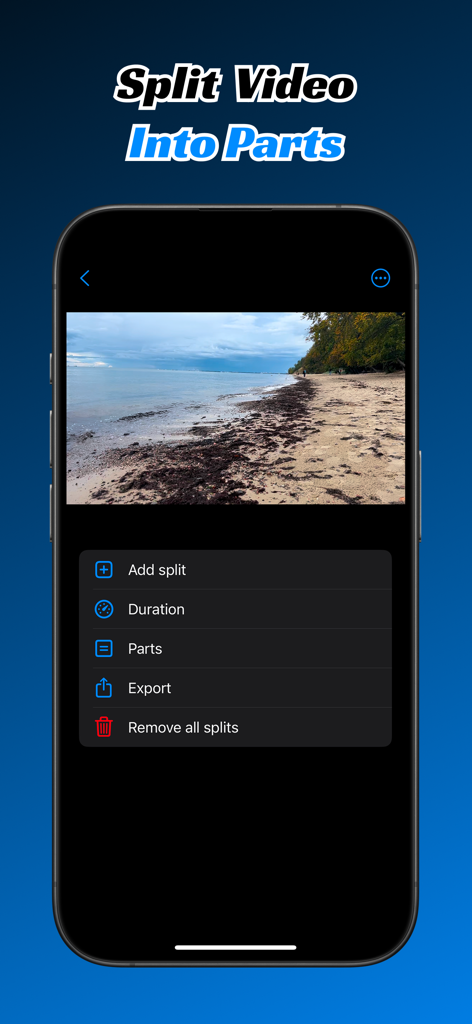
Split Video Into Parts 앱 인터페이스가 스마트폰에서 동영상 분할 및 내보내기 옵션을 보여줍니다

Split Video Into Parts 앱 인터페이스가 스마트폰에서 동영상 분할 및 내보내기 옵션을 보여줍니다

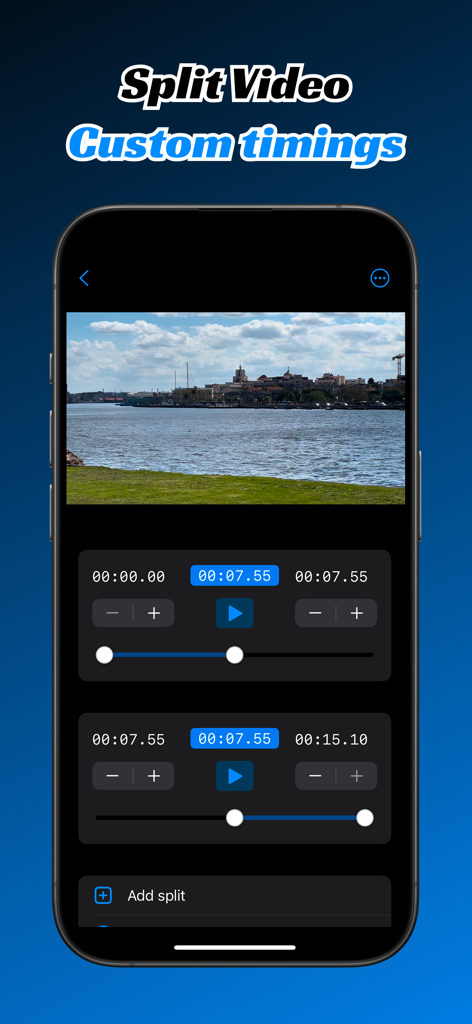
스마트폰 화면에 수동 타임코드와 정확한 동영상 편집을 위한 사용자 지정 세그먼트 슬라이더가 있는 동영상 분할 인터페이스가 표시됩니다.

스마트폰 화면에 수동 타임코드와 정확한 동영상 편집을 위한 사용자 지정 세그먼트 슬라이더가 있는 동영상 분할 인터페이스가 표시됩니다.

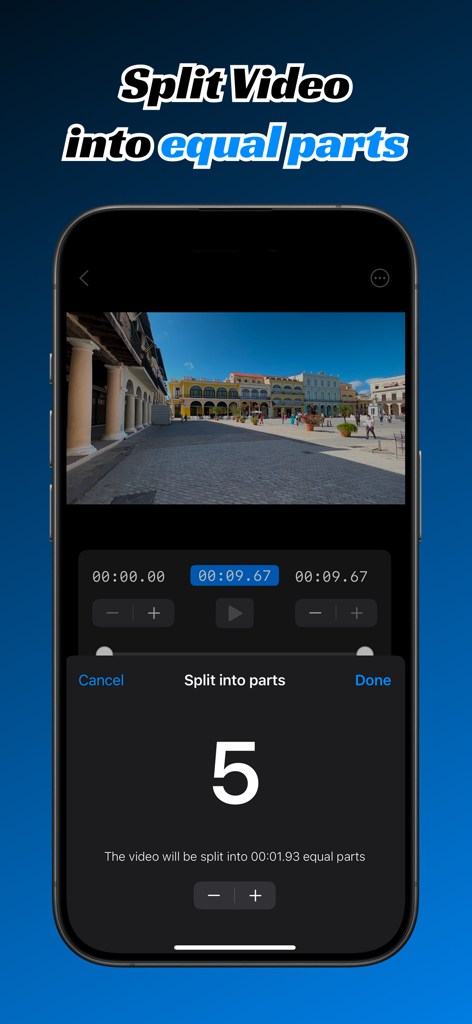
Split Video Into Parts 앱의 인터페이스에 동영상이 다섯 개의 동일한 세그먼트로 분할되는 모습이 표시됩니다.

Split Video Into Parts 앱의 인터페이스에 동영상이 다섯 개의 동일한 세그먼트로 분할되는 모습이 표시됩니다.

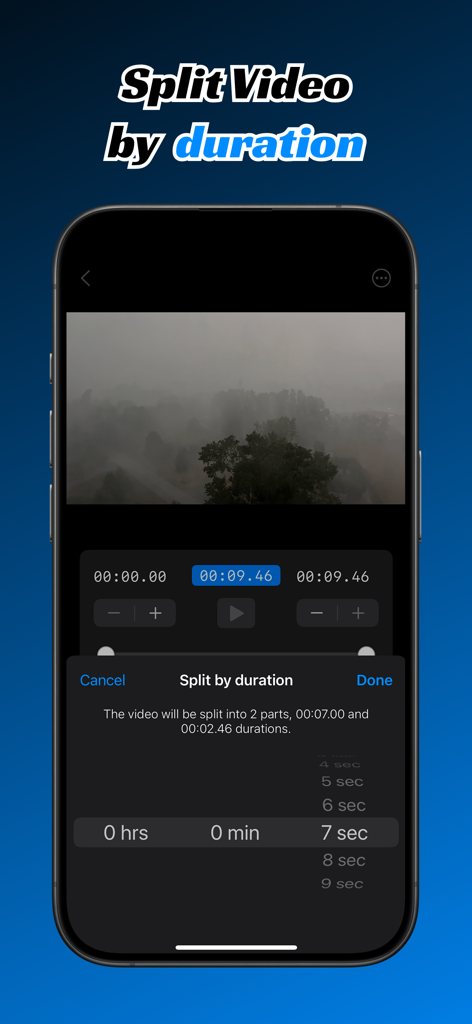
스마트폰 화면에 Split Video Into Parts 앱의 재생 시간별 분할 기능이 표시됩니다.

스마트폰 화면에 Split Video Into Parts 앱의 재생 시간별 분할 기능이 표시됩니다.

콘텐츠를 몇 초 안에 세그먼트로 나누세요

이 앱을 돋보이게 하는 도구, 1K+ 명의 사용자가 선택.

스마트 자동 분할

동영상을 동일한 세그먼트 또는 특정 시간 간격으로 나눕니다. '파트 1' 및 '파트 2' 시리즈를 즉시 완벽하게 만드세요.

💎

전문가급 4K 및 HDR

고해상도 푸티지를 선명하게 유지하세요. 동영상은 압축 없이 처리되므로 모든 플랫폼에서 멋지게 보입니다.

🔒

100% 개인 정보 처리

동영상은 기기를 벗어나지 않습니다. 모든 편집 및 분할은 로컬에서 이루어지므로 원본 푸티지는 안전하게 유지되고 데이터는 보호됩니다.

앱 소개

에 대해 알아야 할 모든 것 Split Video Into Parts.

설명

Easily split large videos into multiple parts with just a few taps! Whether you need to divide a video into equal segments, split video by time intervals, or export custom segments, Split Video Into Parts makes the process seamless and efficient. Split Video Into Parts is a professional yet easy-to-use video cutter and video splitter that helps you cut, trim, crop, mute and edit video clips with precision. Whether you're spliting video for Instagram Reels, Instagram Stories, TikTok, YouTube Shorts, or full-length movies, this smart video cutter gives you total control over timing and segments while keeping your content completely private. Why Choose Split Video Into Parts? Custom time codes – Enter timecode manually start and end of each split in 00:00:00.000 format Split by Number of Parts – Enter the number of sections you want, and the app will evenly divide video. Split by Time Interval – Choose a specific duration, and the app will automatically create segments of that length. Manual Splitting – Drag the interactive range slider to set custom start and end times for precise cuts. HDR & 4K Video Support – Maintain stunning video quality with full support for HDR and 4K resolution videos. Mute splits – Remove audio from video splits whether it's required. Fast & Efficient Processing – No lengthy waits—get your split videos quickly. Supports Media Library & iCloud – Select videos directly from your device or iCloud storage. Easy Export – Save and share your split video clips effortlessly. Custom watermark – Add your own watermark to exported clips. Projects – Video splits and timings are saved permanently allowing you to return to the editing at any time. Secure On-Device Processing — All video cutting, trimming, and editing happen entirely on your device. Nothing is uploaded or stored online, ensuring complete privacy. Ideal for content creators, social media enthusiasts, video editors, and anyone who needs quick and accurate video segmentation. Whether you're creating short social clips, editing longer story, cut reels, or fine-tuning video segments with timecut precision, Split Video Into Parts makes it effortless to split, cut, crop, and edit videos securely and efficiently. Split Video Into Parts is a perfect story splitter tool, long story maker and reels cutter. Terms of use https://www.apple.com/legal/internet-services/itunes/dev/stdeula/

최신 버전

1.18

크기

43.9 MB

출시일

2025년 2월 5일

나눌 준비가 되셨나요? 바이럴 시리즈를 몇 초 만에 만드세요.

원탭 도구의 속도로 전문가 수준의 편집기 정밀도를 얻으세요. 100% 온디바이스 처리를 통해 4K 품질과 개인 정보를 유지하세요.

다운로드: App Store

App information, icons, screenshots, and descriptions displayed on this page are sourced from the Apple App Store and are the property of their respective developers. Download estimates and rankings are based on MWM's proprietary models and may not reflect actual figures. This page is provided for informational and analytical purposes only.

Believe this page infringes your intellectual property? File a dispute