Spreadsheet data entry

Spreadsheet data entry


다운로드: App Store
로고: Spreadsheet data entry

스프레드시트 데이터 입력: 현장 데이터를 Google 시트로 간소화

1인 기업가 및 현장 작업자를 위한 궁극의 모바일 동반자. 바코드를 스캔하고, 위치를 기록하며, 재고를 즉시 캡처하세요. 수동 전사가 필요 없습니다.

다운로드: App Store

개발사

Ruslan Musagitov

카테고리

Utilities

다운로드

700

사용자 평점

4.8/5

총 평가 수

0

지원 언어

2

효율성 실제 적용

이 인터페이스를 사용하는 700 명의 사용자.

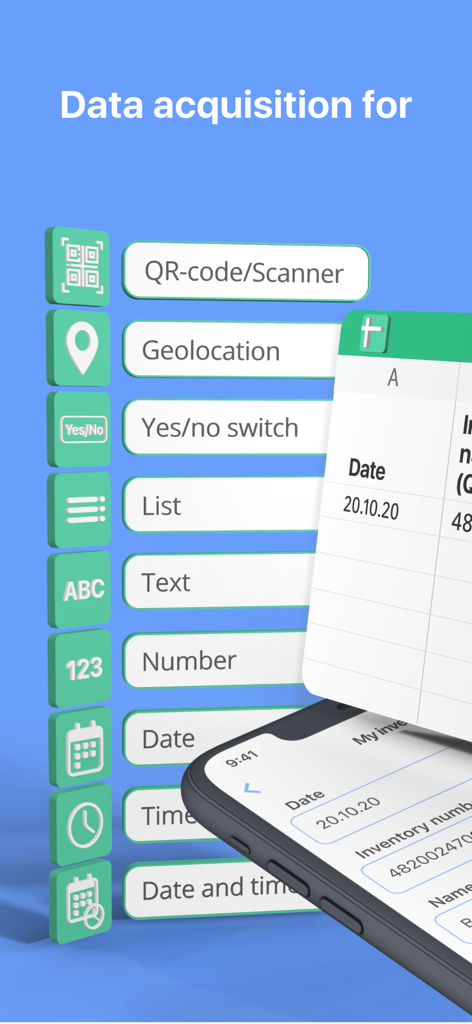
스프레드시트 통합을 위한 QR 스캐너 지리적 위치 및 사용자 지정 목록과 같은 다양한 모바일 데이터 입력 옵션을 표시하는 그래픽

스프레드시트 통합을 위한 QR 스캐너 지리적 위치 및 사용자 지정 목록과 같은 다양한 모바일 데이터 입력 옵션을 표시하는 그래픽

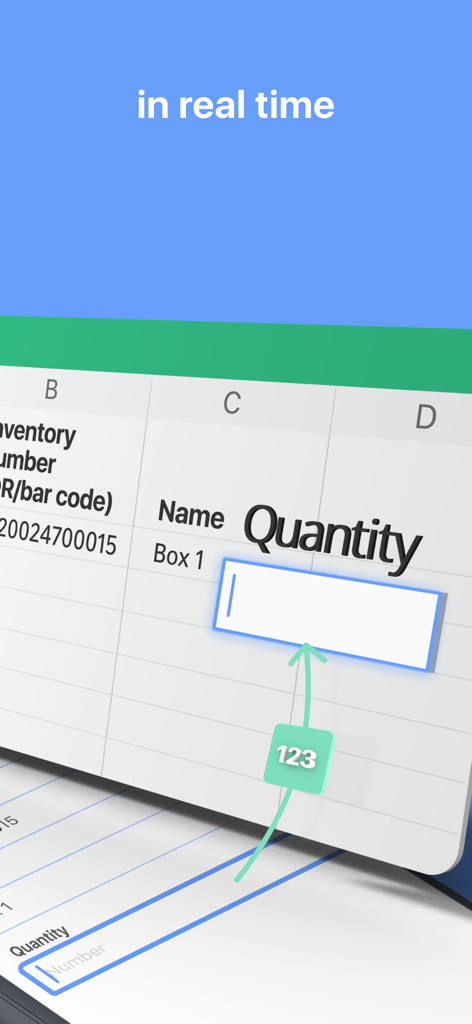
스프레드시트로의 수량에 대한 실시간 데이터 입력을 시연하는 모바일 앱 화면

스프레드시트로의 수량에 대한 실시간 데이터 입력을 시연하는 모바일 앱 화면

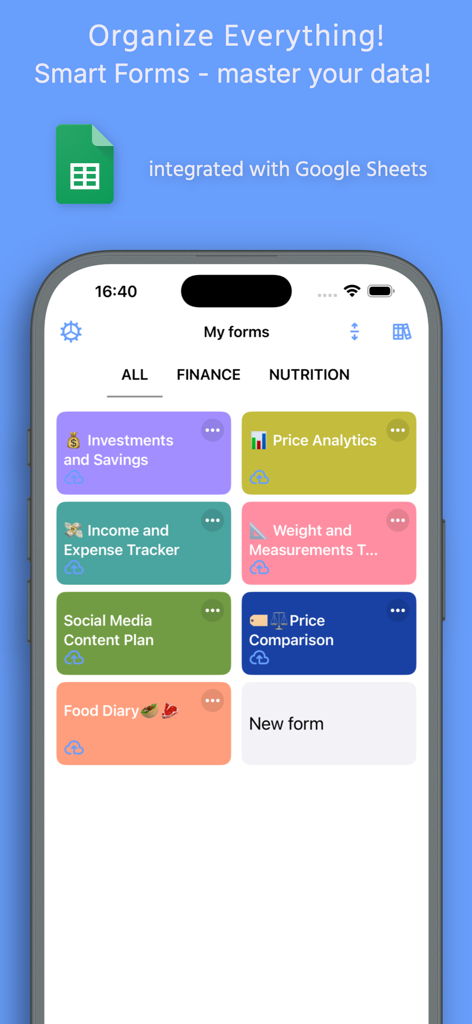
Google 시트와 통합된 사용자 지정 스마트 양식 대시보드를 보여주는 스프레드시트 데이터 입력 앱의 모바일 앱 인터페이스

Google 시트와 통합된 사용자 지정 스마트 양식 대시보드를 보여주는 스프레드시트 데이터 입력 앱의 모바일 앱 인터페이스

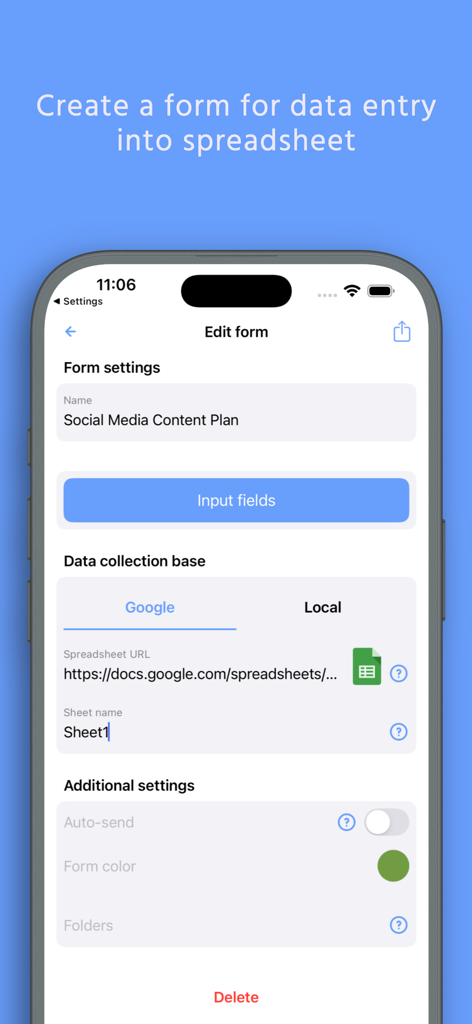
Google 시트에 연결된 사용자 지정 데이터 입력 양식 생성용 스프레드시트 데이터 입력 앱의 모바일 앱 인터페이스

Google 시트에 연결된 사용자 지정 데이터 입력 양식 생성용 스프레드시트 데이터 입력 앱의 모바일 앱 인터페이스

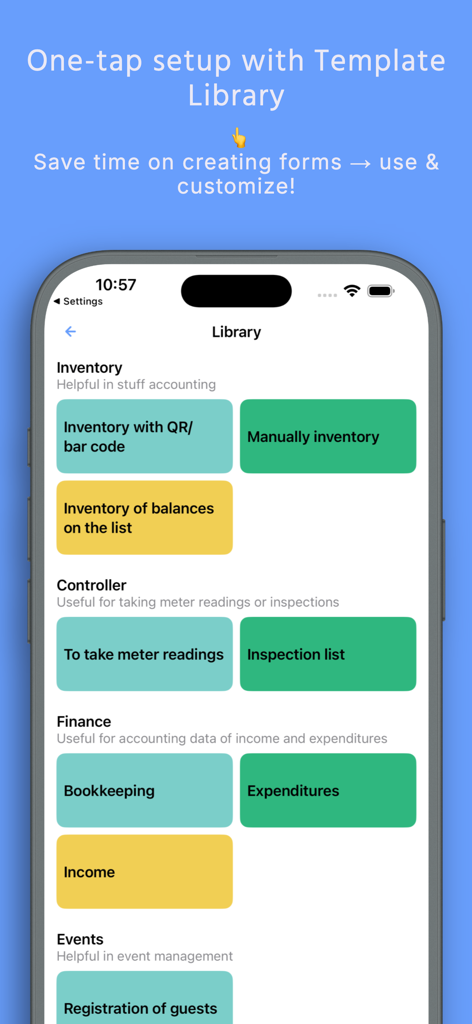
재고 금융 및 비즈니스 데이터 로깅을 위한 다양한 스프레드시트 템플릿을 보여주는 모바일 인터페이스

재고 금융 및 비즈니스 데이터 로깅을 위한 다양한 스프레드시트 템플릿을 보여주는 모바일 인터페이스

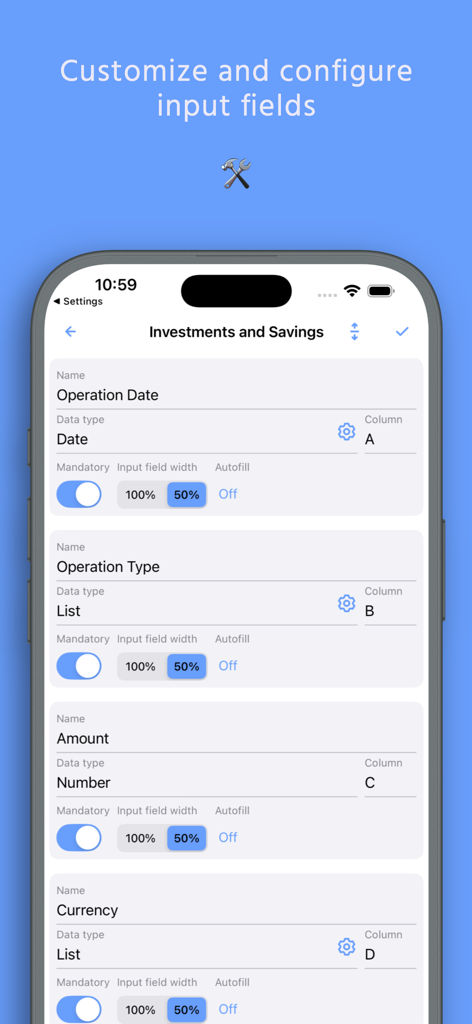
스프레드시트 데이터 입력 앱에서 양식 입력 필드 및 열 매핑을 사용자 지정하고 구성하는 인터페이스

스프레드시트 데이터 입력 앱에서 양식 입력 필드 및 열 매핑을 사용자 지정하고 구성하는 인터페이스

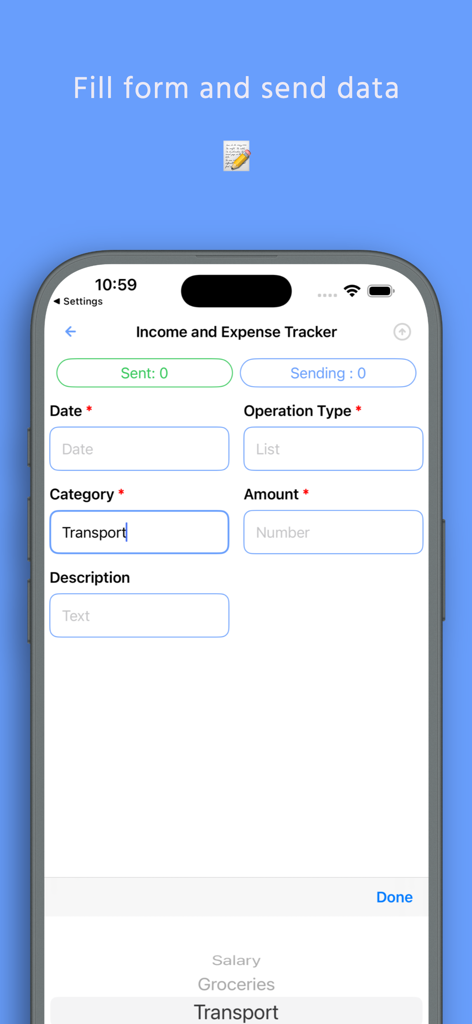
직접 스프레드시트 입력용 수입 및 지출 추적기 양식을 보여주는 모바일 앱 인터페이스

직접 스프레드시트 입력용 수입 및 지출 추적기 양식을 보여주는 모바일 앱 인터페이스

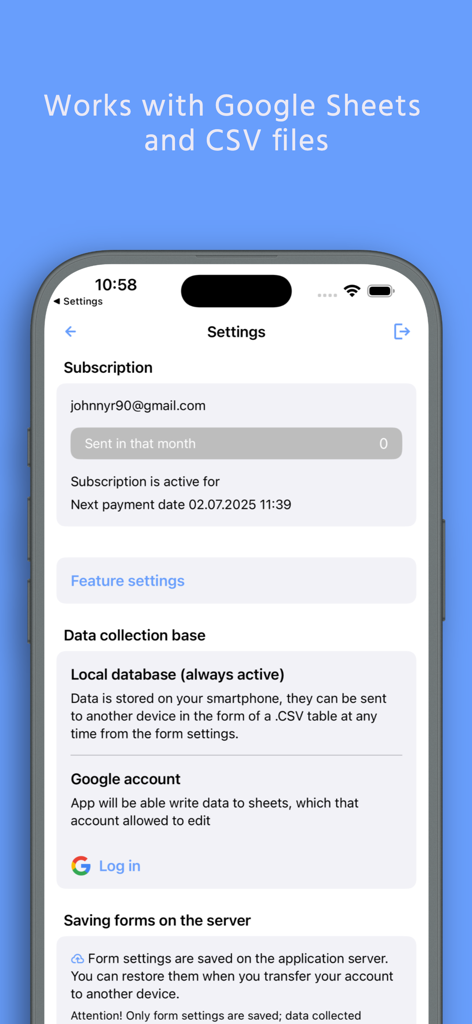
Google 계정 연결 및 데이터 수집 기준 관리 옵션을 보여주는 스프레드시트 데이터 입력 앱의 설정 화면

Google 계정 연결 및 데이터 수집 기준 관리 옵션을 보여주는 스프레드시트 데이터 입력 앱의 설정 화면

휴대폰을 강력한 데이터 허브로 만드세요

이 앱을 돋보이게 하는 도구, 700 명의 사용자가 선택.

🤳

즉시 스캔 후 시트로

iPhone을 전문가 수준의 스캐너로 변환하세요. QR 및 바코드를 캡처하여 재고 또는 배송을 실시간으로 업데이트하세요.

🛠️

맞춤형 데이터 수집

특정 비즈니스 요구에 맞는 맞춤형 양식을 만드세요. 코드 없이 예/아니오 확인부터 상세 텍스트까지 필요한 모든 것을 캡처하세요.

📍

자동화된 현장 로깅

GPS 위치 및 타임스탬프를 자동으로 기록하세요. 현장 방문 추적 또는 배송 증명에 완벽하여 감사를 쉽게 처리할 수 있습니다.

앱 소개

에 대해 알아야 할 모든 것 Spreadsheet data entry.

설명

Effortlessly send data from your phone directly to your Google Sheets or CSV file. Perfect for on-the-go data saving and management. This powerful tool is your ultimate companion for accounting, expense tracking as a smart spending tracker, warehouse inventory, and much more. Streamline your workflow by capturing information instantly—whether it's scanning a barcode, saving a location, or creating a new entry in your list maker. Capture & Save Various Data Types: - Scan it: QR and Barcode data directly to your spreadsheet. - Geolocation: Save your current coordinates or pick a point on the map. - Text and Numbers for detailed notes. - Dates & Timestamps: Automatic or custom entries. - Predefined Lists: Select values from a custom list. - Yes/No selectors for quick checks. Seamless Integration with Google Suite The app works flawlessly with Google Sheets, can replace Google Forms, allowing you to convert csv to Excel spreadsheet compatible files with ease. The revolutionary Scan to Sheets technology means data from codes appears in your rows and columns instantly, eliminating manual transcription. How It Works: - Select a form. - Input data (scan, type, or select). - Tap "Send". - Watch as the information appears live in your spreadsheet on Google Drive. Connect Your Google Sheet in Minutes: - Authorize your Google account. - Configure your target spreadsheet URL. What is a Form? A Form defines the structure of your data entry, linking input fields to specific columns in your target spreadsheet. Create them manually for full control or choose a ready-made template from our library. Create a Form Manually: - Create a spreadsheet in your Google Drive. - In the app, create a new form: - Paste the spreadsheet URL and sheet name. - Configure each field: name, data type, and target column. - Save. Use a Predefined Template: - Browse the form library. - Tap "Add to my forms" – a copy of the spreadsheet template is saved to your Drive. Automate your data logging, enhance productivity, and ensure accurate data saving for any project. Download now to transform your phone into a powerful data hub. Terms of Service and Privacy Policy: https://bytepace.com/spreadsheet-data-entry/tos-and-privacy-policy

최신 버전

3.1.1

크기

11.4 MB

출시일

2020년 6월 27일

오늘 수동 데이터 입력을 중단하세요

휴대폰을 강력한 데이터 허브로 바꾸는 1인 기업가 및 현장 작업자에 동참하세요. 몇 초 안에 Google 시트에 연결하고 워크플로우 자동화를 시작하세요.

다운로드: App Store

Believe this page infringes your intellectual property? File a dispute