Spritesheet Maker

Spritesheet Maker

다운로드: App Store
로고: Spritesheet Maker

스프라이트 시트 메이커: 인디 개발자를 위한 픽셀 아트 및 애니메이션

이동 중에도 실제 게임 제작에 바로 사용할 수 있는 2D 스프라이트와 GIF를 만드세요. 번개처럼 빠르고, 오프라인 우선이며, 방해 요소 없이 레트로 게임 디자인의 정밀함을 위해 제작되었습니다.

다운로드: App Store

개발사

devin sewell

카테고리

Graphics & Design

다운로드

100

사용자 평점

1.0/5

총 평가 수

0

지원 언어

1

작업 중인 그리드

이 인터페이스를 사용하는 100 명의 사용자.

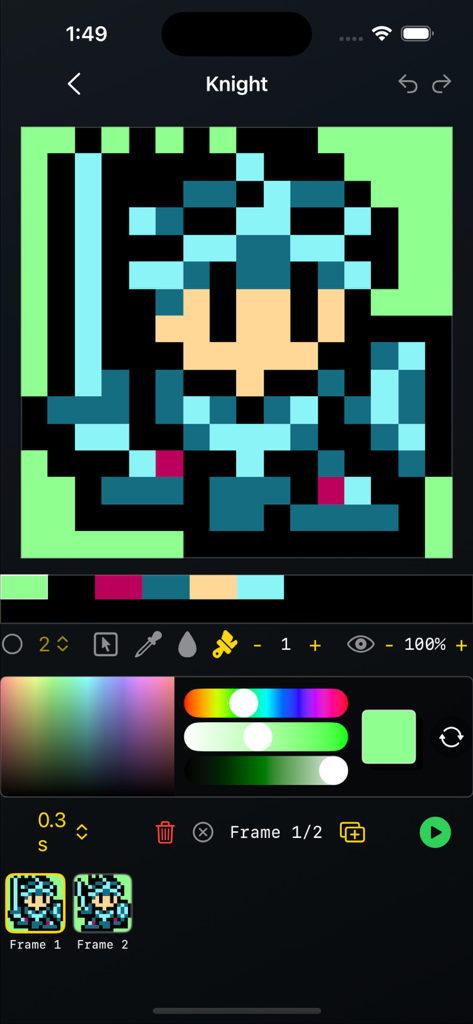
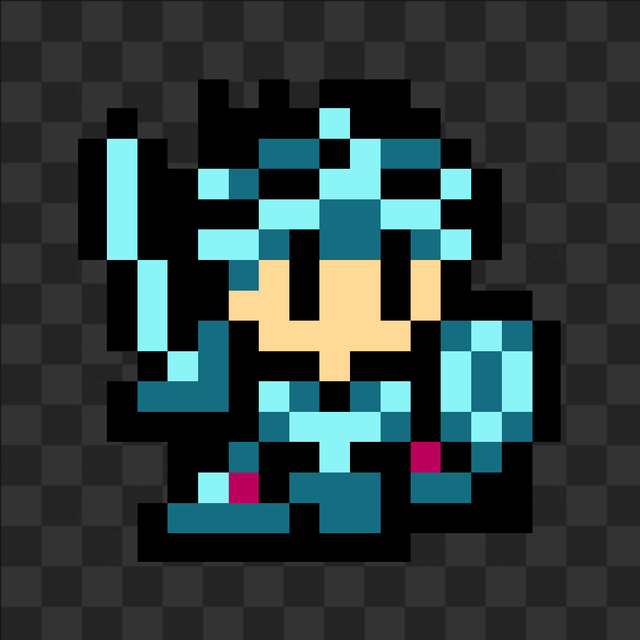
기사 캐릭터와 애니메이션 프레임이 있는 픽셀 아트 편집기 인터페이스

기사 캐릭터와 애니메이션 프레임이 있는 픽셀 아트 편집기 인터페이스

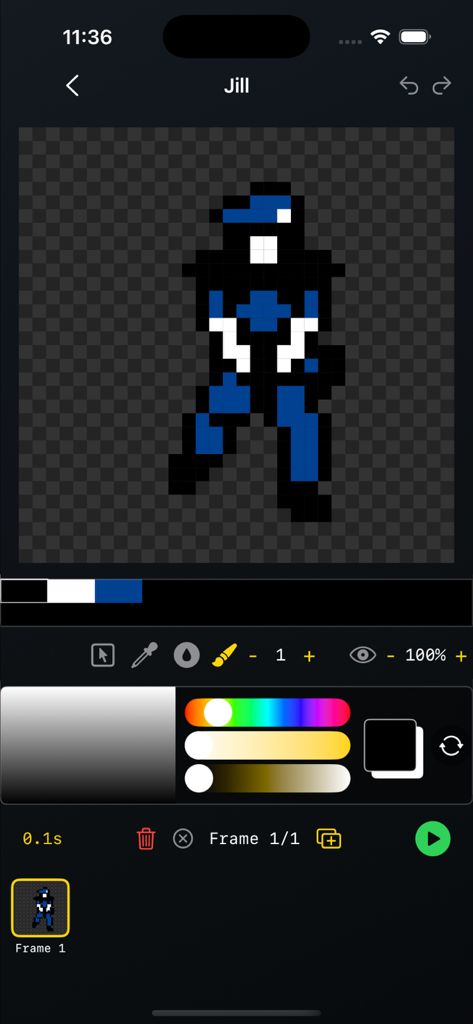
픽셀 아트 캐릭터와 애니메이션 프레임이 표시되는 스프라이트 시트 메이커 앱의 사용자 인터페이스.

픽셀 아트 캐릭터와 애니메이션 프레임이 표시되는 스프라이트 시트 메이커 앱의 사용자 인터페이스.

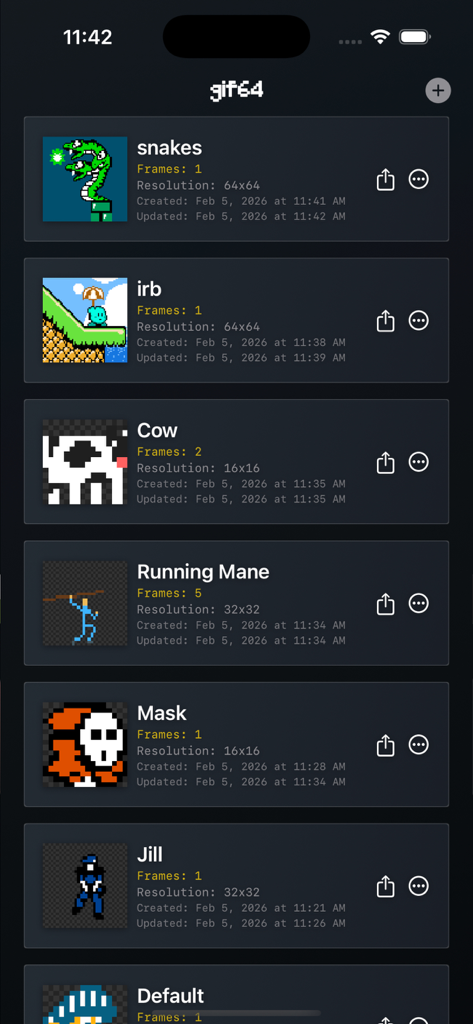
해상도와 프레임 수가 표시된 다양한 스프라이트가 있는 스프라이트 시트 메이커 앱의 픽셀 아트 프로젝트 갤러리 보기.

해상도와 프레임 수가 표시된 다양한 스프라이트가 있는 스프라이트 시트 메이커 앱의 픽셀 아트 프로젝트 갤러리 보기.

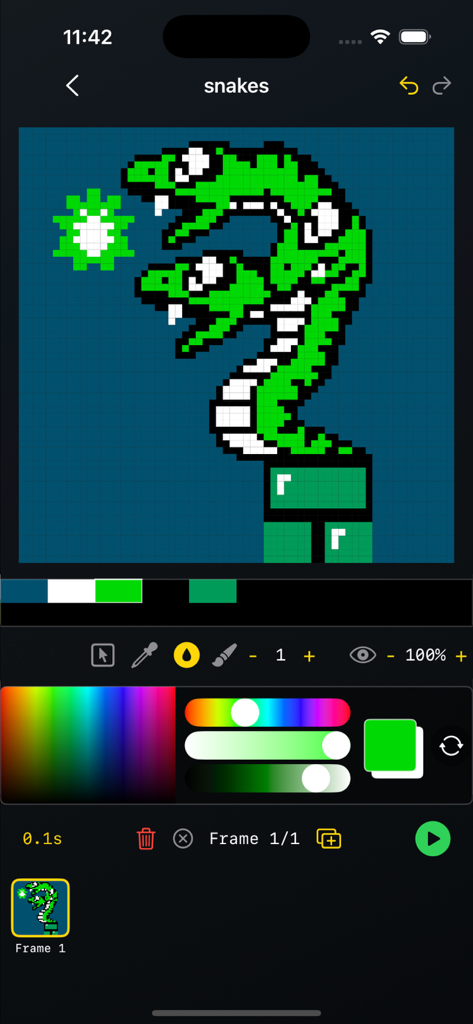
색상 팔레트와 편집 도구가 있는 두 개의 머리를 가진 녹색 뱀 픽셀 아트 그림을 보여주는 스프라이트 시트 메이커 앱의 모바일 인터페이스.

색상 팔레트와 편집 도구가 있는 두 개의 머리를 가진 녹색 뱀 픽셀 아트 그림을 보여주는 스프라이트 시트 메이커 앱의 모바일 인터페이스.

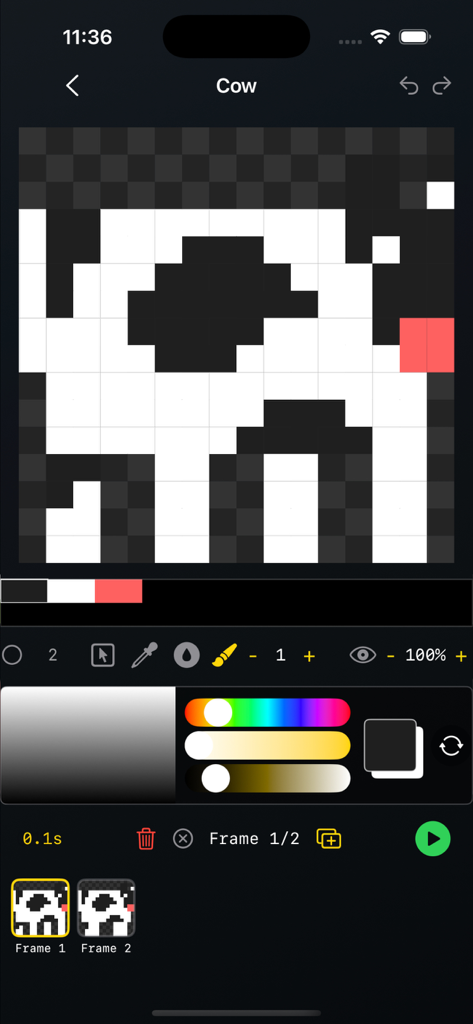
소 스프라이트와 타임라인이 있는 픽셀 아트 애니메이션 편집기 인터페이스

소 스프라이트와 타임라인이 있는 픽셀 아트 애니메이션 편집기 인터페이스

프로 수준의 픽셀 제작

이 앱을 돋보이게 하는 도구, 100 명의 사용자가 선택.

📦

실제 제작용 내보내기

Godot, Unity, GameMaker 워크플로우에 최적화된 깔끔한 PNG 스프라이트 시트 및 애니메이션 GIF를 생성합니다.

🧅

프레임별 정밀도

오니언 스키닝, 전용 애니메이션 타임라인, 드래그 앤 드롭 프레임 관리를 통해 모션을 완벽하게 제어하세요.

마찰 없는 워크플로우

계정, 추적, 오프라인 작업이 필요 없습니다. 이동 중에 스케치하고 애니메이션해야 하는 '통근 크리에이터'를 위해 제작되었습니다.

앱 소개

에 대해 알아야 할 모든 것 Spritesheet Maker.

설명

GIF64 — Pixel Art & Spritesheet Maker GIF64 is a lightning-fast, simple, and powerful tool for creating pixel art, 2D spritesheets, and animated GIFs. Design frame-by-frame animations on fixed-size canvases (8×8 to 64×64), perfect for retro games, game jams, indie dev, and classic pixel workflows — right on your phone or tablet. Choose a canvas size, draw with pixel-perfect tools, animate using onion skinning, rearrange frames with drag-and-drop, and export clean GIFs or PNG spritesheets. Works fully offline — no sign-in, no tracking, no analytics. Built for Pixel Artists & Game Developers GIF64 is designed around the core mechanics of pixel animation, not bloated features. It stays fast, precise, and predictable — ideal for low-resolution art, retro aesthetics, and production-ready assets. Whether you’re sketching an idea, animating a character, or exporting sprites for a game engine, GIF64 keeps the workflow tight and efficient. Features - Fixed canvas sizes: 8×8, 16×16, 32×32, 64×64 - Animation timeline with playback controls and per-frame duration - Drag & drop frame reordering - Onion skinning for smooth frame-to-frame animation - Import gif animations and edit Pixel tools: - Brush (size & opacity) - Bucket fill (opacity) - Select - Move - Eyedropper - Eraser (tap Brush to toggle) - Auto-generated color palette from your pixels - True pixel-perfect rendering (no smoothing, no interpolation) - GIF export with transparency - PNG spritesheet export for game engines and tools - Offline-first — no account, no cloud, no data collectionImport/Export- Import .gifs (up to 64x64 canvas size)- Export animated .gif- Export .png spritesheet Perfect For - Pixel art animation - Retro & low-res game assets - Indie game development - Game jams & rapid prototyping - Sprite sheets for Godot, Unity, GameMaker, Love2D, Pico-8-style workflows - Learning pixel art fundamentals “Constraints breed creativity.” GIF64 embraces that philosophy — small canvases, fast tools, zero distractions.

최신 버전

1.6

크기

0.7 MB

출시일

2025년 11월 4일

아이디어를 게임용 에셋으로 전환하세요

가입이나 추적 없이 방해 없는 워크플로우를 경험하세요. 언제 어디서든 Godot, Unity 등에서 사용할 수 있는 픽셀 단위의 완벽한 GIF 및 스프라이트 시트를 내보내세요.

다운로드: App Store

App information, icons, screenshots, and descriptions displayed on this page are sourced from the Apple App Store and are the property of their respective developers. Download estimates and rankings are based on MWM's proprietary models and may not reflect actual figures. This page is provided for informational and analytical purposes only.

Believe this page infringes your intellectual property? File a dispute