Stick - Remote Control For TV

Stick - Remote Control For TV


다운로드: App Store다운로드: Google Play
로고: Stick - Remote Control For TV
Stick - TV용 리모컨: 모든 화면을 제어하는 가장 스마트한 방법

분실된 리모컨을 더 이상 찾느라 헤매지 마세요. 최신 스트리머를 위해 설계된 고속 키보드와 정밀 터치패드로 휴대폰을 강력한 통합 컨트롤러로 바꿔보세요.

개발사

APPSPRO LTD

카테고리

Utilities

다운로드

2M+

사용자 평점

4.5/5

총 평가 수

72K+

지원 언어

27

손끝에서 펼쳐지는 제어

이 인터페이스를 사용하는 2M+ 명의 사용자.

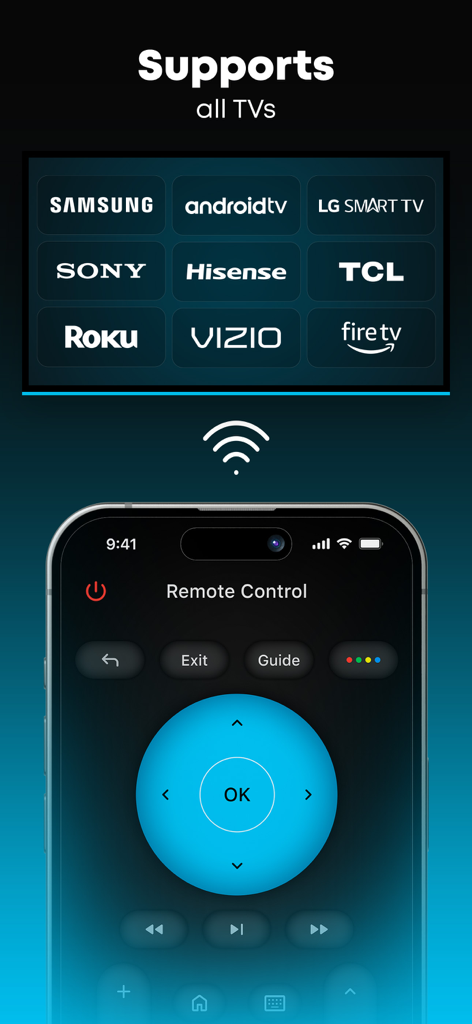
Stick 앱 인터페이스는 Samsung, LG, Roku, Fire TV와 같은 주요 TV 브랜드와의 통합 호환성을 보여줍니다.

Stick 앱 인터페이스는 Samsung, LG, Roku, Fire TV와 같은 주요 TV 브랜드와의 통합 호환성을 보여줍니다.

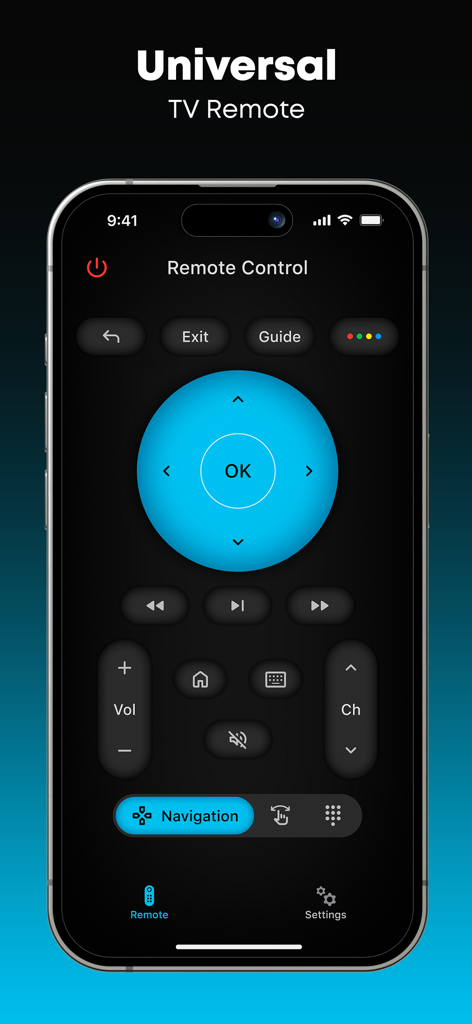
Stick 앱 통합 TV 리모컨 메인 인터페이스가 스마트폰에 표시됩니다.

Stick 앱 통합 TV 리모컨 메인 인터페이스가 스마트폰에 표시됩니다.

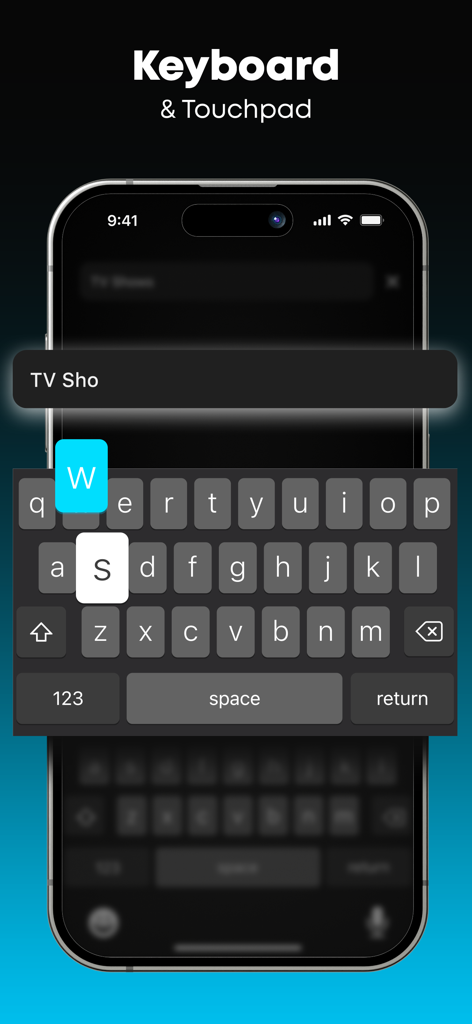
Stick TV 리모컨 앱 인터페이스는 TV에서 쉽게 텍스트를 입력할 수 있는 스마트 키보드 및 터치패드 기능을 보여줍니다.

Stick TV 리모컨 앱 인터페이스는 TV에서 쉽게 텍스트를 입력할 수 있는 스마트 키보드 및 터치패드 기능을 보여줍니다.

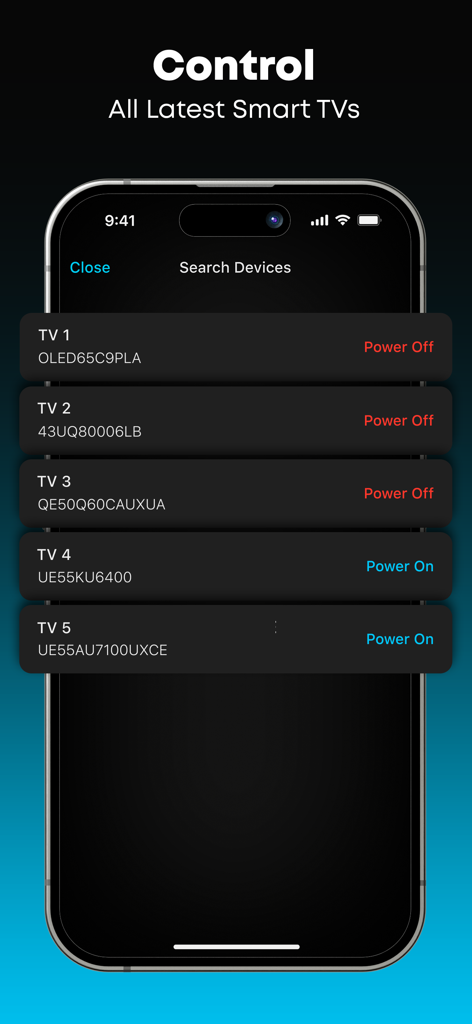
Stick 앱 인터페이스는 리모컨으로 제어할 수 있는 여러 스마트 TV 목록을 보여줍니다.

Stick 앱 인터페이스는 리모컨으로 제어할 수 있는 여러 스마트 TV 목록을 보여줍니다.

더 스마트한 시청 방법

이 앱을 돋보이게 하는 도구, 2M+ 명의 사용자가 선택.

⌨️

번개처럼 빠른 타이핑

답답한 화면 키보드는 이제 그만. 휴대폰으로 몇 초 안에 검색어, 로그인 정보, 제목을 입력하세요.

🕹️

직관적인 터치 컨트롤

반응성이 뛰어난 터치패드와 조이스틱으로 메뉴와 스트리밍 앱을 탐색하세요. 물리적 리모컨보다 훨씬 부드러운 경험을 제공합니다.

🏠

통합 연결

하나의 앱으로 모두 제어하세요. 하드웨어를 바꾸지 않고도 여러 방에 있는 Roku, Firestick 및 스마트 TV를 손쉽게 전환하세요.

앱 소개

에 대해 알아야 할 모든 것 Stick - Remote Control For TV.

설명

Stick - Remote Control For TV turns your phone into a simple and easy-to-use remote for your TV. A physical remote is always hard to find, but this one stays in your pocket for the whole time! Key Features: *** - Works with many different TV models: Control your TV easily. It’s simple to switch channels, control audio, and navigate the menu! *** - Touchpad and Joystick on Your Phone: Use your phone's screen as a touchpad or joystick to control the TV. *** - Type and Select with Ease: Comes with a keyboard for typing and numbers for channel control. *** - Simple and User-Friendly: Designed for everyone to use without any hassle. Disclaimer: Stick - Remote Control For TV is NOT the official application for any TV brand, and it is NOT affiliated with or endorsed by any company. Try Stick - Remote Control For TV and make controlling your TV simple and convenient with just your phone! Upgrade to Premium Unlock exclusive features with the Premium version: - No Ads: Enjoy your app experience without any ads. - Smart Keyboard: Easily type and search on your TV using your phone’s keyboard. - Unique App Themes: Personalize your remote with unique custom themes. Subscription Details: Payment will be charged to iTunes Account at confirmation of purchase. Subscription with a free trial period will automatically renew to a paid subscription. Subscription automatically renews unless auto-renew is turned off at least 24 hours before the end of the current period. Account will be charged for renewal within 24 hours prior to the end of the current period at the rate of the selected plan. Subscriptions and auto-renewal may be managed by going to Account Settings after purchase. You can cancel your subscription or free trial in the iTunes settings at least 24-hours before the end of the free trial period. The cancellation will take effect the day after the last day of the current subscription period and you will be downgraded to the free service. Subscription Options: - Weekly: $6.99 - Annual: $29.99 For other currencies, the price corresponds to the same tier on the App Store Pricing Matrix. Privacy policy: https://aiapps.com.co/privacy-policy/ Terms of use: https://aiapps.com.co/terms/ Contact: support@aiapps.com.co

최신 버전

3.0.4

크기

97.6 MB

출시일

2024년 1월 10일

더 이상 소파 밑에서 리모컨을 잃어버리지 마세요

더 스마트한 시청 방식으로 업그레이드한 2백만 명 이상의 사용자와 함께하세요. 지금 Stick을 다운로드하고 휴대폰을 유일하게 필요한 리모컨으로 바꾸세요.

다운로드: App Store다운로드: Google Play
FAQ

자주 묻는 질문

에 대해 알아야 할 모든 것 Stick - Remote Control For TV

Stick - Remote Control For TV는 무엇인가요?

Stick - Remote Control For TV는 휴대폰을 다양한 TV 모델용 간단한 리모컨으로 바꿔줍니다. 사용자는 채널을 변경하고, 오디오를 제어하고, 메뉴를 탐색하고, 터치패드 또는 키보드를 사용하여 쉽게 입력할 수 있습니다.

Stick - Remote Control For TV는 어떤 TV 브랜드와 호환되나요?

Stick - Remote Control For TV는 Samsung, Android TV, LG Smart TV, Sony, Hisense, TCL, Roku, Vizio, Fire TV 등 다양한 브랜드를 지원합니다. 이러한 스마트 TV의 범용 리모컨으로 작동합니다.

Stick - Remote Control For TV는 어떻게 작동하나요?

Stick - Remote Control For TV는 휴대폰 화면을 터치패드 또는 조이스틱으로 사용합니다. 타이핑을 위한 키보드와 채널용 숫자 컨트롤이 포함되어 있습니다. 이 앱은 다양한 스마트 TV 모델에 연결하여 제어합니다.

Stick - Remote Control For TV에 프리미엄 기능이 있나요?

네, Stick - Remote Control For TV는 프리미엄 버전을 제공합니다. 광고가 없고, 입력을 더 쉽게 해주는 스마트 키보드, 그리고 리모컨 인터페이스를 개인화할 수 있는 독특한 앱 테마가 포함되어 있습니다.

Stick - Remote Control For TV Premium의 구독 옵션은 무엇인가요?

Stick - Remote Control For TV Premium은 주간 구독(6.99달러)과 연간 구독(29.99달러)을 제공합니다. 다른 통화의 가격은 App Store 가격 책정 매트릭스에 해당합니다.

Stick - Remote Control For TV에서 키보드를 사용할 수 있나요?

네, Stick - Remote Control For TV에는 타이핑을 위한 키보드와 채널 제어를 위한 숫자가 포함되어 있습니다. 프리미엄 버전은 사용 편의성을 높인 스마트 키보드를 제공합니다.

Stick - Remote Control For TV는 TV 브랜드의 공식 앱인가요?

아니요, Stick - Remote Control For TV는 어떤 TV 브랜드의 공식 애플리케이션도 아닙니다. 어떤 회사와도 제휴하거나 보증하지 않습니다.

Stick - Remote Control For TV 구독을 어떻게 관리하거나 취소하나요?

구매 후 계정 설정으로 이동하여 구독 및 자동 갱신을 관리할 수 있습니다. 취소하려면 현재 기간이 종료되기 최소 24시간 전에 자동 갱신을 비활성화하십시오.

Stick - Remote Control For TV에 광고가 있나요?

Stick - Remote Control For TV의 무료 버전에는 광고가 포함되어 있습니다. 프리미엄 버전으로 업그레이드하면 모든 광고가 제거되어 광고 없는 앱 경험을 제공합니다.

App information, icons, screenshots, and descriptions displayed on this page are sourced from the Apple App Store and are the property of their respective developers. Download estimates and rankings are based on MWM's proprietary models and may not reflect actual figures. This page is provided for informational and analytical purposes only.

Believe this page infringes your intellectual property? File a dispute