Stream HTTP Sniffer

Stream HTTP Sniffer

다운로드: App Store
로고: Stream HTTP Sniffer

Stream HTTP Sniffer: 이동 중 전문적인 네트워크 디버깅 및 패킷 캡처

데스크톱 프록시는 잊으세요. 개발자 및 QA 엔지니어를 위해 설계된 궁극의 모바일 툴킷으로 기기에서 직접 HTTP/HTTPS 트래픽을 검사, 재작성 및 스크립팅하세요.

개발사

Xiamen Yidong Network Technology Company Limited

카테고리

Developer Tools

다운로드

36K+

사용자 평점

1.7/5

총 평가 수

0

지원 언어

1

전체 네트워크 가시성

이 인터페이스를 사용하는 36K+ 명의 사용자.

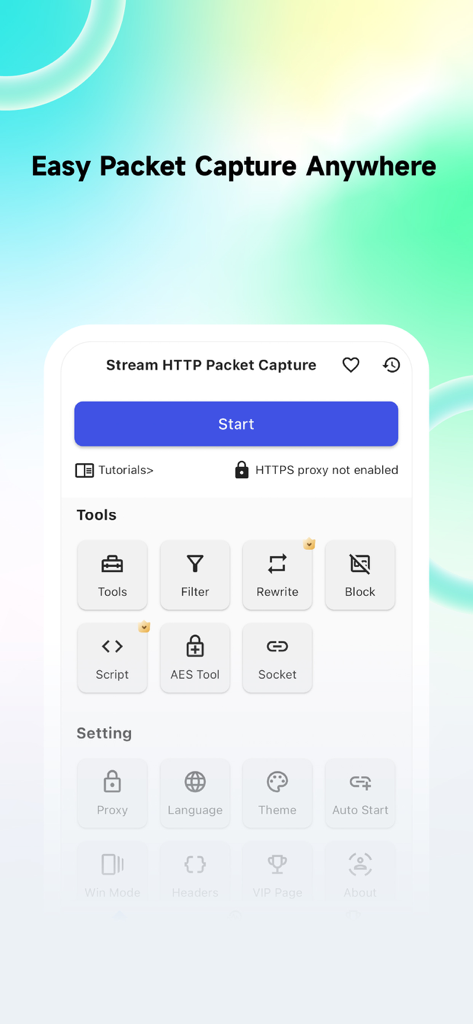
네트워크 디버깅 도구 및 패킷 캡처 옵션을 보여주는 Stream HTTP Sniffer 앱의 메인 인터페이스

네트워크 디버깅 도구 및 패킷 캡처 옵션을 보여주는 Stream HTTP Sniffer 앱의 메인 인터페이스

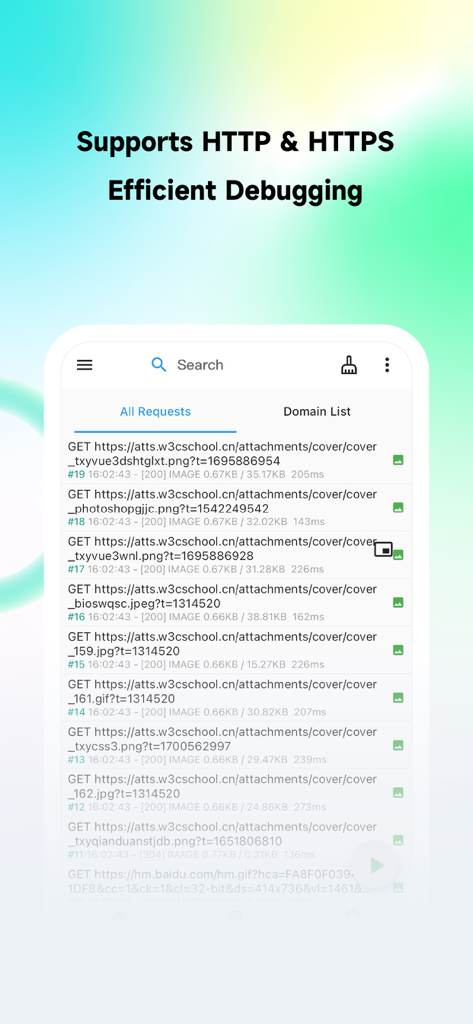
모바일 기기에서 가로챈 HTTP 및 HTTPS 네트워크 요청 목록을 보여주는 Stream HTTP Sniffer의 인터페이스.

모바일 기기에서 가로챈 HTTP 및 HTTPS 네트워크 요청 목록을 보여주는 Stream HTTP Sniffer의 인터페이스.

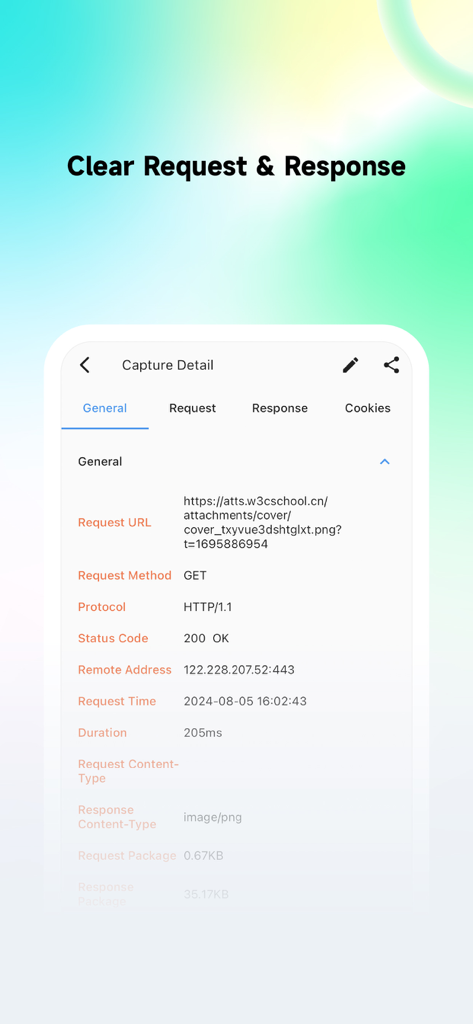
URL, 메서드 및 상태 코드를 포함한 자세한 네트워크 요청 정보를 보여주는 Stream HTTP Sniffer 모바일 앱 인터페이스

URL, 메서드 및 상태 코드를 포함한 자세한 네트워크 요청 정보를 보여주는 Stream HTTP Sniffer 모바일 앱 인터페이스

요청 재작성 목록 기능을 보여주는 Stream HTTP Sniffer의 인터페이스

요청 재작성 목록 기능을 보여주는 Stream HTTP Sniffer의 인터페이스

화이트리스트 및 블랙리스트 옵션을 보여주는 Stream HTTP Sniffer 앱의 도메인 필터링 화면

화이트리스트 및 블랙리스트 옵션을 보여주는 Stream HTTP Sniffer 앱의 도메인 필터링 화면

전문적인 네트워크 디버깅, 분리됨

이 앱을 돋보이게 하는 도구, 36K+ 명의 사용자가 선택.

📱

기기 내 트래픽 검사

컴퓨터에 Charles Proxy 또는 Fiddler를 설치할 필요 없이 5G 또는 공용 Wi-Fi에서도 어디서든 실시간 HTTP/HTTPS 패킷을 분석하세요.

🛠️

동적 요청 재작성

JavaScript 또는 정규식을 사용하여 API 응답을 모의하고 엣지 케이스를 즉석에서 테스트하여 서버 오류를 시뮬레이션하거나 페이로드를 실시간으로 수정하세요.

🎯

정밀한 도메인 필터링

필요한 트래픽만 대상으로 하여 시스템 노이즈를 줄이고 디버깅 세션을 집중적이고 효율적으로 유지하세요.

앱 소개

에 대해 알아야 할 모든 것 Stream HTTP Sniffer.

설명

Stream HTTP Packet Capture Tool is a mobile HTTP/HTTPS packet capture and network debugging tool. It is used for local packet capture on the client side, intended solely for local network debugging by QA and development teams. You can capture and view all HTTP/HTTPS requests and responses on your device without connecting to a computer, making it easy to debug application network issues. 1. Capture HTTP & HTTPS requests, with HTTPS requests requiring the configuration of a CA certificate. 2. Access capture history to preview request bodies and response bodies, currently supporting text, JSON, files, and forms. 3. Domain Filtering: Intercept only the traffic you need, avoiding interference with other applications. 4. Request Rewriting: Supports redirection and replacement of request or response messages, and modifications based on regular expressions. 5. Request Blocking: Block requests based on URLs to prevent them from being sent to the server. 6. Scripting: Write JavaScript scripts to handle requests or responses. 7. Search: Search requests based on keywords, response types, and various conditions. Before you start using the tool, please read the following: 1. The target audience for Stream HTTP Packet Capture Tool includes front-end developers, client developers, back-end developers, DevOps engineers, QA engineers, and general users with some network analysis skills. 2. The sole purpose of Stream HTTP Packet Capture Tool is network debugging, and it has no other intended purposes. Additionally, enabling Stream requires your authorization for VPN permissions. 3. Stream HTTP Packet Capture Tool does not upload any user data. Please use it with confidence, and we hope our trusted users will share it with industry professionals. If you do not agree with the above purposes, lack network analysis skills, or inherently distrust third-party apps with sensitive data, we recommend you carefully consider before downloading.

최신 버전

1.9.0

크기

43.1 MB

출시일

2024년 4월 23일

테더링을 멈추고, 스니핑을 시작하세요.

이동 중에 36,000명 이상의 엔지니어와 함께 디버깅하세요. Stream을 다운로드하여 컴퓨터 없이 기기에서 직접 HTTP/HTTPS 트래픽을 캡처, 검사 및 재작성하세요.

다운로드: App Store

App information, icons, screenshots, and descriptions displayed on this page are sourced from the Apple App Store and are the property of their respective developers. Download estimates and rankings are based on MWM's proprietary models and may not reflect actual figures. This page is provided for informational and analytical purposes only.

Believe this page infringes your intellectual property? File a dispute