Strip Designer

Strip Designer

다운로드: App Store
로고: Strip Designer

Strip Designer: 사진을 전문가 수준의 만화책으로 만들기

부모와 교육자를 위한 궁극의 일회성 구매 창작 스위트. 구독, 숨겨진 수수료 없이 강력한 도구로 이야기를 만들고, 인쇄하고, 공유하세요.

개발사

Jens Egeblad

카테고리

Photo & Video

다운로드

414K+

사용자 평점

4.2/5

총 평가 수

1K+

지원 언어

1

사진에서 걸작으로

이 인터페이스를 사용하는 414K+ 명의 사용자.

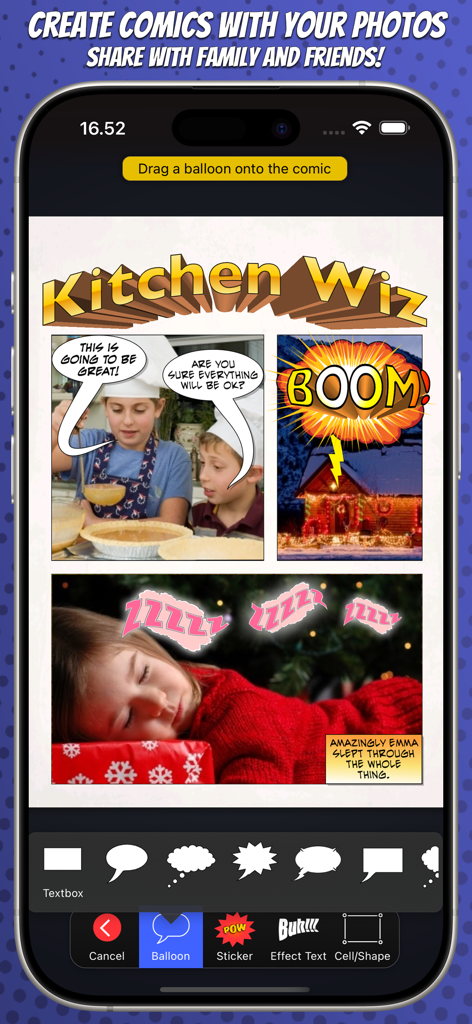
Strip Designer 앱의 인터페이스. 사진, 말풍선, 편집 도구가 있는 만화책 레이아웃을 보여줍니다.

Strip Designer 앱의 인터페이스. 사진, 말풍선, 편집 도구가 있는 만화책 레이아웃을 보여줍니다.

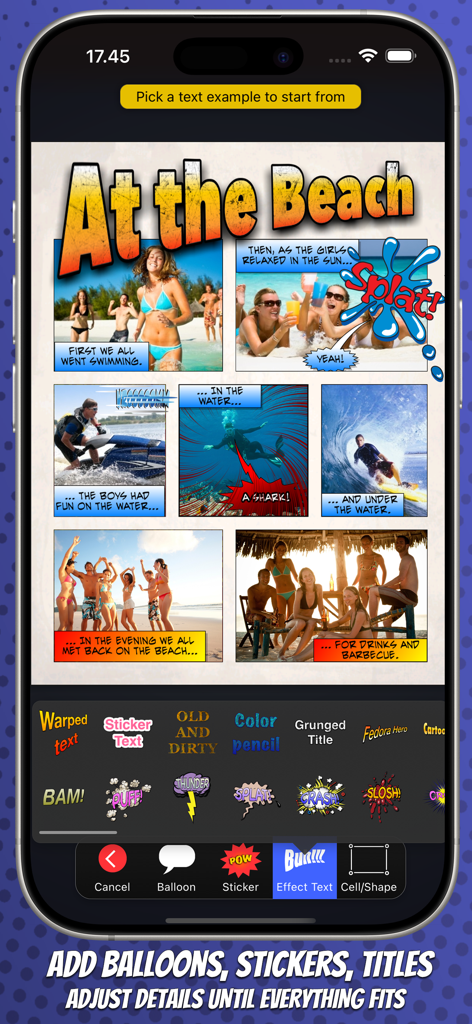
Strip Designer 앱이 편집 도구가 있는 해변 테마 사진 만화를 보여줍니다.

Strip Designer 앱이 편집 도구가 있는 해변 테마 사진 만화를 보여줍니다.

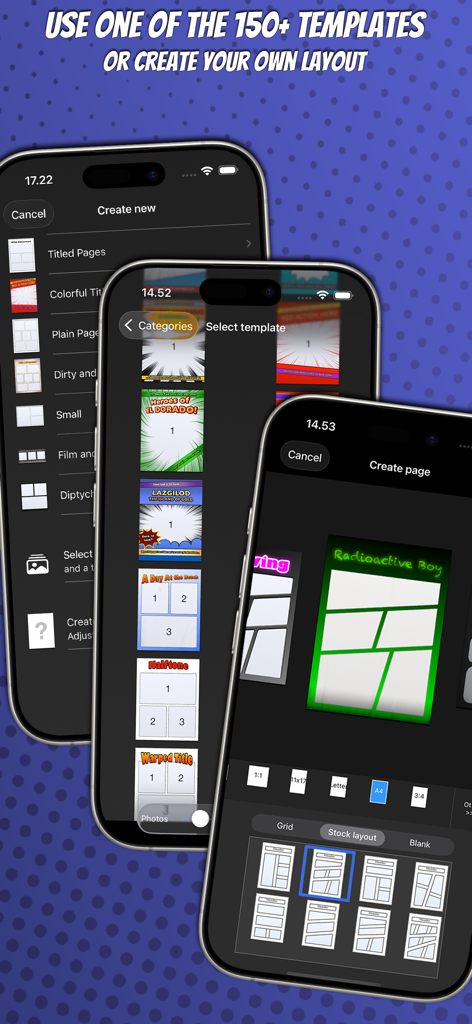
Strip Designer 모바일 앱 인터페이스가 다양한 만화책 페이지 템플릿과 사용자 지정 레이아웃 선택 옵션을 보여줍니다.

Strip Designer 모바일 앱 인터페이스가 다양한 만화책 페이지 템플릿과 사용자 지정 레이아웃 선택 옵션을 보여줍니다.

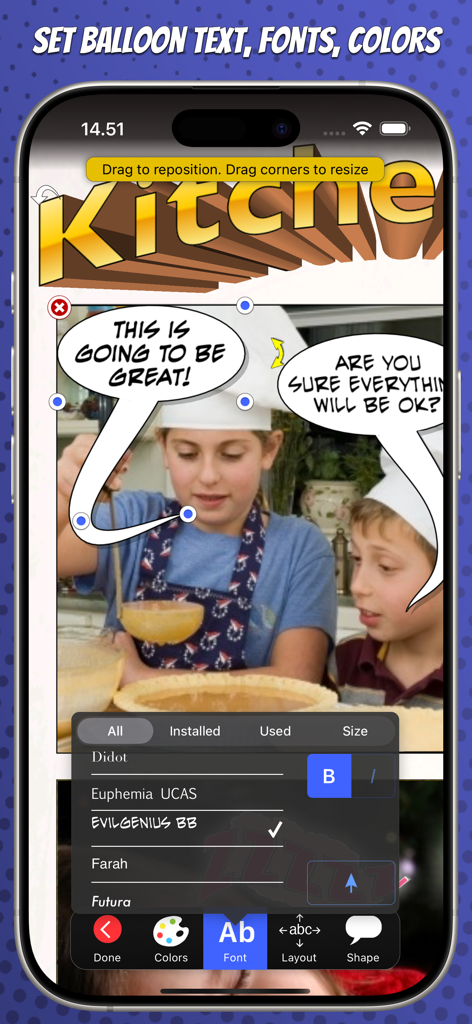
Strip Designer의 모바일 인터페이스. 아이들이 주방에 있는 사진 위에 만화책 글꼴과 말풍선 편집을 보여줍니다.

Strip Designer의 모바일 인터페이스. 아이들이 주방에 있는 사진 위에 만화책 글꼴과 말풍선 편집을 보여줍니다.

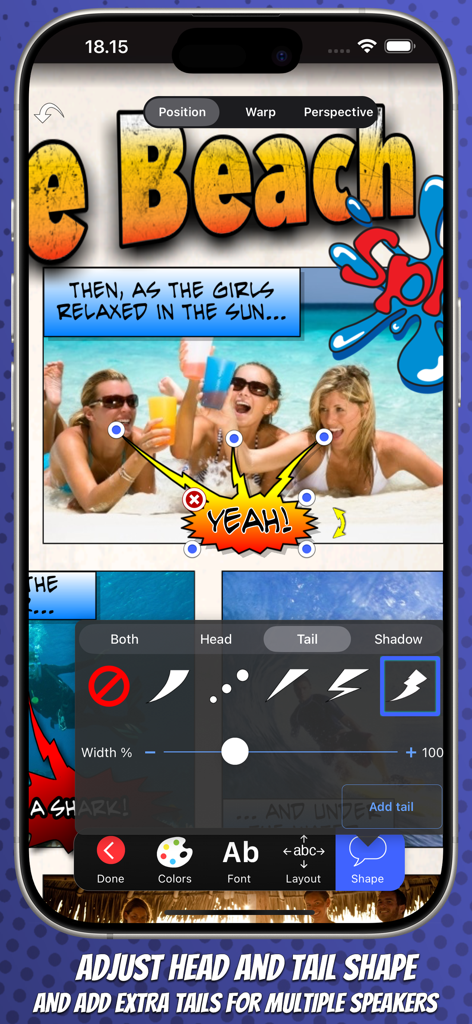
Strip Designer 앱에서 말풍선 꼬리 모양을 조정하고 여러 꼬리를 추가합니다.

Strip Designer 앱에서 말풍선 꼬리 모양을 조정하고 여러 꼬리를 추가합니다.

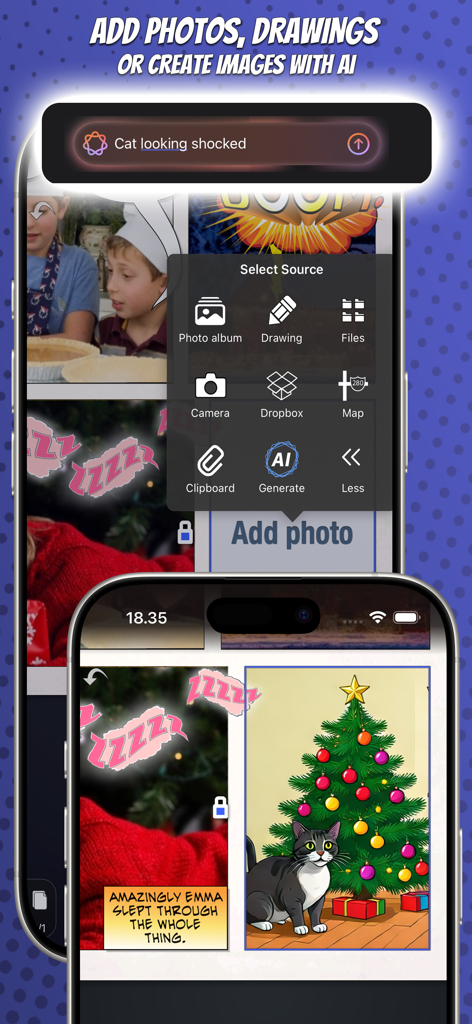
AI 생성 이미지와 사진으로 만화 스트립을 만드는 Strip Designer 앱 인터페이스.

AI 생성 이미지와 사진으로 만화 스트립을 만드는 Strip Designer 앱 인터페이스.

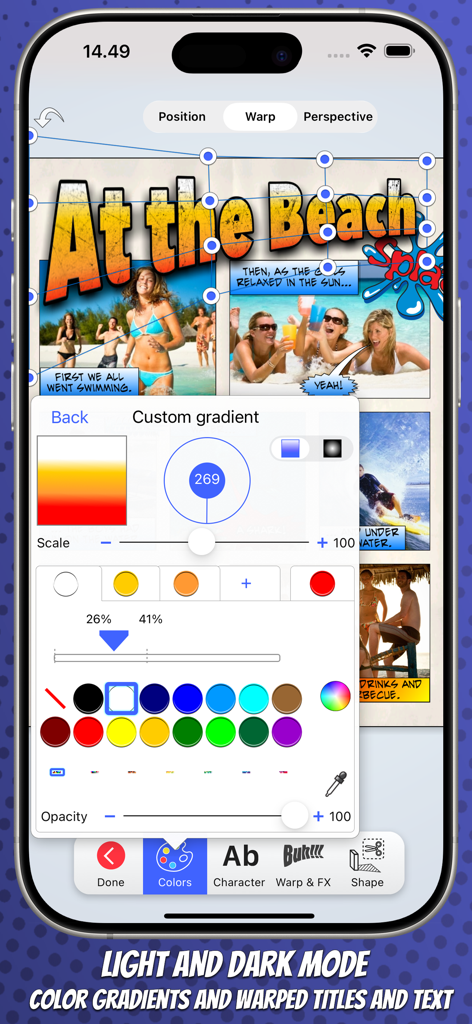
Strip Designer 모바일 앱 인터페이스가 만화 스트립을 위한 사용자 지정 그라데이션 및 왜곡된 텍스트 편집 도구를 보여줍니다.

Strip Designer 모바일 앱 인터페이스가 만화 스트립을 위한 사용자 지정 그라데이션 및 왜곡된 텍스트 편집 도구를 보여줍니다.

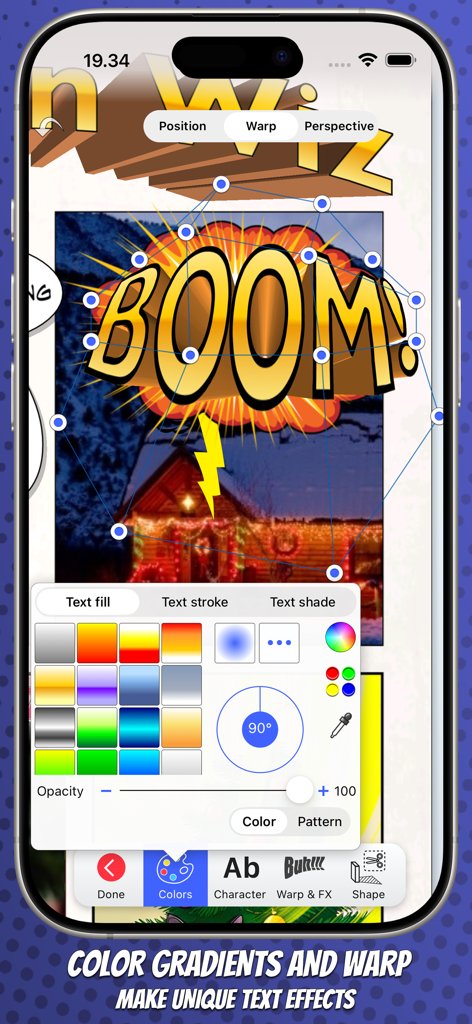
Strip Designer 앱이 만화책 효과를 만들기 위한 3D 텍스트 왜곡 및 색상 그라데이션 도구를 보여줍니다.

Strip Designer 앱이 만화책 효과를 만들기 위한 3D 텍스트 왜곡 및 색상 그라데이션 도구를 보여줍니다.

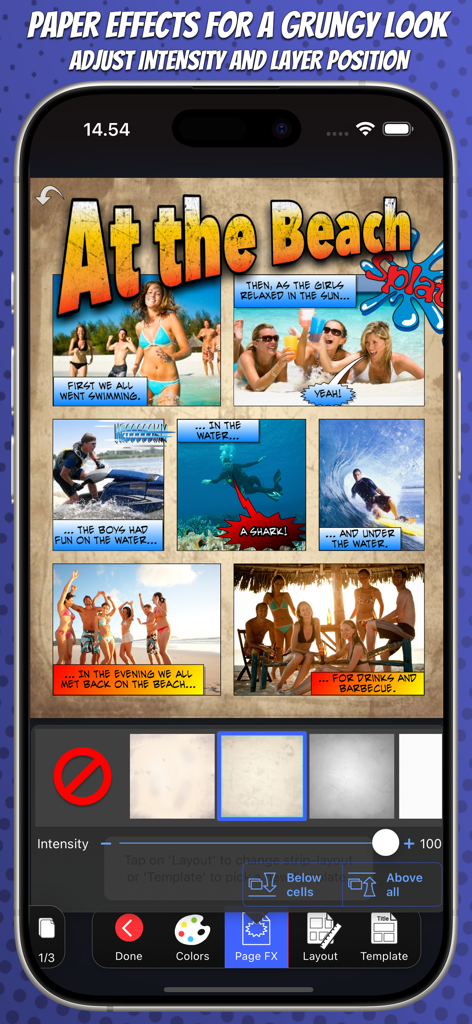
Strip Designer 앱이 적용된 거친 종이 질감 효과가 있는 해변 테마 만화 스트립을 보여줍니다.

Strip Designer 앱이 적용된 거친 종이 질감 효과가 있는 해변 테마 만화 스트립을 보여줍니다.

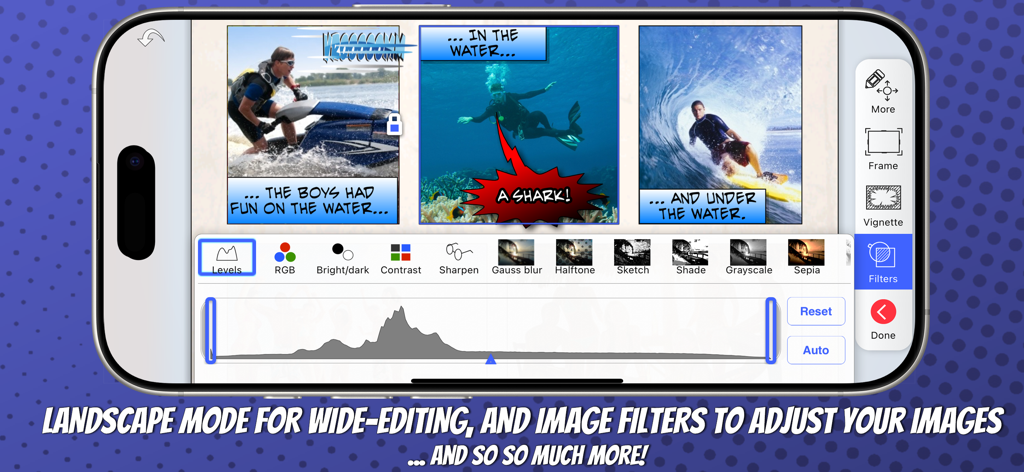
이미지 필터 조정을 사용하여 풍경 모드로 만화책을 만드는 것을 보여주는 스마트폰

이미지 필터 조정을 사용하여 풍경 모드로 만화책을 만드는 것을 보여주는 스마트폰

모든 스토리텔러를 위한 강력한 도구

이 앱을 돋보이게 하는 도구, 414K+ 명의 사용자가 선택.

💎

한 번의 가격, 전체 액세스

구독 피로에서 벗어나세요. 모든 레이아웃, 글꼴, 스티커가 처음부터 포함되어 있으며 숨겨진 수수료나 인앱 구매가 필요하지 않습니다.

🎨

전문가 수준의 맞춤 설정

3D 왜곡된 글자, 고급 사진 마스킹, 100개 이상의 전문 페이지 템플릿으로 기본 필터를 넘어 진정으로 독특한 모양을 만드세요.

🎓

가정과 학교에 완벽함

교실 프로젝트와 디지털 스크랩북을 위한 부모에게 신뢰받는, MDM, PDF 내보내기 및 iCloud 동기화를 완벽하게 지원합니다.

앱 소개

에 대해 알아야 할 모든 것 Strip Designer.

설명

Create amazing comic books with your photos and share with friends and family. Tell exciting stories with balloons, stickers, drawings, and warped 3D lettering. Strip Designer offers the complete comic creation experience on iOS and macOS. And no in-app purchases -- Everything is included! You'll begin by selecting one of the many included comic book page templates or create your own custom layout. Next, you'll add photos from the camera, your album, or create a drawing. Apply filters, or even paint on and mask your photos for atmosphere, style and retouching. Add balloons and text anywhere you want and in any direction and size. Play with the colors and fonts until you get the perfect look. Add stickers like "Boom", "Splash", or "Bang" to spice up the action -- Even create your own library using photos from your photo-album and the built-in masking and drawing tools. Use 3D warped text with thick borders and gradient color-fill to give your comic the extra super-hero feel. Download and add additional free fonts easily within the app, to give your text a unique look! While you work, you can freely pan and zoom to control even tiny details. Once you have finished your masterpiece you can save it to your photo album or share it with your friends. Use PDF to share entire comic books in high-quality. -- All from within Strip Designer. Key Features: • More than a 100 page templates with 1 to 9 photo cells • Multipage books • Create your own panel layout with up-to 12 cells or use one of the standard layouts • Many balloon types with customizable tails and heads • Balloons can have multiple tails and be combined • Flexible text options with per-letter colors and fonts • Adjust ballon size, rotation, color, and transparency • Add text (3D, warped, and perspective) for a superhero vibe • Use any iOS font or install additional fonts for unique touch • More than 150 stickers to insert for additional impact • Page effects to give your pages old look • Dropbox and WebDAV download/upload support • Export to PDF to create real comic books • Import PDFs (for both cells and custom stickers) • Control scale, position, and rotation of photos • Integrated drawing and masking tools to create your own drawings, paint on photos, or make your own stickers • Auto mask and feather photos (to remove background) • Many different cell styles • Photo filters • Fluidly pan and zoom to manage even the smallest details • Insert maps for additional context • iCloud sync across devices • Support for iOS's third party document providers • Layers view to lock or reorder layers • Shared iPad (for education) setup through MDM configuration No in-app purchases -- Everything is included! - What the reviewers say - "Strip Designer is worth every penny it costs, and then some. I would pay a couple more bucks for Lifestrips. It's stable, it's easy, it's fun, and for all that I couldn't come up with anything witty for my comic text, I love the look of my comics. Someone with a better imagination than I apparently have could really do fabulous things with this app. I rate it a solid five stars out of five.", Pamela Flora, iPhoneography - - - - - - - - - - - - - - "We were simply blown away by this application and the detail that has gone into the editing options and templates. We enjoyed the fact that a comic can be created very easily with photos and simple text effects, however there is real opportunities to really drill down into the editing options where the user can explore the apps true potential. There are many comic strip applications available on the Appstore but this is by far one of the best and great value for money. This app comes highly recommended by The Educational Appstore.", - See more at: http://www.educationalappstore.com/app/strip-designer#sthash.2KqjbU5Q.dpuf" --------------------------

최신 버전

1.25.8

크기

97.4 MB

출시일

2009년 5월 17일

오늘 창의적인 모험을 시작하세요

모든 것을 위한 단 한 번의 구매. 구독, 인앱 구매 없이 여러분과 가족을 위한 끝없는 스토리텔링을 즐기세요.

다운로드: App Store

App information, icons, screenshots, and descriptions displayed on this page are sourced from the Apple App Store and are the property of their respective developers. Download estimates and rankings are based on MWM's proprietary models and may not reflect actual figures. This page is provided for informational and analytical purposes only.

Believe this page infringes your intellectual property? File a dispute