
이 페이지는 앱이나 개발자의 공식 페이지가 아니며, 정보 제공 및 논평을 목적으로 작성된 독립 편집 간행물입니다. 명시적으로 달리 언급되지 않는 한, 해당 앱이나 개발자는 MWM, Apple, Google Play, 앱 퍼블리셔 또는 앱 개발자와 제휴, 보증, 후원, 승인 또는 공식적으로 연결되어 있지 않으며, 이 페이지의 어떤 내용도 해당 앱이 MWM의 서비스를 사용하여 개발되었음을 의미하지 않습니다. 모든 상표, 로고, 스크린샷 및 기타 콘텐츠는 해당 소유자의 자산입니다.

다운로드
10M+사용자 평점
총 평가 수
85K+개발사
카테고리
Entertainment지원 언어
12최신 버전
7.1.4크기
59.5 MB출시일
2016년 2월 20일아이디어를 바이럴 동영상으로 만드세요
'다음 편'을 기대하게 만드는 중독성 있는 채팅 스토리, POV 촌극, 팬픽션을 제작하기 위한 크리에이터 전용 최고의 툴킷입니다.
매끄러운 다중 캐릭터 채팅
스와이프로 즉시 대화 상대를 전환하여 긴장감을 조성하고, 모든 관점에서 이야기를 손쉽게 전달하세요.
SNS에 바로 공유 가능한 즉시 내보내기
복잡한 편집은 생략하세요. 틱톡, 릴스, 유튜브 쇼츠에 최적화된 빠른 템포의 역동적인 동영상을 제작할 수 있습니다.
자주 묻는 질문
에 대해 알아야 할 모든 것 TextingStory Chat Story Maker
TextingStory Chat Story Maker가 무엇인가요?
TextingStory는 사용자가 문자 대화를 만들고, 동영상으로 변환하고, 공유할 수 있게 해주는 앱입니다. 창의적인 스토리텔링을 위해 메시징 앱 인터페이스를 복제합니다.
TextingStory에서 캐릭터 이름을 어떻게 변경하나요?
TextingStory에서 캐릭터 이름을 변경하려면 캐릭터 목록에서 해당 캐릭터를 길게 눌러 특정 설정을 액세스합니다.
TextingStory에서 메시지 측면을 어떻게 변경하나요?
TextingStory에서는 메시지 영역을 스와이프하거나 플러스/카메라 버튼을 누른 다음 "쓰기 측면 변경"을 탭하여 메시지 측면을 변경할 수 있습니다. 기존 메시지의 측면도 편집할 수 있습니다.
TextingStory에서 스토리에 사진이나 GIF를 추가할 수 있나요?
네, TextingStory 스토리에는 사진이나 GIF를 추가할 수 있습니다. 이 기능은 앱 내에서 Storyteller 또는 Pro 업그레이드를 구매해야 합니다.
TextingStory 동영상에서 입력 영역이 나타나지 않는 이유는 무엇인가요?
TextingStory 동영상에서 입력 영역이 나타나지 않으면 동영상 설정에서 "입력 표시" 옵션이 활성화되어 있는지 확인하십시오.
TextingStory는 스토리 생성 중에 키 입력을 기록하나요?
네, TextingStory는 스토리 생성 중에 수행된 모든 키 입력을 기록합니다. 이를 통해 사용자는 수정, 망설임 또는 오타를 동영상에 포함할 수 있습니다.
TextingStory는 동영상 속도를 어떻게 처리하나요?
TextingStory는 동영상을 자동으로 가속합니다. 이렇게 하면 작성하는 데 걸린 시간에 관계없이 생성된 채팅 스토리에 대해 일관되게 빠르게 진행되는 결과가 보장됩니다.
TextingStory 동영상을 소셜 미디어에 공유할 수 있나요?
네, TextingStory 동영상은 다양한 소셜 미디어 플랫폼에 공유할 수 있습니다. 이 앱은 YouTube, TikTok, Facebook, Instagram과 같은 플랫폼 공유를 지원합니다.
TextingStory는 교육 목적으로 사용되나요?
네, TextingStory는 인기 있는 교육용 앱입니다. 교육자는 이를 사용하여 과정 자료를 흥미롭게 만들고 학생들을 위한 실습 활동을 만듭니다.
사용자는 TextingStory에서 아바타를 사용자 정의할 수 있나요?
네, TextingStory에는 아바타 빌더가 포함되어 있습니다. 사용자는 머리카락 및 색상과 같은 다양한 기능을 선택하여 캐릭터 아바타를 사용자 정의할 수 있습니다.
TextingStory는 대화에 AI 스타일 필터를 제공하나요?
네, TextingStory는 다양한 AI 스타일 필터를 제공합니다. "아빠", "냉정", "로봇"과 같은 이러한 필터는 대화의 톤과 스타일을 변경할 수 있습니다.
TextingStory의 개인정보처리방침은 어디에서 찾을 수 있나요?
TextingStory의 개인정보처리방침은 다음 URL에서 확인할 수 있습니다: https://yvz.fr/privacy/. 이 링크는 앱 설명 내에 제공됩니다.
다음 스크린샷과 설명은 앱의 공식 스토어 목록에서 직접 가져온 것이며 앱 개발자의 자산입니다.
앱 스토어
스크린샷
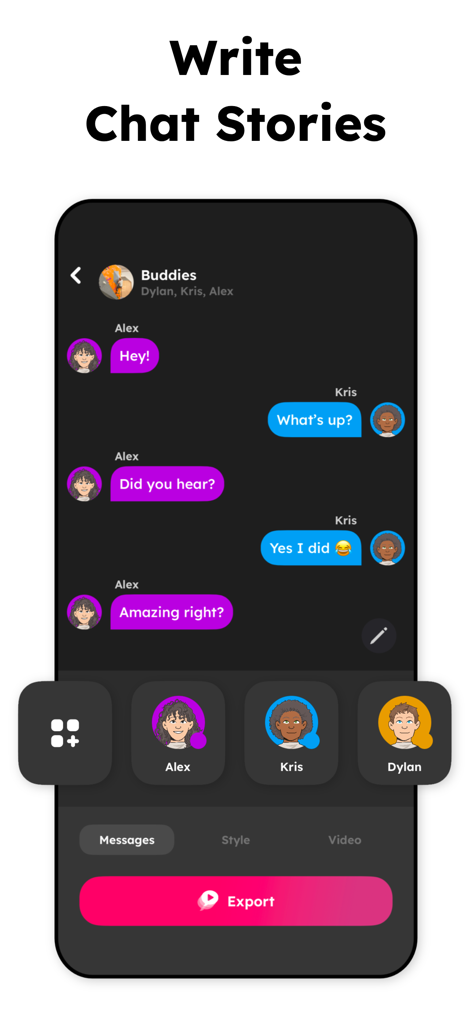
보라색과 파란색 말풍선, 스토리텔링을 위한 캐릭터 아바타가 있는 채팅 대화를 보여주는 모바일 앱 인터페이스
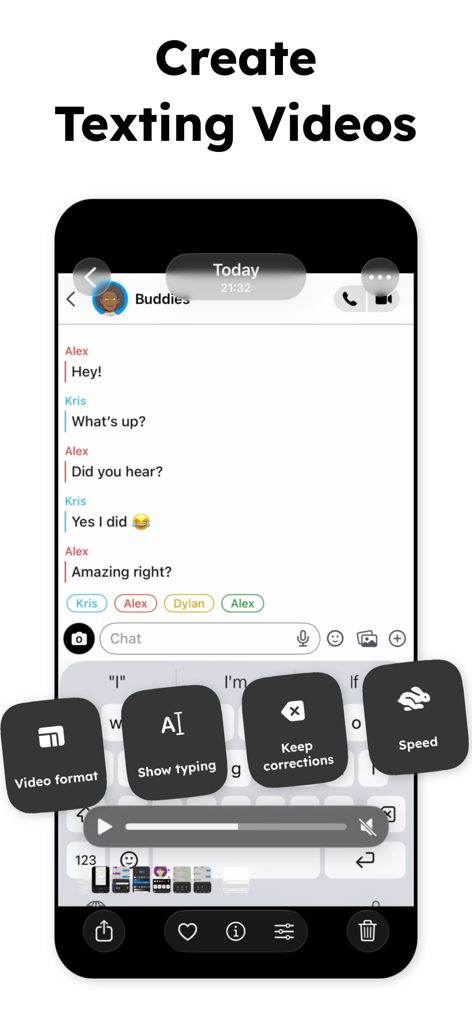
동영상 형식 및 속도 설정이 포함된 문자 동영상 제작 옵션을 보여주는 TextingStory 앱 인터페이스
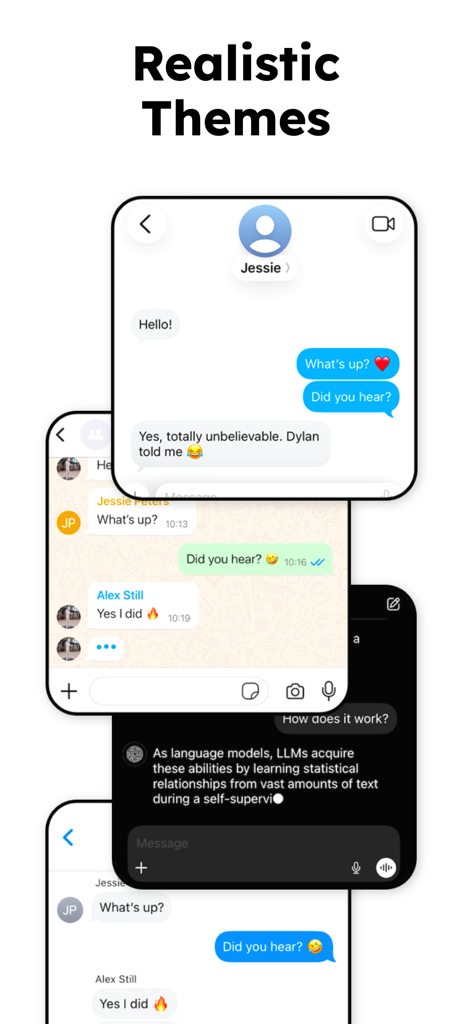
라이트 및 다크 모드를 포함하여 TextingStory 앱의 여러 사실적인 채팅 인터페이스 테마를 보여줌
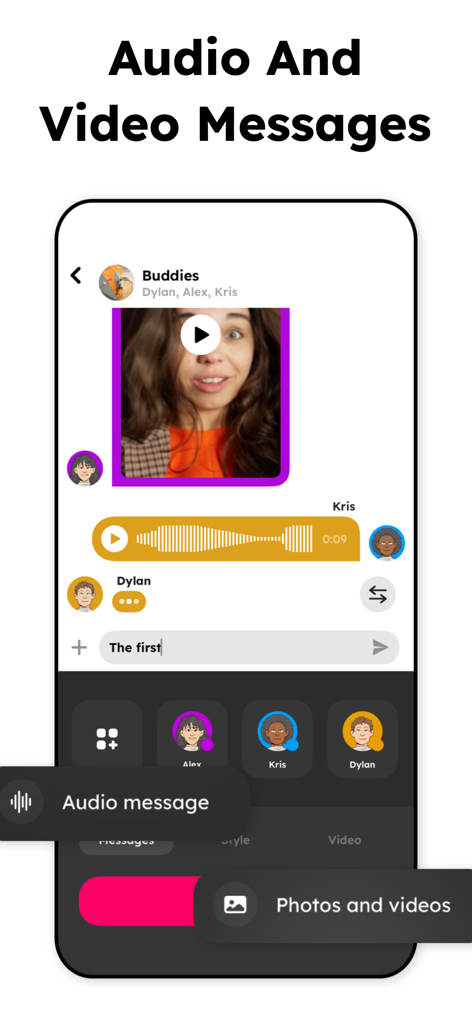
그룹 채팅 시뮬레이션에서 비디오 및 오디오 메시지 기능을 표시하는 TextingStory 앱 인터페이스
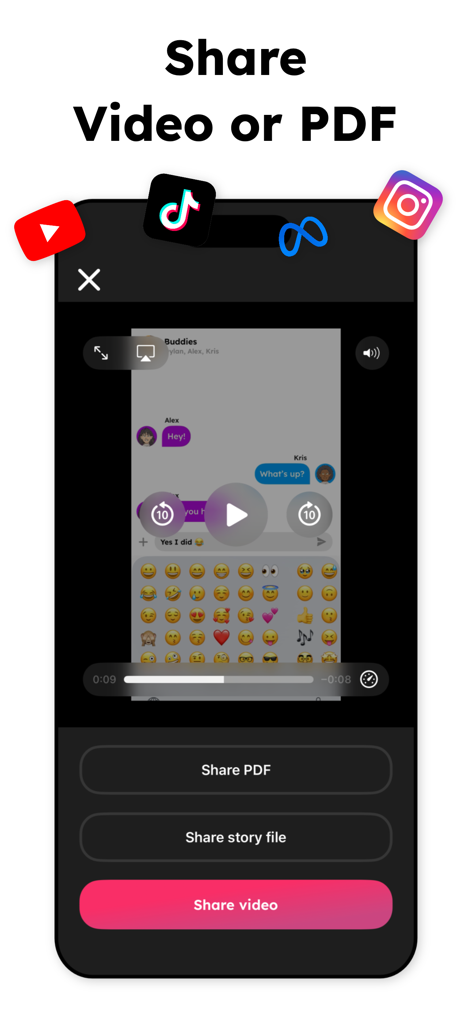
채팅 스토리를 동영상이나 PDF로 틱톡, 인스타그램 등 소셜 미디어 플랫폼에 공유하는 옵션을 보여주는 TextingStory 앱 화면
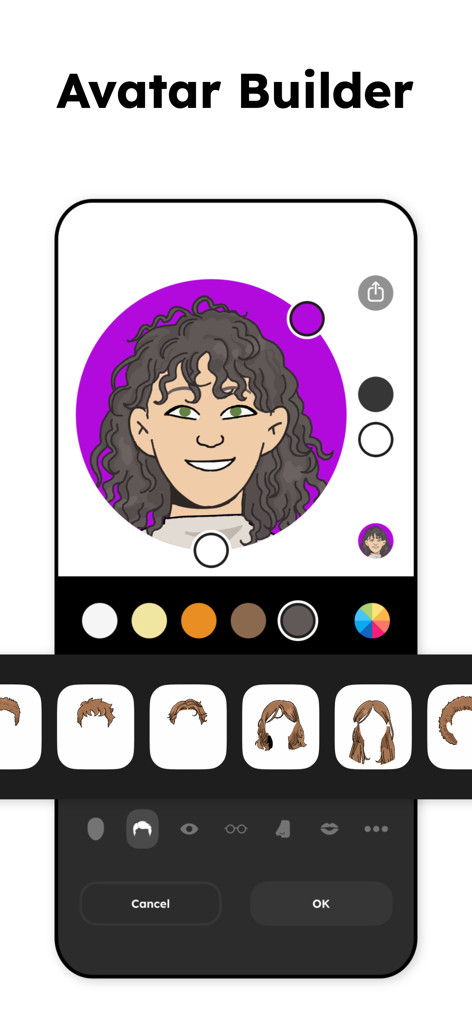
헤어 및 색상 옵션이 있는 만화 캐릭터 커스터마이징 인터페이스를 보여주는 TextingStory 앱 아바타 빌더 화면
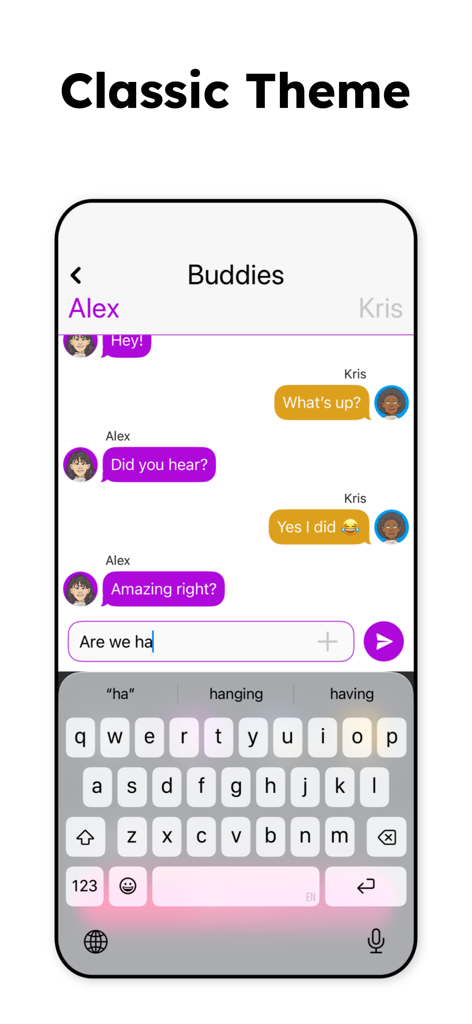
클래식 테마를 사용하여 Alex와 Kris라는 두 캐릭터 간의 대화를 보여주는 TextingStory 앱의 모바일 인터페이스
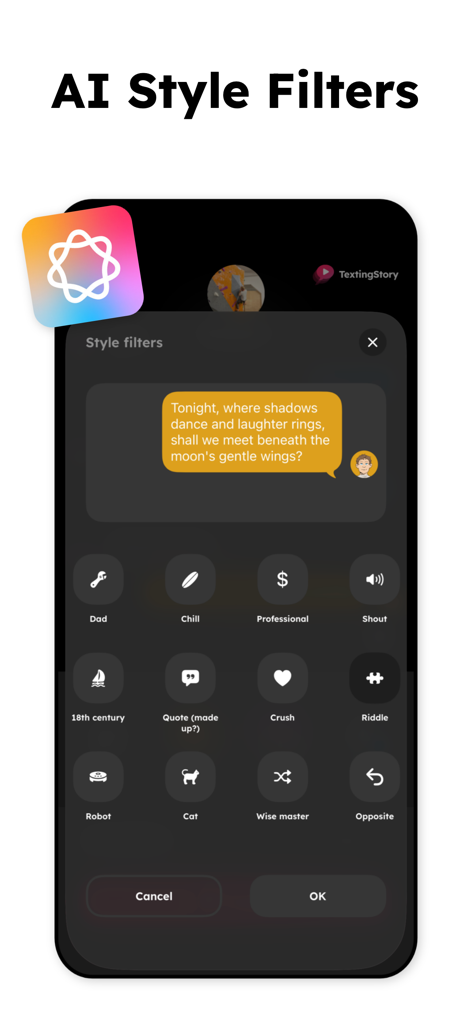
TextingStory 앱에서 문자 메시지를 위한 다양한 AI 스타일 필터를 보여주는 인터페이스
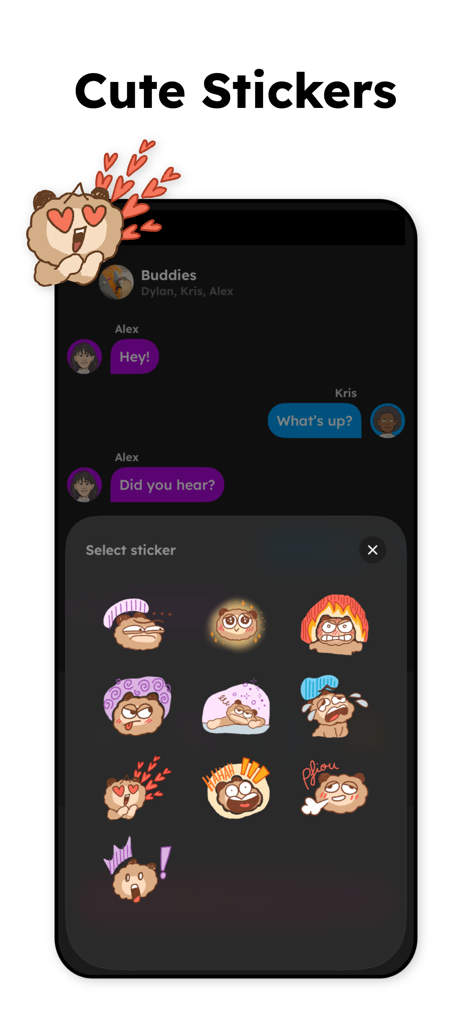
채팅 스토리에서 사용할 수 있는 다양하고 귀여운 곰 만화 스티커를 보여주는 TextingStory 앱 인터페이스
설명
Download

비슷한 앱
유사한 기능과 사용자 경험을 가진 앱

Readera Proge - Book Craft
Tran Van Thang

toongether: magic comics
Kartoon

Animaker: Animation Maker
Animaker Inc

CHOMP by Christoph Niemann
Fox and Sheep GmbH

ComicBook!
3DTOPO Inc.

众影AI动画-文字生成动漫视频,AI视频提取文案剧本
Shenzhen Tuyi Shibei Technology Co., Ltd.

Text Story Maker - ChatTales
Saturday Technologies Incorporated

Movie Adventure
Fox and Sheep GmbH

Doctor Who: Comic Creator
BBC Studios Distribution Ltd.
이 페이지는 앱이나 개발자의 공식 페이지가 아니며, 정보 제공 및 논평을 목적으로 작성된 독립 편집 간행물입니다. 명시적으로 달리 언급되지 않는 한, 해당 앱이나 개발자는 MWM, Apple, Google Play, 앱 퍼블리셔 또는 앱 개발자와 제휴, 보증, 후원, 승인 또는 공식적으로 연결되어 있지 않으며, 이 페이지의 어떤 내용도 해당 앱이 MWM의 서비스를 사용하여 개발되었음을 의미하지 않습니다. 모든 상표, 로고, 스크린샷 및 기타 콘텐츠는 해당 소유자의 자산입니다.