TAI: Comic Maker Manga, Manhwa

TAI: Comic Maker Manga, Manhwa


다운로드: App Store
로고: TAI: Comic Maker Manga, Manhwa

TAI: 만화 제작기 망가, 만화: 그림 없이 나만의 비주얼 스토리 만들기

아이디어를 전문적인 웹툰과 만화로 바꿔보세요. 캐릭터를 디자인하고, 장면을 배치하고, 수직 스크롤 만화나 클래식 망가 레이아웃을 마스터하세요. 그림 실력이 필요 없습니다.

개발사

CODEPILOT LIMITED

카테고리

Graphics & Design

다운로드

0

사용자 평점

1.0/5

총 평가 수

0

지원 언어

1

당신의 비전을 패널로

이 인터페이스를 사용하는 0 명의 사용자.

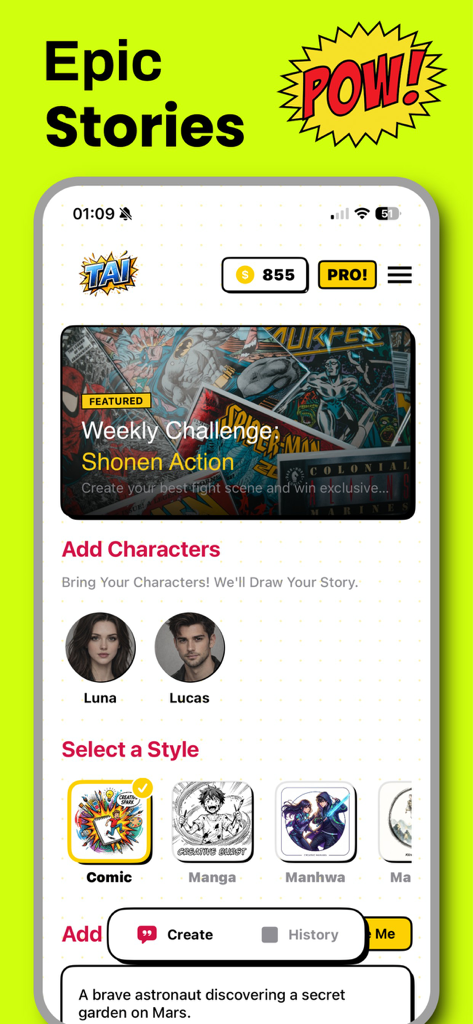
녹색 배경에 팝아트 스타일의 슈퍼히어로 캐릭터가 있으며 만화를 만들도록 유도하는 텍스트가 있음

녹색 배경에 팝아트 스타일의 슈퍼히어로 캐릭터가 있으며 만화를 만들도록 유도하는 텍스트가 있음

TAI Comic Maker 앱 인터페이스에 망가 및 만화 스토리를 위한 캐릭터 선택 및 스타일 옵션 표시

TAI Comic Maker 앱 인터페이스에 망가 및 만화 스토리를 위한 캐릭터 선택 및 스타일 옵션 표시

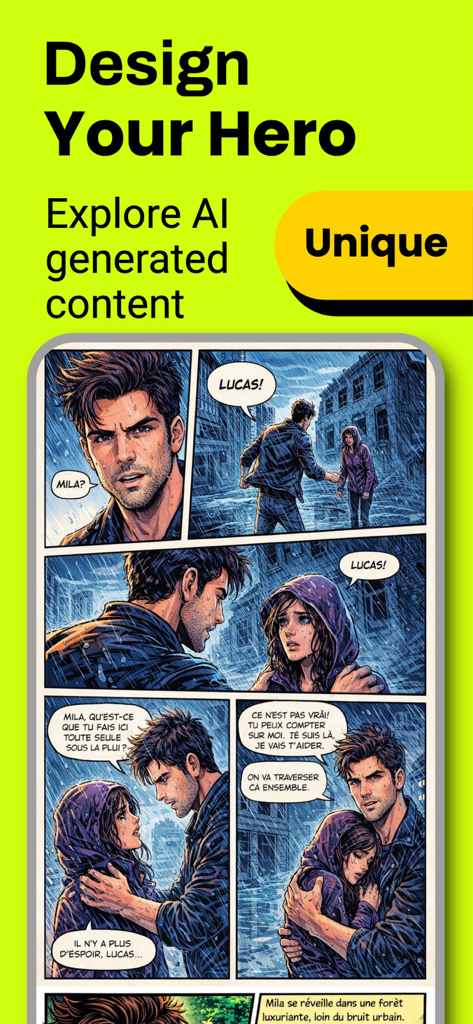
TAI Comic Maker 인터페이스에 캐릭터와 대화가 포함된 AI 생성 만화 패널 표시

TAI Comic Maker 인터페이스에 캐릭터와 대화가 포함된 AI 생성 만화 패널 표시

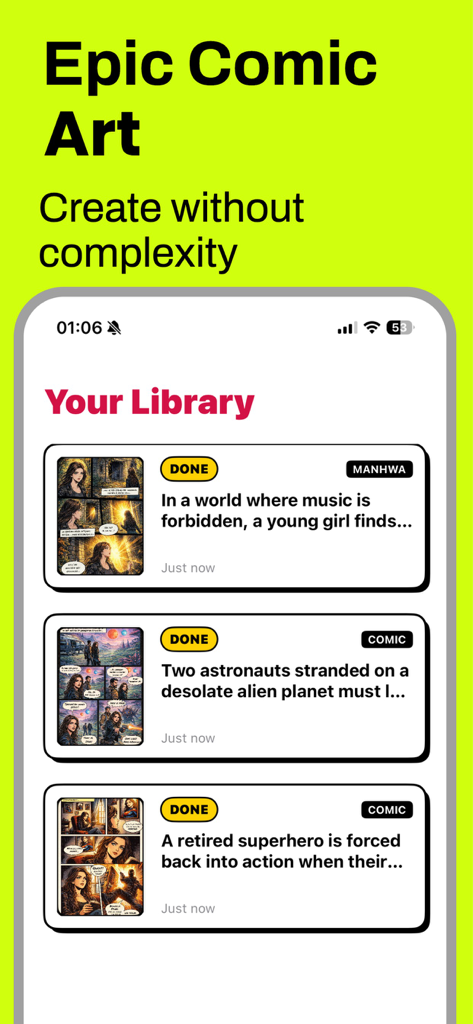
TAI Comic Maker 앱 화면에 제목과 썸네일이 포함된 생성된 망가 및 만화 스토리 라이브러리 표시

TAI Comic Maker 앱 화면에 제목과 썸네일이 포함된 생성된 망가 및 만화 스토리 라이브러리 표시

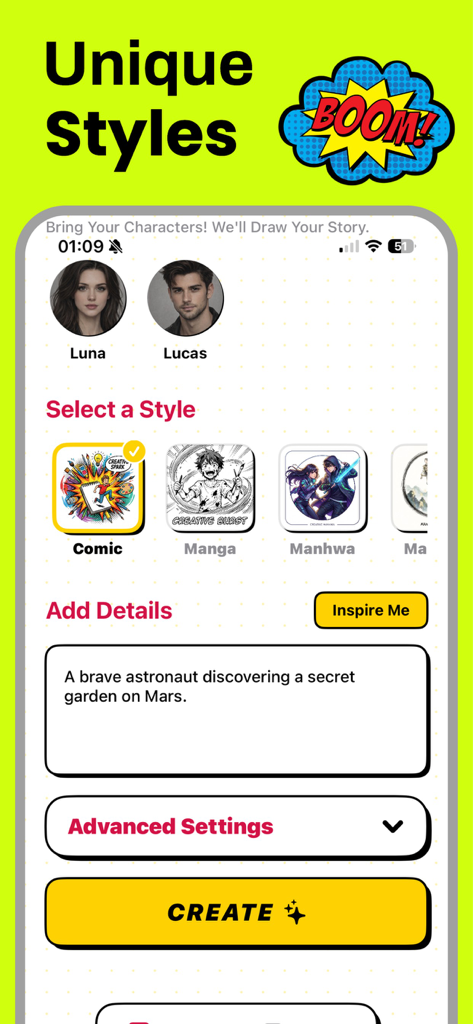
TAI Comic Maker 앱 인터페이스에 스토리 프롬프트 입력 필드가 있는 만화 망가 및 만화 스타일 선택 표시

TAI Comic Maker 앱 인터페이스에 스토리 프롬프트 입력 필드가 있는 만화 망가 및 만화 스타일 선택 표시

연필 없이도 만화가처럼 자유롭게 표현해보세요

이 앱을 돋보이게 하는 도구, 0 명의 사용자가 선택.

배움의 어려움 없는 프로 아트

커스터마이징 가능한 캐릭터와 풍부한 표현의 포즈 라이브러리를 사용하여 수년간의 그림 연습을 건너뛰고 즉시 캐스팅하세요.

📱

웹툰 및 만화에 최적화됨

모바일 독서 및 소셜 공유에 맞춰 완벽한 수직 스크롤 레이아웃과 생생한 컬러 페이지를 디자인하세요.

🗯️

역동적인 시네마틱 스토리텔링

전문적인 말풍선, 시네마틱 배경, 액션 가득한 시각 효과를 추가하여 내러티브를 생동감 있게 만드세요.

앱 소개

에 대해 알아야 할 모든 것 TAI: Comic Maker Manga, Manhwa.

설명

Comic Maker Manga & Manhwa is a powerful and easy-to-use creation tool designed for anyone who wants to turn ideas into stunning visual stories. Whether you dream of creating manga, manhwa, or western-style comics, this app gives you everything you need to build your own comic universe from scratch — no drawing skills required. With Comic Maker, you can design characters, arrange scenes, and create professional-looking comic pages in multiple styles. The app supports classic black-and-white manga layouts, colorful comic pages, and modern vertical manhwa formats optimized for mobile reading. This flexibility allows creators to produce content suitable for both traditional comic readers and today’s digital-first audience. Bring your stories to life with customizable panels, expressive character poses, dynamic backgrounds, and visual effects. Add speech bubbles, narration boxes, and sound effect texts to enhance storytelling and create immersive scenes. Whether you are working on an action-packed adventure, a romantic drama, a fantasy world, or a darker seinen-inspired story, Comic Maker adapts to your creative vision. The vertical scrolling format makes it easy to create manhwa-style stories ideal for mobile platforms, while horizontal and panel-based layouts are perfect for manga and classic comics. Every element is designed to help you focus on storytelling, pacing, and atmosphere rather than complex technical tools. Comic Maker is suitable for writers, storytellers, content creators, and comic enthusiasts of all levels. Beginners can start quickly with ready-to-use templates, while experienced creators can fine-tune details and build long-running series. You can save your projects, edit them anytime, and prepare them for sharing or publishing. Creating comics no longer requires expensive software or advanced illustration skills. Comic Maker simplifies the process while maintaining a professional result. Build your characters, shape your narrative, and transform your imagination into a visual story that readers can enjoy anywhere. Start creating your own manga, manhwa, or comic today. Design your world, tell your story, and bring your ideas to life with Comic Maker. Privacy Policy : https://codepilotlimited.com/comicbookprivacy.html Terms of Use : https://codepilotlimited.com/comicbookterms.html

최신 버전

6.0

크기

57.7 MB

출시일

2026년 1월 15일

나만의 웹툰을 시작할 준비가 되셨나요?

차세대 디지털 스토리텔러와 함께하세요. 몇 분 안에 아이디어를 전문적인 망가와 만화로 바꿔보세요. 그림 실력이 필요 없습니다. 지금 TAI를 다운로드하고 첫 번째 챕터를 시작하세요.

다운로드: App Store

App information, icons, screenshots, and descriptions displayed on this page are sourced from the Apple App Store and are the property of their respective developers. Download estimates and rankings are based on MWM's proprietary models and may not reflect actual figures. This page is provided for informational and analytical purposes only.

Believe this page infringes your intellectual property? File a dispute