TapShot: Sports Action Camera

TapShot: Sports Action Camera

다운로드: App Store
로고: TapShot: Sports Action Camera

TapShot: 스포츠 액션 카메라 — 모든 역전승의 순간을 쉽게 포착하세요

경기장 옆에서 활동하는 부모님과 스포츠 팬을 위한 최고의 카메라입니다. 한 손가락으로 줌을 조절하고, 아무 곳이나 탭하여 촬영하며, 팀 로고를 즉시 추가할 수 있습니다. 셔터 버튼이 아닌 경기에 집중할 수 있도록 설계되었습니다.

다운로드: App Store

개발사

Emotive Engines, LLC

카테고리

Photo & Video

다운로드

200

사용자 평점

1.0/5

총 평가 수

0

지원 언어

1

모든 프레임에 담긴 액션

이 인터페이스를 사용하는 200 명의 사용자.

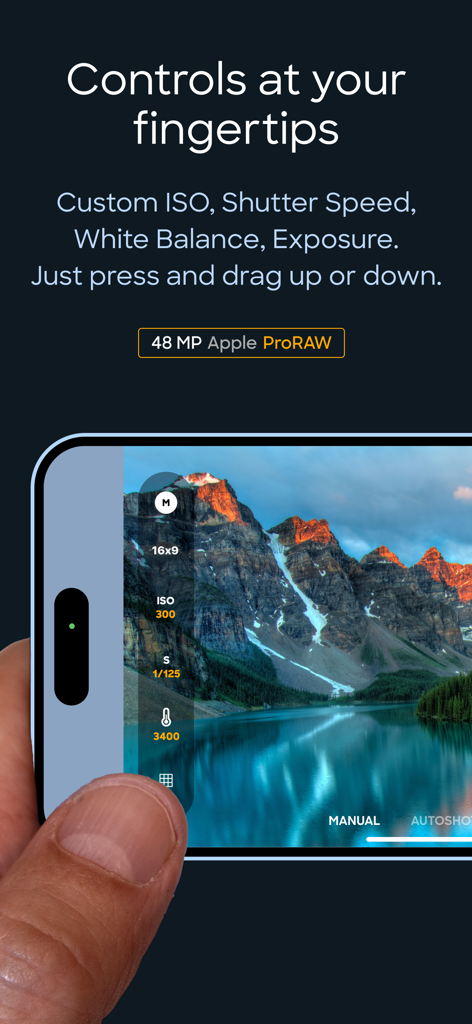
TapShot 앱에서 수동 ISO 및 셔터 속도 컨트롤을 보여주는 인터페이스

TapShot 앱에서 수동 ISO 및 셔터 속도 컨트롤을 보여주는 인터페이스

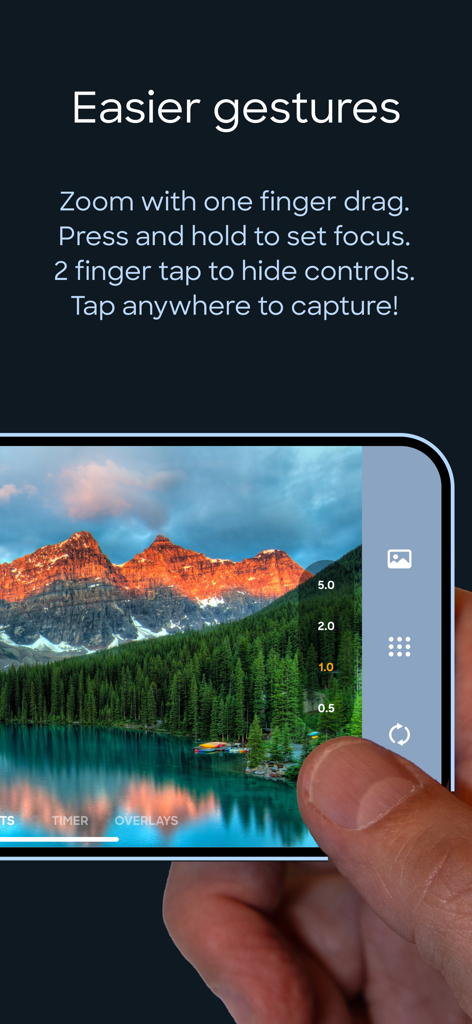
TapShot 스포츠 카메라 앱 인터페이스에서 한 손가락으로 줌을 조절하고 사진을 캡처하는 사람

TapShot 스포츠 카메라 앱 인터페이스에서 한 손가락으로 줌을 조절하고 사진을 캡처하는 사람

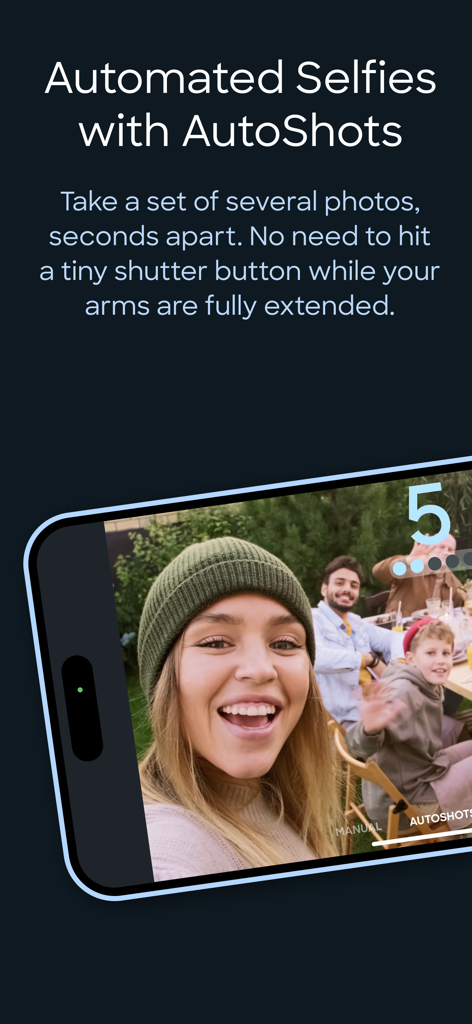
자동 그룹 셀카를 위한 TapShot 앱 AutoShots 기능을 보여주는 스마트폰 화면

자동 그룹 셀카를 위한 TapShot 앱 AutoShots 기능을 보여주는 스마트폰 화면

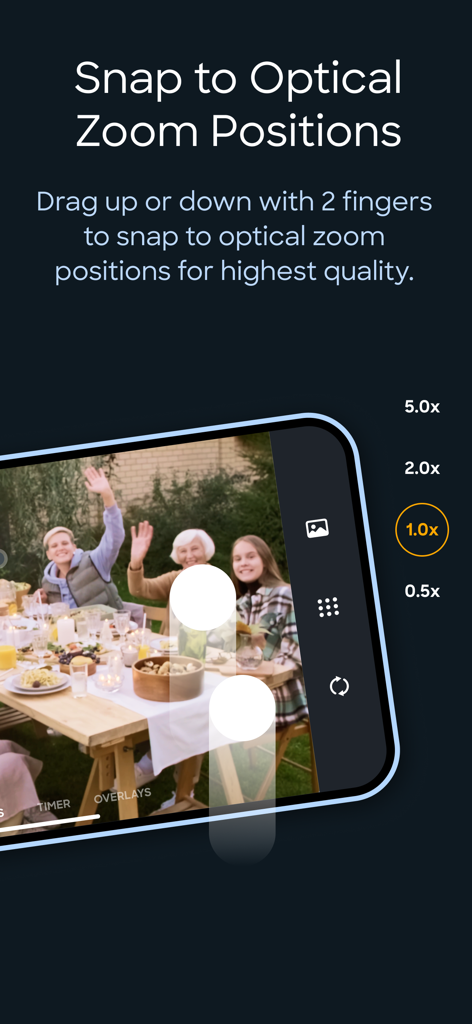
고품질 스포츠 사진 촬영을 위한 TapShot 앱의 광학 줌 레벨을 보여주는 인터페이스

고품질 스포츠 사진 촬영을 위한 TapShot 앱의 광학 줌 레벨을 보여주는 인터페이스

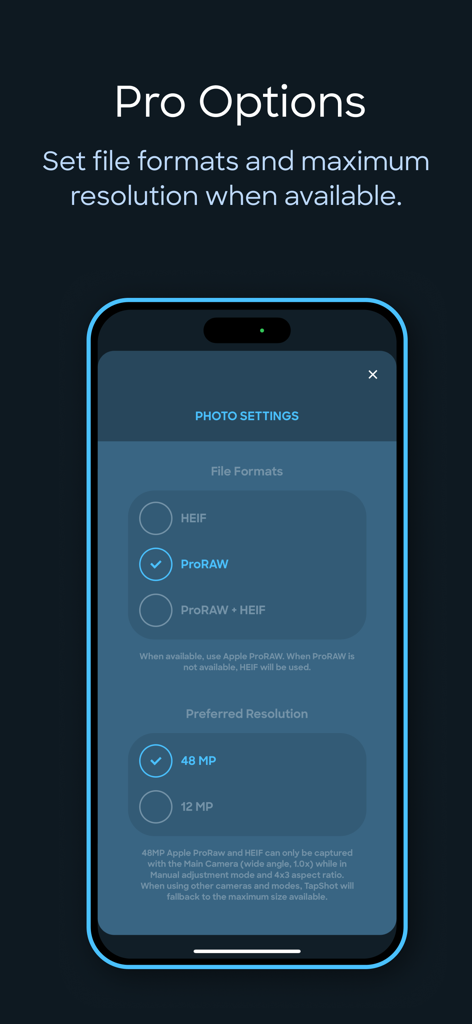
TapShot 앱 설정 화면으로 ProRAW 파일 형식 및 48메가픽셀 해상도 옵션 표시

TapShot 앱 설정 화면으로 ProRAW 파일 형식 및 48메가픽셀 해상도 옵션 표시

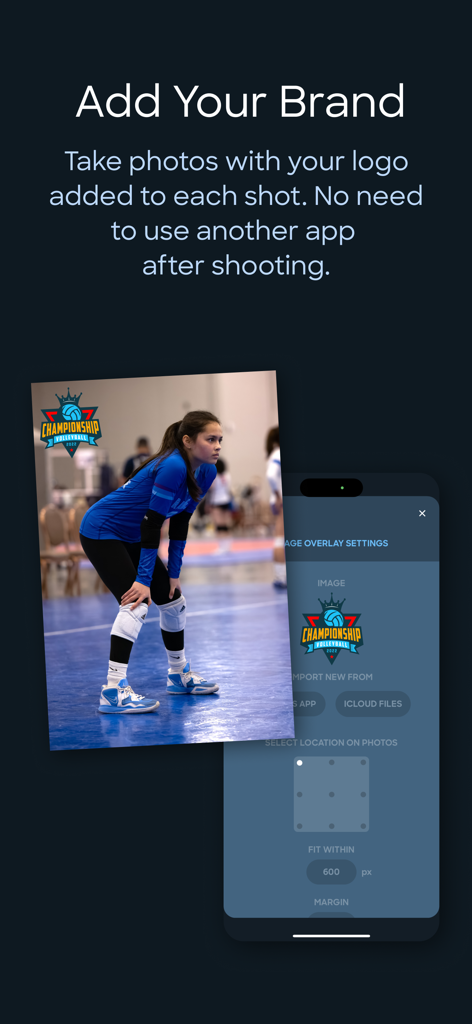
맞춤 팀 로고 워터마크 및 브랜딩 설정을 보여주는 배구 사진의 TapShot 앱 인터페이스.

맞춤 팀 로고 워터마크 및 브랜딩 설정을 보여주는 배구 사진의 TapShot 앱 인터페이스.

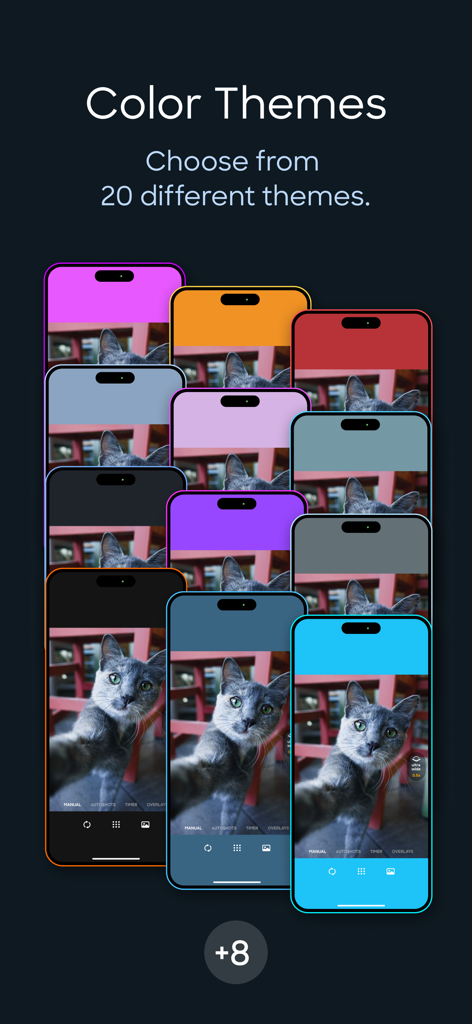
여러 아이폰에 표시된 TapShot 앱 인터페이스의 다양한 색상 테마 쇼케이스

여러 아이폰에 표시된 TapShot 앱 인터페이스의 다양한 색상 테마 쇼케이스

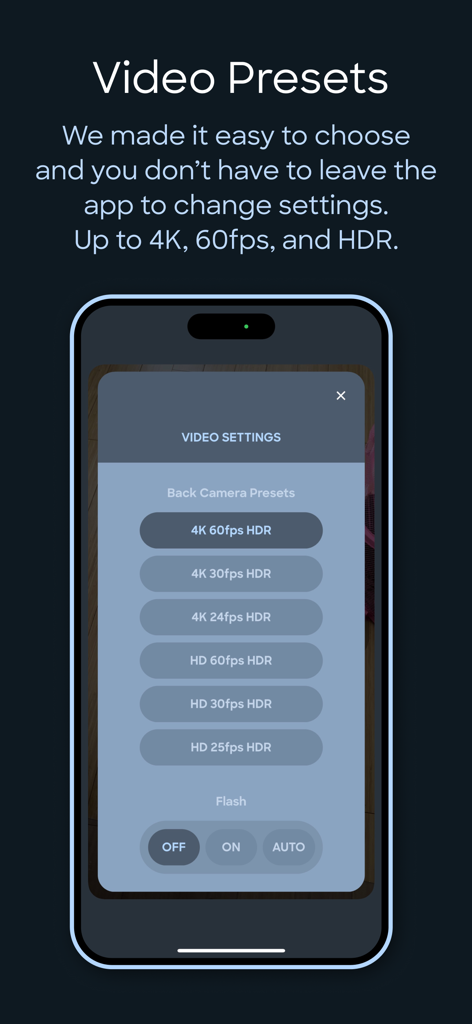
4K 60fps HDR 및 플래시 설정을 포함한 비디오 녹화 프리셋을 보여주는 TapShot 앱 인터페이스

4K 60fps HDR 및 플래시 설정을 포함한 비디오 녹화 프리셋을 보여주는 TapShot 앱 인터페이스

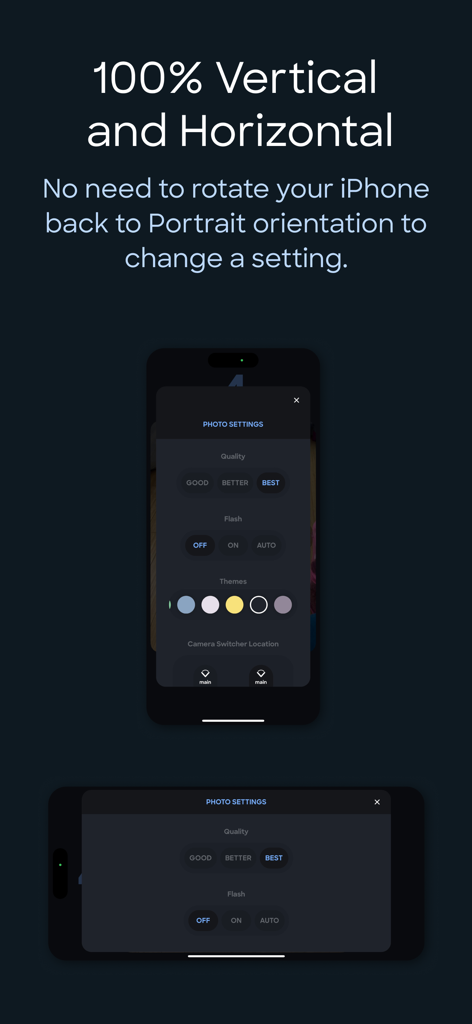
세로 및 가로 아이폰 방향으로 표시된 TapShot 앱 설정 인터페이스.

세로 및 가로 아이폰 방향으로 표시된 TapShot 앱 설정 인터페이스.

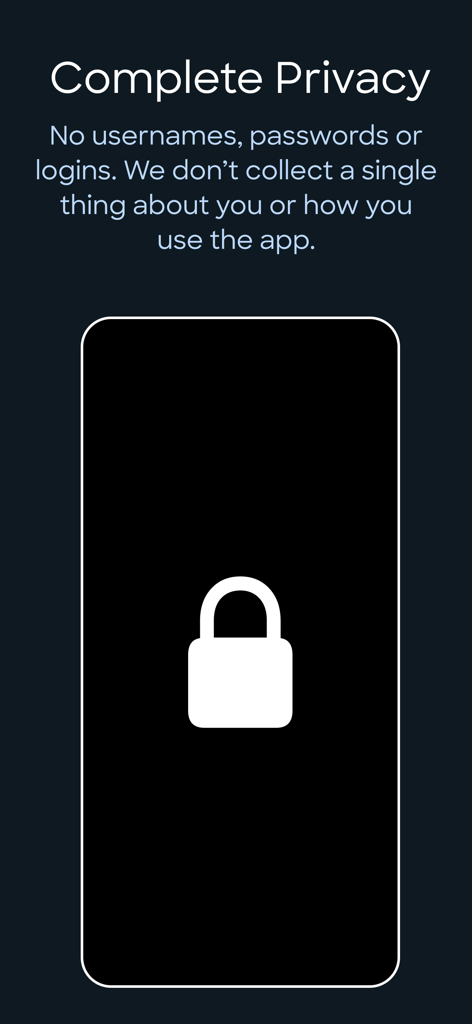
로그인 또는 데이터 수집 없이 완벽한 개인 정보를 자세히 설명하는 TapShot 앱 화면

로그인 또는 데이터 수집 없이 완벽한 개인 정보를 자세히 설명하는 TapShot 앱 화면

모든 승리의 플레이를 프로처럼 담아내세요

이 앱을 돋보이게 하는 도구, 200 명의 사용자가 선택.

☝️

한 손가락 액션 컨트롤

하나의 드래그와 탭으로 줌과 촬영을 하세요. 경기가 진행되는 동안 작은 버튼을 만지작거릴 필요가 없습니다.

🏷️

즉석 팀 워터마크

촬영하는 모든 사진에 학교 또는 클럽 로고를 자동으로 추가하세요. 전문적인 스포츠 미디어를 즉시 만들어 소셜 공유를 하세요.

🔥

프로 수준의 속도 및 품질

48MP ProRAW 및 4K 60FPS로 촬영하세요. 고성능 프리셋은 셔터 지연으로 인해 역전승 샷을 놓치지 않도록 보장합니다.

앱 소개

에 대해 알아야 할 모든 것 TapShot: Sports Action Camera.

설명

ONE FINGER ZOOM FOR SPORTS Drag one finger up or down to zoom in and out. Immediately tap your finger wherever it is to capture a photo. Perfect for volleyball, basketball, and all your kid's sporting events. Faster and easier to use than the standard pinch gesture. JUST TAP TO SHOOT Tap anywhere on the image preview to take a photo or start/stop video recording while in video mode. No tiny shutter button. This is so much easier for taking selfies while your arms and hands are fully extended — just focus on framing the shot and tap away. 48 MP APPLE ProRAW AND HEIF For iPhones that support it. CUSTOM FOCUS POINTS Long press for half a second where you would like to set the focus point while maintaining exposure settings. CUSTOM ISO, SHUTTER SPEED, WHITE BALANCE & EXPOSURE BIAS ADJUSTMENTS ToolPod has Auto and Manual modes for toggling between fully automatic photo capture and making manual adjustments to ISO, Shutter Speed and White Balance. ADD YOUR LOGO WHILE TAKING PHOTOS Import your brand or school sports team logo and have it placed on your photos while taking them! No need to use another app afterwards. Choose from 9 locations and set the size and space from the edges. Supports alpha transparency when importing a PNG from iCloud Files. DEPTH CAPTURE MODE On capable iPhones and iPads, use Depth mode to capture and embed depth data to your selfies and rear camera photos. Open and edit with the native Photos app to apply lighting effects and adjust depth of field settings. 4x3 OR 16x9 PHOTO ASPECT RATIOS Traditional 4x3 size or wider 16x9, ideal for social media and video projects. SINGLE FINGER ZOOMING Zoom in and out with one finger! It’s easier and your zooms are smoother while recording video. If your iPhone is in the horizontal orientation you can even drag up and down at the side of the screen so your finger doesn’t block the subjects you are taking photos of. And just tap where your finger is to capture! No need to go the extra distance to a shutter button. SNAP TO OPTICAL ZOOM POSITIONS Drag with two fingers up or down to snap to the available optical zoom positions of your iPhone. This ensures you are only shooting at the optical zoom positions of your iPhone for best quality. CLEAN VIEW MODE Tap with 2 fingers to hide UI controls for an unobstructed image preview. Tap again with 2 fingers to restore them. PERSONAL PHOTO BOOTH WITH AUTOSHOTS Automated selfie sets. Because no one takes just one selfie — TapShot can automatically take a set of several photos, seconds apart. It means less physical coordination and you can keep your eyes on the screen to frame the perfect poses. If you just need one photo, there is a traditional simple countdown timer as well. BEAUTIFUL COLOR THEMES Choose from 20 different color themes to make your photo and video capturing experience match the color of your iPhone or case. EASY CAMERA SWITCHER The camera switcher always tells you which camera you are using, the current zoom factor, and if you’re at the optical zoom factor for that camera to use the best quality possible. VIDEO RECORDING PRESETS We made it easy to get the right level of quality versus file size. You don’t kneed to know complex video and photo terminology. And you don't need to leave the app to change any settings. 4K, 60FPS, HDR – if your device supports it you can use it in TapShot. COMPLETE PRIVACY No usernames, passwords or logins. We don’t collect a single thing about you or how you use the app. Nothing whatsoever is transmitted from your device to us. Your photos are saved directly to your iPhone’s camera roll so you can use the Photos app to manage and share. Terms of Use: https://www.apple.com/legal/internet-services/itunes/dev/stdeula/ Privacy Policy: https://tapshot.app/privacy

최신 버전

2.6.0

크기

21.3 MB

출시일

2023년 6월 13일

우리 아이의 역전승 순간을 다시는 놓치지 마세요

수천 명의 스포츠 부모님과 아마추어 크리에이터와 함께 한 손가락 줌과 즉각적인 브랜딩으로 프로 수준의 액션을 담아보세요. 안전하고 비공개이며, 경기장 옆에서 사용하도록 설계되었습니다.

다운로드: App Store

App information, icons, screenshots, and descriptions displayed on this page are sourced from the Apple App Store and are the property of their respective developers. Download estimates and rankings are based on MWM's proprietary models and may not reflect actual figures. This page is provided for informational and analytical purposes only.

Believe this page infringes your intellectual property? File a dispute