Tattoo Print System

Tattoo Print System

다운로드: App Store
로고: Tattoo Print System

타투 프린트 시스템: 현대 아티스트를 위한 정밀 스텐실 준비

수동 추적 및 타일링으로 시간을 낭비하지 마세요. 선명한 윤곽선을 생성하고, 대형 다중 페이지 디자인을 자동화하며, iPad에서 직접 완벽한 비율을 조정하여 경력 최고의 정확한 스텐실을 만드세요.

개발사

TattooLoyal Inc

카테고리

Graphics & Design

다운로드

105K+

사용자 평점

3.1/5

총 평가 수

0

지원 언어

2

화면에서 피부로

이 인터페이스를 사용하는 105K+ 명의 사용자.

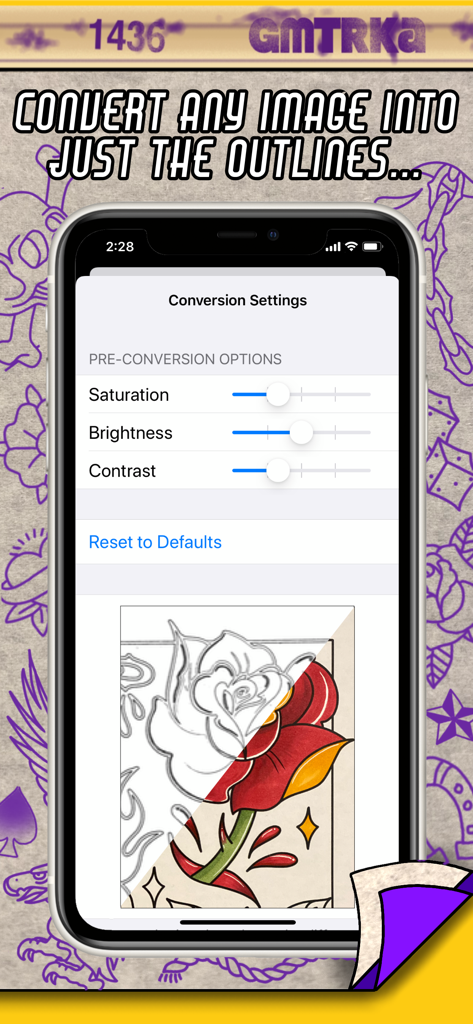
타투 프린트 시스템 앱의 모바일 인터페이스, 다채로운 장미 디자인을 선명한 스텐실 윤곽선으로 변환하는 과정을 보여줌

타투 프린트 시스템 앱의 모바일 인터페이스, 다채로운 장미 디자인을 선명한 스텐실 윤곽선으로 변환하는 과정을 보여줌

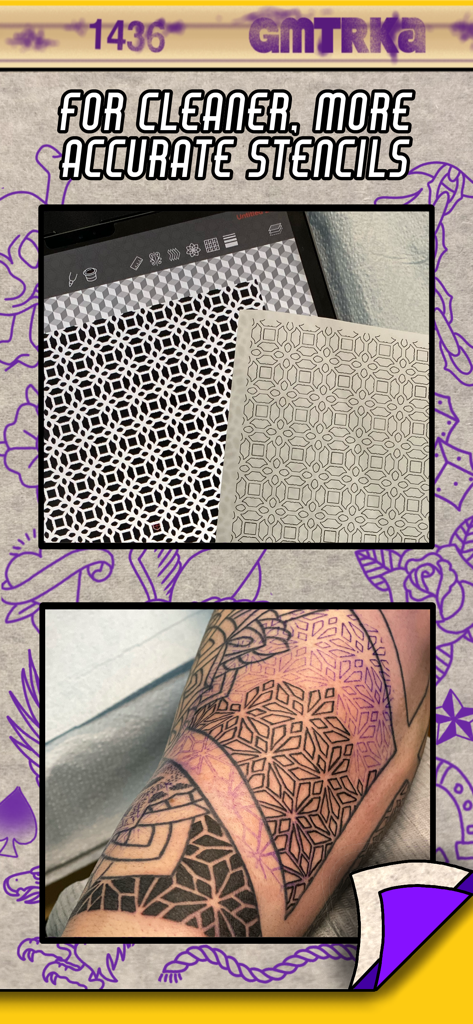
태블릿의 디지털 기하학적 타투 디자인과 인쇄된 스텐실, 그리고 팔에 적용된 타투 비교

태블릿의 디지털 기하학적 타투 디자인과 인쇄된 스텐실, 그리고 팔에 적용된 타투 비교

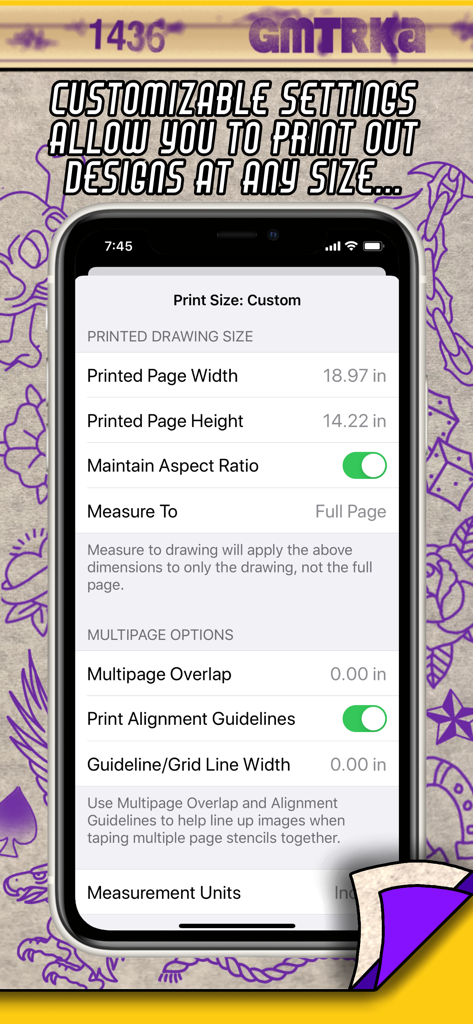
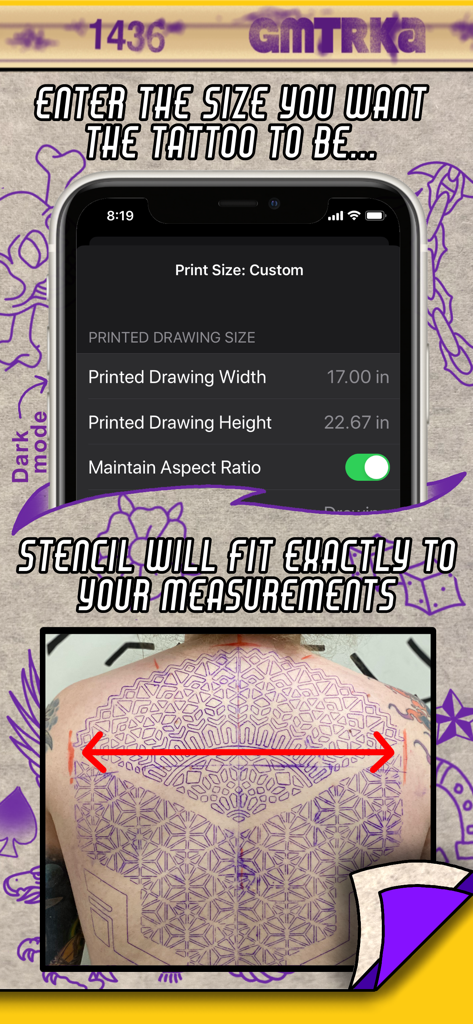
타투 프린트 시스템 앱의 인터페이스, 사용자 지정 크기 설정 및 다중 페이지 스텐실 타일링 옵션을 보여줌

타투 프린트 시스템 앱의 인터페이스, 사용자 지정 크기 설정 및 다중 페이지 스텐실 타일링 옵션을 보여줌

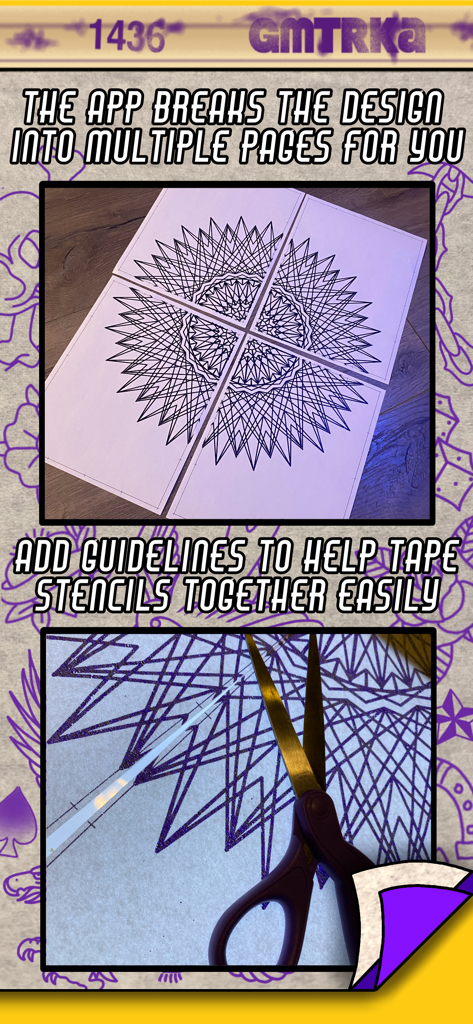
스텐실 조립을 위한 정렬 가이드가 있는 4페이지에 인쇄된 대형 기하학적 타투 디자인

스텐실 조립을 위한 정렬 가이드가 있는 4페이지에 인쇄된 대형 기하학적 타투 디자인

타투 프린트 시스템 앱의 인터페이스, 대형 등 타투 스텐실에 대한 사용자 지정 높이 및 너비 설정 표시

타투 프린트 시스템 앱의 인터페이스, 대형 등 타투 스텐실에 대한 사용자 지정 높이 및 너비 설정 표시

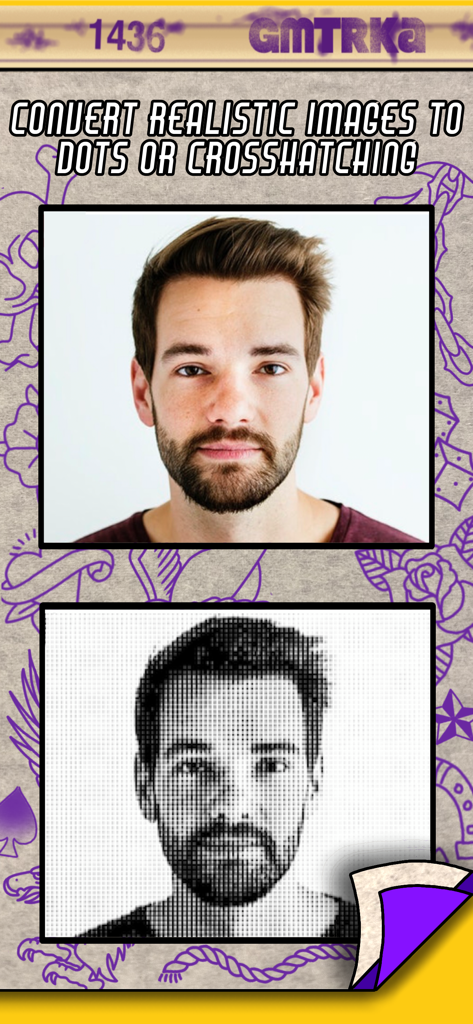
타투 프린트 시스템 앱을 사용하여 하프톤 도트로 변환되는 사실적인 초상화

타투 프린트 시스템 앱을 사용하여 하프톤 도트로 변환되는 사실적인 초상화

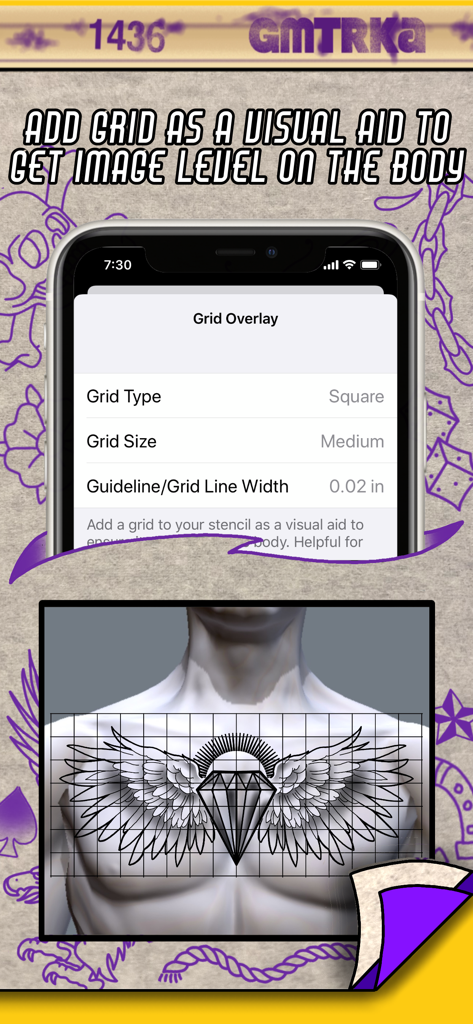
타투 프린트 시스템 앱의 그리드 오버레이 설정, 인간의 가슴에 정렬된 타투 디자인 미리 보기 표시

타투 프린트 시스템 앱의 그리드 오버레이 설정, 인간의 가슴에 정렬된 타투 디자인 미리 보기 표시

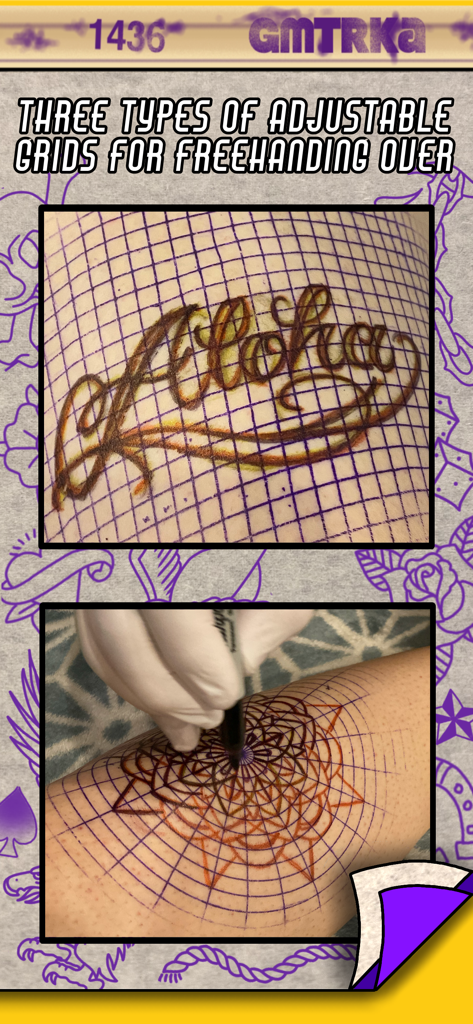
자유 형식 타투 디자인을 위한 피부의 조정 가능한 그리드 스텐실

자유 형식 타투 디자인을 위한 피부의 조정 가능한 그리드 스텐실

스텐실 실력 향상

이 앱을 돋보이게 하는 도구, 105K+ 명의 사용자가 선택.

📐

자동 대형 타일링

복사기에서 크기를 추측하는 것을 중단하세요. 치수를 입력하면 앱이 스마트 중첩 가이드와 함께 자동으로 디자인을 완벽하게 확장된 시트로 분할합니다.

즉시 윤곽선 변환

수동 추적의 피로를 건너뛰세요. 참조 사진을 한 번의 탭으로 깨끗하고 고대비 윤곽선 또는 하프톤 도트로 변환하여 준비 시간을 몇 시간 절약하세요.

🎯

해부학적 정밀 도구

사용자 지정 가능한 그리드 오버레이와 독립적인 너비-높이 스트레칭을 사용하여 완벽한 대칭을 보장하고 디자인을 신체의 자연스러운 곡선에 완벽하게 맞추세요.

앱 소개

에 대해 알아야 할 모든 것 Tattoo Print System.

설명

“Before the needle even hits the skin, there is the crucial step that sets the tone for the entire tattoo - applying the stencil. Stencilling tattoos on the body is an art unto itself. Great tattoos start with great stencils, and great stencils start with the ideal image. The better you can see what you’re doing, the more accurate your linework is gonna be. Over 20 years of tattooing mostly geometric tattoos has forced me to intensely analyze the art of stencilling and push it to its limits, and through this app I’ve been able to push them even farther. Increasing efficiency and accuracy in my work has always been a passion of mine, and I can’t wait to share this with my fellow tattooers” -Cory Ferguson The easy to use Tattoo Print System gives you tools to customize and enhance your images right before you print them out so they’re ready to go straight into the stencil machine and result in the best stencils possible. No matter what style you tattoo in, this app will save you time and level up your stencil game. Giving you the ability to dial in your finished designs to your liking so when they come out of the stencil machine they are more precise and personalized to how you like to work. These are tools that every single tattoo artist has always needed! Once installed you can access Tattoo Print System from any app on your iPad or iPhone that has the share button as an option (you know- that icon that looks like a little box containing an arrow pointing up) So how does Tattoo Print System save you time and make your stencils better? -Print out large scale tattoos at actual size! Measure out the size your tattoo will be on the body and enter those measurements into Tattoo Print System and let the app do the rest. It automatically breaks the design into as many sheets of paper as needed and prints them out ready to go straight into the stencil machine. No more resizing on a photocopier! -Multi-page stencils need to be taped together as any experienced tattooer will know. We’ve included tools to help with this task too. Optional guidelines and image overlaps make it quicker and easier to line up the image when taping stencil pages together. -Convert any image into just outlines with a single click We’re tattooers - we all love showing off that crispy linework. Enhancing your designs with the convert to lines feature eliminates excess ink from your stencils making them cleaner, easier to see and ultimately more precise. And you don’t have to spend time tracing the outline yourself, the app does it for you. You can also fine tune those outlines to be thicker or thinner depending on your preference. -Convert realistic and shaded images into halftone dots or crosshatching for stencils that have shading in them. -Fine tune the contrast, shadows and highlights of your designs to take a “not so great” reference picture and turn it into the sort of design that makes for a perfect stencil. Often times a picture of the reference that you take on your phone can be enhanced with our adjustment sliders into a truly stencil worthy image. -Add an optional, customizable grid to your stencil as a visual reference to help see if your image is level on the body. This is especially useful for doing symmetrical pieces across the width of the torso, ie full chest piece, back piece. -The ability to stretch out a design if necessary, by adjusting the width and height separately. -Customizable grid images to print out and stencil to help with freehand drawing onto the skin. Choose from square, isometric and polar grid. This printing system is already a part of our other app Geometrica - the first ever drawing app created for tattooers. So if you’re a Geometrica subscriber you don’t need Tattoo Print System, you already have it. But it was so ground breaking we had to also release it as it’s own app, because this is something that all tattooers need, not just the geometric artists.

최신 버전

1.07

크기

3.4 MB

출시일

2020년 10월 25일

오늘 스텐실 실력 향상

아티스트가 아티스트를 위해 만든 도구를 사용하는 10만 명 이상의 프로 타투이스트와 함께하세요. iPad를 최고의 스텐실 스테이션으로 만들고 경력 최고의 선명한 라인워크를 얻으세요.

다운로드: App Store

App information, icons, screenshots, and descriptions displayed on this page are sourced from the Apple App Store and are the property of their respective developers. Download estimates and rankings are based on MWM's proprietary models and may not reflect actual figures. This page is provided for informational and analytical purposes only.

Believe this page infringes your intellectual property? File a dispute