tcCalc - timecode & frame calc

tcCalc - timecode & frame calc

다운로드: App Store
로고: tcCalc - timecode & frame calc

tcCalc - 프레임 단위 정확한 타임코드 및 프레임 계산

영상 편집자 및 DIT를 위한 필수 유틸리티. 편집 후 워크플로우의 속도를 위해 설계된 인터페이스로 모든 업계 프레임 속도에서 정확한 계산을 수행합니다. 드롭 프레임 및 NDF를 포함합니다.

다운로드: App Store

개발사

RYUICHIROU SHIMONO

카테고리

Photo & Video

다운로드

4K+

사용자 평점

4.8/5

총 평가 수

200

지원 언어

1

모든 프레임의 정밀도

이 인터페이스를 사용하는 4K+ 명의 사용자.

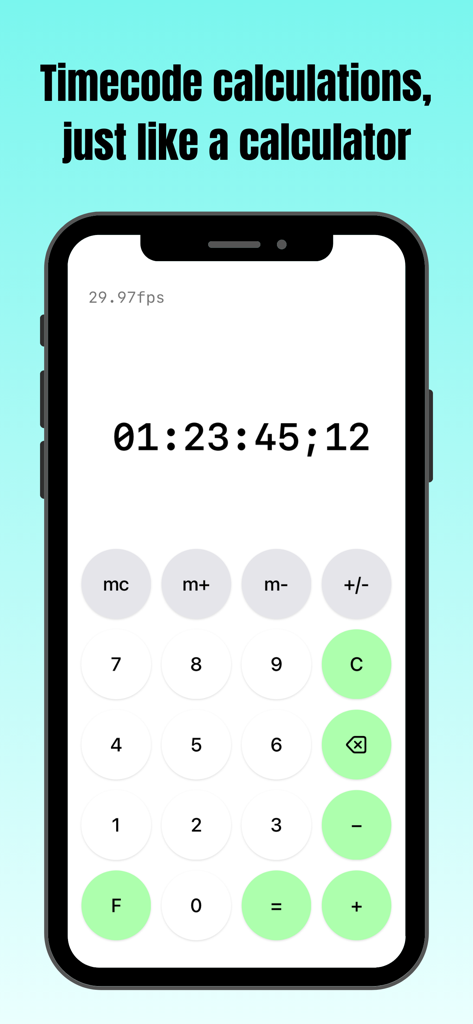
iPhone에서 타임코드 계산 인터페이스를 보여주는 tcCalc 앱 스크린샷

iPhone에서 타임코드 계산 인터페이스를 보여주는 tcCalc 앱 스크린샷

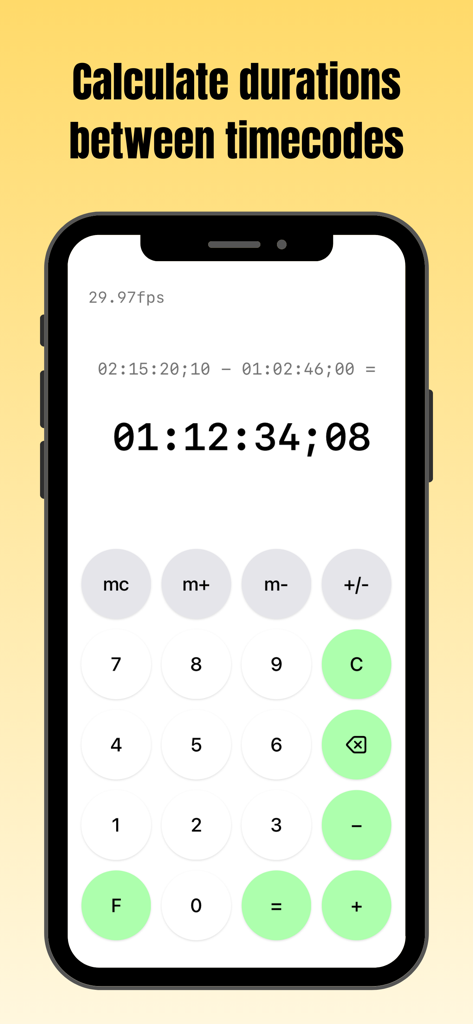
29.97fps에서 두 타임코드 간의 기간 계산을 보여주는 iPhone의 tcCalc 앱 화면

29.97fps에서 두 타임코드 간의 기간 계산을 보여주는 iPhone의 tcCalc 앱 화면

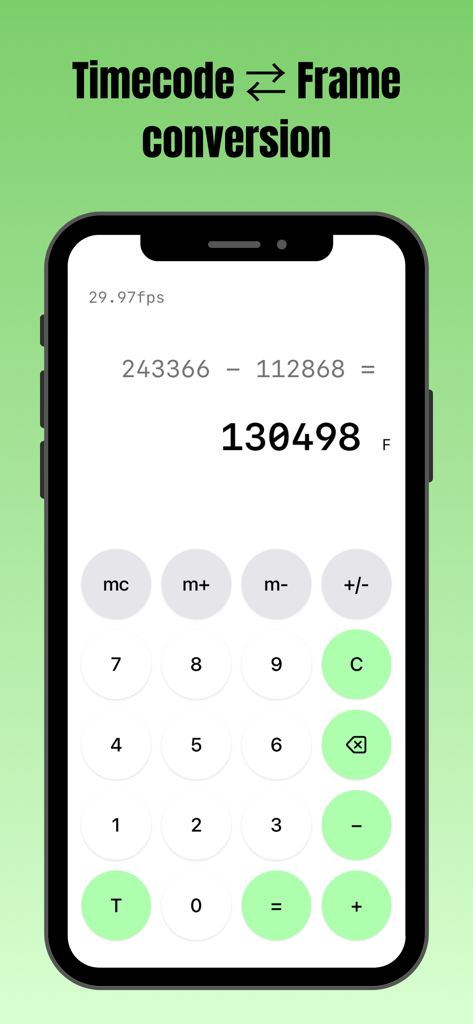
iPhone에서 프레임 수 빼기를 수행하는 tcCalc 앱 인터페이스

iPhone에서 프레임 수 빼기를 수행하는 tcCalc 앱 인터페이스

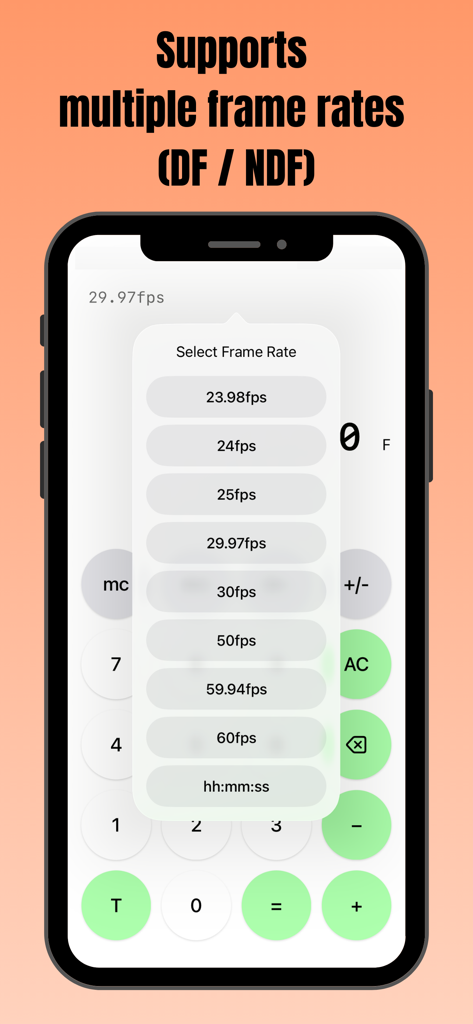
DF 및 NDF 옵션을 포함한 여러 프레임 속도를 선택하는 팝업 메뉴가 있는 tcCalc 앱을 보여주는 스마트폰 화면

DF 및 NDF 옵션을 포함한 여러 프레임 속도를 선택하는 팝업 메뉴가 있는 tcCalc 앱을 보여주는 스마트폰 화면

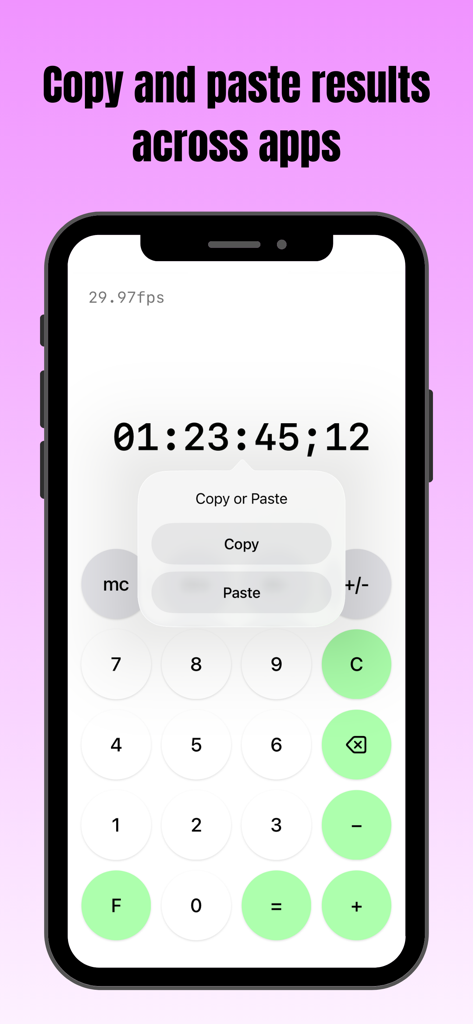
타임코드 결과 위로 복사 및 붙여넣기 메뉴가 표시된 tcCalc 앱을 표시하는 스마트폰 화면

타임코드 결과 위로 복사 및 붙여넣기 메뉴가 표시된 tcCalc 앱을 표시하는 스마트폰 화면

편집 후반 작업 전문가를 위한 정밀 도구

이 앱을 돋보이게 하는 도구, 4K+ 명의 사용자가 선택.

🎬

다중 표준 프레임 속도 지원

23.98, 29.97 DF/NDF, 59.94 및 60fps 간을 즉시 전환하세요. 프로젝트의 기술 사양에 관계없이 기간이 완벽하게 동기화되도록 하세요.

📋

원활한 워크플로우 통합

계산 결과를 직접 전달 시트, EDL 또는 메모에 복사하여 붙여넣으세요. tcCalc와 다른 iOS 앱 간에 데이터를 이동하여 기술 로깅 속도를 높이세요.

⏱️

기본 타임코드 및 프레임 변환

단일 탭으로 SMPTE 타임코드와 총 프레임 수 간을 전환하세요. 고압적인 편집실을 위해 설계된 익숙한 인터페이스를 사용하여 복잡한 기간 계산을 수행하세요.

앱 소개

에 대해 알아야 할 모든 것 tcCalc - timecode & frame calc.

설명

Overview This app is a calculator designed for timecode and frame-based calculations. Features • Perform timecode calculations with the familiar operation of a standard calculator. • Convert between timecodes and frame counts in both directions. • Supports multiple frame rates. • Input values and calculation results are automatically adjusted to values between 0 and less than 24 hours. How to Use Input Timecodes and frame numbers are entered using the numeric buttons (0–9). The AC button clears the displayed value and all calculation history. The C button clears only the current input value and calculation result. To delete the displayed value one character at a time, use the delete button. Up to 8 digits can be entered. Calculation Calculations are performed in the same way as a standard calculator, using the symbol buttons (+, −, =). For example, the − button can be used to calculate the duration between two timecodes. Display Mode Press the F button to convert the displayed value to frames. Press the T button to convert the displayed value to a timecode. The display format can be changed at any time, even during a calculation. Frame Rate Selection Tap the fps indicator in the upper-left corner of the screen to open the frame rate selection screen. You can choose from the following frame rates: 23.98fps / 24fps / 25fps / 29.97fps / 30fps / 50fps / 59.94fps / 60fps 29.97fps and 59.94fps use the Drop Frame (DF) counting method. All other frame rates use the Non-Drop Frame (NDF) counting method. When hh:mm:ss is selected, calculations can be performed using time values (hours, minutes, seconds) without frames. Copy & Paste Long-press a calculation result to display a menu where you can choose to copy or paste the value. By selecting an option from the menu, you can copy the value or paste a previously copied value. This allows numeric values to be copied and pasted between this app and standard iOS apps such as the Calculator and Notes. If a pasted string contains non-numeric characters, only the numeric portions are entered in order. In frame display mode, any decimal portion is truncated when pasting. Other The m+, m−, and mc buttons provide a memory function. Stored values are displayed in the upper-right corner of the screen and can be tapped to use them as input values. This behavior is equivalent to the mr button on a standard calculator. Pressing the +/− button toggles the sign of the input value and calculation result. Negative values are displayed as the result of subtracting the value from 24 hours. Timecode calculations are primarily based on the SMPTE 12M-1 standard. For 59.94fps, the counting method is based on commonly used behavior in applications such as Adobe Premiere Pro.

최신 버전

3.0

크기

0.4 MB

출시일

2016년 9월 9일

프레임 단위 정확성으로 타임라인을 마스터하세요

머리 계산을 멈추고 동기화 오류를 제거하세요. 원활한 타임코드 변환 및 워크플로우 효율성을 위해 tcCalc를 사용하는 수천 명의 편집 후반 작업 전문가와 함께하세요.

다운로드: App Store

App information, icons, screenshots, and descriptions displayed on this page are sourced from the Apple App Store and are the property of their respective developers. Download estimates and rankings are based on MWM's proprietary models and may not reflect actual figures. This page is provided for informational and analytical purposes only.

Believe this page infringes your intellectual property? File a dispute