Teleprompter for Video Creator

Teleprompter for Video Creator


다운로드: App Store
로고: Teleprompter for Video Creator

영상 크리에이터용 텔레프롬프터: 완벽한 원테이크 영상 녹화

AI 기반 스크립트 작성과 전문가급 제어 기능으로 자신감을 높이고 다시 녹화하는 횟수를 줄이세요. 혼자 작업하는 크리에이터가 스트레스 없이 틱톡, 유튜브 등에 강력한 콘텐츠를 제공하도록 설계되었습니다.

다운로드: App Store

개발사

IPLODEV TECH INC.

카테고리

Photo & Video

다운로드

2K+

사용자 평점

1.0/5

총 평가 수

0

지원 언어

1

원테이크 비결

이 인터페이스를 사용하는 2K+ 명의 사용자.

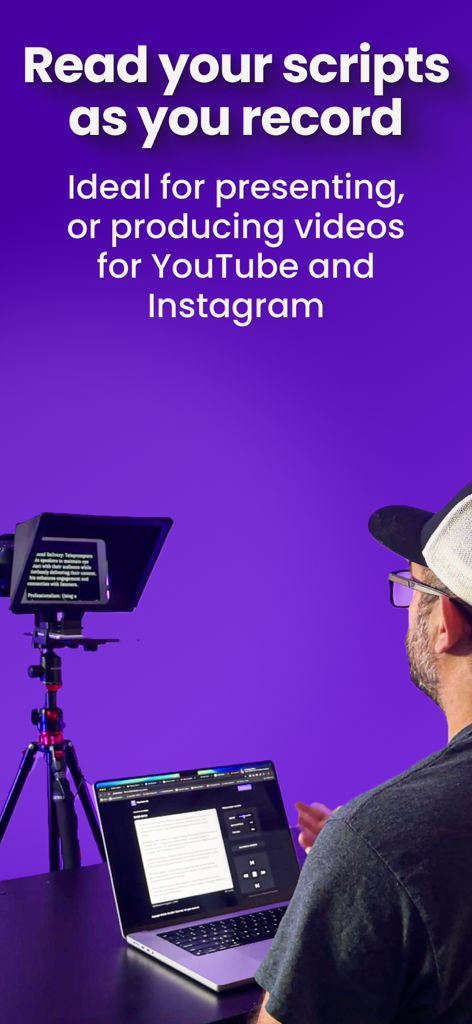
콘텐츠 크리에이터가 전문가용 텔레프롬프터 리그와 노트북을 사용하여 소셜 미디어용 고품질 비디오를 녹화하고 있습니다.

콘텐츠 크리에이터가 전문가용 텔레프롬프터 리그와 노트북을 사용하여 소셜 미디어용 고품질 비디오를 녹화하고 있습니다.

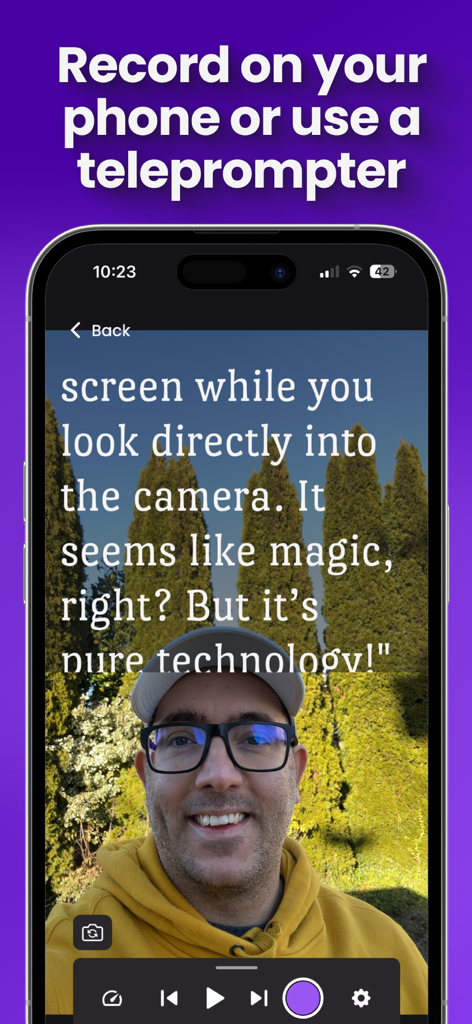
화면에서 스크롤되는 스크립트를 읽으면서 휴대폰으로 동영상을 녹화하는 크리에이터

화면에서 스크롤되는 스크립트를 읽으면서 휴대폰으로 동영상을 녹화하는 크리에이터

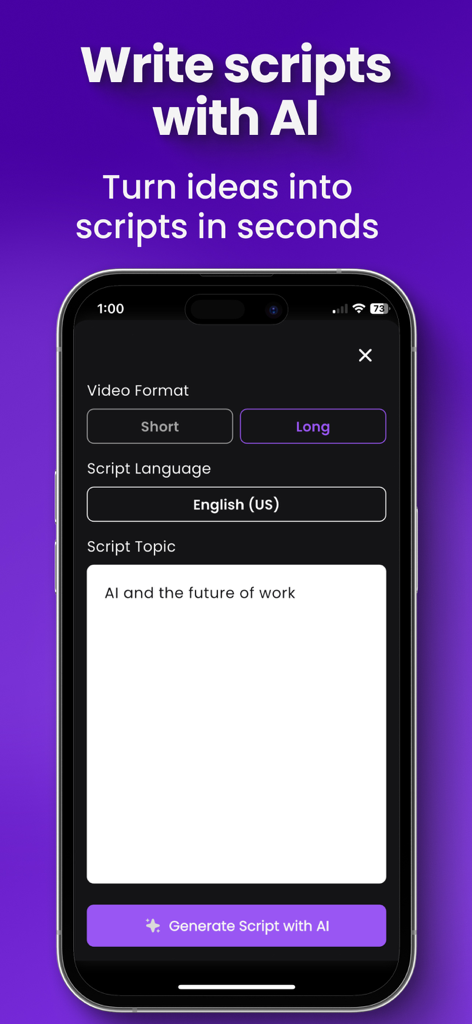
비디오 형식 및 주제 옵션이 있는 텔레프롬프터용 비디오 크리에이터 앱의 AI 스크립트 작성 인터페이스를 보여주는 스마트폰 화면.

비디오 형식 및 주제 옵션이 있는 텔레프롬프터용 비디오 크리에이터 앱의 AI 스크립트 작성 인터페이스를 보여주는 스마트폰 화면.

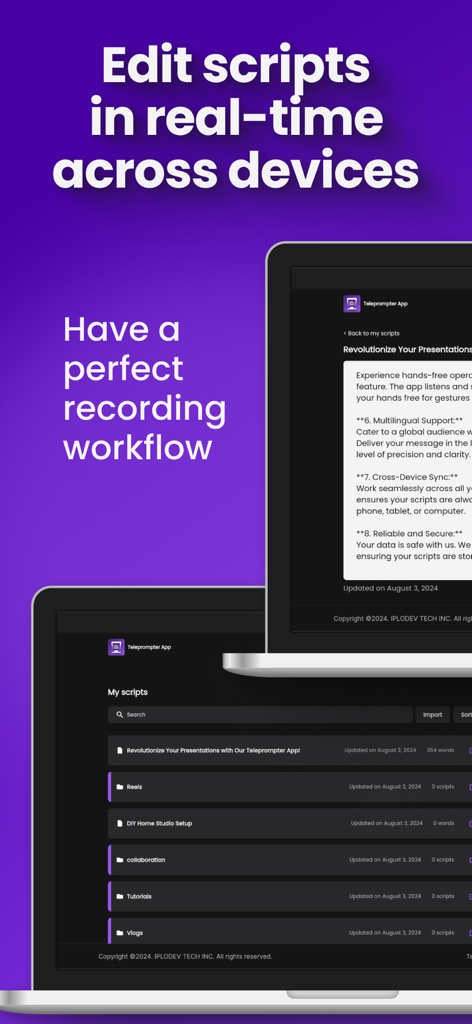
실시간 스크립트 편집 및 장치 간 동기화 기능을 보여주는 노트북의 텔레프롬프터용 비디오 크리에이터 앱 인터페이스

실시간 스크립트 편집 및 장치 간 동기화 기능을 보여주는 노트북의 텔레프롬프터용 비디오 크리에이터 앱 인터페이스

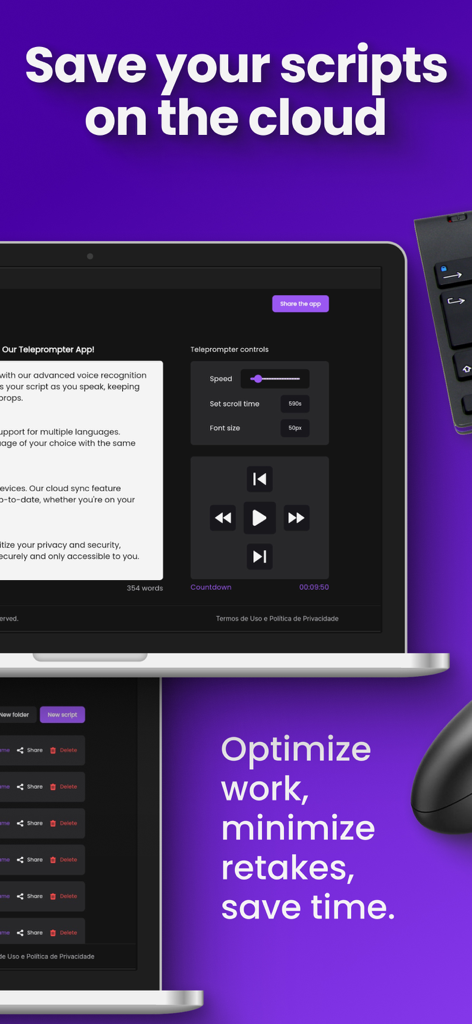
보라색 배경에 클라우드 저장소 및 비디오 재생 컨트롤이 있는 텔레프롬프터 스크립트 인터페이스를 보여주는 노트북.

보라색 배경에 클라우드 저장소 및 비디오 재생 컨트롤이 있는 텔레프롬프터 스크립트 인터페이스를 보여주는 노트북.

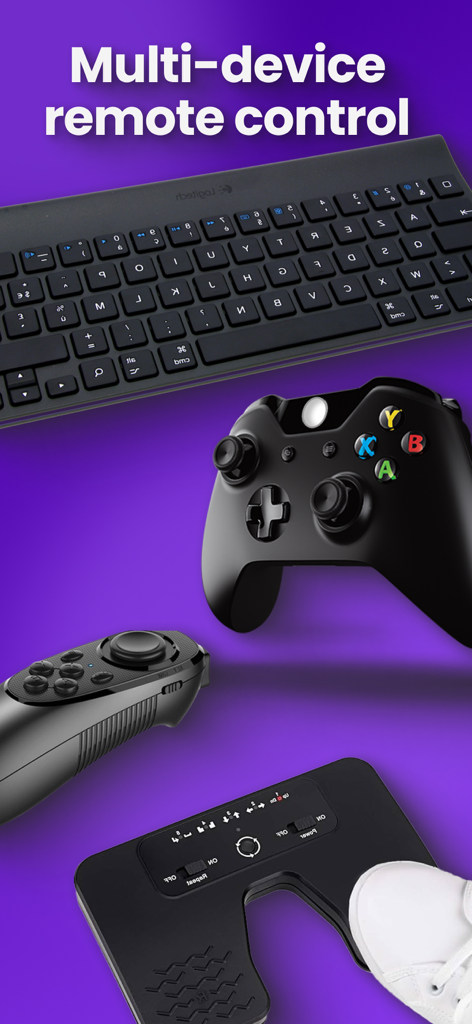
텔레프롬프터 앱용 키보드 게임 컨트롤러 및 풋 페달을 포함한 다양한 원격 제어 장치

텔레프롬프터 앱용 키보드 게임 컨트롤러 및 풋 페달을 포함한 다양한 원격 제어 장치

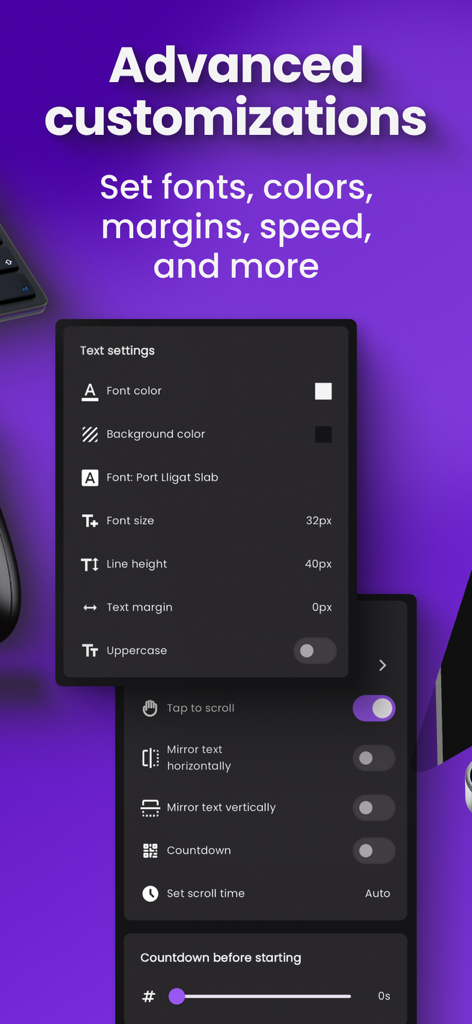
텔레프롬프터 앱의 글꼴 색상, 크기 및 미러링 옵션을 포함한 고급 텍스트 및 스크롤 설정을 보여주는 인터페이스.

텔레프롬프터 앱의 글꼴 색상, 크기 및 미러링 옵션을 포함한 고급 텍스트 및 스크롤 설정을 보여주는 인터페이스.

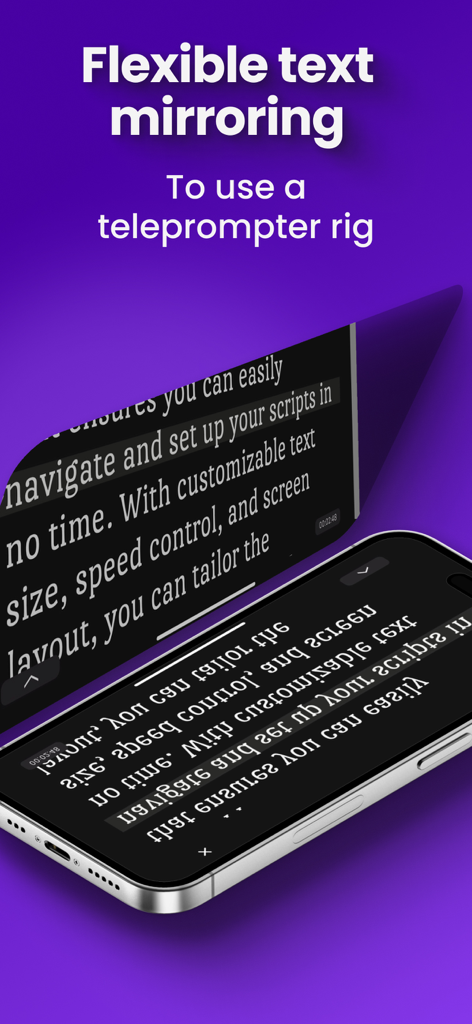
전문 텔레프롬프터 리그용 미러링된 스크립트 텍스트를 표시하는 iPhone

전문 텔레프롬프터 리그용 미러링된 스크립트 텍스트를 표시하는 iPhone

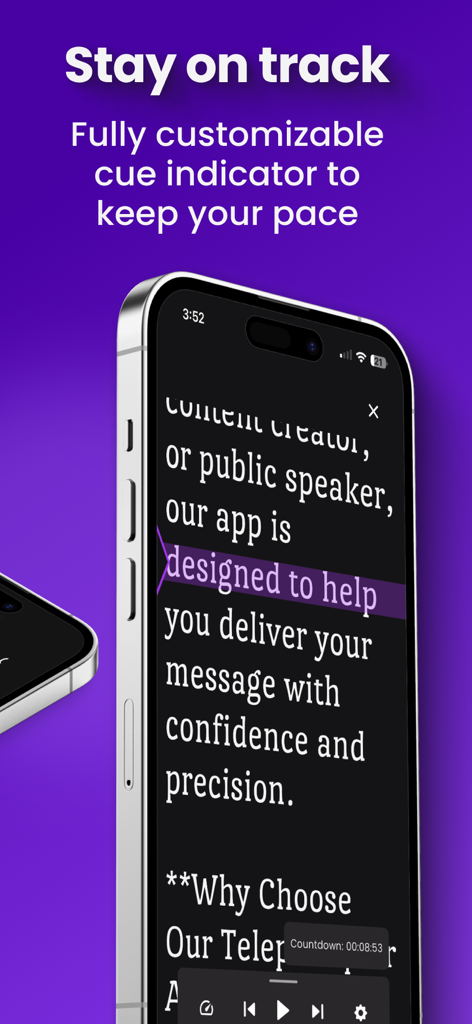
비디오 크리에이터가 말하는 속도를 유지하도록 돕기 위해 보라색으로 강조 표시된 큐 표시기가 있는 텔레프롬프터 앱을 표시하는 스마트폰

비디오 크리에이터가 말하는 속도를 유지하도록 돕기 위해 보라색으로 강조 표시된 큐 표시기가 있는 텔레프롬프터 앱을 표시하는 스마트폰

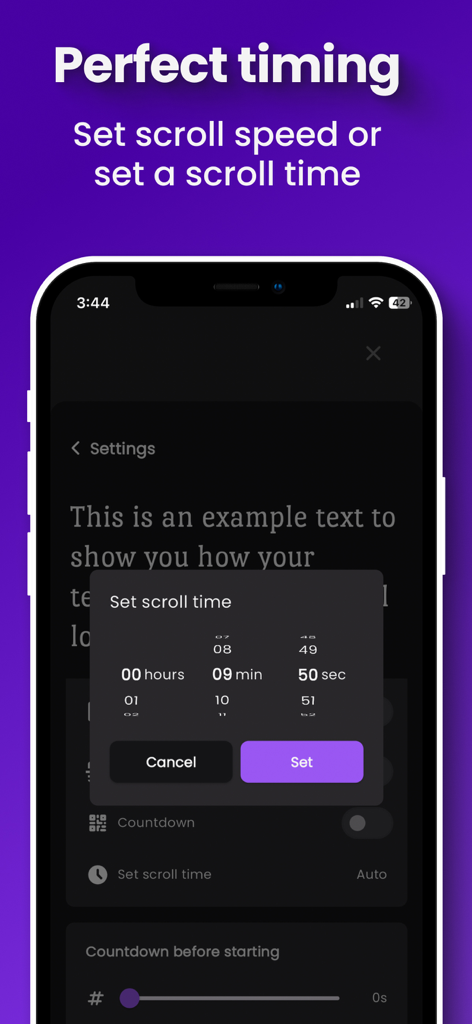
텔레프롬프터용 비디오 크리에이터 앱에서 스크립트 스크롤 시간 및 속도 설정을 위한 인터페이스.

텔레프롬프터용 비디오 크리에이터 앱에서 스크립트 스크롤 시간 및 속도 설정을 위한 인터페이스.

매번 완벽한 원테이크

이 앱을 돋보이게 하는 도구, 2K+ 명의 사용자가 선택.

🪄

AI 기반 스크립트 작성

작가의 막힘을 즉시 해결하세요. 간단한 주제나 개요에서 몇 초 만에 다듬어진 전문가 수준의 스크립트를 생성하여 더 빠르게 녹화를 시작할 수 있습니다.

🎮

단독 운영자 원격 제어

자리를 뜨지 않고 스크롤 속도와 글꼴 크기를 조정하세요. 두 번째 장치나 컨트롤러를 사용하여 녹화 세션을 쉽게 관리하세요.

🎥

스튜디오급 리그 미러링

청중과 직접적인 눈맞춤을 유지하세요. 유연한 미러링은 전문 텔레프롬프터 유리 설정을 지원하여 진정한 고급 프로덕션을 제공합니다.

앱 소개

에 대해 알아야 할 모든 것 Teleprompter for Video Creator.

설명

Say goodbye to endless retakes and hello to professional videos. Read your scripts as you record to reduce mistakes, lower anxiety, and boost confidence. Whether you’re a presenter or a content creator for YouTube, Instagram, or TikTok, this tool streamlines your workflow.Our app allows you to read your scripts as you record, ensuring fewer mistakes, less anxiety, and more confidence. Whether you're a presenter or content creator for YouTube, Instagram or TikTok, this tool is designed to simplify your workflow. WHO IS IT FOR: Our app is perfect for Content Creators who want to make theiPerfect for content creators who want easier, faster video production. Record with a phone or a teleprompter rig.It can be used to record using a phone or a Teleprompter Rig. HOW IT WORKS: 1) Create your script - Write from scratch, import existing scripts, or speed things up with the AI Script Writing tool. 2) Choose a recording setup - Use your phone or a teleprompter rig. If you choose a rig, place your phone and mirror the screen based on your setup. 3) Customize your view - Adjust fonts, colors, scroll speed, and the cue indicator for comfortable reading. 4) Setup remote control - Control everything without touching the recording device. Edit scripts in real time, switch what’s on screen, and adjust speed, font size, and scroll position if needed. 5) Hit record. FEATURES AND BENEFITS: - AI Script Writing: Turn ideas into ready-to-read scripts in seconds. Start from a topic or outline, choose length, then refine it within the app. - Real-Time Script Editing for a smoother workflow: Edit on your phone, iPad, or computer even while recording. - Script Management Made Simple: Import from your favorite cloud services, edit across devices in real time, organize with folders, and find scripts fast with search and sort. - Flexible Text Mirroring: Mirror text vertically and horizontally to fit any rig or device. - Multi-Device Remote Control: Adjust scrolling speed and navigate scripts from your smartphone, tablet, or any connected device. Customize button assignments for controllers and keyboards. - Personalize Your View: Tweak font size, font family, line height, margins, and colors for a comfortable reading experience. - Stay on Track: Use a fully customizable cue indicator to maintain a steady pace. - Perfect Timing: Set scroll speed or define scroll time to match your speaking rhythm. - Cloud Storage: Import scripts and save them in the cloud for easy access and organization. Get started today and take your video production to the next level. Visit https://www.telepromptly.com/ to learn more about the app Subscriptions will be charged to your iTunes account at confirmation of purchase. Your subscription will automatically renew unless automatic renewal is turned off at least 24 hours before the end of the current period. Your account will be charged for renewal within 24 hours prior to the end of the current period. You can manage your subscriptions and automatic renewal status in Account Settings after purchase at any time. Any unused portion of the free trial period will be forfeited when you purchase a subscription. Price may vary by location. Terms of Use(EULA) https://www.apple.com/legal/internet-services/itunes/dev/stdeula/

최신 버전

2.0.2

크기

165.9 MB

출시일

2024년 8월 27일

원테이크 녹화할 준비 되셨나요?

다시 녹화하는 횟수를 없애고 카메라 앞에서 자신감을 높이며 매번 전문가 수준의 콘텐츠를 제공하기 위해 AI 기반 텔레프롬프터를 사용하는 수천 명의 크리에이터와 함께하세요.

다운로드: App Store

App information, icons, screenshots, and descriptions displayed on this page are sourced from the Apple App Store and are the property of their respective developers. Download estimates and rankings are based on MWM's proprietary models and may not reflect actual figures. This page is provided for informational and analytical purposes only.

Believe this page infringes your intellectual property? File a dispute