Textcraft

Textcraft

다운로드: App Store
로고: Textcraft

Textcraft: 크리에이터 및 전문가를 위한 올인원 텍스트 유틸리티

100가지 이상의 형식으로 모든 텍스트를 즉시 변환하세요. 미적인 소셜 미디어 글꼴과 밈 스타일부터 강력한 데이터 정리 및 인코딩까지, Textcraft는 디지털 워크플로우를 위해 제작된 네이티브 iOS 맥가이버 칼입니다.

다운로드: App Store

개발사

Pixelfolio Inc.

카테고리

Utilities

다운로드

1K+

사용자 평점

4.3/5

총 평가 수

0

지원 언어

1

내부 엿보기

이 인터페이스를 사용하는 1K+ 명의 사용자.

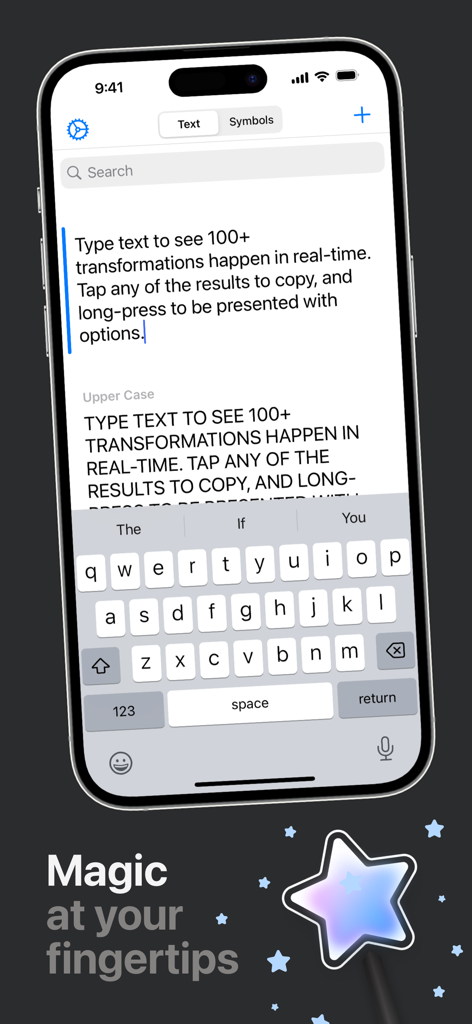
Textcraft iOS 앱 인터페이스는 실시간 텍스트 변환 및 변환 기능을 보여줍니다.

Textcraft iOS 앱 인터페이스는 실시간 텍스트 변환 및 변환 기능을 보여줍니다.

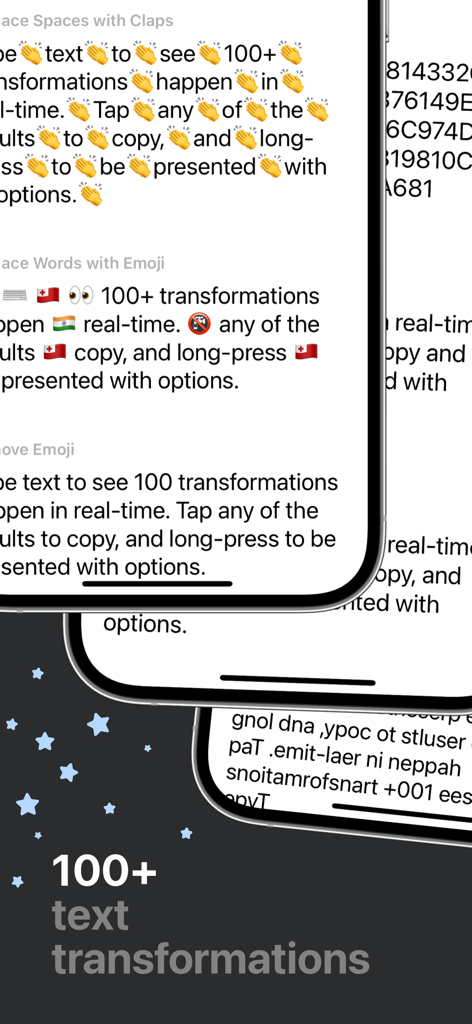
Textcraft 앱 인터페이스는 iPhone에서 다양한 텍스트 변환 형식을 보여줍니다.

Textcraft 앱 인터페이스는 iPhone에서 다양한 텍스트 변환 형식을 보여줍니다.

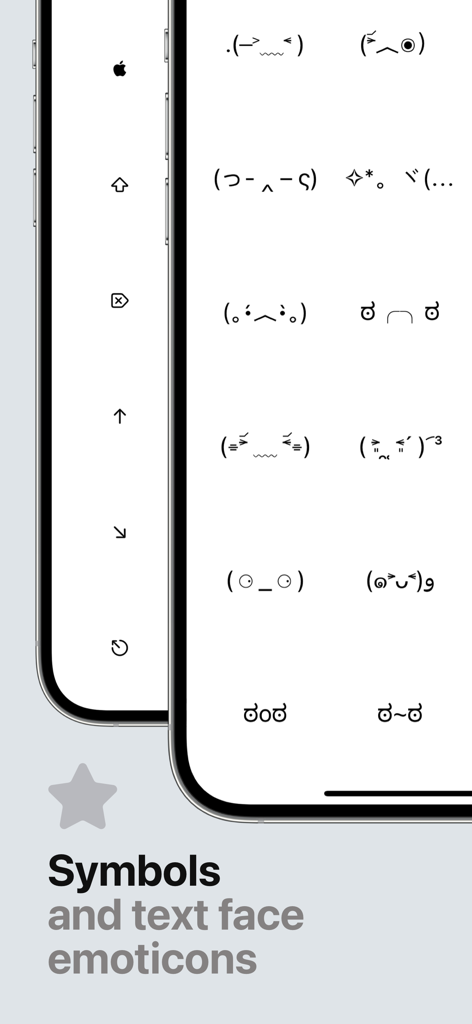
Textcraft 앱 인터페이스는 복사를 위한 ASCII 텍스트 얼굴 이모티콘 및 기호 라이브러리를 표시합니다.

Textcraft 앱 인터페이스는 복사를 위한 ASCII 텍스트 얼굴 이모티콘 및 기호 라이브러리를 표시합니다.

실시간으로 텍스트 마스터하기

이 앱을 돋보이게 하는 도구, 1K+ 명의 사용자가 선택.

나만의 독특한 스타일 표현

미적인 필기체부터 상징적인 'Mocking Spongebob' 대소문자까지, 모든 소셜 플랫폼에서 당신의 분위기에 맞게 메시지를 변환하세요.

🧹

즉각적인 데이터 개선

HTML 제거, 줄바꿈 제거, 목록 변환 등을 통해 지저분한 텍스트를 손쉽게 정리하여 매일 수 분의 수동 편집 시간을 절약하세요.

네이티브 iOS 성능

다크 모드, 드래그 앤 드롭, 멀티 윈도우 지원으로 속도를 위해 제작되어 기기의 네이티브 부분처럼 느껴지는 마찰 없는 경험을 보장합니다.

앱 소개

에 대해 알아야 할 모든 것 Textcraft.

설명

Textcraft is a magical utility that allows you to transform any text in real-time into a variety of 100+ different formats. WHY YOU’LL LOVE TEXTCRAFT: It’s built with iOS design guidelines in mind to look great in light and dark mode alike, along with containing multiple tints and themes to tweak the app your way. The intuitive ‘tap to copy’, and ‘long-press to share’ gestures coupled with the keyboard shortcuts also makes using the app super simple to pick up and use. Multi-window support coupled with Drag and Drop is also extremely useful for quickly and easily dragging text from other apps directly into the app for quick transforming. Whether this is to add hashtags to words social picture sharing sites, or mimic mocking Spongebob in conversation with your friends, there’s something for everyone. There are also various ASCII text face emoticons for quick and easy copying. Text transformations include: - Upper Case - Lower Case - Word Case - Alternating Case - Remove All Spaces - Remove Multiple Spaces - Add Spaces - Reversed Characters - Reversed Words - Replace Spaces with Underscores - Replace Underscores with Spaces - Replace Spaces with Dashes - Replace Dashes with Spaces - Replace Underscores with Dashes - Replace Dashes with Underscores - Initials - Initials with Dot Separation - Initials with Dash Separation - Initials with Underscore Separation - ROT13 - Bold - Italics - Underline - Strikethrough - Slashthrough - Upside Down - Bubble - Filled Bubble - Square - Filled Square - Cursive - Gothic - Monospace - Demonic - Satanic - Replace Spaces with Claps - Replace Words with Emoji - Remove Emoji - Remove Punctuation - Classified - Hashtags - Full Stops - Remove Links - Strip HTML - URL Encoded - URL Decoded - Base64 Encoded - Base64 Decoded - Replace Spaces with Pluses - Replace Pluses with Spaces - SHA256 Hex - SHA512 Hex - Remove Commas - Remove Single Quotes - Remove Double Quotes - Flatten List Using Commas - Flatten List Using Full Stops - Flatten List Using Pipes - Flatten List Using Underscores - Flatten List Using Pluses - Flatten List Using Forward Slashes - Flatten List Using Backslashes - Replace Single Quotes with Double Quotes - Replace Double Quotes with Single Quotes - Remove Vowels - Remove Consonants - Remove Numbers - Dashed to Bulleted List - Bulleted to Dashed List - MD5 Hash - Add Commas - Replace Line Breaks with \\n - Single Quotes Around Words - Double Quotes Around Words - Convert to Dashed List - Convert to Bulleted List - Convert Commas to Dashed List - Convert Commas to Bulleted List - Hex to Binary - Binary to Hex - 1337 - Superscript - Remove Line Breaks - Remove Line and Paragraph Breaks - Random Case - Sentence Case - Trim Whitespace - Trim Whitespace and New Lines - Small Caps - Lightning - Double Lightning - Double line breaks - Zalgo - Colons to dashes - Dashes to colons - Numeronym - Add percent encoding - Remove percent encoding - Remove citation numbers - Remove citations - Came case to spaces - Spaces to camel case - Numbers to text GET IN TOUCH: If you have any questions or feedback, please get in touch. Textcraft was created by an incredibly small team of one and I’d love to hear your thoughts. I’m available through Twitter @JPEGuin.

최신 버전

1.2.0

크기

7.4 MB

출시일

2020년 12월 31일

입력하는 모든 단어를 향상시키세요

Textcraft를 사용하여 소셜 피드를 스타일링하고 생산성을 자동화하는 수천 명의 크리에이터 및 파워 유저와 함께하세요. 모든 기기에서 100가지 이상의 네이티브 텍스트 변환을 이용하세요.

다운로드: App Store

App information, icons, screenshots, and descriptions displayed on this page are sourced from the Apple App Store and are the property of their respective developers. Download estimates and rankings are based on MWM's proprietary models and may not reflect actual figures. This page is provided for informational and analytical purposes only.

Believe this page infringes your intellectual property? File a dispute