
TOTP Authenticator

100개 이상의 단계별 튜토리얼과 iPhone, Mac, Apple Watch에서 2FA 코드에 원활하게 액세스하여 2단계 인증을 마스터하세요.
개발사
카테고리
Utilities다운로드
592K+사용자 평점
총 평가 수
4K+지원 언어
36이 인터페이스를 사용하는 592K+ 명의 사용자.
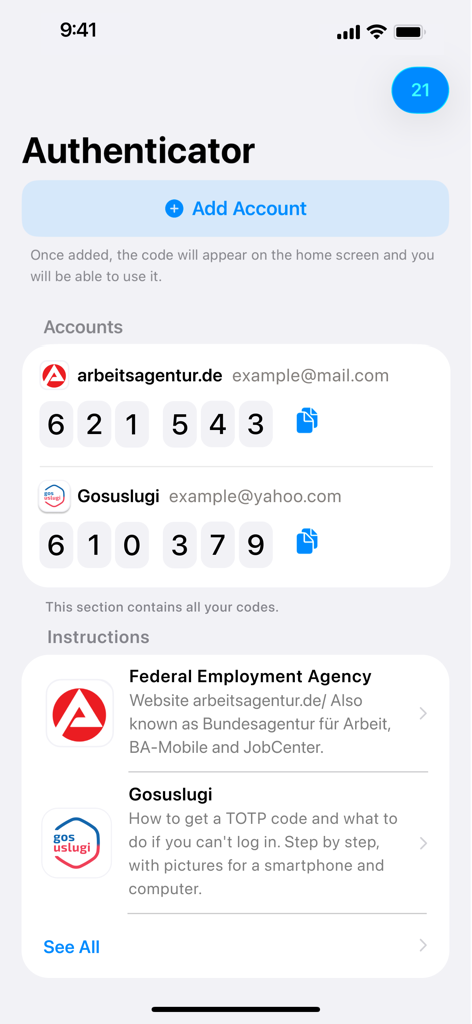
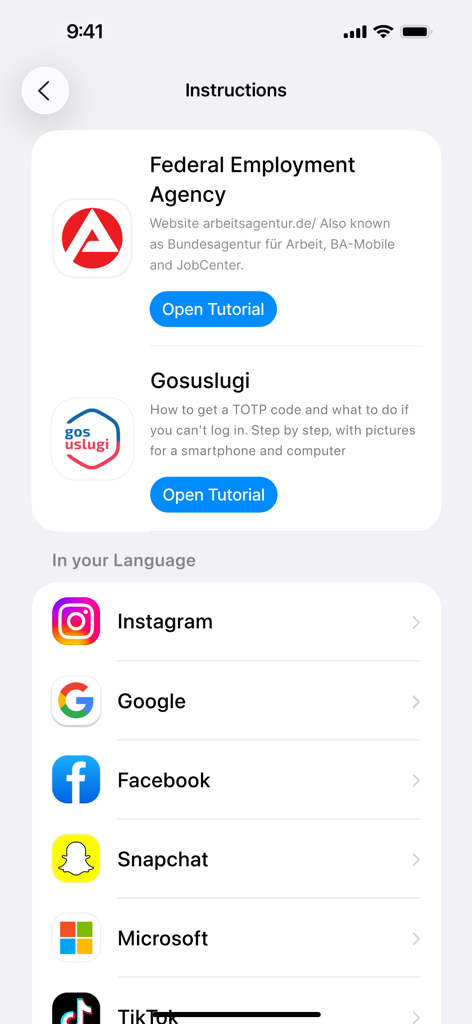
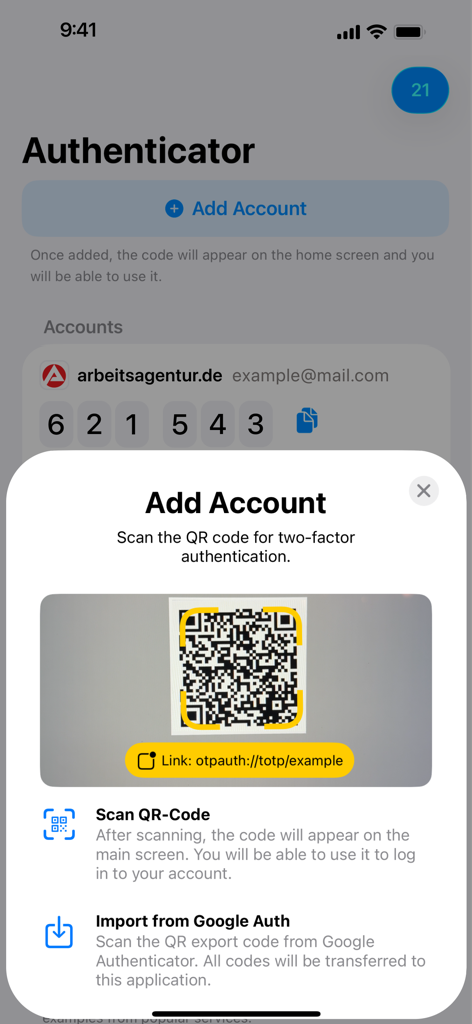
이 앱을 돋보이게 하는 도구, 592K+ 명의 사용자가 선택.
단계별 스크린샷으로 설정 불안을 해소하세요. 암호화폐 거래소부터 업무 포털까지 모든 서비스에 대한 2FA 활성화 과정을 안내해 드립니다.
iPhone, iPad, Mac 또는 Apple Watch에서 즉시 코드를 받으세요. 휴대폰을 꺼낼 필요 없이 손목을 탭하여 로그인하세요.
귀하의 보안 데이터는 귀하의 것입니다. 전용 오프라인 우선 유틸리티를 사용하여 대형 기술 기업과 별도로 인증을 유지하세요.
에 대해 알아야 할 모든 것 TOTP Authenticator.
설명
최신 버전
2.7.81
크기
29.0 MB
출시일
2022년 6월 17일
iPhone, Mac 및 Apple Watch 전반에 걸쳐 원활하고 안내된 2FA를 위해 TOTP Authenticator를 신뢰하는 50만 명 이상의 전문가와 함께하세요.
에 대해 알아야 할 모든 것 TOTP Authenticator
TOTP Authenticator 앱은 6자리 숫자 기반의 일회용 비밀번호(TOTP) 코드를 생성합니다. 이를 통해 온라인 계정을 안전하게 보호하기 위한 2단계 인증(2FA)을 활성화할 수 있습니다.
웹사이트의 보안 설정에서 TOTP 로그인을 활성화하여 2단계 인증을 설정하세요. 제공된 QR 코드를 스캔하거나 비밀 키를 TOTP Authenticator 앱에 복사하여 활성화할 수 있습니다.
TOTP Authenticator 앱은 Arbeitsagentur 및 NextCloud와 같이 2단계 인증을 위해 TOTP 코드를 요구하는 모든 웹사이트를 지원합니다. Instagram 및 Google을 포함한 100개 이상의 서비스에 대한 튜토리얼도 제공합니다.
네, TOTP Authenticator는 안전합니다. 계정을 보호하기 위해 6자리 TOTP 코드를 사용하는 표준 2단계 인증을 구현합니다. 또한 사용자 정보를 위한 상세한 개인정보처리방침을 제공합니다.
계정을 추가하려면 앱에서 "계정 추가"를 탭하세요. 그런 다음 서비스에서 제공하는 2단계 인증을 위한 QR 코드를 스캔하거나 Google Authenticator에서 코드를 가져오세요.
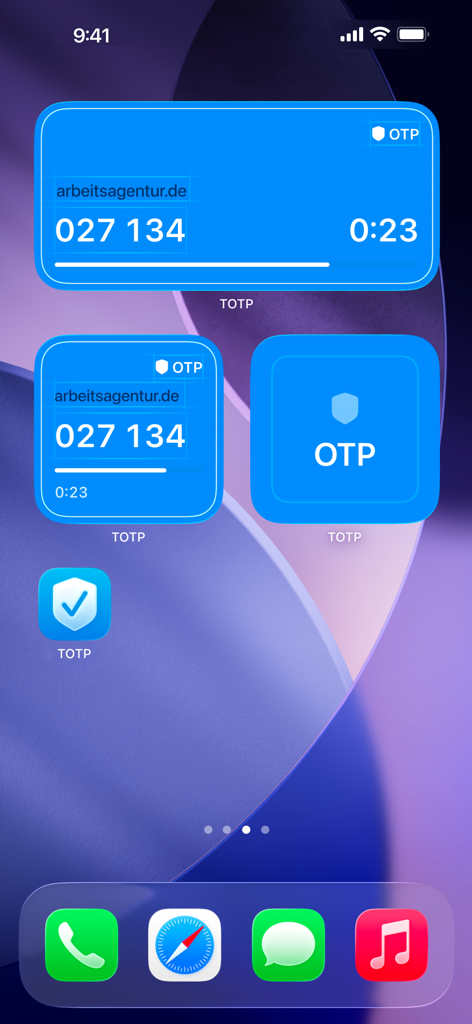
네, TOTP Authenticator는 홈 화면 위젯을 제공합니다. 이 위젯은 6자리 TOTP 코드를 직접 표시하여 앱을 열지 않고도 편리하고 빠르게 액세스할 수 있도록 합니다.
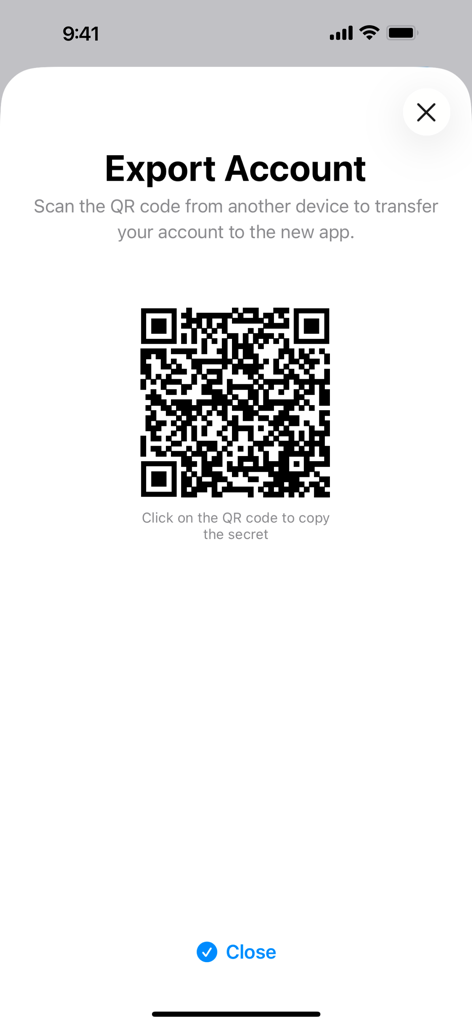
네, 계정을 내보낼 수 있습니다. TOTP Authenticator 앱에는 "계정 내보내기" 기능이 포함되어 있습니다. 이 기능은 QR 코드를 생성하여 비밀 키를 새 기기나 앱으로 안전하게 전송할 수 있도록 합니다.
유사한 기능과 사용자 경험을 가진 앱

Google LLC

Duo Security LLC

APPLY DIJITAL HIZMETLER TICARET LIMITED SIRKETI

Mustafa Uz

Thales DIS (Singapore) Pte Ltd

Tatra banka, a.s.

Brilliant App Limited

UNIVERSE DIJITAL HIZMETLER LIMITED SIRKETI

XSOFT GLOBAL LIMITED
App information, icons, screenshots, and descriptions displayed on this page are sourced from the Apple App Store and are the property of their respective developers. Download estimates and rankings are based on MWM's proprietary models and may not reflect actual figures. This page is provided for informational and analytical purposes only.
Believe this page infringes your intellectual property? File a dispute