Transcribe - Speech to Text

Transcribe - Speech to Text

다운로드: App Store
로고: Transcribe - Speech to Text

Transcribe - 음성 텍스트 변환: 회의 및 메모를 위한 AI 기반 도우미

모든 오디오, 비디오 또는 실시간 음성을 즉시 정확한 텍스트와 실행 가능한 AI 요약으로 변환하세요. 수동으로 메모하는 작업을 없애고 세계적 수준의 AI로 생산성을 높이는 100만 명 이상의 전문가들과 함께하세요.

개발사

DENIVIP Group OOO

카테고리

Utilities

다운로드

1M+

사용자 평점

4.5/5

총 평가 수

28K+

지원 언어

12

한눈에 보는 효율성

이 인터페이스를 사용하는 1M+ 명의 사용자.

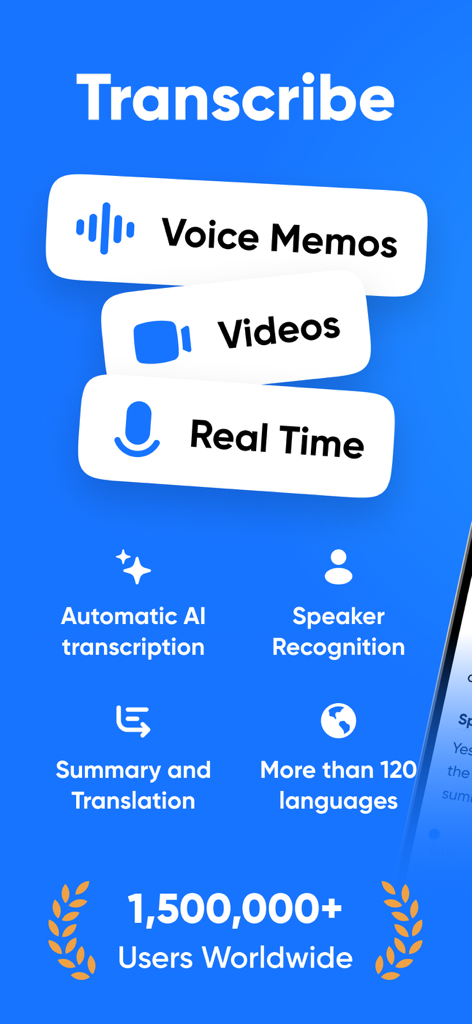
음성 메모 및 동영상에 대한 AI 전사, 화자 인식, 요약, 번역을 포함한 Transcribe 앱 기능 개요.

음성 메모 및 동영상에 대한 AI 전사, 화자 인식, 요약, 번역을 포함한 Transcribe 앱 기능 개요.

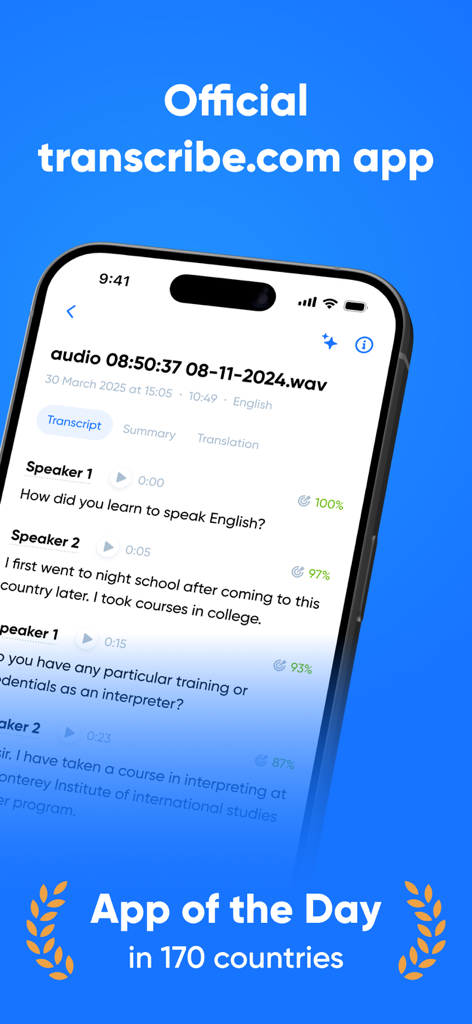
음성 텍스트 전사 및 화자 분리가 포함된 Transcribe 앱 인터페이스를 보여주는 스마트폰

음성 텍스트 전사 및 화자 분리가 포함된 Transcribe 앱 인터페이스를 보여주는 스마트폰

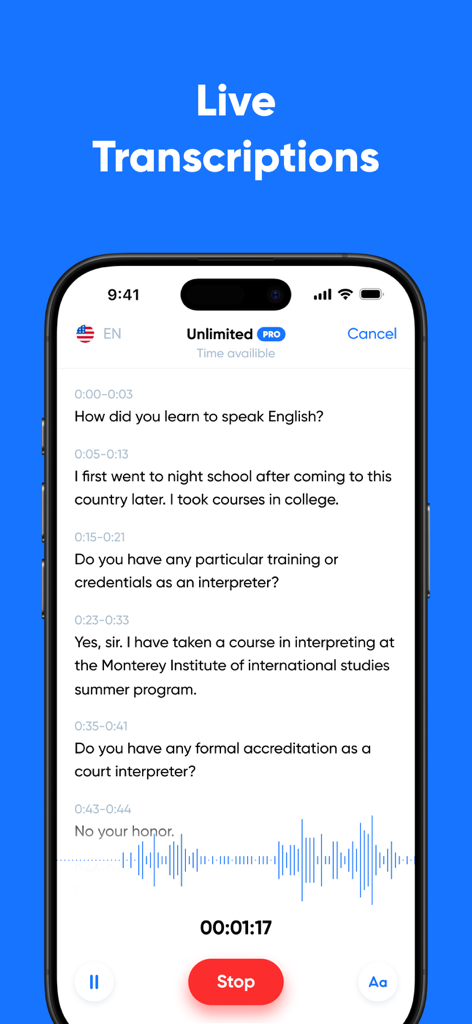
음성 파형이 있는 대화의 실시간 음성 텍스트 전사를 보여주는 iPhone 인터페이스

음성 파형이 있는 대화의 실시간 음성 텍스트 전사를 보여주는 iPhone 인터페이스

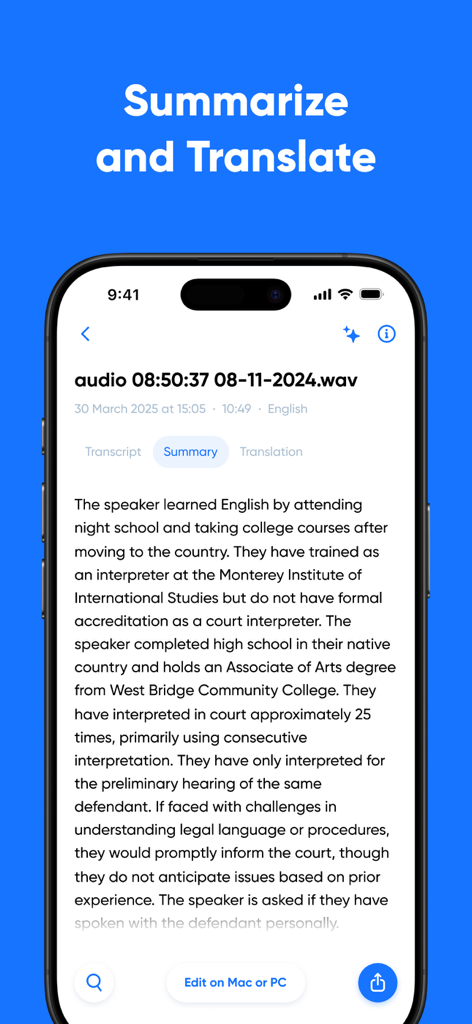
전사된 오디오 녹음의 AI 생성 요약을 보여주는 스마트폰 표시

전사된 오디오 녹음의 AI 생성 요약을 보여주는 스마트폰 표시

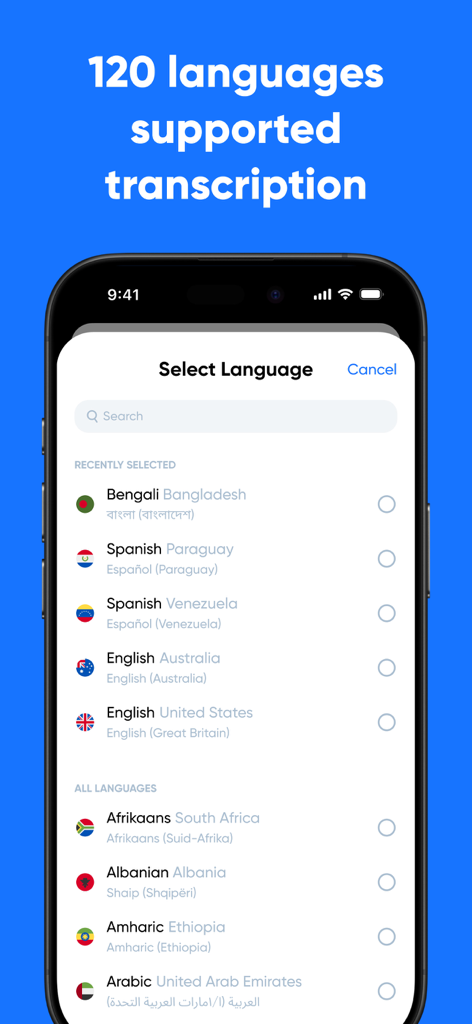
음성 텍스트 전사를 위해 지원되는 120개 이상의 언어가 포함된 Transcribe 앱 언어 선택 메뉴를 보여주는 스마트폰 화면

음성 텍스트 전사를 위해 지원되는 120개 이상의 언어가 포함된 Transcribe 앱 언어 선택 메뉴를 보여주는 스마트폰 화면

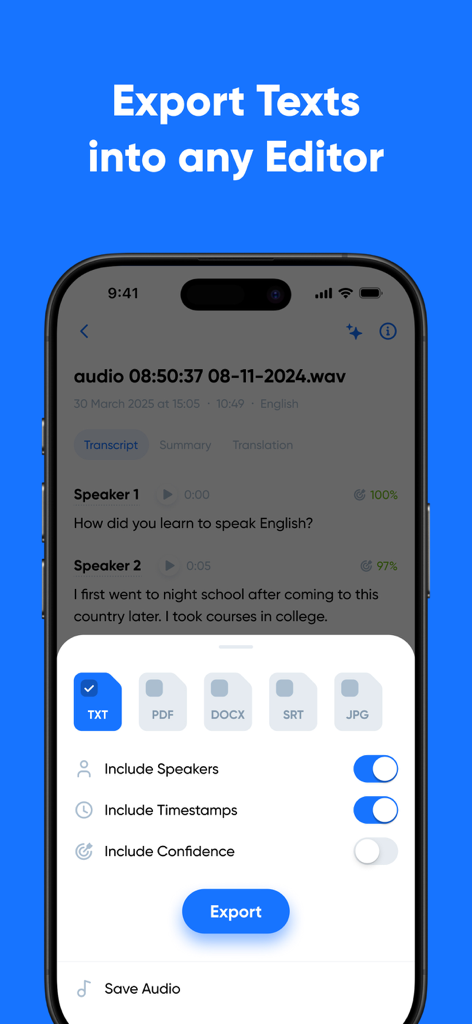
화자 및 타임스탬프 토글이 있는 TXT PDF DOCX 및 SRT 파일 형식에 대한 옵션을 보여주는 Transcribe 앱 내보내기 화면

화자 및 타임스탬프 토글이 있는 TXT PDF DOCX 및 SRT 파일 형식에 대한 옵션을 보여주는 Transcribe 앱 내보내기 화면

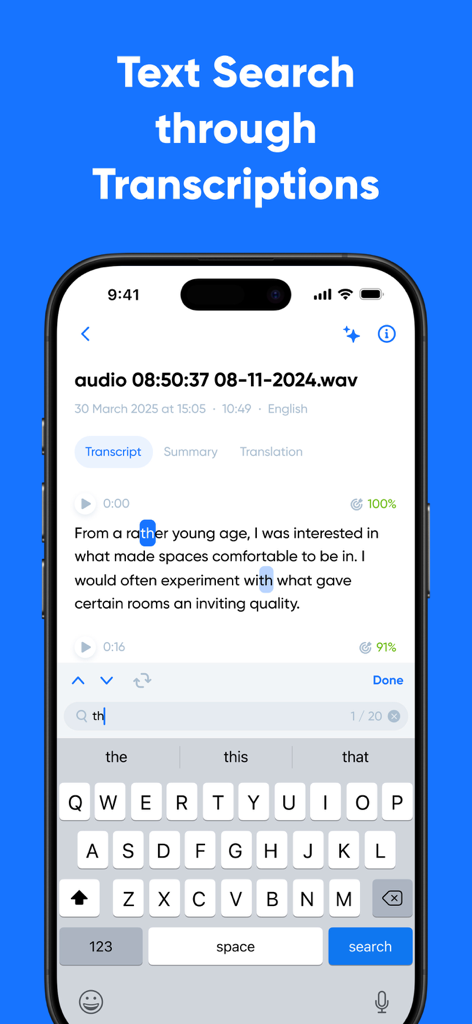
모바일 화면의 전사본 내에서 단어를 강조 표시하는 텍스트 검색 기능을 보여주는 Transcribe 앱 스크린샷

모바일 화면의 전사본 내에서 단어를 강조 표시하는 텍스트 검색 기능을 보여주는 Transcribe 앱 스크린샷

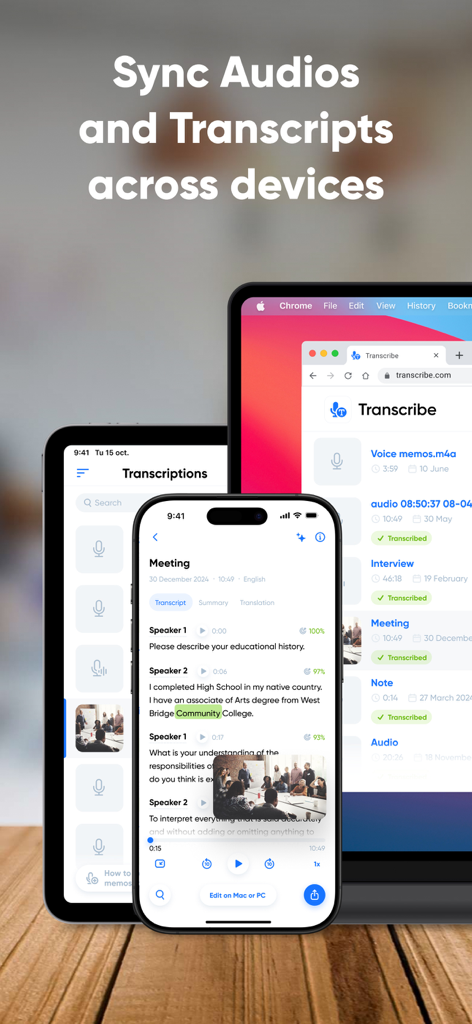
여러 장치에 걸친 오디오 및 텍스트 동기화를 보여주는 Transcribe 앱 인터페이스

여러 장치에 걸친 오디오 및 텍스트 동기화를 보여주는 Transcribe 앱 인터페이스

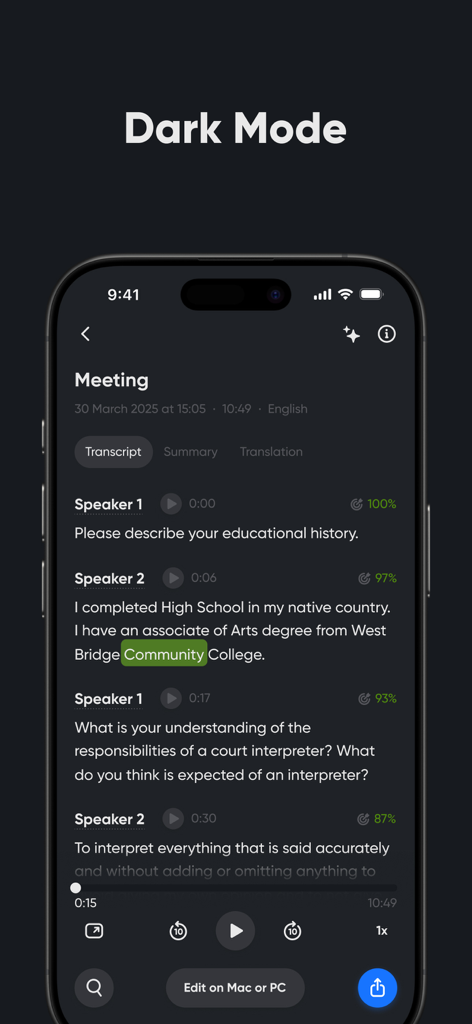
화자 분리가 포함된 회의 전사본이 있는 Transcribe 앱의 다크 모드를 보여주는 iPhone 화면

화자 분리가 포함된 회의 전사본이 있는 Transcribe 앱의 다크 모드를 보여주는 iPhone 화면

모든 대화를 행동으로 바꾸세요

이 앱을 돋보이게 하는 도구, 1M+ 명의 사용자가 선택.

💡

AI 기반 요약

즉각적인 TL;DR(요약)으로 검토 시간을 몇 시간씩 절약하세요. AI가 주요 요점과 실행 항목을 추출하여 전체적인 그림에 집중할 수 있도록 합니다.

✍️

전문적인 정확도

화자 분리 및 타임스탬프 자동 적용으로 정확한 전사본을 받으세요. 이사회 회의, 연구 인터뷰 또는 법률 메모에 완벽합니다.

🔄

범용 워크플로 동기화

Zoom, Zapier 및 좋아하는 클라우드 저장소와 원활하게 통합하여 모바일에서 데스크톱까지 문서 작업을 자동화하세요.

앱 소개

에 대해 알아야 할 모든 것 Transcribe - Speech to Text.

설명

Transcribe audio and video to text with Transcribe – your AI-powered transcription assistant. Get instant, high-quality transcripts, right from your phone. Whether you need to transcribe voice notes, meetings, interviews, lectures, or videos, our advanced AI provides you with fast, accurate, multilingual transcriptions – anytime, anywhere. We’ll even transcribe phone calls and WhatsApp voice messages. Transcribe live using our built-in voice recorder – simply hit record, start talking, and your words will appear on screen as you speak. Or upload an audio or video file to convert it to text in a matter of minutes – if not seconds. No more struggling to type as you listen. Transcribe does the hard work for you, so you can stay focused on the discussion. KEY FEATURES • Advanced AI transcription for files and live speech • Transcribe in 100+ languages and dialects • Generate AI-powered summaries and key points from your transcripts • Translate transcripts into 40+ languages • Free 30 minutes included for you to try it out Here’s a breakdown of Transcribe's key features: ADVANCED AI TRANSCRIPTION • Get instant, accurate transcripts with timestamps and speaker separation • Upload audio or video files, or transcribe live, as you speak MULTILINGUAL TRANSCRIPTION • Transcribe voice to text in 100+ languages and dialects • Translate transcripts into 40+ languages using our AI translator AI TRANSCRIPT EDITING TOOLS • Edit and refine your transcript within the app • Adjust speaker labels and format the transcript with paragraphs and rich-text formatting • Generate automated summaries – perfect for quick overviews and sharing key points FILE HANDLING AND SYNC • Import files from any device or cloud storage system • Supports all popular audio and video file formats • Seamlessly syncs your files across all your devices • Export transcripts to TXT, or upgrade to PRO to export to DOCX, PDF, SRT, and more INTEGRATIONS • Integrate with Zoom for seamless meeting transcripts • Automate your full transcription workflow with Zapier • Integrate with AI tools and assistants like Claude Desktop, Cursor, and Windsurf • Have transcripts delivered to your inbox with Email integration FAIR AND FLEXIBLE USAGE • Use time credits whenever you need them – they never expire • No limits on the number of files or transcriptions USE CASES • Transcribe meetings and business calls • Turn voice memos into readable notes • Transcribe interviews for articles or research • Create study materials from lectures and seminars • Convert WhatsApp messages or voicemails into text • Generate subtitles for videos to support accessibility • Summarize meetings or team calls • Translate spoken content into different languages TRANSCRIBE PRO Upgrade to unlock unlimited live transcription and get five additional hours of file transcription each month. With PRO, you can also export to DOCX, PDF, SRT, and other formats. Your transcripts and any unused time credits stay with you – even after your subscription ends. FREE TRIAL Download the Transcribe app today and get a free 30-minute trial to test the quality and see just how much time you could save. QUESTIONS? Email us at: support@transcribe.com Terms & Privacy: https://transcribe.com/terms

최신 버전

4.21.9

크기

163.3 MB

출시일

2017년 6월 7일

메모는 그만, 행동을 시작하세요

매주 몇 시간씩 절약하는 100만 명 이상의 전문가 및 학생들과 함께하세요. 지금 다운로드하고 AI 기반 전사 서비스 첫 30분을 무료로 받으세요.

다운로드: App Store
FAQ

자주 묻는 질문

에 대해 알아야 할 모든 것 Transcribe - Speech to Text

Transcribe - Speech to Text는 무엇인가요?

Transcribe는 AI 기반의 음성-텍스트 변환 도우미로, 오디오 및 비디오를 텍스트로 변환합니다. 모바일 기기 또는 업로드된 파일에서 직접 실시간으로 고품질의 다국어 텍스트를 제공합니다.

Transcribe는 실시간 음성을 텍스트로 변환할 수 있나요?

네, Transcribe는 실시간 음성을 텍스트로 변환할 수 있습니다. 사용자는 내장된 음성 녹음기를 사용하여 말하는 내용을 실시간으로 녹음하고 화면에 표시되는 것을 볼 수 있습니다.

Transcribe는 어떤 파일 형식을 업로드 지원하나요?

Transcribe는 업로드 시 모든 주요 오디오 및 비디오 파일 형식을 지원합니다. 모든 기기 또는 클라우드 스토리지 시스템에서 파일을 가져올 수 있습니다.

Transcribe는 몇 개의 언어로 텍스트 변환을 지원하나요?

Transcribe는 120개 이상의 언어 및 방언으로 텍스트 변환을 지원합니다. 또한 40개 이상의 언어로 텍스트를 번역하는 기능도 제공합니다.

Transcribe는 무료 체험판을 제공하나요?

네, Transcribe는 무료 체험판을 제공합니다. 앱을 다운로드하면 사용자에게 30분 무료 텍스트 변환 크레딧이 제공됩니다.

Transcribe에서 텍스트의 내보내기 옵션은 무엇인가요?

사용자는 텍스트를 TXT 형식으로 내보낼 수 있습니다. Transcribe PRO 구독을 사용하면 DOCX, PDF 및 SRT와 같은 추가 내보내기 형식을 사용할 수 있습니다.

Transcribe 앱을 사용하여 텍스트를 요약할 수 있나요?

네, Transcribe는 AI 기반 요약 및 핵심 포인트를 텍스트에서 생성합니다. 이 기능은 콘텐츠의 빠른 개요를 제공합니다.

Transcribe는 텍스트에서 화자 분리를 제공하나요?

네, Transcribe는 화자 분리가 포함된 실시간의 정확한 텍스트를 제공합니다. 명확성을 위해 타임스탬프도 포함됩니다.

Transcribe는 어떤 통합을 지원하나요?

Transcribe는 회의를 위한 Zoom, 워크플로우를 위한 Zapier, Claude Desktop, Cursor, Windsurf와 같은 AI 도구와 통합되며 텍스트의 이메일 전송을 제공합니다.

Transcribe의 시간 크레딧은 영구적인가요?

네, Transcribe의 시간 크레딧은 만료되지 않습니다. 사용자는 파일 또는 텍스트 변환 횟수에 제한 없이 필요할 때 언제든지 사용할 수 있습니다.

Transcribe는 여러 장치에서 텍스트를 동기화할 수 있나요?

네, Transcribe는 모바일 및 데스크톱을 포함한 모든 장치에서 사용자 파일 및 텍스트를 원활하게 동기화합니다.

App information, icons, screenshots, and descriptions displayed on this page are sourced from the Apple App Store and are the property of their respective developers. Download estimates and rankings are based on MWM's proprietary models and may not reflect actual figures. This page is provided for informational and analytical purposes only.

Believe this page infringes your intellectual property? File a dispute