TslaMirror

TslaMirror

다운로드: App Store
로고: TslaMirror

TslaMirror: 아이폰 앱을 Tesla 화면으로 바로 미러링하세요

기술에 정통한 Tesla 소유자를 위한 최고의 솔루션입니다. 지연 시간이 짧은 H.265 스트리밍으로 좋아하는 iOS 앱을 대시보드로 캐스팅하여 충전 세션을 높은 생산성 경험으로 바꾸세요. 추가 하드웨어가 필요하지 않습니다.

다운로드: App Store

개발사

Wuhan TrustComputing IT Co., Ltd.

카테고리

Utilities

다운로드

62K+

사용자 평점

2.4/5

총 평가 수

200

지원 언어

2

큰 화면에서 당신의 앱을 만나보세요

이 인터페이스를 사용하는 62K+ 명의 사용자.

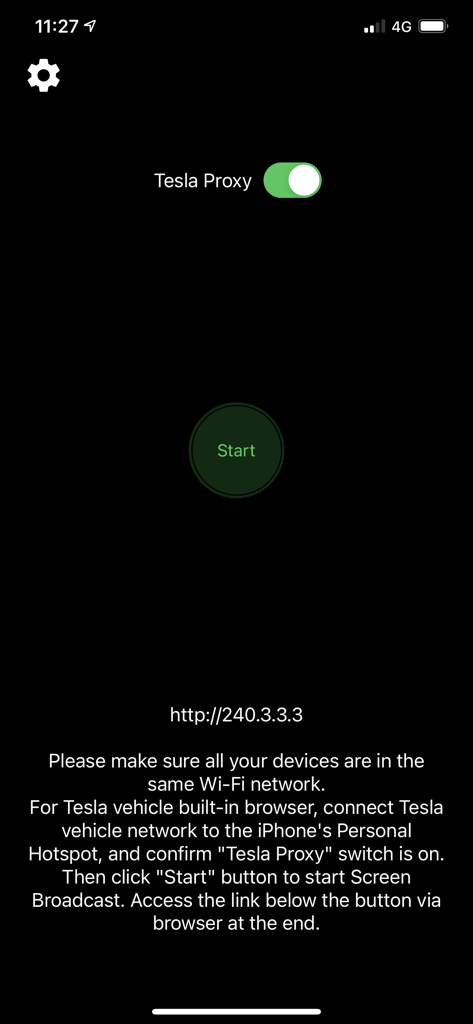
Tesla Proxy 토글 및 시작 버튼이 있는 TslaMirror 앱 인터페이스

Tesla Proxy 토글 및 시작 버튼이 있는 TslaMirror 앱 인터페이스

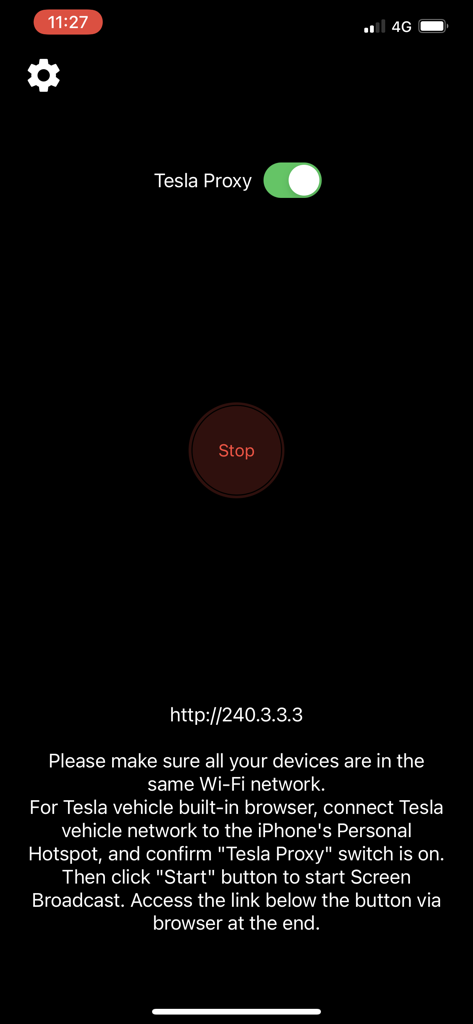
Tesla Proxy가 활성화되고 연결 지침이 표시되는 TslaMirror 앱 인터페이스.

Tesla Proxy가 활성화되고 연결 지침이 표시되는 TslaMirror 앱 인터페이스.

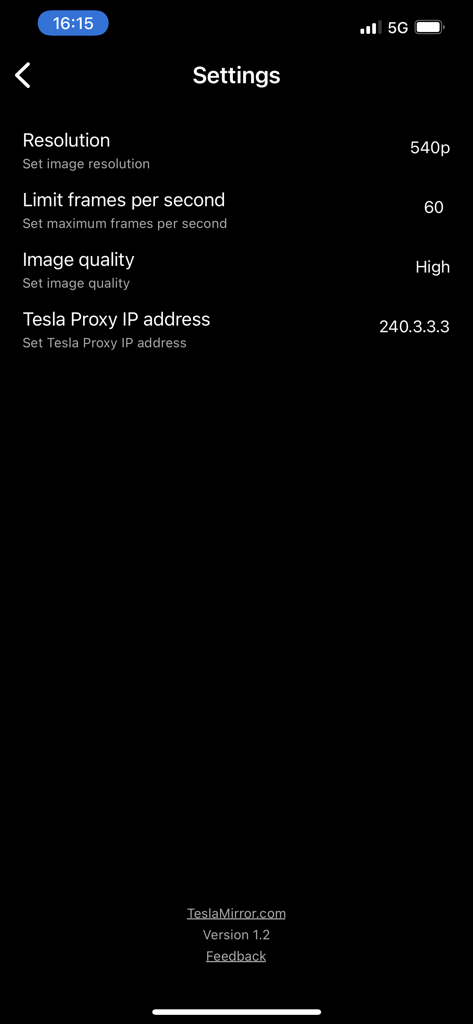
해상도, 프레임 속도 및 프록시 IP 주소 옵션을 보여주는 TslaMirror 앱 설정 메뉴.

해상도, 프레임 속도 및 프록시 IP 주소 옵션을 보여주는 TslaMirror 앱 설정 메뉴.

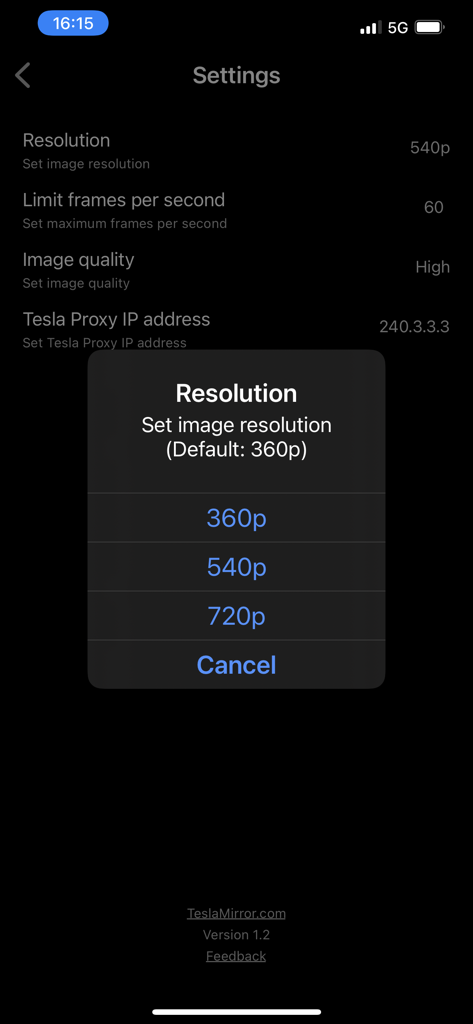
360p, 540p 및 720p 옵션이 있는 해상도 선택 팝업이 있는 TslaMirror 앱 설정 메뉴

360p, 540p 및 720p 옵션이 있는 해상도 선택 팝업이 있는 TslaMirror 앱 설정 메뉴

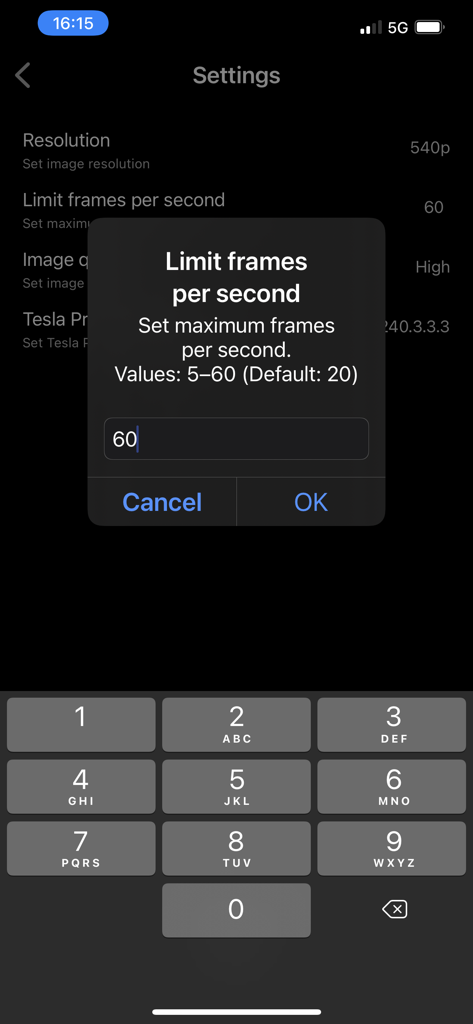
초당 프레임 수를 제한하기 위한 TslaMirror 앱 설정 인터페이스

초당 프레임 수를 제한하기 위한 TslaMirror 앱 설정 인터페이스

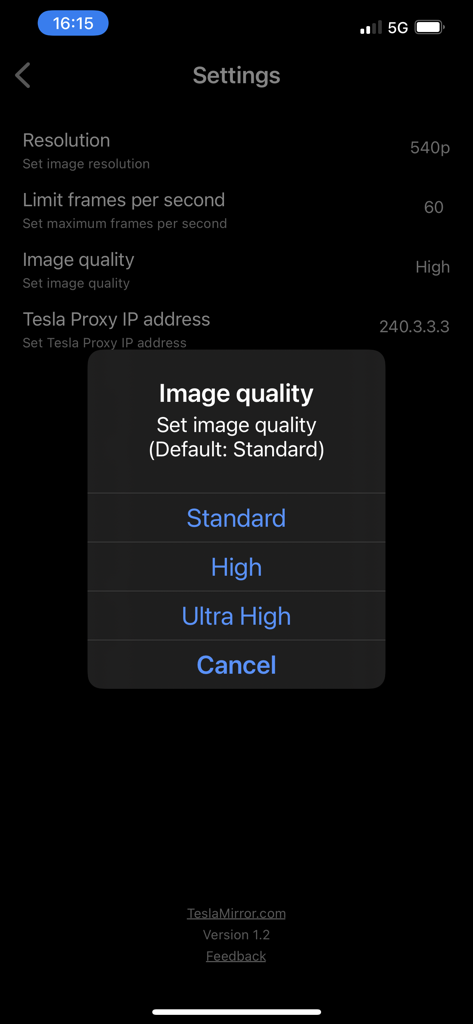
표준, 높음 또는 초고화질 중에서 선택할 수 있는 팝업 메뉴를 보여주는 TslaMirror 앱 설정 화면.

표준, 높음 또는 초고화질 중에서 선택할 수 있는 팝업 메뉴를 보여주는 TslaMirror 앱 설정 화면.

대시보드의 잠재력을 최대한 활용하세요

이 앱을 돋보이게 하는 도구, 62K+ 명의 사용자가 선택.

📱

대규모 앱 미러링

휴대전화를 쳐다보는 것을 멈추세요. Tesla의 거대한 15인치 디스플레이를 사용하여 슈퍼차저에서 기다리는 동안 좋아하는 iPhone 앱과 생산성 도구를 시청하세요.

🛡️

개인 정보 보호 및 안전한 연결

데이터는 개인 핫스팟을 절대 벗어나지 않습니다. 외부 서버, 추적 또는 숨겨진 데이터 비용 없이 자동차 브라우저로 안전하게 직접 스트리밍하세요.

Tesla 하드웨어에 최적화됨

MCU2 및 MCU3 시스템용으로 특별히 설계되었으며 Intel Atom 및 AMD Ryzen 프로세서에 대한 고화질 H.265 스트리밍 및 최대 1080p 해상도를 지원합니다.

앱 소개

에 대해 알아야 할 모든 것 TslaMirror.

설명

One-week free trial. TslaMirror is an app designed to mirror your iPhone apps to your Tesla’s built-in browser. Instructions for the Tesla built-in browser: 1. If possible, update your Tesla’s infotainment system to the most recent version. 2. Make sure the vehicle is PARKED (0 mph / 0 km/h). 3. Connect your Tesla to your iPhone Personal Hotspot (cellular data required). MCU2 or MCU3 hardware is required: available on Model 3 and Model Y, Model S built after March 2018, Model X built after March 2018, or vehicles upgraded from MCU1 to MCU2/3. 4. Ensure the iPhone is not in Low Power Mode. Launch the TslaMirror app and toggle on “Proxy.” 5. Tap “Start,” then select “Start Broadcast” to begin screen broadcast. 6. In your Tesla’s built-in browser, go to https://TslaMirror.com 7. Pinch in the browser to zoom in or out. 8. In H.264/H.265 mode, lossless audio playback is supported in the browser. 9. In MJPEG mode, only video is mirrored. For audio, use a Bluetooth connection from your iPhone to the Tesla’s speakers. 10. Keep your iPhone unlocked; due to Screen Broadcast API limitations, locking the screen stops casting and requires restarting the broadcast. Key Features 1. No additional internet traffic is used for mirroring; traffic stays on the iPhone’s Personal Hotspot. However, while the Tesla is connected to the hotspot, the vehicle may use your cellular data for its own internet access. 2. Private: the screencast is only available to devices connected to the iPhone Personal Hotspot Wi-Fi network. 3. A 5 GHz Personal Hotspot (supported from the iPhone 12 series) is highly recommended. Do not enable “Maximize Compatibility” on iPhone 12 models; enabling it forces a 2.4 GHz hotspot. 4. H.264/H.265 mirroring recommendations: – MCU3 (AMD Ryzen): H.265 mode with 720p@60 fps recommended, as 1080p requires higher bandwidth. MCU3 supports up to 1080p@60fps (H.264 and H.265). - H.265 playback is supported only on MCU3 or newer hardware. If your browser runs on MCU3 or higher-performance hardware, we recommend choosing H.265. H.265 delivers the best video quality. – MCU2 (Intel Atom): H.264 mode with 540p@30fps recommended. FAQ 1. This is not CarPlay. 2. iOS apps that use the AVPlayer framework (e.g., Apple Music, Netflix) are not supported. 3. Netflix is not supported. Privacy/Security Notice: This app does not collect usage statistics, personal information, or analytics. On iOS 13 and later, it uses Location Services only to read the Wi-Fi network name (SSID). Location data is never stored or collected. No information is stored by us. Disclaimer: This software and documentation are not affiliated with or endorsed by Tesla, Inc. Use at your own risk. We do not guarantee proper functioning. Some features require specific vehicle options (e.g., MCU2 or newer). The app uses interfaces similar to those used by official Tesla apps, but you are responsible for any changes to your car resulting from use. Use requires the vehicle’s built-in browser. We are not liable for any damages to you, your car, or any other property in conjunction with the use of this app. Warning and Legal Disclaimer: Use only while PARKED (0 mph / 0 km/h). Local laws may restrict the use of a built-in web browser in a vehicle. Terms of Use (EULA): https://teslamirror.com/terms.html Privacy Policy: https://teslamirror.com/privacy.html

최신 버전

9.56

크기

13.1 MB

출시일

2020년 12월 11일

당신이 누릴 자격이 있는 대시보드를 잠금 해제하세요

62,000명 이상의 Tesla 애호가와 함께하세요. 오늘 1주일 무료 체험을 시작하고 다음 슈퍼차저 세션 동안 원활한 iPhone 미러링을 경험하세요.

다운로드: App Store

App information, icons, screenshots, and descriptions displayed on this page are sourced from the Apple App Store and are the property of their respective developers. Download estimates and rankings are based on MWM's proprietary models and may not reflect actual figures. This page is provided for informational and analytical purposes only.

Believe this page infringes your intellectual property? File a dispute