Tunetag MP3 Tag Editor

Tunetag MP3 Tag Editor


다운로드: App Store
로고: Tunetag MP3 Tag Editor

Tunetag MP3 태그 편집기: iOS를 위한 전문 메타데이터 제어

로컬 음악 컬렉션을 완벽하게 제어하세요. 파일 앱에서 직접 교체 토큰을 사용하여 태그 일괄 편집, 앨범 아트 업데이트, 메타데이터 자동화 — 데스크톱이 필요 없습니다.

다운로드: App Store

개발사

Justin Xin

카테고리

Utilities

다운로드

13K+

사용자 평점

4.0/5

총 평가 수

0

지원 언어

2

완벽해진 라이브러리

이 인터페이스를 사용하는 13K+ 명의 사용자.

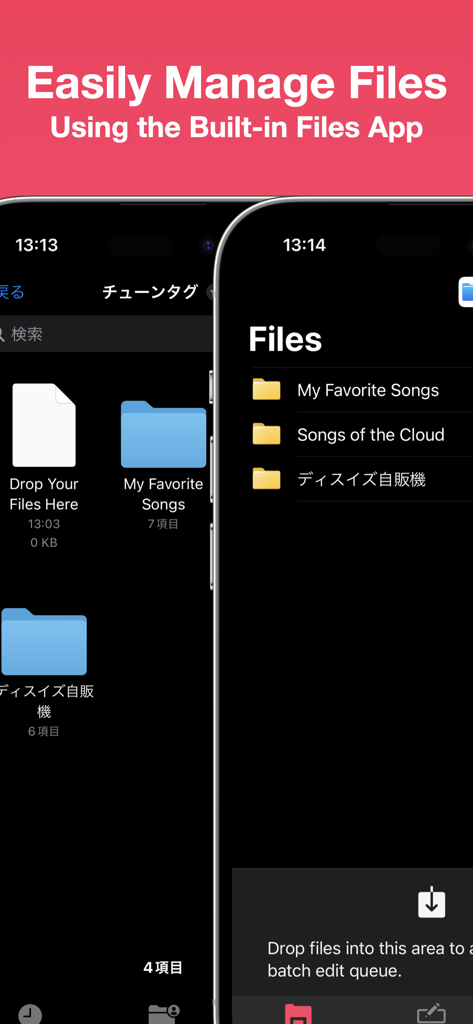
Tunetag MP3 태그 편집기가 iOS 파일 앱과 통합되어 음악 폴더를 관리하는 모습

Tunetag MP3 태그 편집기가 iOS 파일 앱과 통합되어 음악 폴더를 관리하는 모습

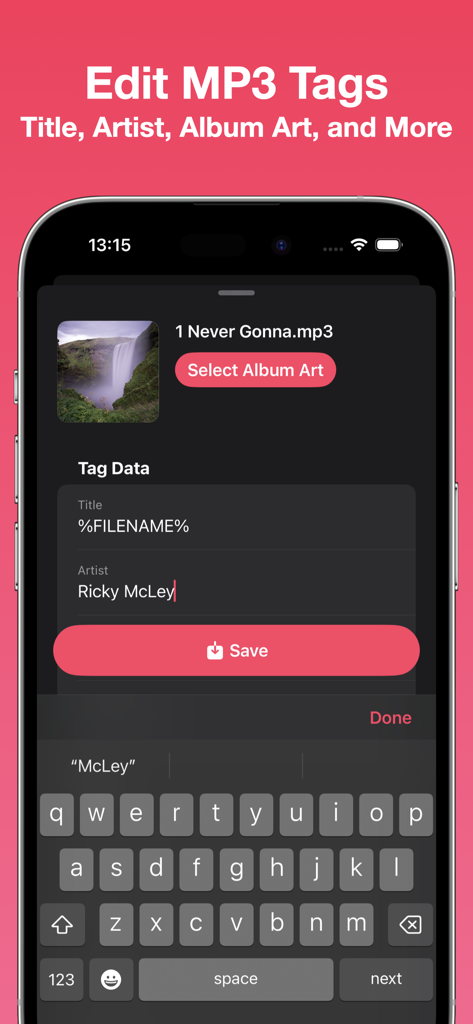
iPhone에서 노래 메타데이터를 편집하는 Tunetag MP3 태그 편집기 인터페이스

iPhone에서 노래 메타데이터를 편집하는 Tunetag MP3 태그 편집기 인터페이스

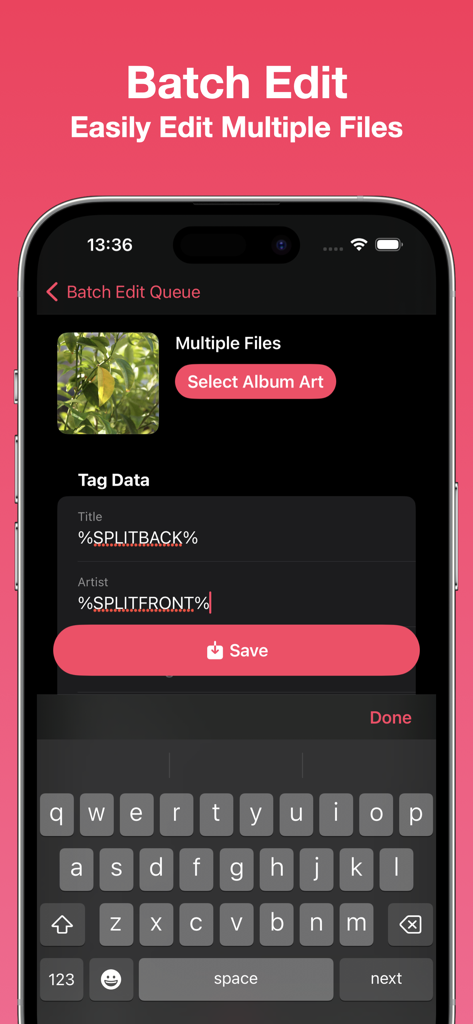
자동화 토큰을 사용하여 여러 음악 파일의 메타데이터를 일괄 편집하는 Tunetag 앱 화면

자동화 토큰을 사용하여 여러 음악 파일의 메타데이터를 일괄 편집하는 Tunetag 앱 화면

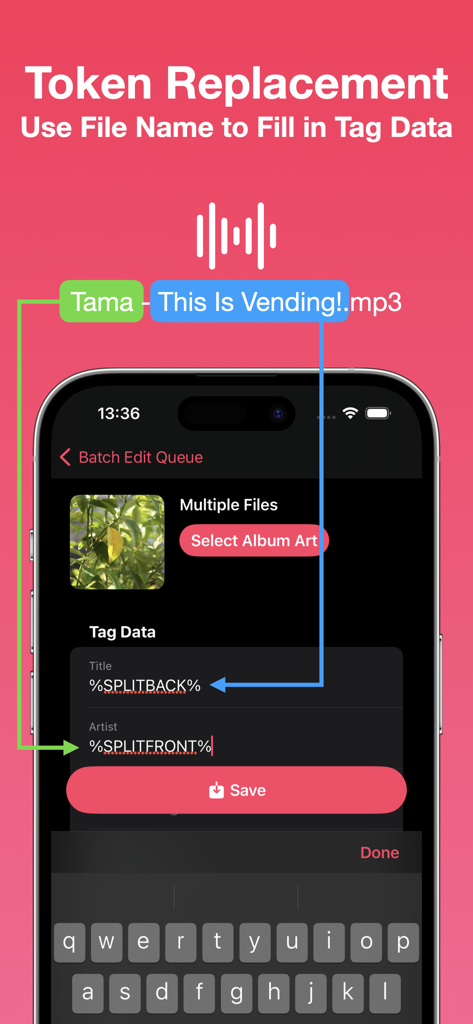
파일 이름을 사용하여 메타데이터 태그를 자동으로 채우는 방법을 설명하는 Tunetag 앱 인터페이스

파일 이름을 사용하여 메타데이터 태그를 자동으로 채우는 방법을 설명하는 Tunetag 앱 인터페이스

로컬 음악 라이브러리를 완벽하게 만드세요

이 앱을 돋보이게 하는 도구, 13K+ 명의 사용자가 선택.

🏷️

고급 메타데이터 제어

제목, 아티스트, 고해상도 앨범 아트를 쉽게 편집하세요. 미디어 라이브러리의 모양과 구성을 완전히 소유하세요.

🪄

스마트 일괄 자동화

교체 토큰으로 시간을 절약하세요. 한 번에 수백 개의 트랙에 걸쳐 복잡한 파일 이름을 자동으로 구조화된 메타데이터로 변환하세요.

📂

기본 파일 통합

컴퓨터 의존에서 벗어나세요. iOS 파일 앱, iCloud 또는 외부 USB-C SSD에서 직접 MP3에 액세스하고 편집하세요.

앱 소개

에 대해 알아야 할 모든 것 Tunetag MP3 Tag Editor.

설명

Edit your MP3 files' tags easily with Tunetag. - File Management Tunetag supports file management directly from the built-in iOS/iPadOS Files app, so you never have to fumble with share sheets or AirDrop.  Move your downloaded MP3 files directly to the Tunetag folder in the 'On My iPhone/On My iPad' folder, and Tunetag will automatically pick them up. If you're not sure where to go, simply tap the 'Open Files App' button in-app. Need to open files and folders from an external folder or drive? Use the Batch Editor to open them. - Tag Editor Tunetag supports editing the following fields in MP3 files: Title, Artist, Album, Album Artist, Year, Track Number, Genre, Composer, Disc Number. You can also select an album art to attach to your MP3 files. Additionally, you can use replacement tokens that use information from a file's file name to fill out tag data. - Batch Editor You can easily edit multiple files at one go, changing only the fields you want to change. The same replacement tokens you can use in the Tag Editor can also be used here. Have many files? Select files or a folder to add them to the Batch Editor, or long press a folder to add files recursively.  You can also drag files from the Files app directly into the Batch Editor. Note: Editing many files at once, or using large album art images may result in longer save times.

최신 버전

1.3

크기

4.4 MB

출시일

2023년 9월 13일

데스크톱 없이 음악 라이브러리를 완벽하게 만드세요.

이동 중에 오디오 컬렉션을 정리하는 13,000명 이상의 음악 컬렉터 및 파워 유저와 함께하세요. 지금 Tunetag를 다운로드하고 메타데이터를 완전히 제어하세요.

다운로드: App Store

App information, icons, screenshots, and descriptions displayed on this page are sourced from the Apple App Store and are the property of their respective developers. Download estimates and rankings are based on MWM's proprietary models and may not reflect actual figures. This page is provided for informational and analytical purposes only.

Believe this page infringes your intellectual property? File a dispute