UTM Maps

UTM Maps

다운로드: App Store
로고: UTM Maps

UTM 지도: 전문가 현장 작업을 위한 정밀 GPS 도구

UTM, MGRS 및 위도/경도를 사용하여 좌표를 마스터하세요. 토지 면적을 측정하고, 워터마크가 찍힌 현장 사진을 캡처하고, CSV 또는 KML로 데이터를 내보내 현장과 사무실 간의 원활한 워크플로우를 경험하세요.

개발사

Yogi Yogantara

카테고리

Navigation

다운로드

20K+

사용자 평점

1.0/5

총 평가 수

0

지원 언어

7

모든 픽셀에 담긴 정밀도

이 인터페이스를 사용하는 20K+ 명의 사용자.

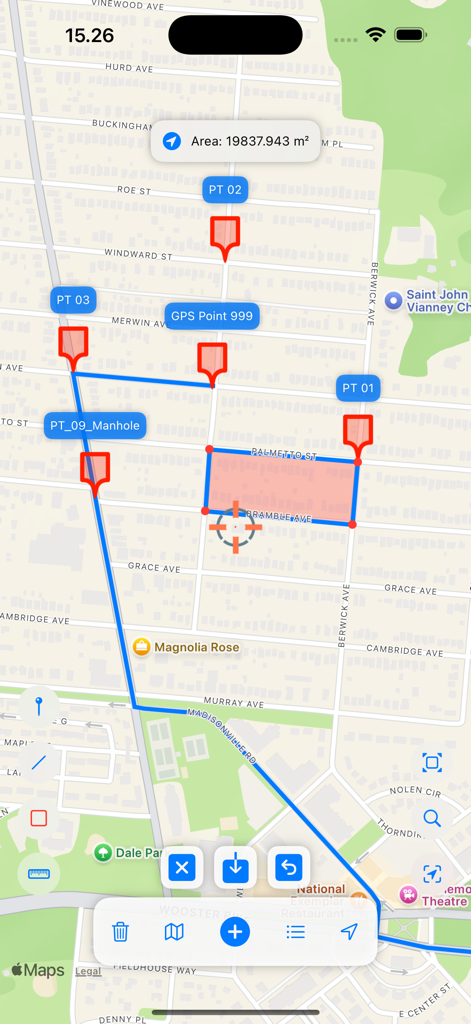
UTM 지도에서 측정된 면적과 빨간색 핀 및 파란색 경계선이 있는 GPS 포인트를 보여주는 지도 인터페이스.

UTM 지도에서 측정된 면적과 빨간색 핀 및 파란색 경계선이 있는 GPS 포인트를 보여주는 지도 인터페이스.

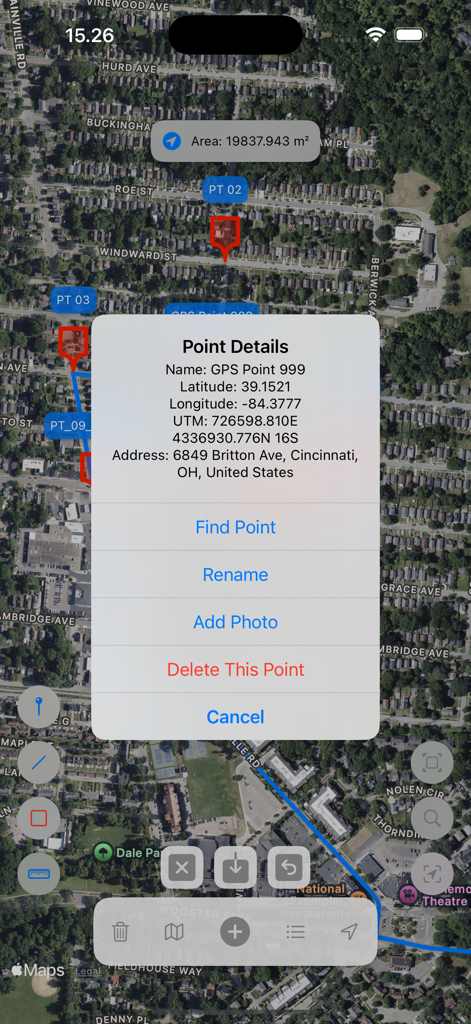
UTM 지도 앱이 위성 지도에서 GPS 포인트 세부 정보 및 UTM 좌표를 보여줌

UTM 지도 앱이 위성 지도에서 GPS 포인트 세부 정보 및 UTM 좌표를 보여줌

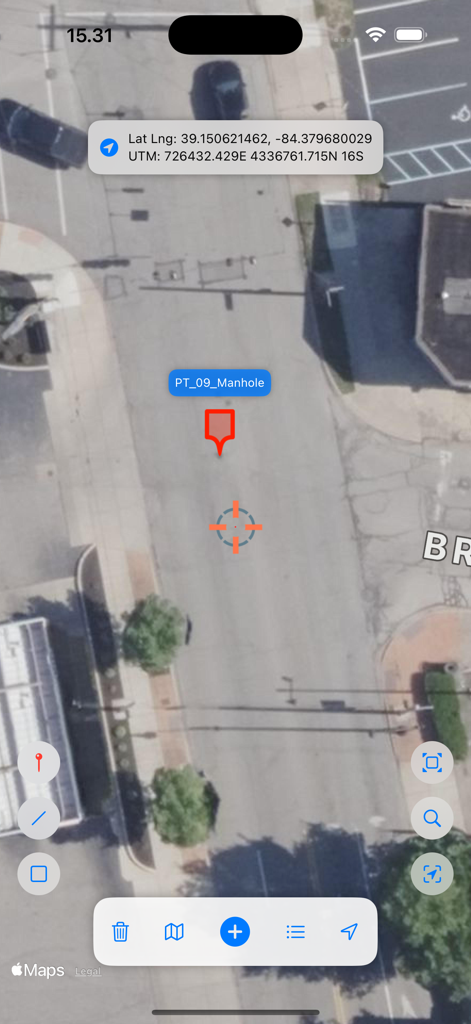
UTM 지도 애플리케이션이 위성 이미지를 표시하고 표시된 포인트에 대한 정확한 UTM 및 위도 경도 좌표를 보여줌

UTM 지도 애플리케이션이 위성 이미지를 표시하고 표시된 포인트에 대한 정확한 UTM 및 위도 경도 좌표를 보여줌

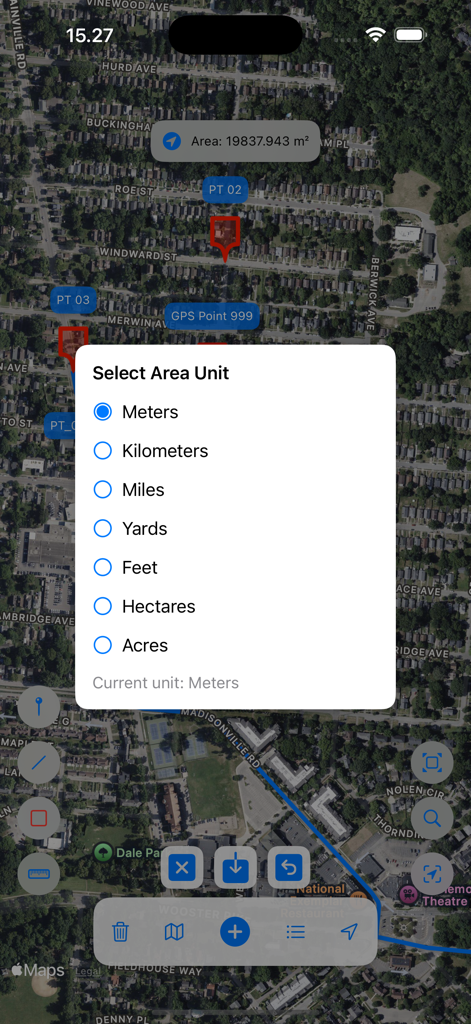
UTM 지도 앱 화면이 위성 지도 측정 위에 면적 단위 선택 메뉴를 보여줌

UTM 지도 앱 화면이 위성 지도 측정 위에 면적 단위 선택 메뉴를 보여줌

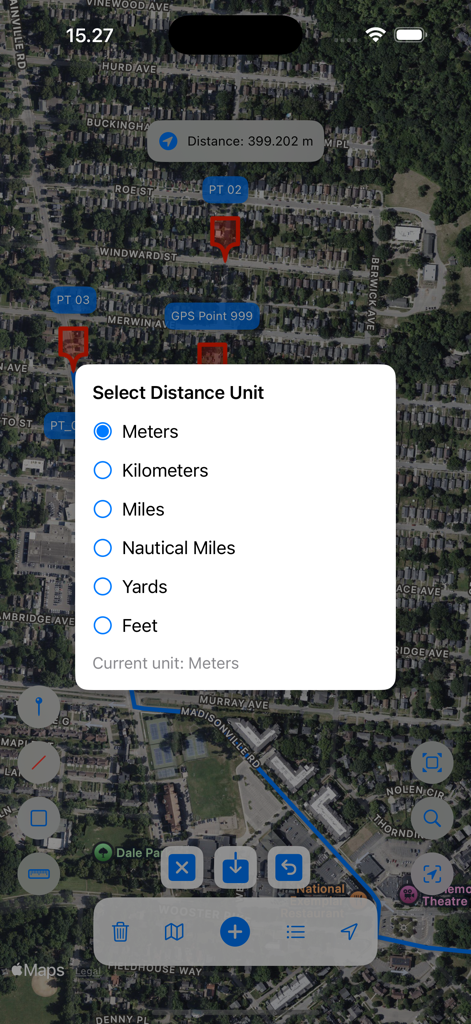
UTM 지도의 위성 지도 위에 거리 단위 선택 메뉴

UTM 지도의 위성 지도 위에 거리 단위 선택 메뉴

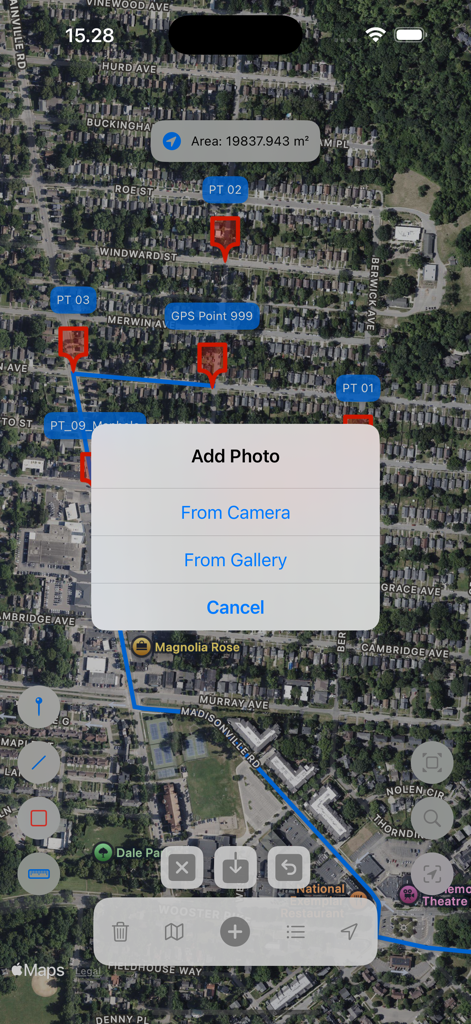
UTM 지도 앱이 표시된 포인트가 있는 위성 지도 보기와 카메라 또는 갤러리에서 사진을 추가하는 팝업 메뉴를 보여줌

UTM 지도 앱이 표시된 포인트가 있는 위성 지도 보기와 카메라 또는 갤러리에서 사진을 추가하는 팝업 메뉴를 보여줌

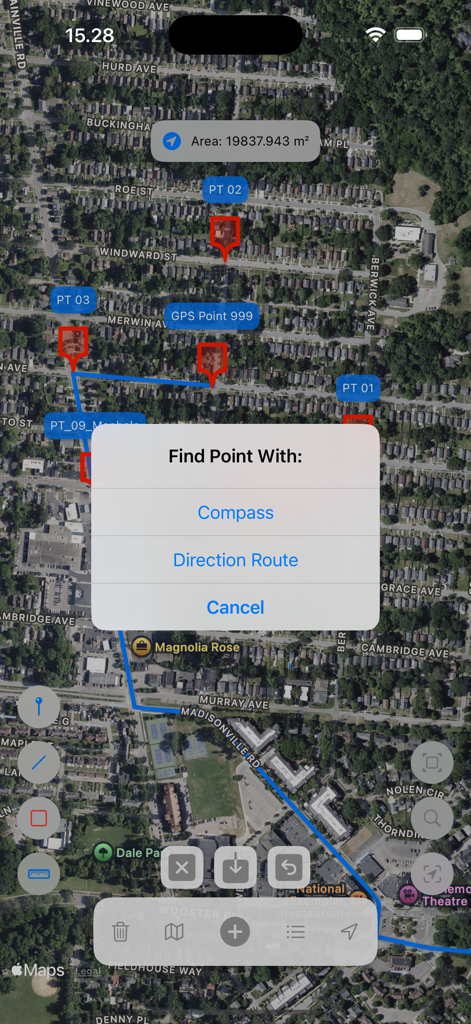
UTM 지도에서 면적 측정 및 포인트 찾기 옵션이 있는 위성 지도 보기

UTM 지도에서 면적 측정 및 포인트 찾기 옵션이 있는 위성 지도 보기

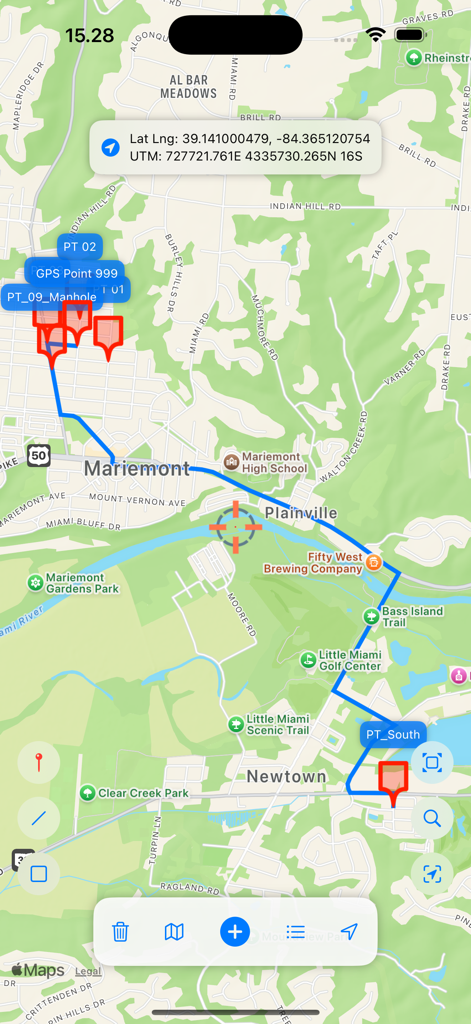
UTM 지도 앱 인터페이스가 지도 마커와 전문 네비게이션을 위한 정확한 좌표 데이터를 보여줌

UTM 지도 앱 인터페이스가 지도 마커와 전문 네비게이션을 위한 정확한 좌표 데이터를 보여줌

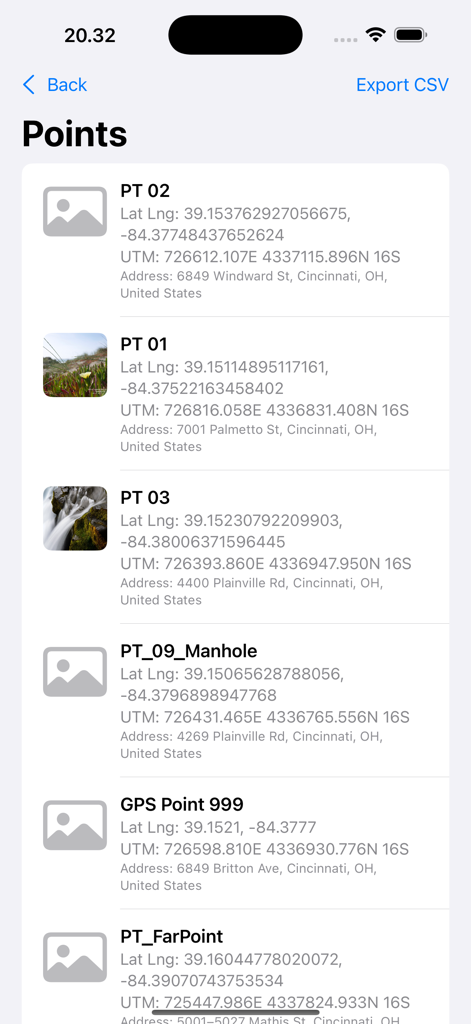
UTM 지도 앱의 저장된 GPS 포인트 목록으로 좌표와 주소를 보여줌

UTM 지도 앱의 저장된 GPS 포인트 목록으로 좌표와 주소를 보여줌

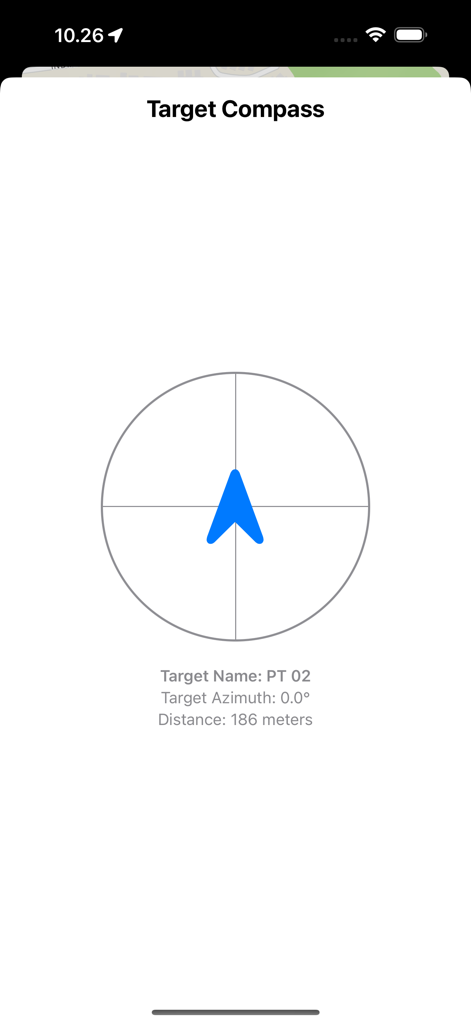
스테이크 아웃 포인트의 거리와 방위를 보여주는 타겟 나침반 화면

스테이크 아웃 포인트의 거리와 방위를 보여주는 타겟 나침반 화면

현장에서의 정밀도를 위해 제작됨

이 앱을 돋보이게 하는 도구, 20K+ 명의 사용자가 선택.

🧭

전술 그리드 네비게이션

MGRS, UTM 또는 위도/경도를 쉽게 네비게이션하세요. 내장된 '스테이크 아웃' 모드를 사용하여 모든 좌표 지점으로의 고정밀 방향 안내를 받으세요.

📸

검증된 현장 문서화

워터마크가 찍힌 사진으로 즉시 현장 보고서를 생성하세요. 포인트 이름, 좌표 및 지오코딩된 주소를 현장 이미지에 자동으로 기록하세요.

📐

데스크톱 준비 데이터 내보내기

이동 중에 복잡한 다각형 및 거리를 측정하세요. ArcGIS, QGIS 또는 Google Earth에서 전문적인 사용을 위해 현장 데이터를 KML 또는 CSV 파일로 원활하게 내보낼 수 있습니다.

앱 소개

에 대해 알아야 할 모든 것 UTM Maps.

설명

A simple APP for working with Latitude Longitude, UTM and MGRS coordinates, Maps and GPS. Register points to be displayed on a map or stored in a database complete with readable address data (geocoding). Capture photo with a watermark containing point name, coordinates and address information. Measure area, distance and registering lines and polygons. Export saved data to CSV or KML file format or locate points in the field using your built-in device's compass and GPS or with generating direction route. Register Points UTM Maps allows you to register points and stored in database to display on the map or export to a CSV file. Stored point data will automatically completed with UTM coordinates and readable address (geocoding requires internet access). Searching for Coordinates You can search for Latitude, Longitude, UTM, or MGRS coordinates to display on a map or find them in the field using a compass or Direction Route. Measure Area And Distance No need to go to the field anymore; now you can measure area and distance with various units using this application. Stores line and polygon data in database and displays it on a map. Export lines and polygons data to KML file. Data Properties / Point Details Each data displayed on the map has its own properties, making it easier to navigate and understand. Simply click on a point and the data properties will automatically appear. Find Point On The Field / Stake Out Now you can find coordinates or location in the field easily, the application will direct you to the desired coordinate point with the help of the built-in compass on your device or using Direction Route. Add Photo Add a photo from camera or library complete with a watermark containing name, coordinates and address information. Data List & Export The data list is designed to view data stored in the database, delete unnecessary data, find the location of data in the field or export data to a file. Point data can be exported to CSV files, while line and polygon data can be exported to KML files for use in other software or other devices.

최신 버전

1.0.16

크기

20.0 MB

출시일

2025년 7월 10일

전문가 수준의 정밀도를 현장으로 가져가세요

엘리트 MGRS 네비게이션, 정확한 면적 측정 및 원활한 현장-사무실 데이터 내보내기를 위해 UTM 지도를 사용하는 20,000명 이상의 전문가와 함께하세요.

다운로드: App Store

App information, icons, screenshots, and descriptions displayed on this page are sourced from the Apple App Store and are the property of their respective developers. Download estimates and rankings are based on MWM's proprietary models and may not reflect actual figures. This page is provided for informational and analytical purposes only.

Believe this page infringes your intellectual property? File a dispute