Video Assist

Video Assist

다운로드: App Store
로고: Video Assist

Video Assist: iPad에서 전문가급 영화 모니터링 및 ProRes 녹화

False Color, LUT, Focus Peaking 기능으로 iPad를 고급 외부 모니터로 변환하세요. 프레임 정확한 푸티지를 캡처하고 ARRI, RED, Sony 워크플로에 대한 녹화 트리거를 자동화하세요.

다운로드: App Store

개발사

Auron Studios Pty Ltd

카테고리

Photo & Video

다운로드

2K+

사용자 평점

1.0/5

총 평가 수

0

지원 언어

1

궁극의 필드 모니터

이 인터페이스를 사용하는 2K+ 명의 사용자.

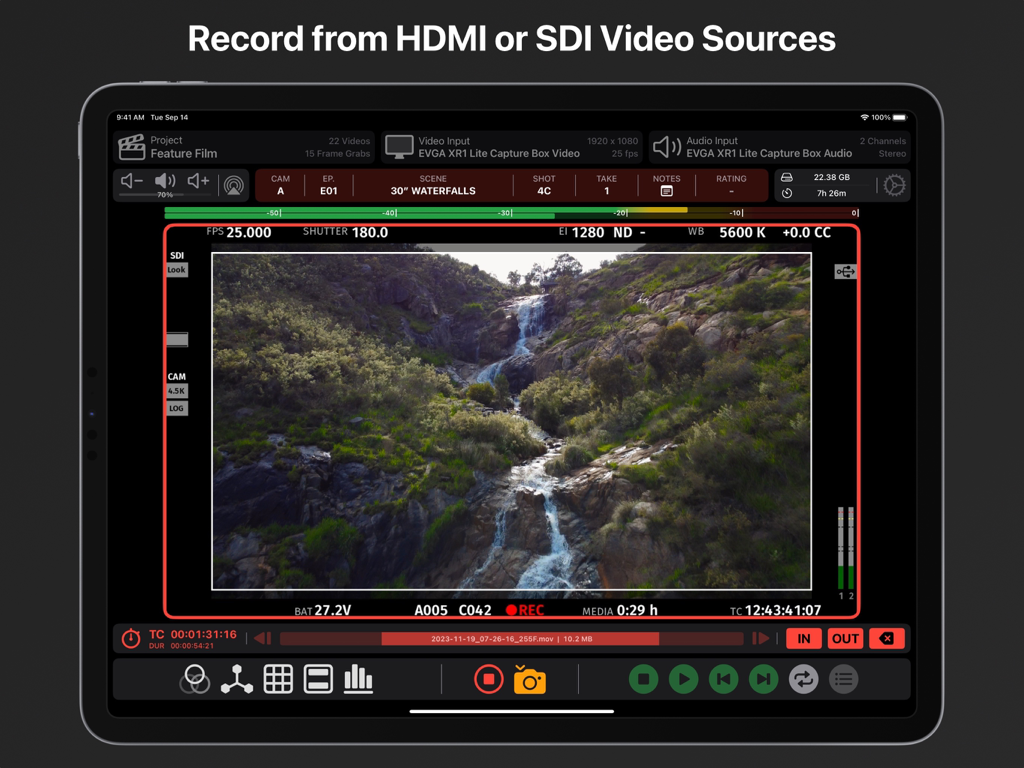
전문 모니터링 도구와 메타데이터가 표시된 폭포수 실시간 비디오 피드를 표시하는 iPad의 Video Assist 앱 인터페이스

전문 모니터링 도구와 메타데이터가 표시된 폭포수 실시간 비디오 피드를 표시하는 iPad의 Video Assist 앱 인터페이스

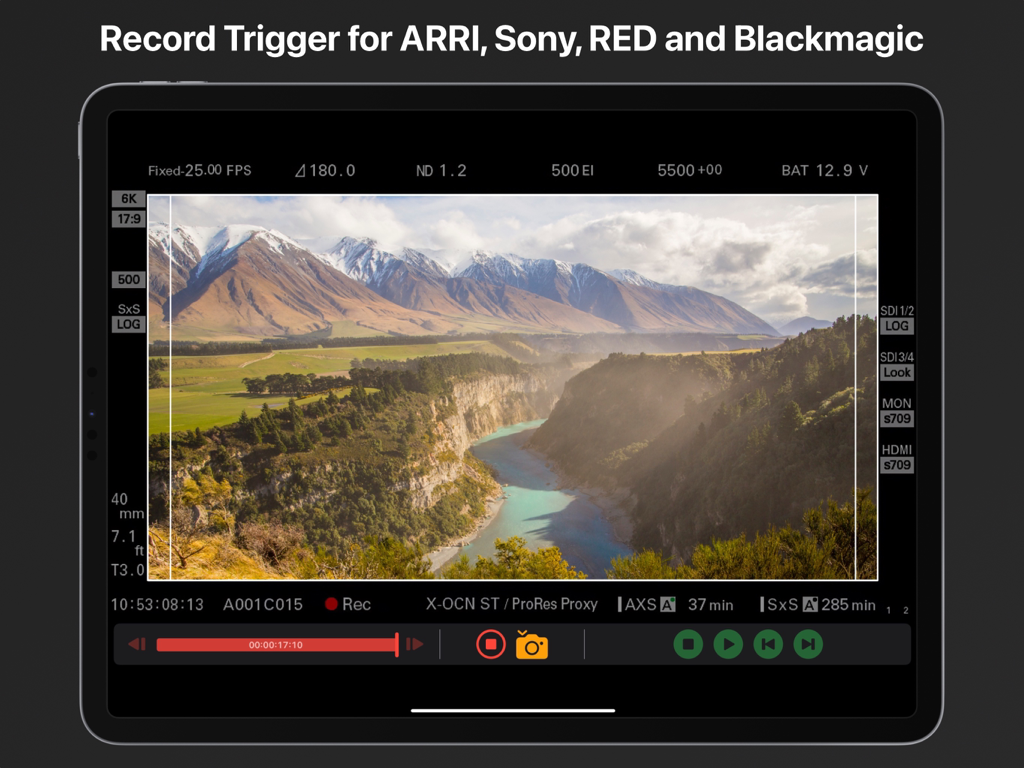
전문 영화 카메라용 녹화 트리거 기능을 보여주는 iPad의 Video Assist 앱

전문 영화 카메라용 녹화 트리거 기능을 보여주는 iPad의 Video Assist 앱

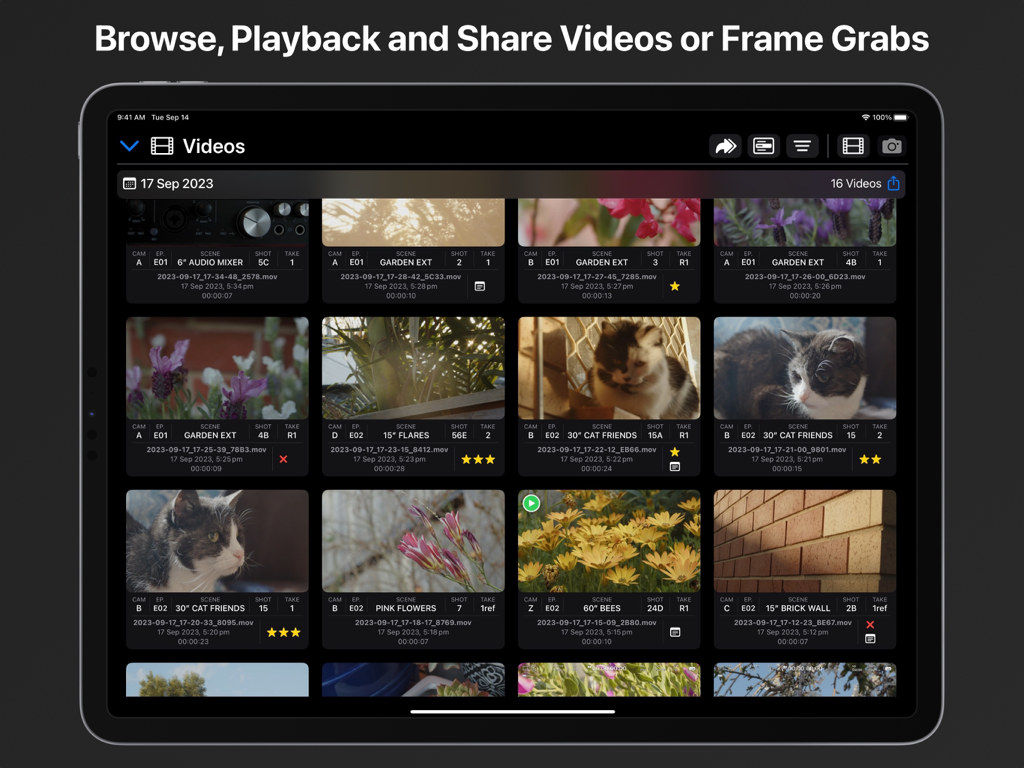
장면 및 촬영 세부 정보를 포함한 전문 메타데이터가 표시된 녹화된 비디오 클립을 보여주는 Video Assist iPad 앱의 미디어 라이브러리 보기

장면 및 촬영 세부 정보를 포함한 전문 메타데이터가 표시된 녹화된 비디오 클립을 보여주는 Video Assist iPad 앱의 미디어 라이브러리 보기

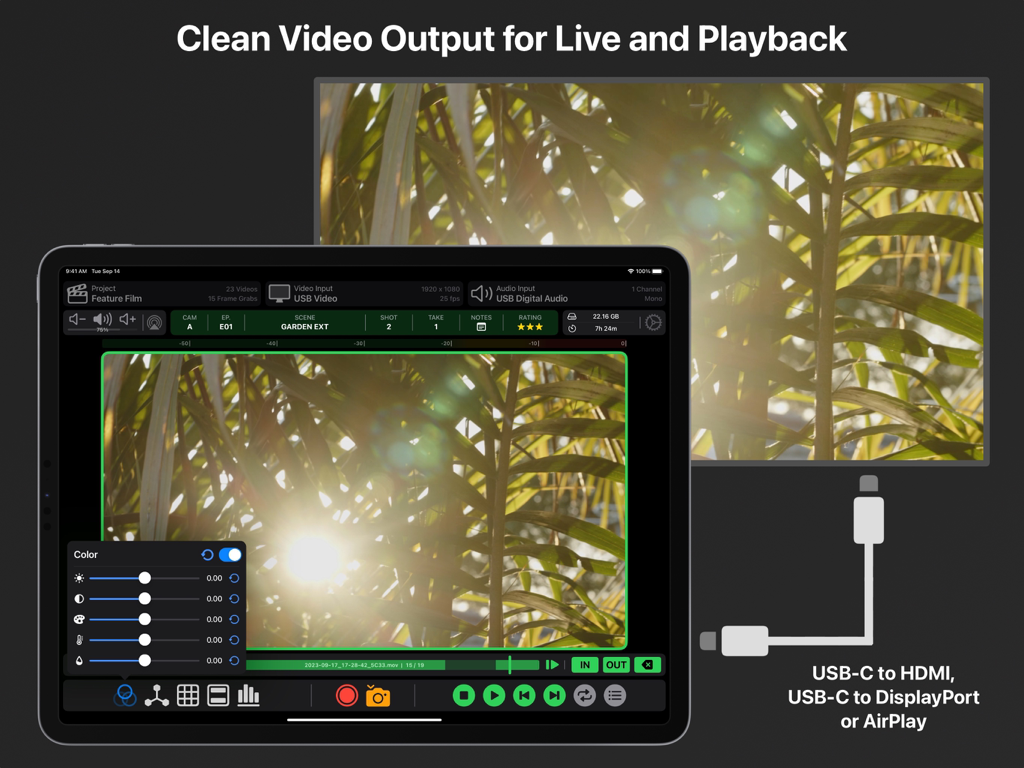
USB-C 및 AirPlay를 통해 외부 모니터로 깨끗한 비디오 출력을 표시하는 iPad의 Video Assist 앱

USB-C 및 AirPlay를 통해 외부 모니터로 깨끗한 비디오 출력을 표시하는 iPad의 Video Assist 앱

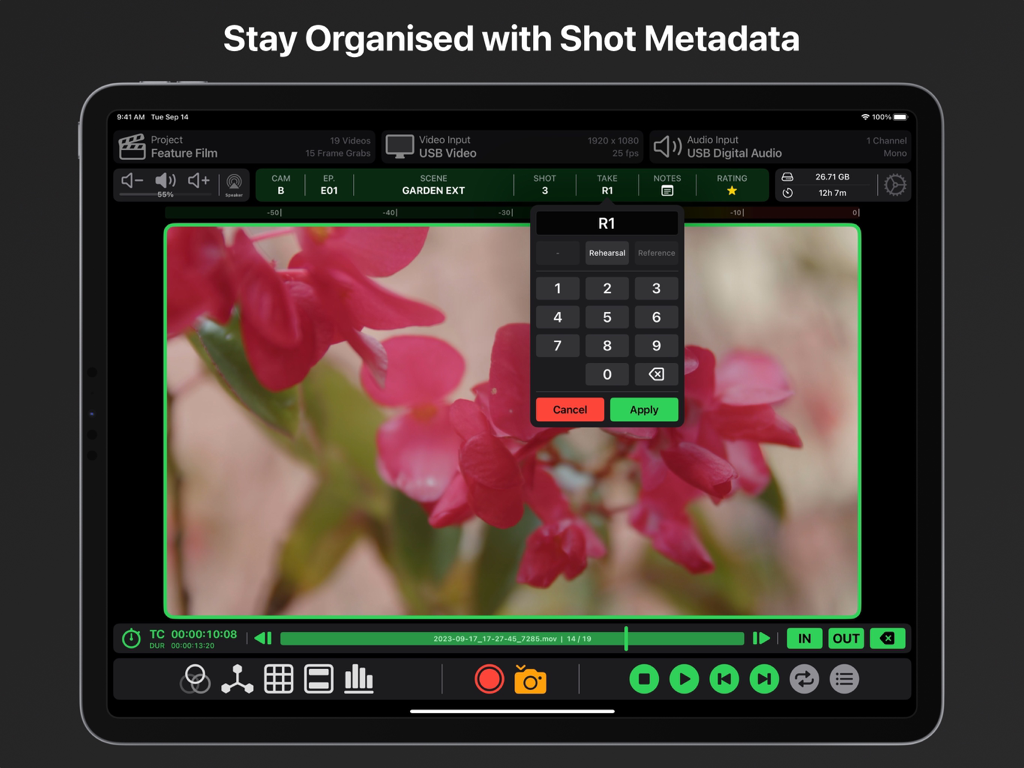
전문 비디오 프로덕션을 위한 촬영 메타데이터 구성 및 테이크 입력을 보여주는 iPad의 Video Assist 앱 인터페이스

전문 비디오 프로덕션을 위한 촬영 메타데이터 구성 및 테이크 입력을 보여주는 iPad의 Video Assist 앱 인터페이스

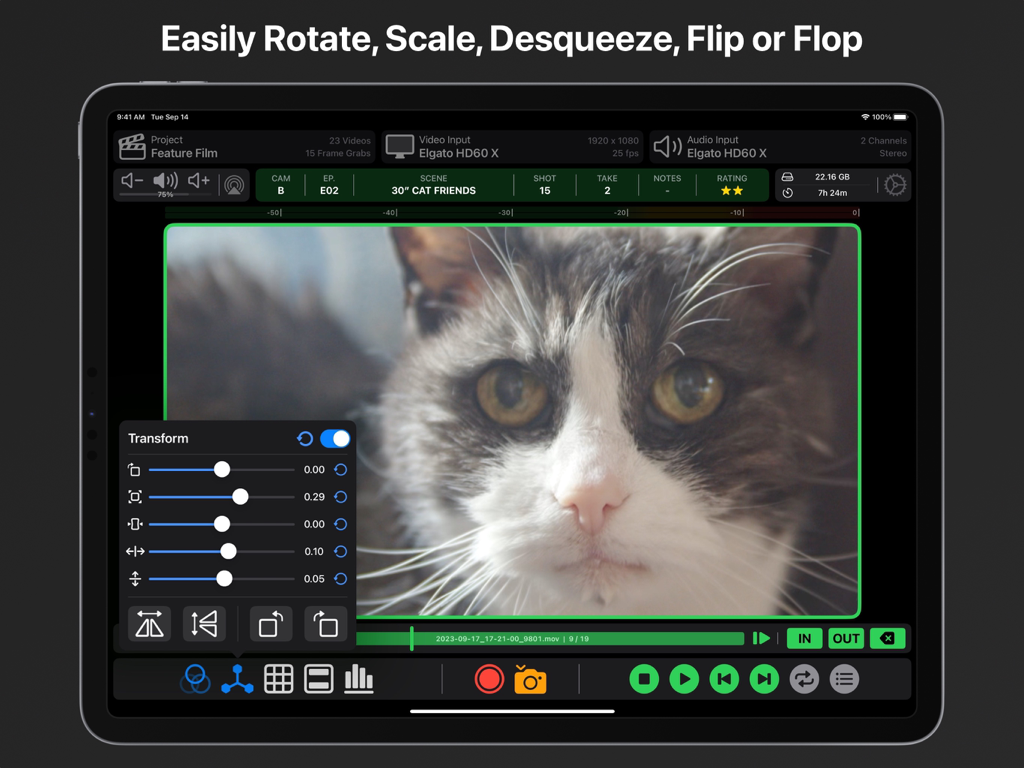
전문가 비디오 모니터링을 위한 이미지 변환 및 스케일링 컨트롤을 보여주는 iPad의 전문 비디오 모니터링 앱 인터페이스

전문가 비디오 모니터링을 위한 이미지 변환 및 스케일링 컨트롤을 보여주는 iPad의 전문 비디오 모니터링 앱 인터페이스

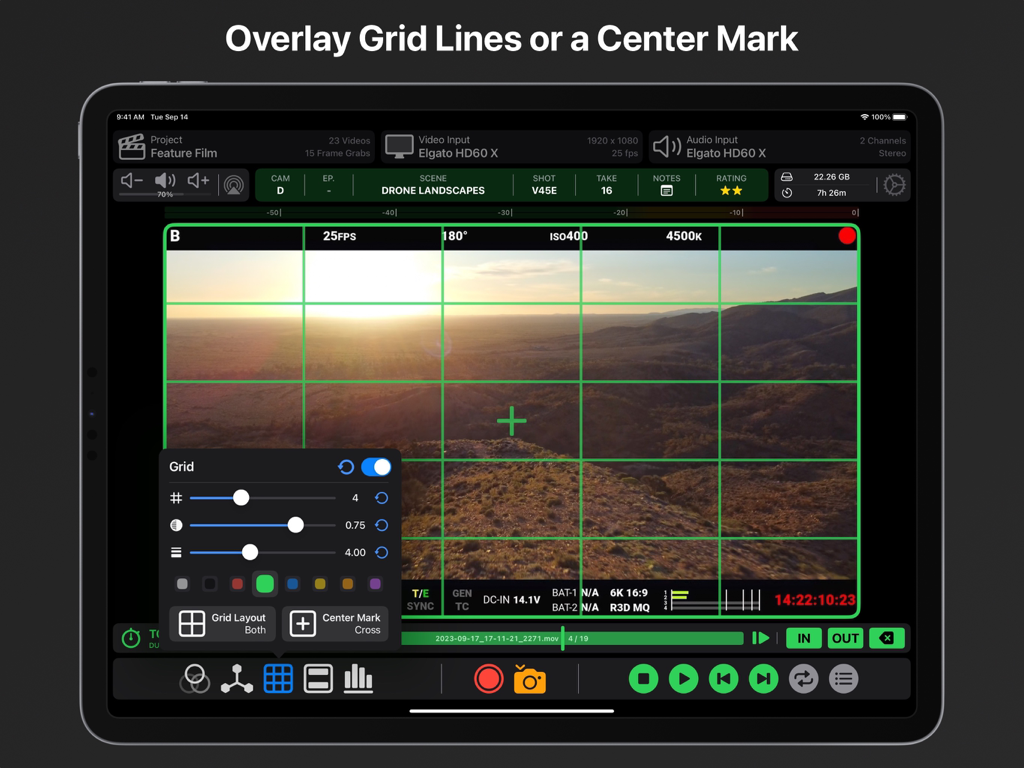
전문가 비디오 구성을 위해 iPad에 사용자 정의 가능한 녹색 그리드 선 및 중앙 표시를 보여주는 Video Assist 앱

전문가 비디오 구성을 위해 iPad에 사용자 정의 가능한 녹색 그리드 선 및 중앙 표시를 보여주는 Video Assist 앱

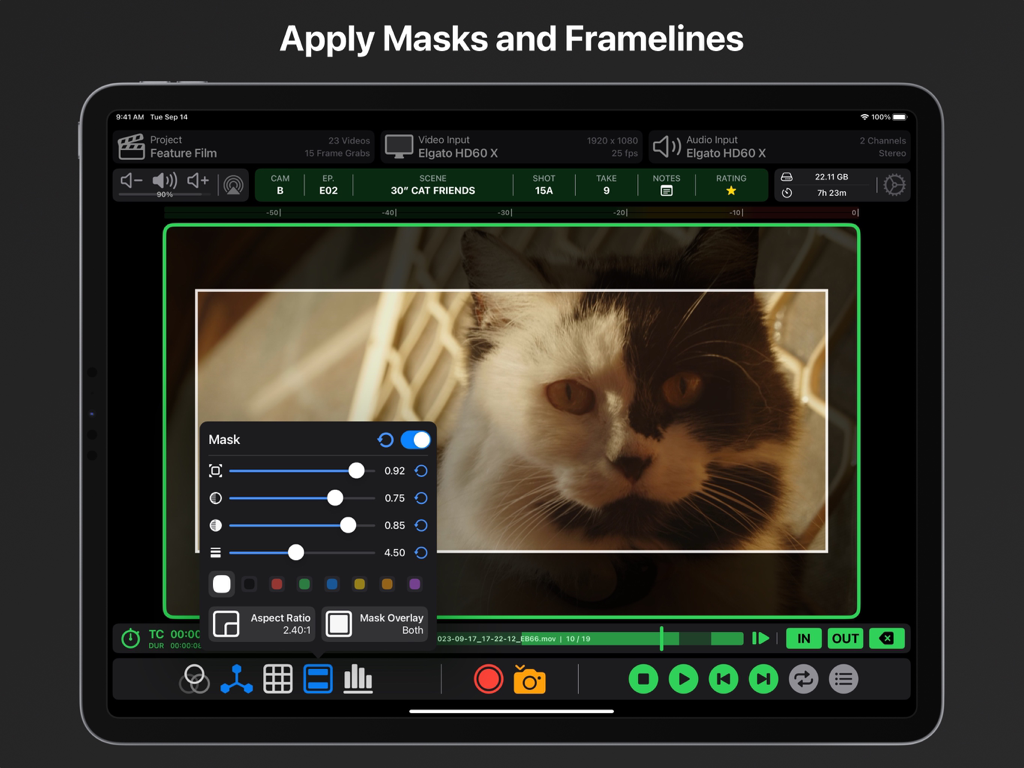
전문가 비디오 모니터링을 위한 조정 가능한 화면 비율 마스크 및 프레임 라인을 표시하는 Video Assist iPad 앱 인터페이스

전문가 비디오 모니터링을 위한 조정 가능한 화면 비율 마스크 및 프레임 라인을 표시하는 Video Assist iPad 앱 인터페이스

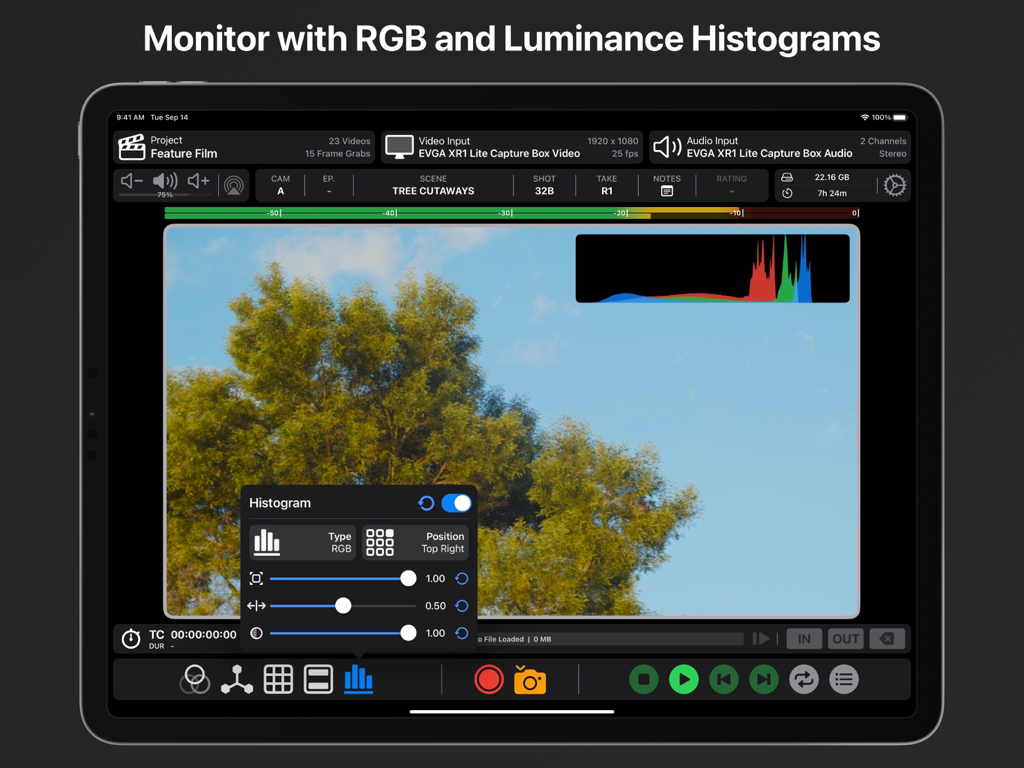
사용자 정의 가능한 설정을 갖춘 RGB 및 휘도 히스토그램을 특징으로 하는 iPad의 전문가 비디오 모니터링

사용자 정의 가능한 설정을 갖춘 RGB 및 휘도 히스토그램을 특징으로 하는 iPad의 전문가 비디오 모니터링

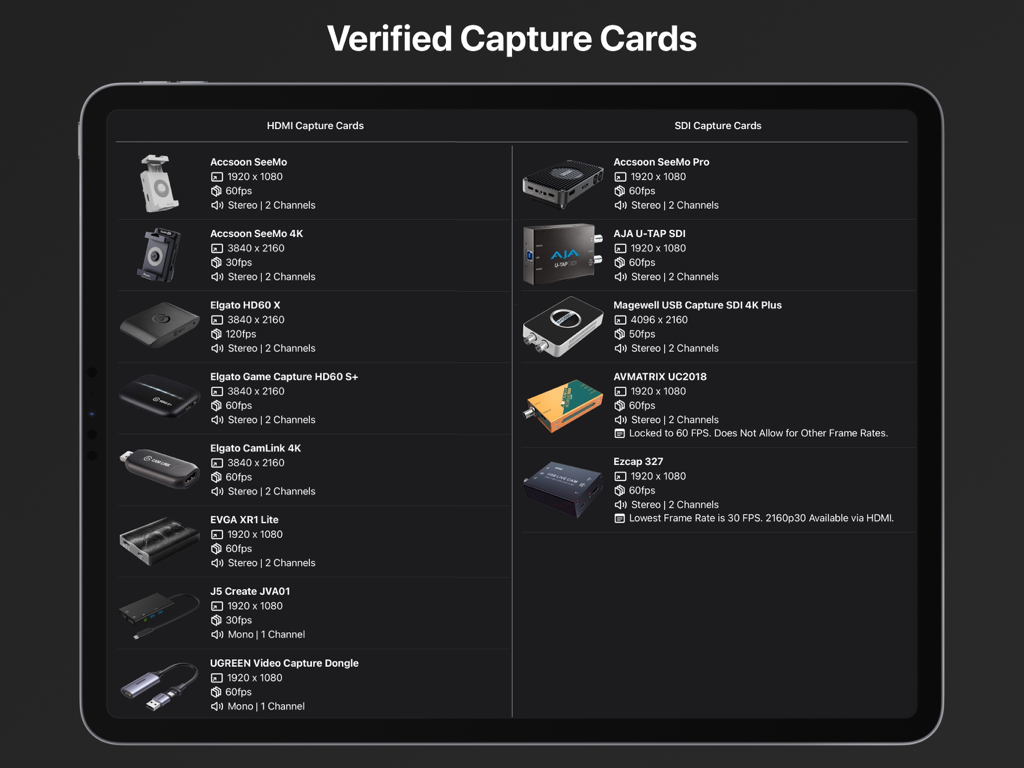
iPad의 Video Assist 앱과 호환되는 검증된 HDMI 및 SDI 캡처 카드 목록

iPad의 Video Assist 앱과 호환되는 검증된 HDMI 및 SDI 캡처 카드 목록

iPad에서 전문가급 모니터링 및 녹화

이 앱을 돋보이게 하는 도구, 2K+ 명의 사용자가 선택.

🎨

시네마 등급 노출 및 초점

False Color, Zebras, 3D LUT를 사용하여 이미지를 마스터하세요. Focus Peaking을 활용하여 iPad의 Liquid Retina 디스플레이에서 모든 프레임이 선명하게 나오도록 하세요.

⏺️

ProRes 녹화 및 즉시 데일리

iPad 또는 외부 SSD에 직접 고품질 ProRes를 캡처하세요. 내장된 재생 도구를 사용하여 테이크를 즉시 검토하고 AirDrop을 통해 클립을 공유하세요.

🤖

AI 기반 카메라 동기화

ARRI, RED, Sony용 컴퓨터 비전 트리거로 워크플로를 자동화하세요. iPad가 카메라와 완벽하게 동기화되어 녹화를 시작하고 중지합니다.

앱 소개

에 대해 알아야 할 모든 것 Video Assist.

설명

Use your iPad as an external monitor and recording device with compatible USB Capture Cards. Easily record videos or capture frame grabs from any HDMI or SDI Video Source. Equipped with professional tools such as LUTs, Compositing, Focus Peaking, False Color, Zebras, Video Transform, Grid Lines, Center Marks, Aspect Ratio Masks, Anamorphic Desqueeze and Audio Meters. Verified HDMI Capture Cards: Accsoon SeeMo Accsoon SeeMo 4K Elgato HD60 X Elgato HD60 S+ Elgato CamLink 4K EVGA XR1 Lite J5 Create JVA01 UGREEN Video Capture Dongle AverMedia Live Gamer Mini AverMedia ExtremeCap UV (BU110) Roland UVC-01 Simplecom DA315 Verified SDI Capture Cards: Accsoon SeeMo Pro AJA U-Tap SDI Magewell SDI 4K Plus AVMATRIX UC2018** Ezcap 327*** Review captured video with our suite of in-built playback tools. Set multiple in/out points for a video to quickly get an idea of how it will feel in an edit. Our Playback Controls allow you to scrub to any point in time and navigate frame by frame when required. Playback will loop between different in/out points for takes with multiple actions. The Playback Browser makes finding and sharing specific clips via AirDrop a breeze, you can even assign each clip a rating to keep track of preferred takes. Clean Video Output is supported for both live video and playback. Simply connect an external monitor to your iPad with a USB-C to HDMI/DisplayPort Adaptor or via AirPlay. You’ll then be able to control Video Assist from your iPad while providing a clean video feed to another monitor. When using USB Video Output in tandem with a USB Capture Card you will need to use a USB Hub. Automatic Record Trigger is supported for ARRI, RED, Sony Venice, Sony Burano, Blackmagic and DJI Cameras via custom built computer vision models. Record Trigger requires status info on your camera output, it will not work on a clean video feed. If we don’t support Record Trigger for a camera you own please get in touch, we’d love to bring that functionality to Video Assist. All Videos and Frame Grabs are stored on your iPad and can be accessed from the ‘Files’ App, you can choose if they record ‘On My iPad’, to ‘iCloud Drive’ or on an ‘External Drive’. Create Projects for better organisation when using Video Assist on different jobs or for breaking things down episode to episode on longer projects. A demo of ‘Video Assist 2.0’ can be viewed here: https://youtu.be/KehgqY0O1FA A pre-release demo of ‘Video Assist’ can be viewed here: https://youtu.be/-KxTDOyLeWQ Features That Require a ‘Pro’ Subscription: • LUTs • Focus Peaking • False Color • Zebras • Compositing • ProRes Recording Compatible iPad Models: iPad Pro 12.9-inch (3rd Generation and Later) iPad Pro 11-inch (1st Generation and Later) iPad (10th Generation) iPad Air (4th Generation and Later) iPad Mini (6th Generation and Later) As a general rule, if your iPad has a USB-C or Thunderbolt 3/4/5 Port then it will be compatible. It is recommend that your iPad has an M1 Chip or newer. Incompatible SDI Capture Cards*: Blackmagic UltraStudio Recorder 3G Blackmagic UltraStudio 4K Mini *USB Capture Cards must be UVC Compliant to work with Video Assist. **AVMatrix UC2018 is Locked to 60 FPS. Does Not Allow for Other Frame Rates. ***Lowest Frame Rate for the Ezcap 327 is 30fps. 2160p30 Available via HDMI Input. Terms of Use: https://f004.backblazeb2.com/file/video-assist-public/terms-of-use.pdf Privacy Policy: https://f004.backblazeb2.com/file/video-assist-public/privacy-policy.pdf

최신 버전

2.1.1

크기

87.7 MB

출시일

2023년 9월 18일

iPad를 전문가용 프로덕션 모니터로 전환할 준비가 되셨습니까?

LUT, False Color, ProRes 녹화를 잠금 해제하세요. 지금 바로 Video Assist를 다운로드하고 다음 촬영에 엘리트 수준의 촬영 도구를 사용해 보세요.

다운로드: App Store

App information, icons, screenshots, and descriptions displayed on this page are sourced from the Apple App Store and are the property of their respective developers. Download estimates and rankings are based on MWM's proprietary models and may not reflect actual figures. This page is provided for informational and analytical purposes only.

Believe this page infringes your intellectual property? File a dispute