Video Collage - Collage Maker

Video Collage - Collage Maker


다운로드: App Store
로고: Video Collage - Collage Maker

비디오 콜라주 - 콜라주 메이커: 몇 분 만에 멋진 동영상 스토리 만들기

사진과 동영상을 좋아하는 음악과 결합하여 추억에 생기를 불어넣으세요. 소셜 미디어에 적합한 아름다운 콜라주를 몇 초 만에 디자인하고 최고의 순간을 친구 및 가족과 공유하세요.

다운로드: App Store

개발사

out thinking private limited

카테고리

Photo & Video

다운로드

868K+

사용자 평점

4.4/5

총 평가 수

6K+

지원 언어

1

움직이는 순간들

이 인터페이스를 사용하는 868K+ 명의 사용자.

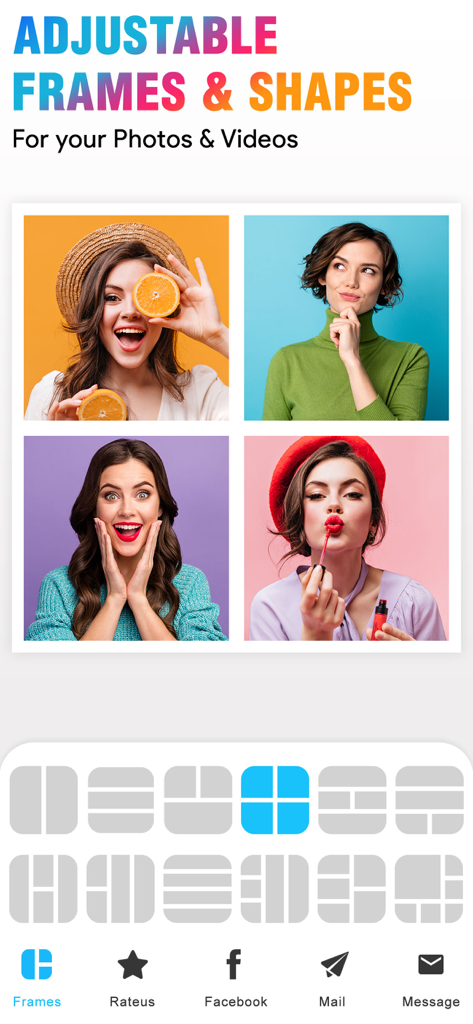
4개의 사진 그리드 콜라주와 사진 및 동영상에 대한 다양한 레이아웃 프레임 옵션을 보여주는 모바일 앱 인터페이스

4개의 사진 그리드 콜라주와 사진 및 동영상에 대한 다양한 레이아웃 프레임 옵션을 보여주는 모바일 앱 인터페이스

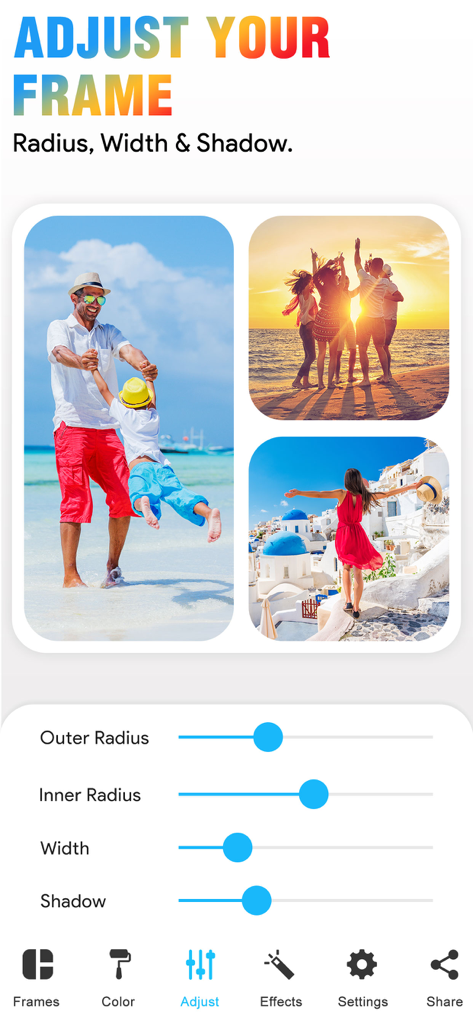
사진 콜라주에 대한 프레임 반경 너비와 그림자를 사용자 정의하기 위한 슬라이더를 보여주는 Video Collage Maker 앱의 인터페이스

사진 콜라주에 대한 프레임 반경 너비와 그림자를 사용자 정의하기 위한 슬라이더를 보여주는 Video Collage Maker 앱의 인터페이스

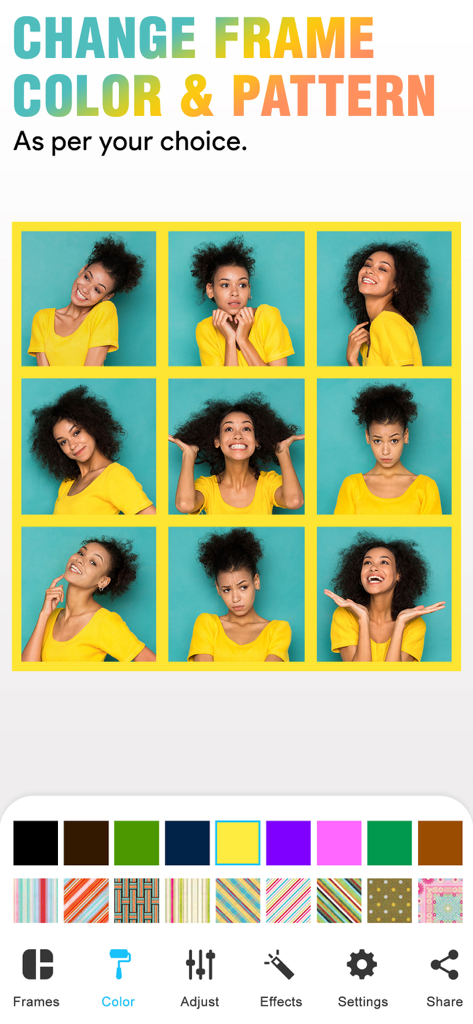
테두리 색상과 패턴을 변경하는 도구를 특징으로 하는 Video Collage 앱의 3x3 사진 그리드

테두리 색상과 패턴을 변경하는 도구를 특징으로 하는 Video Collage 앱의 3x3 사진 그리드

사진 및 비디오 콜라주 레이아웃에 예술적 효과 및 필터를 추가하기 위한 모바일 인터페이스

사진 및 비디오 콜라주 레이아웃에 예술적 효과 및 필터를 추가하기 위한 모바일 인터페이스

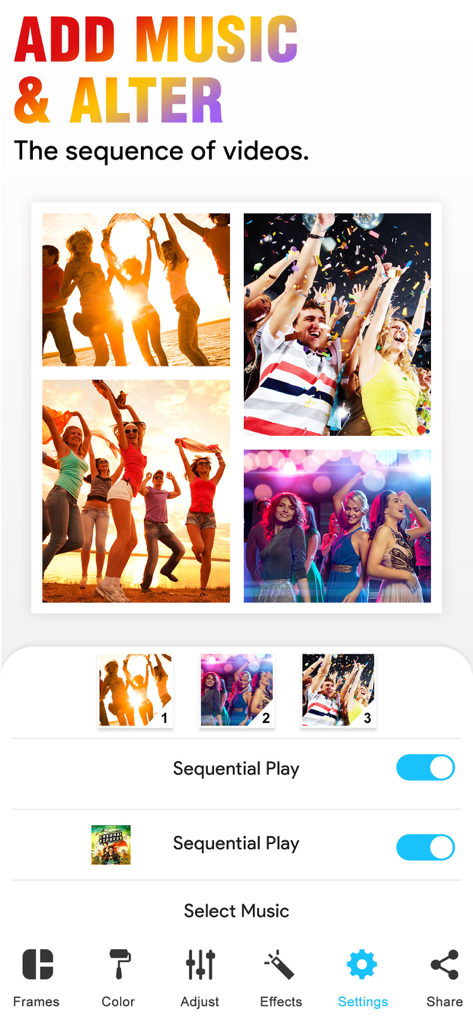
음악을 추가하고 Video Collage 앱에서 비디오 시퀀스를 변경하는 방법을 보여주는 사용자 인터페이스

음악을 추가하고 Video Collage 앱에서 비디오 시퀀스를 변경하는 방법을 보여주는 사용자 인터페이스

하단에 소셜 공유 버튼이 있는 Video Collage 앱 내의 라이프스타일 사진 콜라주

하단에 소셜 공유 버튼이 있는 Video Collage 앱 내의 라이프스타일 사진 콜라주

몇 분 만에 멋진 스토리 만들기

이 앱을 돋보이게 하는 도구, 868K+ 명의 사용자가 선택.

🎬

사진 및 동영상 혼합

둘 중 하나만 선택하세요? 50개 이상의 조절 가능한 프레임에서 좋아하는 클립과 스냅샷을 혼합하여 역동적인 추억을 만드세요.

🎵

완벽한 분위기 설정

자신만의 음악을 추가하여 창작물에 생기를 불어넣으세요. 색상과 패턴을 사용자 정의하여 당신의 독특한 미학에 완벽하게 맞추세요.

피드에 바로 올리기

편집 기술이 필요 없습니다. 순간이 생생할 때 바로 Instagram 또는 TikTok에 걸작을 만들고 공유하세요.

리뷰 분석

사용자 리뷰 인사이트.

감정 점수

14%
부정적

요약

This mobile app receives overwhelmingly negative feedback from users. A primary concern is its aggressive monetization strategy, with many essential features locked behind paywalls and numerous reports of unexpected charges or 'scam' free trial practices. Users frequently encounter critical bugs such as app crashes during saving, videos playing with unwanted slow motion or upside down, and a pervasive issue where sound is lost from videos. Furthermore, the app is criticized for its limited customization options, poor export quality, and overall lack of functionality, leading many to label it 'useless' or a 'waste of time', despite a small handful of reviews expressing general satisfaction.

주요 테마

Pricing & Premium Features(17)
App Functionality & Performance(13)
Limited Customization(7)
Billing & Refund Problems(6)
Video Playback Problems(6)
General Satisfaction(6)
Sound Issues(5)
Saving & Exporting Issues(5)

앱 소개

에 대해 알아야 할 모든 것 Video Collage - Collage Maker.

설명

With our Video Collage App, you can easily create beautiful Photo and Video Collage in few minutes. All you need to do is, just choose the photo or video to create a collage, add extra effects to your Photos/videos, add music of your own choice and Save that Video. You can also easily share your photo collage or video collage to social networking sites like Facebook, Instagram or you can also share by using Email with our inbuilt option. Key Features of our Video Collage App 50 Collage Frames to create a beautiful Photo/video collage (in the Free version some frames are not available) * Easily adjustable frames * You can add your own Music to your Video collage or Photo collage * Enhance Video Collage Frame by adding patterned background * You can add color to frames * Add Effects to photos or videos * Easily share your video collage with our inbuilt social sharing option * Option to Save your Photo/video collage to Photo album Instruction To Use ******************* 1. Click on the frame button to select your frame. 2. Tap on the screen to add photo/video to Frame. 3. Click on the color button to change frame color and pattern. 4. Adjust your frame width, inner and outer radius by selecting a setting option. 5. Add music from your music library to video using the video settings option. 6. Once you are done with all editing can play video preview by clicking on the Preview button. 7. Finally it's time to share your masterpiece with your friends. So click on the Share button. 8. Download it and make your collage of Video and image with a simple touch. If you are looking for a free app to combine videos into one video, then our VideoCollage is one app you can try. You don’t need any video editing software to join multiple videos into one video. Our simple & free collage maker app will do this job for you. One of the best things about our video and picture collage app is, you can use our app as a photo collage maker or as a video collage app. In one app you will get 2 app features! So you don’t need any video/photo collage app anymore. Once you are done with your collage video you can easily share that collage with your friends by Email, Facebook, or on Instagram site. Subscription Terms - Subscribe to get unlimited video collage app access to all features. - Upon confirmation of purchase, the payment will be charged to the iTunes account. - Until you turn off the auto-renew at least 24 hours before the end of the current. period it will be automatically renewed. - If you decide to turn off auto-renewal, you can turn it off maybe by going to account settings after purchase. -The renewal amount will be charged from the account within 24 hours before the end of the current period. -As per the policy, cancellation of the current subscription is not allowed during the active subscription period. Once purchased, refunds will not be returned for any unused portion of the subscription period. Terms of use - https://www.outthinkingindia.com/terms-of-use/ Privacy policy - https://www.outthinkingindia.com/privacy-policy/ Download the video collage app now.

최신 버전

3.7

크기

107.7 MB

출시일

2013년 10월 25일

스토리 공유할 준비 되셨나요?

800,000명 이상의 크리에이터와 함께 사진 및 동영상을 몇 분 만에 멋진 콜라주로 만들어 보세요. 지금 다운로드하고 여러분의 걸작을 만들기 시작하세요!

다운로드: App Store

App information, icons, screenshots, and descriptions displayed on this page are sourced from the Apple App Store and are the property of their respective developers. Download estimates and rankings are based on MWM's proprietary models and may not reflect actual figures. This page is provided for informational and analytical purposes only.

Believe this page infringes your intellectual property? File a dispute