Video Divider - Video Splitter

Video Divider - Video Splitter


다운로드: App Store
로고: Video Divider - Video Splitter

Video Divider - 동영상 분할기: 소셜 미디어 & 채팅용 긴 동영상 분할

파일 크기 제한을 우회하고 고품질 동영상을 어디에나 공유하세요. 몇 초 만에 Instagram 스토리, WhatsApp 및 이메일에 대한 완벽한 타이밍의 번호 매기기 클립을 만드세요.

다운로드: App Store

개발사

Ruchira Ramesh

카테고리

Photo & Video

다운로드

800

사용자 평점

1.0/5

총 평가 수

0

지원 언어

1

모든 클립의 정밀도

이 인터페이스를 사용하는 800 명의 사용자.

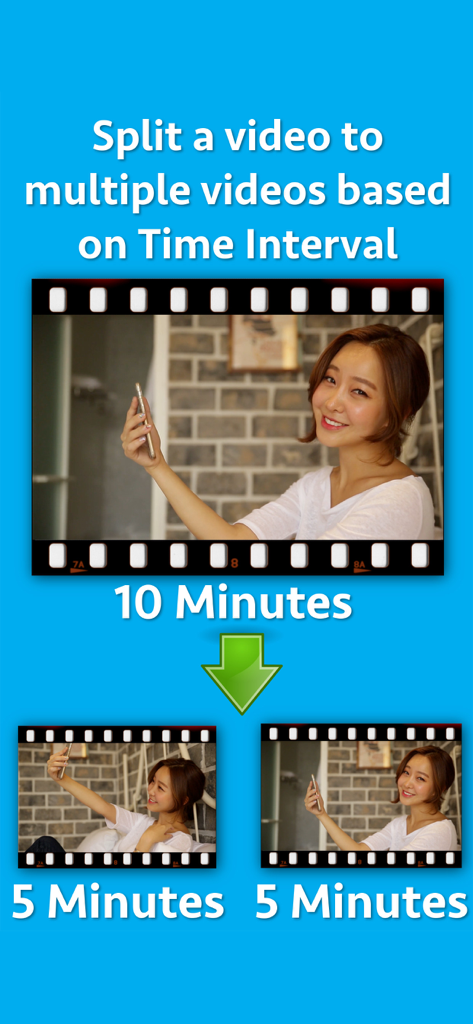
10분짜리 동영상이 5분짜리 두 개의 세그먼트로 분할되는 것을 보여주는 그래픽

10분짜리 동영상이 5분짜리 두 개의 세그먼트로 분할되는 것을 보여주는 그래픽

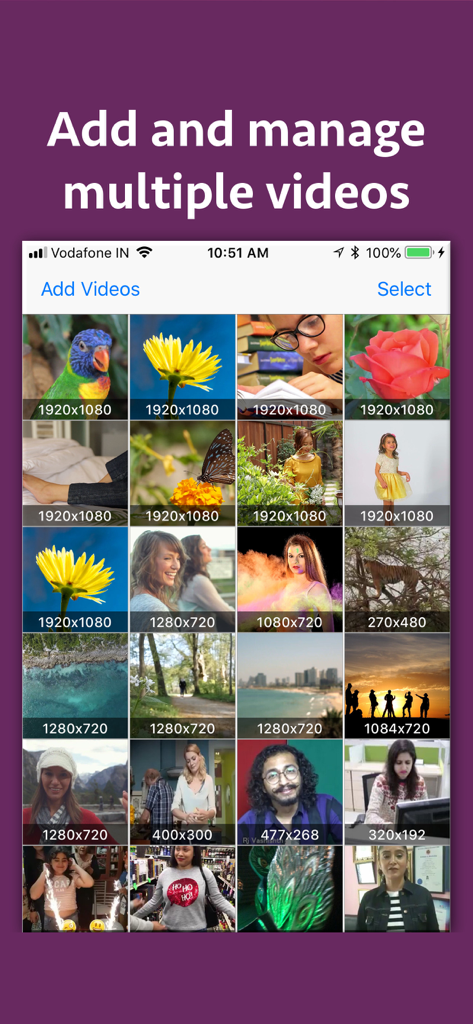
업로드된 동영상 그리드와 해당 해상도가 표시되는 Video Divider 앱 화면

업로드된 동영상 그리드와 해당 해상도가 표시되는 Video Divider 앱 화면

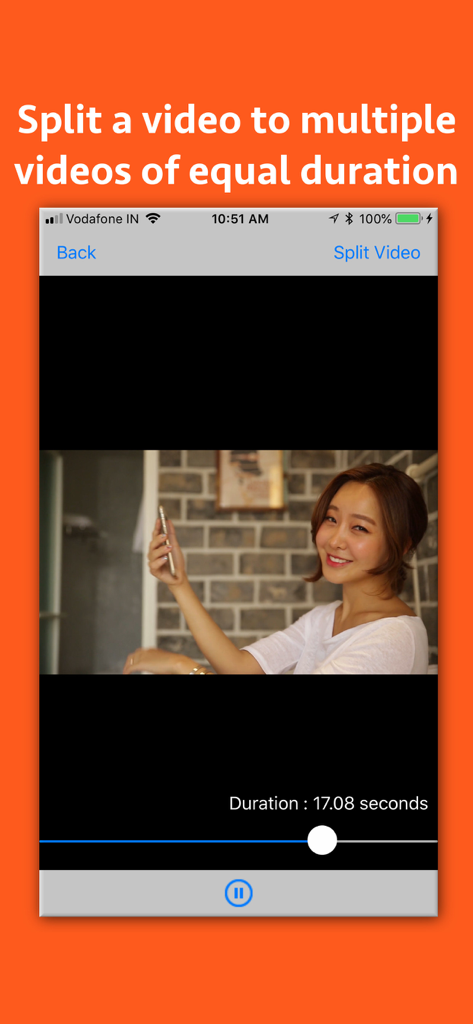
동영상을 동일한 부분으로 분할하는 방법을 보여주는 Video Divider 앱 화면

동영상을 동일한 부분으로 분할하는 방법을 보여주는 Video Divider 앱 화면

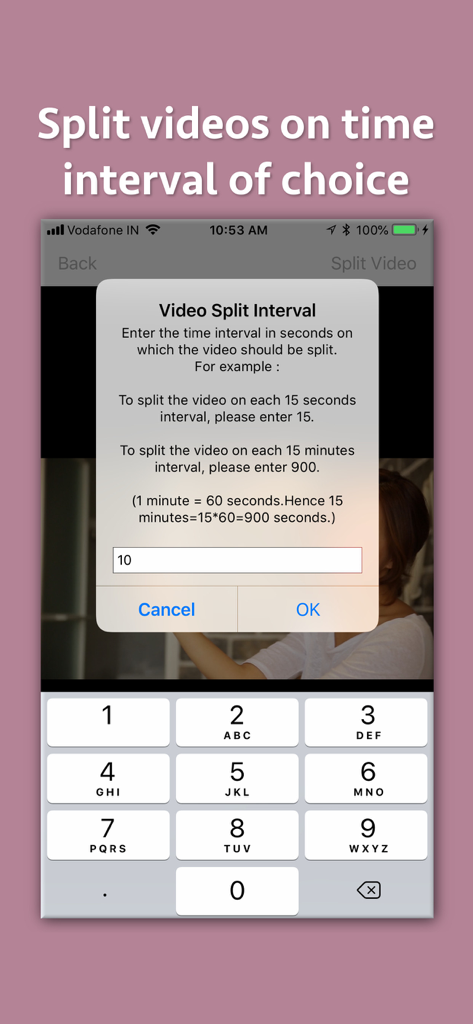
숫자 키패드를 사용하여 초 단위로 동영상 분할 간격을 입력하는 팝업 창을 보여주는 Video Divider 앱 인터페이스

숫자 키패드를 사용하여 초 단위로 동영상 분할 간격을 입력하는 팝업 창을 보여주는 Video Divider 앱 인터페이스

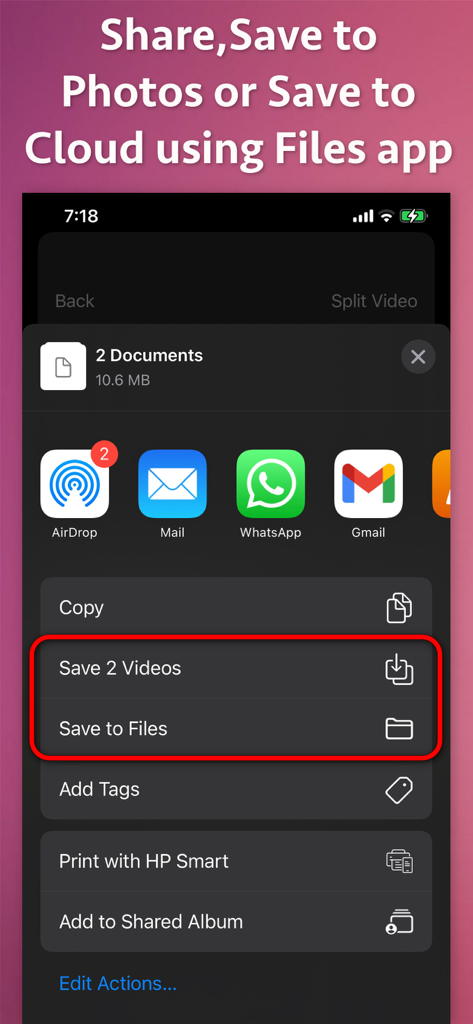
분할된 동영상 클립을 사진 또는 파일에 저장하고 소셜 미디어 앱을 통해 공유하는 옵션을 보여주는 iOS 공유 메뉴

분할된 동영상 클립을 사진 또는 파일에 저장하고 소셜 미디어 앱을 통해 공유하는 옵션을 보여주는 iOS 공유 메뉴

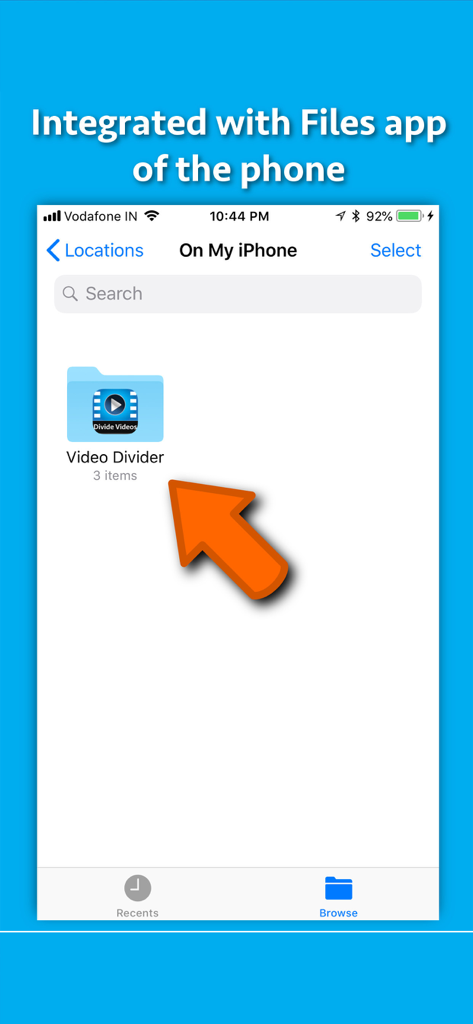
분할된 동영상의 쉬운 저장 및 액세스를 위해 Video Divider 앱과 iPhone 파일 앱의 통합을 보여주는 스크린샷

분할된 동영상의 쉬운 저장 및 액세스를 위해 Video Divider 앱과 iPhone 파일 앱의 통합을 보여주는 스크린샷

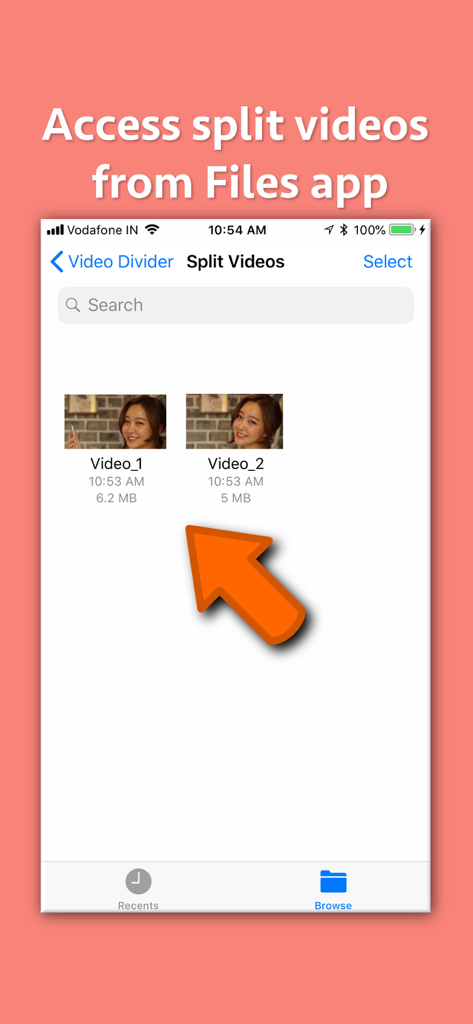
쉬운 정리 및 액세스를 위해 Video_1 및 Video_2로 레이블이 지정된 분할 동영상 파일을 보여주는 인터페이스

쉬운 정리 및 액세스를 위해 Video_1 및 Video_2로 레이블이 지정된 분할 동영상 파일을 보여주는 인터페이스

더 쉬운 공유를 위해 동영상을 분할하는 것에 대한 텍스트가 포함된 필름 스트립에 있는 가족 동영상 클립을 보여주는 Video Divider 앱의 프로모션 그래픽

더 쉬운 공유를 위해 동영상을 분할하는 것에 대한 텍스트가 포함된 필름 스트립에 있는 가족 동영상 클립을 보여주는 Video Divider 앱의 프로모션 그래픽

콘텐츠 제한을 나누고, 공유하고, 정복하세요

이 앱을 돋보이게 하는 도구, 800 명의 사용자가 선택.

📱

소셜 스토리에 완벽함

수동 번거로움 없이 Instagram 스토리, WhatsApp 상태 또는 TikTok에 대한 정확한 세그먼트로 긴 브이로그 또는 콘서트 푸티지를 자동으로 잘라냅니다.

💎

프로 품질 보존

흐릿하고 압축된 동영상에 만족하지 마세요. 원본 해상도와 선명한 디테일을 유지하면서 4K 또는 HD 파일을 더 작은 조각으로 분할하세요.

🔢

스마트 순차 번호 매기기

타임라인을 놓치지 마세요. 모든 클립은 번호가 매겨진 파일 이름으로 내보내지므로 항상 완벽한 시간순으로 업로드할 수 있습니다.

앱 소개

에 대해 알아야 할 모든 것 Video Divider - Video Splitter.

설명

Split videos based on time interval. Send, store and share large videos by dividing them into high quality videos of equal time interval. A video could be split based on specified Time in Seconds. For example : a) If there is a video of duration 50 seconds, just specify the time in Seconds in which you want it to split.If you specify 10 seconds, the application will split the video into 5 parts each having 10 seconds duration.If you specify the time to 5 seconds, the application will split the video into 10 videos , each having duration of 5 seconds. The generated videos are numbered so that their playing order could be understood. For example : A video named "Video.MOV" will be split into Video_1.MOV, Video_2.MOV, Video_3.MOV and so on. There are multiple benefits of splitting the video. For example : -- If there is a video of 100MB, you could split them into chunks of smaller sizes and send them in multiple emails. -- You could split video based on time and have multiple video parts that are equal in time duration.This could be very useful if you have to offer episodes or tutorials of a specified time duration. -- There are various messaging platforms that impose size restrictions on videos. In such cases, the entire large video could be sent by splitting it into multiple small videos using the application. -- You could divide the large video into videos of smaller duration and upload them to your website.Later on you could provide the links of each part separately to download. -- Apart from this, wherever there are size limitations for the video, the application could prove to be very beneficial by splitting the videos into smaller sized videos.

최신 버전

7.5

크기

2.6 MB

출시일

2018년 7월 30일

제한 없이 공유할 준비가 되셨나요?

수천 명의 제작자와 함께 크기 제한을 우회하세요. 탭 한 번으로 긴 동영상을 WhatsApp, Instagram, 이메일에 최적화된 고품질 번호 매기기 클립으로 분할하세요.

다운로드: App Store

App information, icons, screenshots, and descriptions displayed on this page are sourced from the Apple App Store and are the property of their respective developers. Download estimates and rankings are based on MWM's proprietary models and may not reflect actual figures. This page is provided for informational and analytical purposes only.

Believe this page infringes your intellectual property? File a dispute