Video Merger - Video Combiner

Video Merger - Video Combiner


다운로드: App Store
로고: Video Merger - Video Combiner

동영상 병합 - 동영상 컴바이너: 클립을 결합하고 편집하는 가장 간단한 방법

몇 초 만에 여러 동영상을 하나의 완성된 스토리로 변환하세요. 몇 번의 탭으로 음악, 효과, 텍스트를 추가하세요. 소셜 미디어, 가족 추억, 빠른 공유에 완벽합니다.

다운로드: App Store

개발사

out thinking private limited

카테고리

Photo & Video

다운로드

518K+

사용자 평점

4.1/5

총 평가 수

44K+

지원 언어

31

움직이는 듯한 간편함

이 인터페이스를 사용하는 518K+ 명의 사용자.

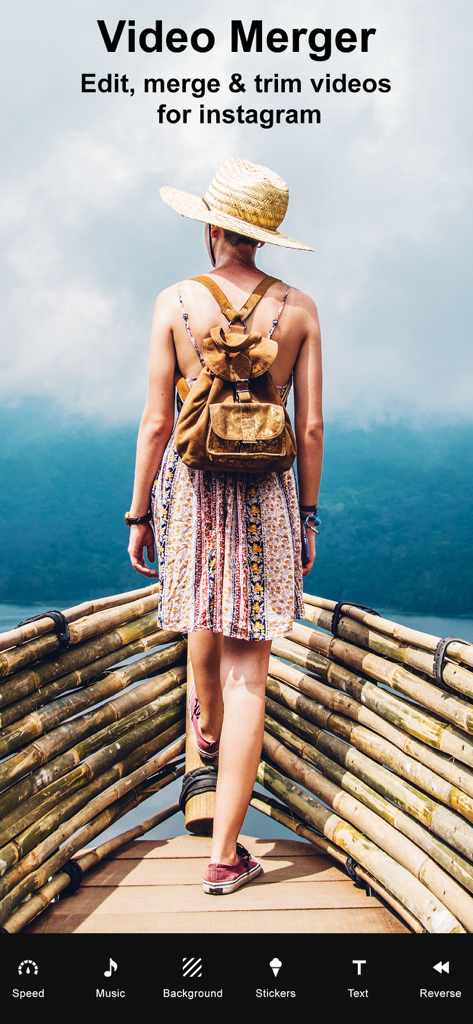
인스타그램용 동영상 편집 및 병합 옵션을 보여주는 동영상 병합 앱 화면

인스타그램용 동영상 편집 및 병합 옵션을 보여주는 동영상 병합 앱 화면

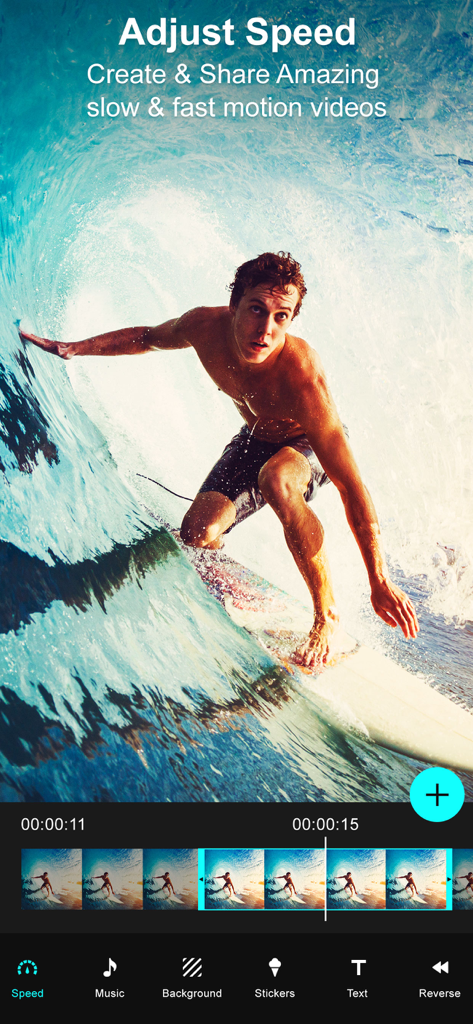
서퍼 동영상을 보여주는 속도 조절 기능의 동영상 병합 앱 인터페이스

서퍼 동영상을 보여주는 속도 조절 기능의 동영상 병합 앱 인터페이스

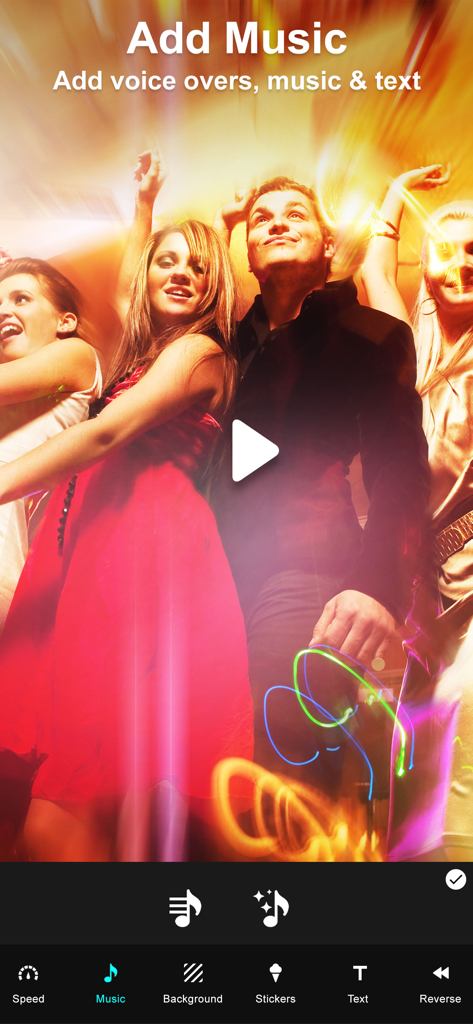
동영상에 음악, 음성 녹음, 텍스트를 추가하는 옵션을 보여주는 동영상 병합 앱의 인터페이스

동영상에 음악, 음성 녹음, 텍스트를 추가하는 옵션을 보여주는 동영상 병합 앱의 인터페이스

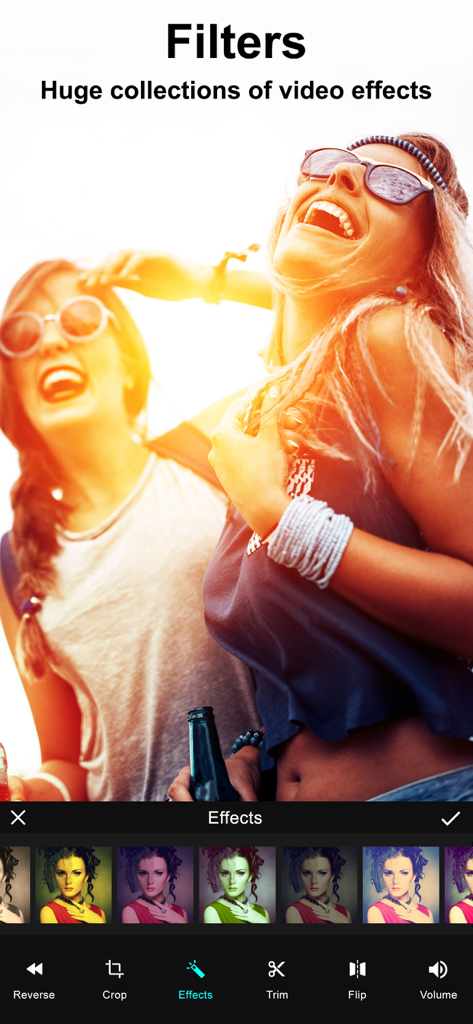
동영상 클립에 적용된 다양한 색상 필터 및 효과 컬렉션을 보여주는 동영상 편집 화면

동영상 클립에 적용된 다양한 색상 필터 및 효과 컬렉션을 보여주는 동영상 편집 화면

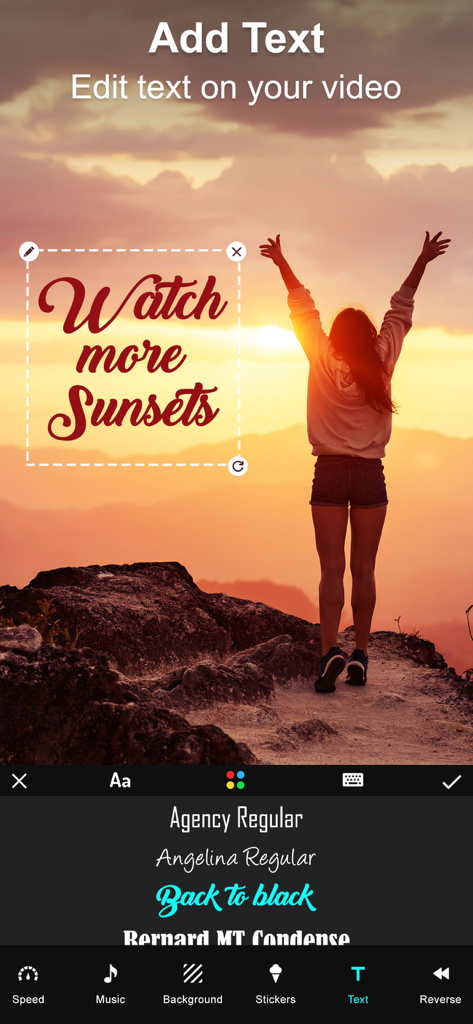
석양 동영상 위에 사용자 지정 글꼴 오버레이가 있는 동영상 병합 앱의 텍스트 편집 인터페이스

석양 동영상 위에 사용자 지정 글꼴 오버레이가 있는 동영상 병합 앱의 텍스트 편집 인터페이스

두 친구의 동영상 프레임에 다양한 색상의 스티커가 적용된 동영상 편집 인터페이스

두 친구의 동영상 프레임에 다양한 색상의 스티커가 적용된 동영상 편집 인터페이스

클립을 스토리로 변환하세요

이 앱을 돋보이게 하는 도구, 518K+ 명의 사용자가 선택.

🎞️

끊김 없는 동영상 병합

마음에 드는 클립을 선택하고 즉시 연결하세요. 몇 번의 탭으로 가족의 추억이나 운동 기록을 아름다운 시퀀스로 만드세요.

📱

모든 플랫폼에 최적화

세로, 가로, 정사각형 방향을 쉽게 전환하여 인스타그램, 틱톡, 유튜브에 완벽한 콘텐츠를 만드세요.

🎵

맞춤 음악 및 효과

자신만의 사운드트랙, 세련된 스티커, 텍스트 오버레이를 추가하여 동영상에 생기를 불어넣고 시청자에게 완벽한 분위기를 전달하세요.

리뷰 분석

사용자 리뷰 인사이트.

감정 점수

11%
부정적

요약

This app receives overwhelmingly negative feedback from users, primarily due to severe stability issues, with many reports of frequent crashes, freezing, and the app being entirely non-functional, sometimes even deleting user projects. A significant number of users also express strong dissatisfaction with the monetization model, citing unexpected charges, deceptive free trial practices, and essential features being locked behind paywalls, often after making purchases that still don't resolve issues. Furthermore, the app is criticized for limited core functionality, such as inability to merge multiple videos, poor output quality, and restrictive editing options. These issues have led many users to label the app as a scam, recommending others to avoid downloading it.

주요 테마

App Stability(25)
Monetization Practices(15)
Core Functionality(10)
Deceptive Claims(6)
Output Quality(2)
User Experience(2)

앱 소개

에 대해 알아야 할 모든 것 Video Merger - Video Combiner.

설명

Want to Merge Videos? then Download our Video Merger app to your iPhone, iPod or iPad, and easily merge videos on your device.You can use this app to combine multiple videos into one video. Key Features of our Video Merger App * Combine multiple videos right on your device * Easily add lot of different Effects to videos with our “Effects” option on this app * Very simple user interface, easy to understand * Supports Portrait, Landscape and Square orientation Video output * Add music to your video. * You can change the background color of the video * You can also add Patterns to your video * Save the combined video to your device or share it on any Social networking sites * Crop: Now we added crop option to our VideoMerger app. You can now crop your video easily. We also provided aspect ratio as well. * Add audio to a particular portion of a video. * Trim, cut, reverse and flip the video. * Add text, stickers to a selected portion of a video. * Set the video speed and adjust the volume of the video. Steps to Merge videos by adding effects with our Video Merger App: 1. Select orientation of your output video( Portrait , Landscape , Square) 2. Click on 'Add' button to select videos 3. Select your music from music library by clicking on 'Music' button 4. Select a video fit option for the video. 5. Set the speed and volume for the video. 6. Choose an audio for a selected portion of a video. 7. Trim, cut, reverse and flip the video. 8. Select stickers and add text to a selected portion of a video. 9. To watch the preview click on 'Play' button 10. Share your merged video by clicking on 'Share' button Merging video with video merger app is very easy, fast. This is the best app to combine multiple videos into single video or best app for joining videos together on your iPhone, iPod or iPad. Subscription Terms - Subscribe to get unlimited video collage app access to all features. - Upon confirmation of purchase, the payment will be charged to the iTunes account. - Until you turn off the auto-renew at least 24 hours before the end of the current. period it will be automatically renewed. - If you decide to turn off auto-renewal, you can turn it off maybe by going to account settings after purchase. -The renewal amount will be charged from the account within 24 hours before the end of the current period. -As per the policy, cancellation of the current subscription is not allowed during the active subscription period. Once purchased, refunds will not be returned for any unused portion of the subscription period. Terms of use - https://www.outthinkingindia.com/terms-of-use/ Privacy policy - https://www.outthinkingindia.com/privacy-policy/

최신 버전

3.71

크기

74.9 MB

출시일

2014년 6월 11일

클립을 하나의 완벽한 스토리로 만들 준비가 되셨나요?

지금까지 50만 명 이상의 사용자가 좋아하는 순간을 몇 초 만에 병합, 편집, 공유하고 있습니다. 오늘 아이폰 및 아이패드를 위한 가장 간단한 동영상 컴바이너를 다운로드하세요.

다운로드: App Store
FAQ

자주 묻는 질문

에 대해 알아야 할 모든 것 Video Merger - Video Combiner

Video Merger - Video Combiner 앱이란 무엇인가요?

Video Merger - Video Combiner 앱은 iPhone, iPod 또는 iPad 기기에서 여러 동영상을 하나의 동영상으로 병합할 수 있는 기능을 제공합니다. 또한 효과, 음악, 텍스트 및 속도 조절과 같은 다양한 편집 기능을 통해 동영상을 맞춤 설정할 수 있습니다.

Video Merger 앱을 사용하여 여러 동영상을 병합할 수 있나요?

네, Video Merger 앱을 사용하면 여러 동영상을 기기에서 직접 하나의 동영상으로 병합할 수 있습니다. 이것은 앱의 주요 기능에 설명된 핵심 기능 중 하나입니다.

Video Merger - Video Combiner는 동영상에 효과를 추가하는 것을 지원하나요?

네, Video Merger - Video Combiner 앱을 사용하면 다양한 효과를 동영상에 추가할 수 있습니다. 앱은 방대한 비디오 필터 컬렉션을 갖춘 전용 "효과" 옵션을 제공합니다.

Video Merger 앱에서 동영상에 음악을 추가할 수 있나요?

네, Video Merger 앱을 사용하면 동영상에 음악을 추가할 수 있습니다. 사용자는 음악 라이브러리에서 음악을 선택하고 동영상의 특정 부분에 오디오를 추가할 수 있습니다.

Video Merger는 출력 시 어떤 동영상 방향을 지원하나요?

Video Merger 앱은 동영상 출력 시 세로, 가로 및 정사각형 방향을 지원합니다. 사용자는 동영상 병합 시 첫 단계로 원하는 방향을 선택합니다.

Video Merger - Video Combiner로 동영상을 자르고 트리밍할 수 있나요?

네, Video Merger - Video Combiner 앱에는 동영상을 자르고 트리밍하는 옵션이 포함되어 있습니다. 자르기를 위한 화면 비율 선택 기능과 트리밍, 잘라내기, 되돌리기 및 뒤집기를 위한 기능이 제공됩니다.

Video Merger 앱에서 동영상 속도를 어떻게 조절하나요?

Video Merger 앱을 사용하면 동영상의 속도를 조절할 수 있습니다. 이 기능은 동영상 편집 도구 모음의 일부로, 느린 모션 또는 빠른 모션 효과를 만들 수 있게 합니다.

Video Merger에서 동영상에 텍스트와 스티커를 추가할 수 있나요?

네, Video Merger 앱을 사용하면 선택한 동영상 부분에 텍스트와 스티커를 추가할 수 있습니다. 창의적인 향상을 위해 앱 내에서 텍스트와 스티커 전용 인터페이스를 사용할 수 있습니다.

Video Merger - Video Combiner의 구독은 어떻게 작동하나요?

Video Merger - Video Combiner 앱은 모든 기능에 대한 무제한 액세스를 위해 구독을 제공합니다. 구매 확인 후 결제는 사용자의 iTunes 계정으로 청구됩니다.

Video Merger 앱 구독을 어떻게 취소하나요?

사용자는 구매 후 계정 설정을 통해 자동 갱신을 해제하여 Video Merger 앱 구독을 취소할 수 있습니다. 이 조치는 현재 구독 기간이 종료되기 최소 24시간 전에 이루어져야 합니다.

Video Merger 앱 구독에 대한 환불이 가능한가요?

아니요, Video Merger 앱 정책은 활성 기간 동안 현재 구독을 취소할 수 없습니다. 구매한 구독 기간의 미사용 부분에 대한 환불은 제공되지 않습니다.

App information, icons, screenshots, and descriptions displayed on this page are sourced from the Apple App Store and are the property of their respective developers. Download estimates and rankings are based on MWM's proprietary models and may not reflect actual figures. This page is provided for informational and analytical purposes only.

Believe this page infringes your intellectual property? File a dispute