Video to mp3 converter no ads

Video to mp3 converter no ads


다운로드: App Store
로고: Video to mp3 converter no ads

광고 없는 동영상 MP3 변환기: 빠르고, 안전하며, 배치 처리에 적합

중단 없는 전문가 수준의 오디오 추출을 경험하세요. 여러 동영상을 기기 내에서 즉시 MP3, WAV 또는 FLAC로 변환하세요.

다운로드: App Store

개발사

Mehroz Sheikh

카테고리

Music

다운로드

2K+

사용자 평점

4.6/5

총 평가 수

0

지원 언어

1

손쉬운 효율성

이 인터페이스를 사용하는 2K+ 명의 사용자.

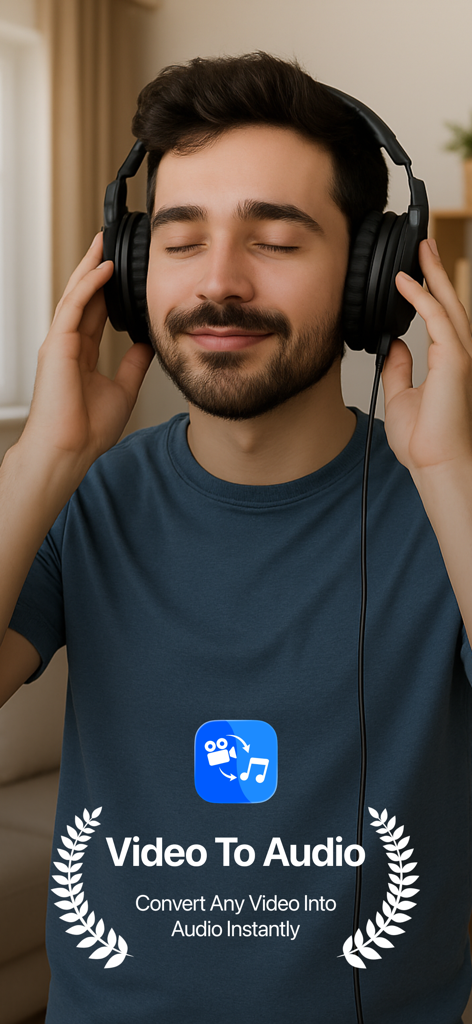
헤드폰을 낀 남자가 동영상에서 변환된 오디오를 즐기는 모습

헤드폰을 낀 남자가 동영상에서 변환된 오디오를 즐기는 모습

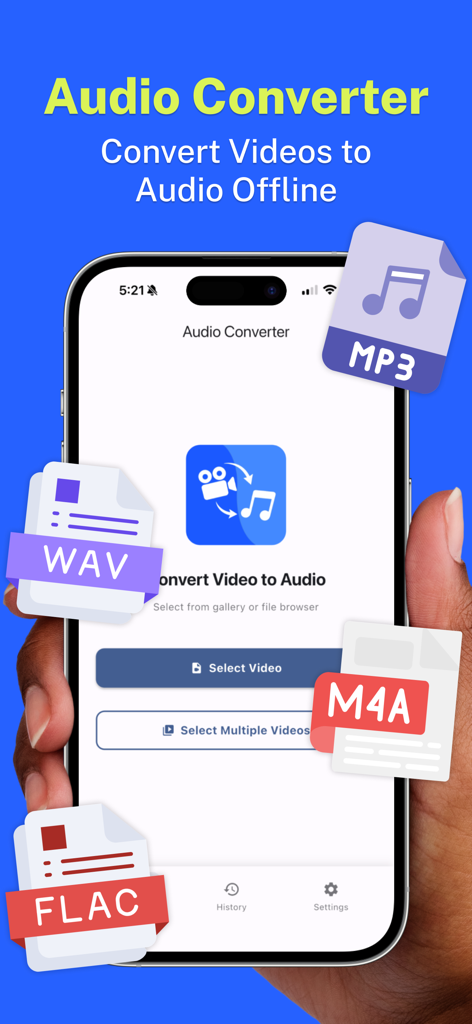
MP3, WAV, M4A, FLAC 형식 옵션이 있는 오디오 변환기 앱의 메인 인터페이스를 보여주는 스마트폰

MP3, WAV, M4A, FLAC 형식 옵션이 있는 오디오 변환기 앱의 메인 인터페이스를 보여주는 스마트폰

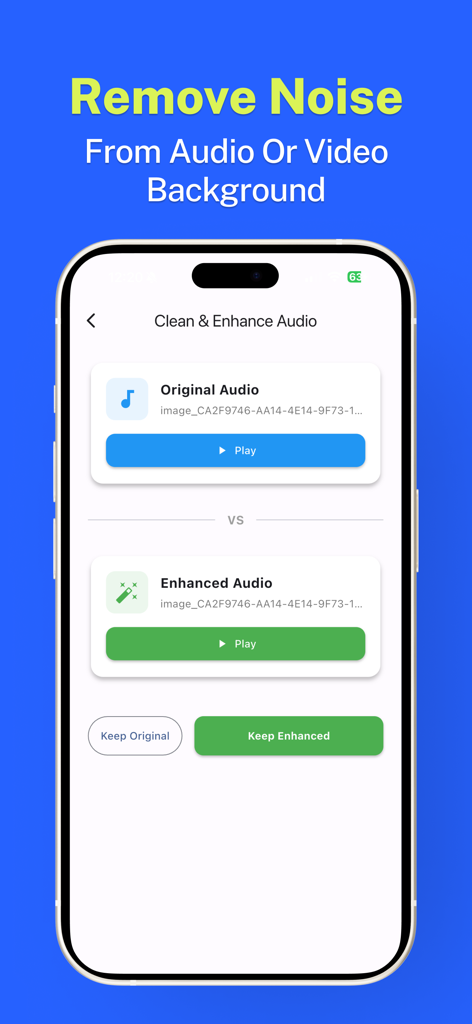
동영상 MP3 변환기 앱의 배경 노이즈 제거 및 오디오 향상 기능을 보여주는 스마트폰 화면

동영상 MP3 변환기 앱의 배경 노이즈 제거 및 오디오 향상 기능을 보여주는 스마트폰 화면

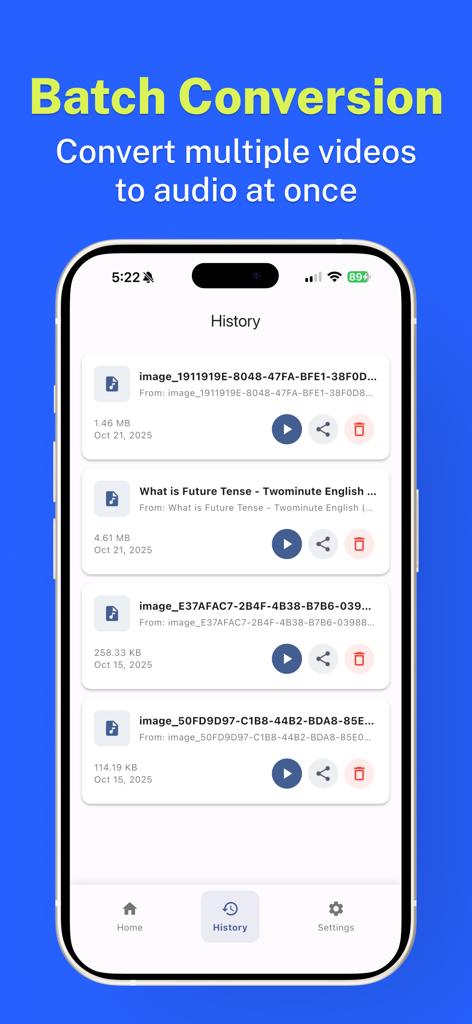
iPhone에서 배치 동영상-오디오 변환 기록을 보여주는 앱 인터페이스

iPhone에서 배치 동영상-오디오 변환 기록을 보여주는 앱 인터페이스

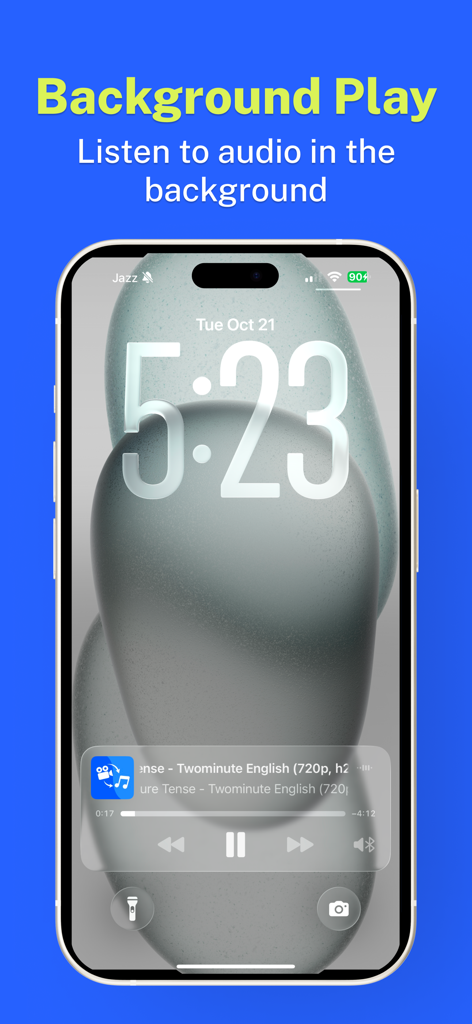
동영상 MP3 변환기 앱의 백그라운드 오디오 재생을 보여주는 iPhone 잠금 화면

동영상 MP3 변환기 앱의 백그라운드 오디오 재생을 보여주는 iPhone 잠금 화면

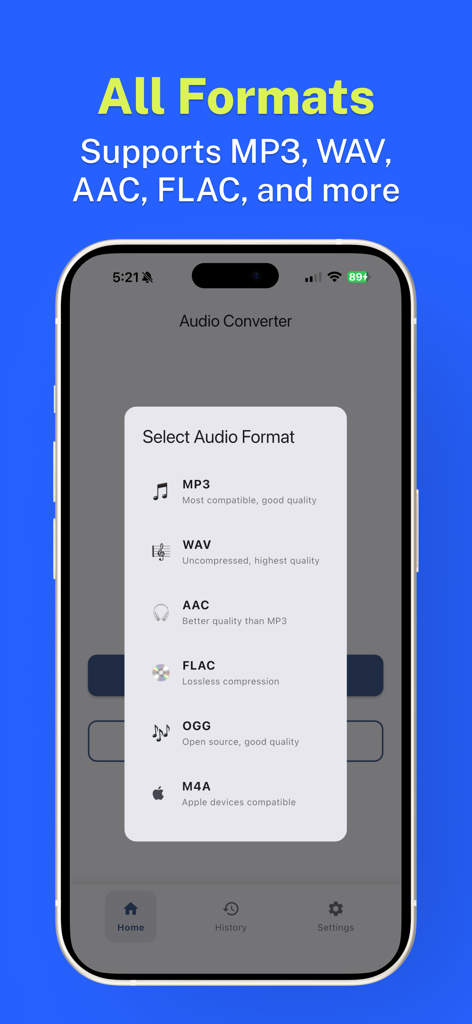
MP3, WAV, AAC, FLAC를 포함한 지원되는 오디오 형식 목록을 보여주는 모바일 앱 인터페이스

MP3, WAV, AAC, FLAC를 포함한 지원되는 오디오 형식 목록을 보여주는 모바일 앱 인터페이스

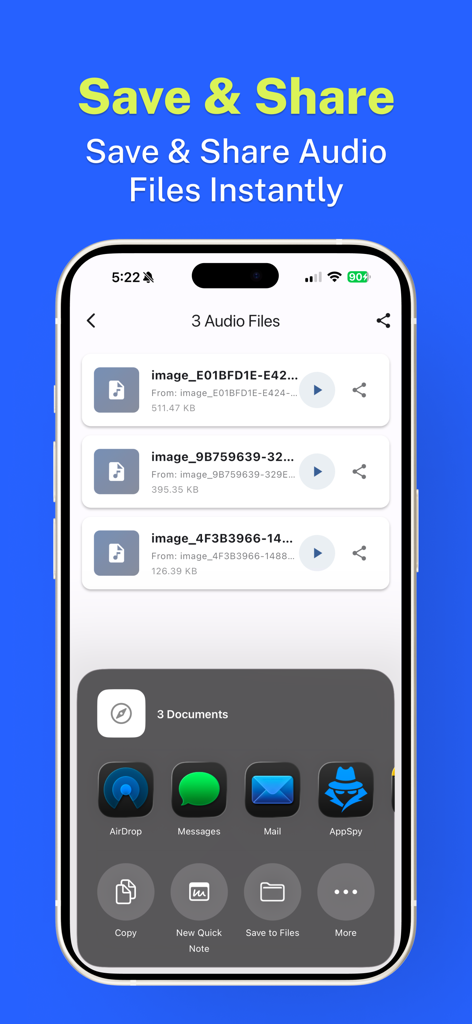
변환된 오디오 파일 목록을 표시하고 AirDrop, 메시지 또는 메일을 통해 내보내기 위해 iOS 공유 시트가 열린 모바일 인터페이스.

변환된 오디오 파일 목록을 표시하고 AirDrop, 메시지 또는 메일을 통해 내보내기 위해 iOS 공유 시트가 열린 모바일 인터페이스.

전문적인 오디오 추출, 중단 없음

이 앱을 돋보이게 하는 도구, 2K+ 명의 사용자가 선택.

🚫

100% 광고 없는 워크플로우

프리미엄 인터페이스로 답답함을 제거하세요. 팝업 없고, 강제 동영상 광고도 없습니다. 오디오 변환 요구에 대한 순수한 효율성만 제공합니다.

🔒

기기 내 개인 정보 처리

데이터는 휴대폰을 절대 떠나지 않습니다. 모든 변환은 로컬에서 이루어져 최대 보안을 제공하고 어디서든 오프라인으로 작업할 수 있습니다.

고속 배치 변환

한 번에 여러 파일을 처리하여 시간을 절약하세요. 전체 갤러리의 오디오를 몇 초 안에 MP3, WAV 또는 AAC 형식으로 추출하세요.

앱 소개

에 대해 알아야 할 모든 것 Video to mp3 converter no ads.

설명

"Video to mp3 converter no ads" makes it simple to get audio from your videos. Use the app to pick a single video or many videos from your gallery or files, then save or share the audio files you need. How it works • Open "Video to mp3 converter no ads" and choose videos from the gallery or file picker. • Convert single files or select multiple videos at once. • Choose the audio format you want (examples: mp3, wav, aac, flac, m4a). • Save results to your device or share them with other apps. Features • On-device conversion — works offline without uploading files. • Background playback and lock-screen support so you can listen while using other apps. • Batch conversion for multiple files. • Simple trimming and basic editing options after extraction. • Save to local storage or export/share through messaging, cloud apps, or email. Privacy & storage All conversions happen on your device. Files are not uploaded by default. You control where converted files are saved. If you need a no-ads app for extracting audio from video files, try "Video to mp3 converter no ads" — it keeps the steps clear and the files on your device. Subscription Plans: - Weekly: $3.99 USD (3 Day Free Trial) - Lifetime: $14.99 USD Terms of use: https://www.apple.com/legal/internet-services/itunes/dev/stdeula Privacy Policy: https://techrozsolutions.netlify.app/audioconverter/privacy_policy.html

최신 버전

1.2.2

크기

75.7 MB

출시일

2025년 10월 21일

광고 없는 오디오 추출을 경험할 준비가 되셨나요?

수천 명의 크리에이터 및 전문가와 함께하세요. 변환, 트리밍, 오프라인 청취를 완벽한 개인 정보 보호 기능으로 즐기세요. 광고 없고, 클라우드 업로드도 없습니다. 오디오를 원하는 대로 사용하세요.

다운로드: App Store

App information, icons, screenshots, and descriptions displayed on this page are sourced from the Apple App Store and are the property of their respective developers. Download estimates and rankings are based on MWM's proprietary models and may not reflect actual figures. This page is provided for informational and analytical purposes only.

Believe this page infringes your intellectual property? File a dispute