
이 페이지는 앱이나 개발자의 공식 페이지가 아니며, 정보 제공 및 논평을 목적으로 작성된 독립 편집 간행물입니다. 명시적으로 달리 언급되지 않는 한, 해당 앱이나 개발자는 MWM, Apple, Google Play, 앱 퍼블리셔 또는 앱 개발자와 제휴, 보증, 후원, 승인 또는 공식적으로 연결되어 있지 않으며, 이 페이지의 어떤 내용도 해당 앱이 MWM의 서비스를 사용하여 개발되었음을 의미하지 않습니다. 모든 상표, 로고, 스크린샷 및 기타 콘텐츠는 해당 소유자의 자산입니다.


Audio Editor - Music Mixer
1000만 명 이상의 크리에이터와 함께 트랙을 믹싱하고, 노이즈를 제거하고, 완벽한 사운드를 만드세요. 바이럴 소셜 미디어 매시업부터 맞춤 벨소리까지, 전문적인 오디오가 탭 한 번으로 가능합니다.
다운로드
10M+사용자 평점
총 평가 수
177K+개발사
카테고리
Music지원 언어
33최신 버전
5.71크기
154.9 MB출시일
2018년 4월 7일주머니 속 전문 스튜디오
틱톡, 팟캐스트 및 개인 프로젝트를 위한 오디오를 자르고, 믹싱하고, 마스터링하는 궁극의 모바일 툴박스를 사용하는 1000만 명 이상의 크리에이터와 함께하세요.
프로 레벨 믹싱 및 스플라이싱
바이럴 소셜 미디어 콘텐츠 및 고에너지 DJ 세트를 위해 설계된 정밀 도구로 좋아하는 트랙을 원활하게 병합, 연결 또는 매시업하세요.
스마트 오디오 향상
어떤 휴대폰 녹음도 스튜디오 품질의 걸작으로 바꿔주는 고급 도구를 사용하여 보컬을 즉시 제거하고, 악기를 분리하거나, 배경 노이즈를 제거하세요.
자주 묻는 질문
에 대해 알아야 할 모든 것 Audio Editor - Music Mixer
오디오 편집기 - 뮤직 믹서는 무엇에 사용되나요?
오디오 편집기 - 뮤직 믹서는 음악을 자르고, 믹싱하고, 이어 붙이는 데 사용되는 사용하기 쉬운 도구입니다. 사용자는 이를 통해 사용자 정의 벨소리를 만들고 다양한 오디오 효과를 적용할 수 있습니다.
오디오 편집기 - 뮤직 믹서 앱으로 벨소리를 만들 수 있나요?
네, 오디오 편집기 - 뮤직 믹서를 사용하면 멋진 벨소리를 만들 수 있습니다. 컴퓨터 설정용 벨소리와 휴대폰 벨소리 설정을 직접 지원합니다.
오디오 편집기 - 뮤직 믹서에서 제공하는 오디오 효과는 무엇인가요?
오디오 편집기 - 뮤직 믹서는 정규화, EQ, 템포, 리버브, 피치 등 다양한 오디오 효과를 제공합니다. 또한 보컬 강화, 노이즈 제거, 베이스 부스트 기능이 포함된 오디오 툴박스를 제공합니다.
오디오 편집기 - 뮤직 믹서에 보컬 제거 기능이 있나요?
네, 오디오 편집기 - 뮤직 믹서에는 보컬과 반주를 분리하는 AI 보컬 제거 기능이 포함되어 있습니다. 오디오 툴박스 내에서도 사용할 수 있습니다.
오디오 편집기 - 뮤직 믹서에서 노이즈 감소는 어떻게 작동하나요?
오디오 편집기 - 뮤직 믹서는 자동 및 수동 노이즈 제거 기능을 모두 제공합니다. 사용자는 노이즈 샘플을 선택하여 정밀하게 수동으로 줄이거나 자동 노이즈 감소 모델을 선택할 수 있습니다.
오디오 편집기 프로 무제한 구독의 이점은 무엇인가요?
오디오 편집기 프로 무제한 구독은 더 높은 음질, 무제한 믹싱 모드, 풍부한 가져오기/내보내기 옵션, 자동 광고 제거 등 모든 기능에 액세스할 수 있습니다.
오디오 편집기 프로 무제한 구독은 어떻게 결제되나요?
오디오 편집기 프로 무제한 구독은 선택한 요금제에 따라 월별 또는 연별로 청구됩니다. 구매 확인 시 iTunes 계정으로 결제가 청구됩니다.
오디오 편집기 - 뮤직 믹서는 멀티트랙 오디오 편집을 지원하나요?
네, 오디오 편집기 - 뮤직 믹서는 멀티트랙 오디오 편집을 지원합니다. 사용자는 여러 오디오 트랙을 관리하고, 효과를 적용하고, 자르기, 페이드, 속도, 볼륨과 같은 매개변수를 조정할 수 있습니다.
오디오 편집기 - 뮤직 믹서에서 내보낼 수 있는 오디오 형식은 무엇인가요?
오디오 편집기 - 뮤직 믹서는 MP3, M4A, WAV, M4R, CAF, AIFF, AIFC, AAC, FLAC, WMA, OGG, ADX를 포함한 여러 형식으로 내보내기를 지원합니다.
오디오 편집기 - 뮤직 믹서로 오디오 파일을 가져오려면 어떻게 해야 하나요?
오디오 편집기 - 뮤직 믹서는 Wi-Fi 가져오기/내보내기, 다른 애플리케이션에서 직접 가져오기, 앨범 비디오 및 모바일 음악 라이브러리 직접 사용을 포함한 강력한 가져오기 방법을 제공합니다.
다음 스크린샷과 설명은 앱의 공식 스토어 목록에서 직접 가져온 것이며 앱 개발자의 자산입니다.
앱 스토어
스크린샷
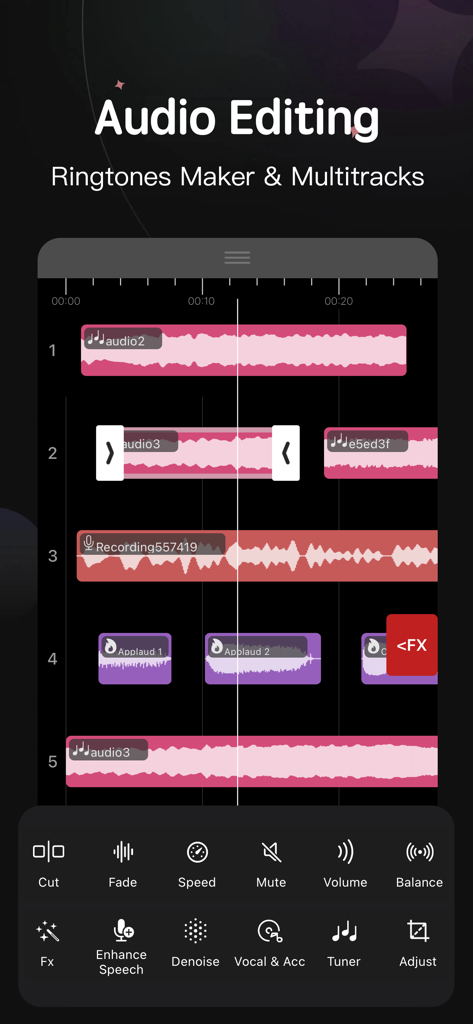
모바일 오디오 편집기 인터페이스, 파형과 음악 편집 도구가 있는 멀티트랙 타임라인 표시
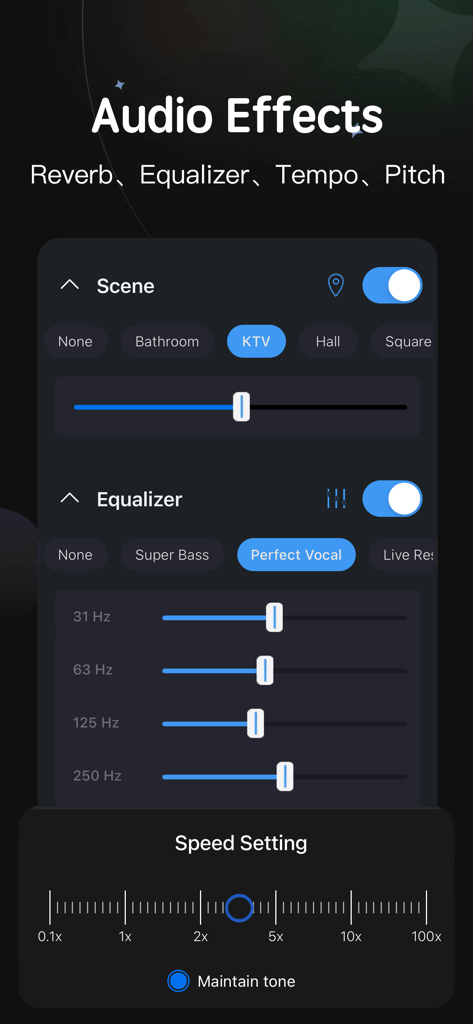
씬 선택 이퀄라이저 슬라이더 및 속도 설정과 같은 오디오 효과를 보여주는 모바일 인터페이스
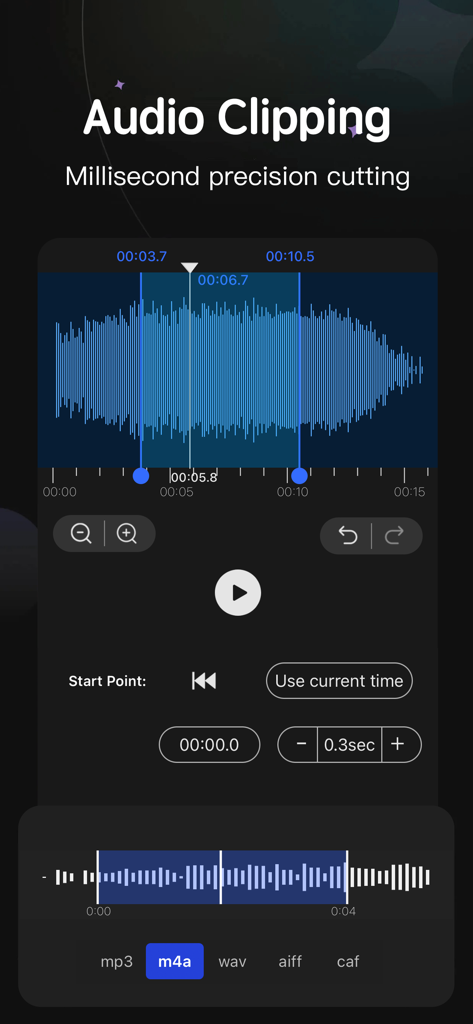
음악 편집을 위한 밀리초 단위 정밀 파형 클리핑을 보여주는 오디오 편집기 인터페이스
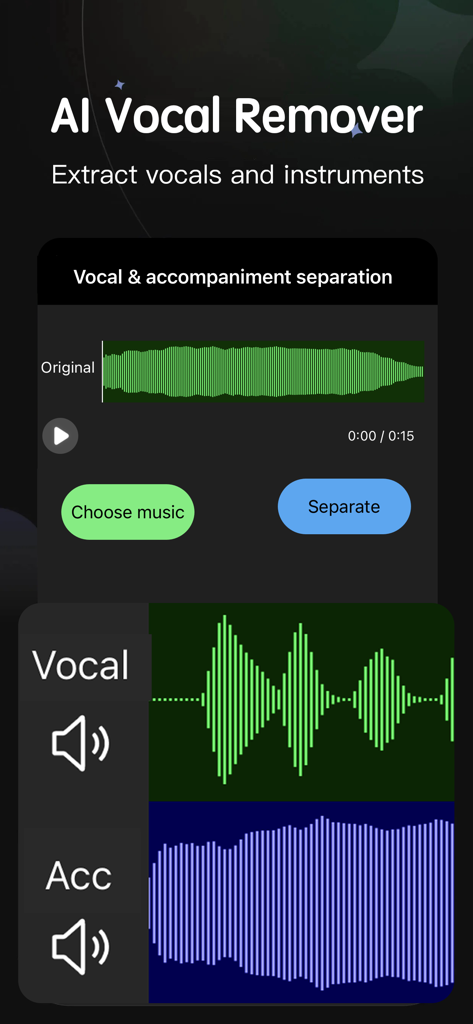
노래에서 보컬과 악기를 추출하기 위한 AI 보컬 제거기 인터페이스
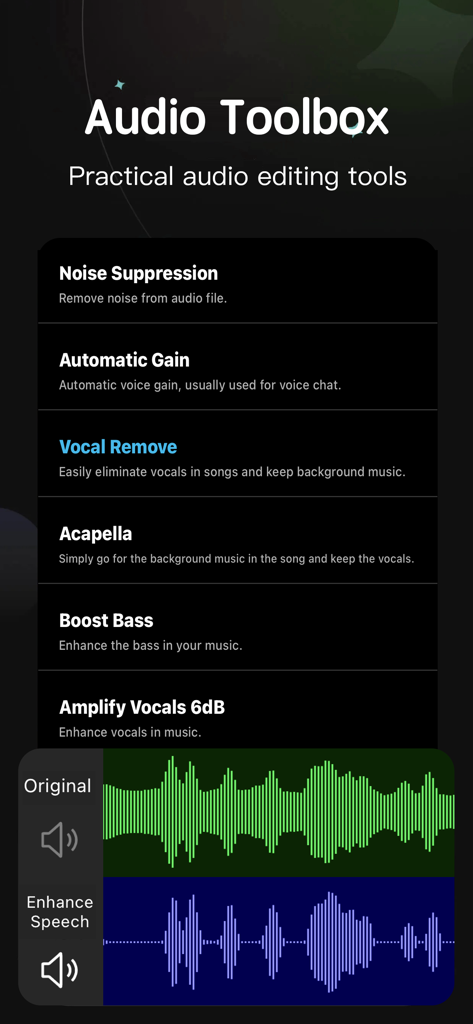
모바일 음악 제작을 위한 노이즈 억제, 보컬 제거, 파형 편집과 같은 기능을 보여주는 오디오 툴박스 화면
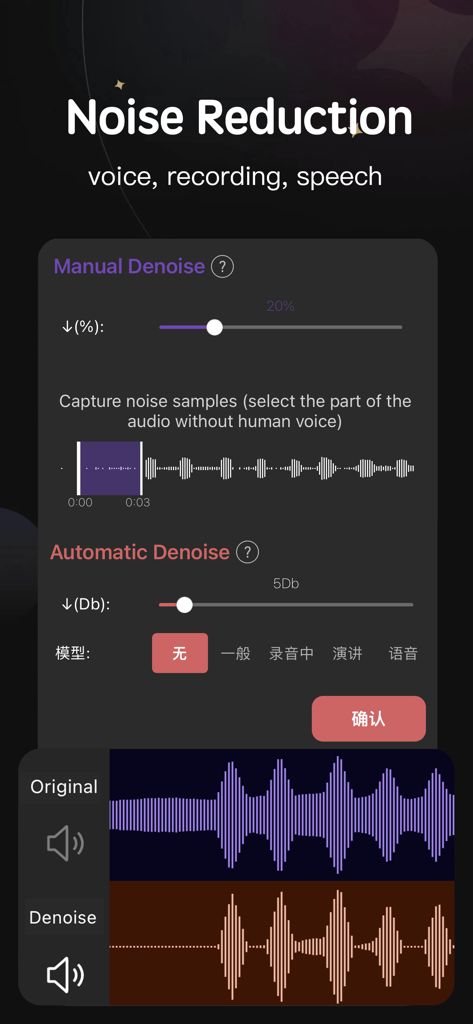
파형 시각화를 포함한 수동 및 자동 노이즈 감소 도구를 보여주는 오디오 편집기 앱의 인터페이스
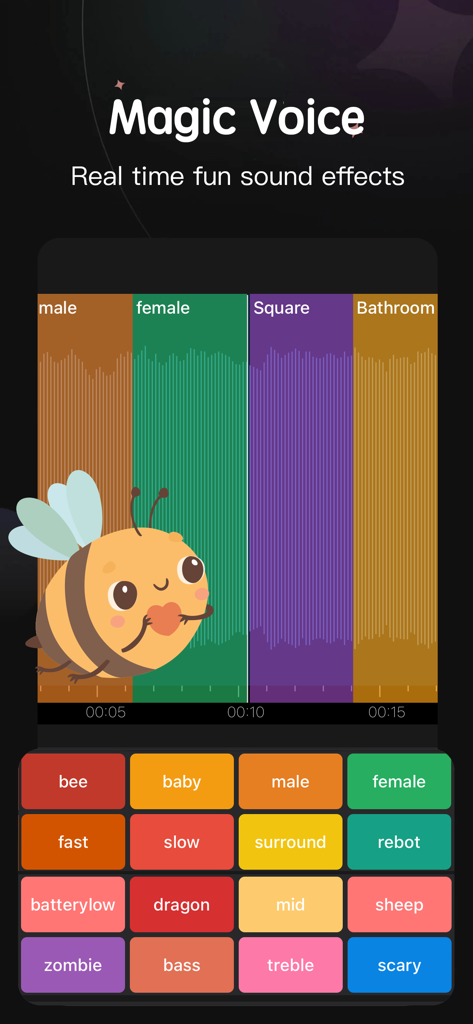
벌, 아기, 로봇과 같은 다양한 실시간 음향 효과를 제공하는 매직 보이스 기능의 오디오 편집기 앱 인터페이스
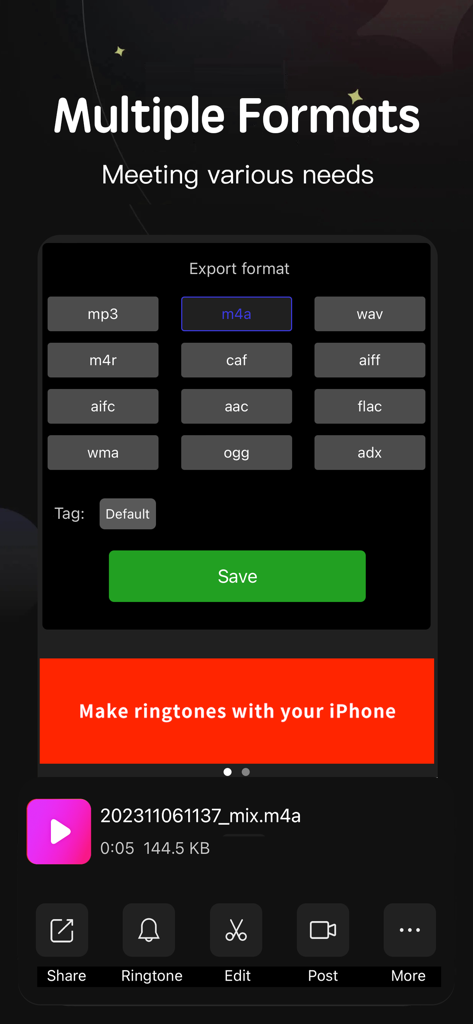
음악 및 벨소리용 mp3, wav, m4a를 포함한 여러 내보내기 형식을 보여주는 오디오 편집기 앱 인터페이스
설명
Download
비슷한 앱
유사한 기능과 사용자 경험을 가진 앱

MP3 Converter -Audio Extractor
妍 岳

MP3 Converter: Video to Audio
Fitness Labs SRL

Audio Editor: MP3 Converter
ZHN Co., Ltd.

MP3 Converter - video2mp3
ZHN Co., Ltd.

EZAudioCut - Audio Editor Lite
龙刚 李

Audio Extractor-Audio Editing
正军 刘

Audio Editor & Music Mixer
Wuhan Net Power Technology Co., Ltd

Audio Converter&Ringtone Maker
俊鹏 位
Audio Converter & Video to MP3
昱江 郭
이 페이지는 앱이나 개발자의 공식 페이지가 아니며, 정보 제공 및 논평을 목적으로 작성된 독립 편집 간행물입니다. 명시적으로 달리 언급되지 않는 한, 해당 앱이나 개발자는 MWM, Apple, Google Play, 앱 퍼블리셔 또는 앱 개발자와 제휴, 보증, 후원, 승인 또는 공식적으로 연결되어 있지 않으며, 이 페이지의 어떤 내용도 해당 앱이 MWM의 서비스를 사용하여 개발되었음을 의미하지 않습니다. 모든 상표, 로고, 스크린샷 및 기타 콘텐츠는 해당 소유자의 자산입니다.