VideoCam+ Video Recorder

VideoCam+ Video Recorder


다운로드: App Store
로고: VideoCam+ Video Recorder

VideoCam+: 드디어 일시 중지 및 재개가 가능한 올인원 카메라

클립을 이어 붙이는 데 시간을 낭비하지 마세요. 4K로 녹화하고, 타임스탬프를 추가하고, GIF 또는 사진을 즉시 오버레이하여 전문적인 브이로그와 매끄러운 문서화를 만드세요.

개발사

Grzegorz Wojcik

카테고리

Photo & Video

다운로드

972K+

사용자 평점

4.5/5

총 평가 수

15K+

지원 언어

9

내부 살짝 보기

이 인터페이스를 사용하는 972K+ 명의 사용자.

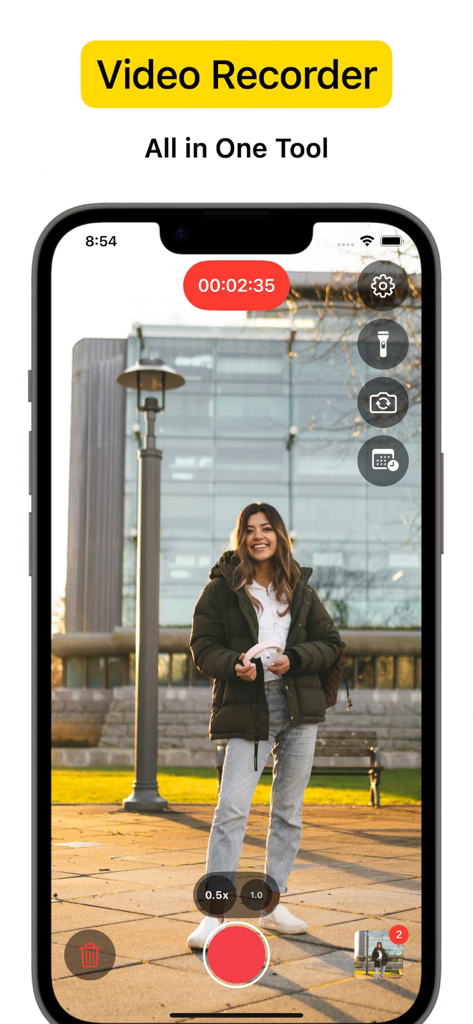
카메라 도구가 있는 공원에 서 있는 여성 촬영 중인 VideoCam 앱 인터페이스

카메라 도구가 있는 공원에 서 있는 여성 촬영 중인 VideoCam 앱 인터페이스

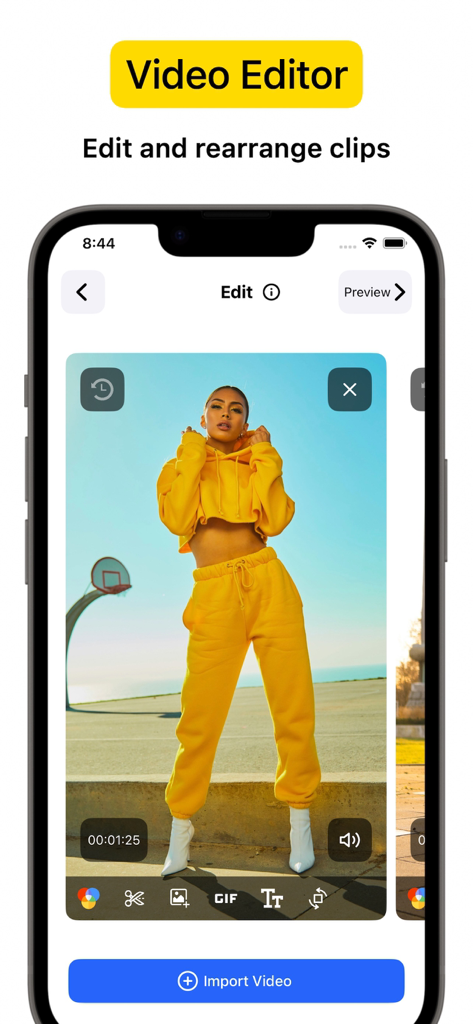
비디오 클립과 편집 도구가 있는 VideoCam plus 비디오 편집기 인터페이스를 표시하는 iPhone 화면

비디오 클립과 편집 도구가 있는 VideoCam plus 비디오 편집기 인터페이스를 표시하는 iPhone 화면

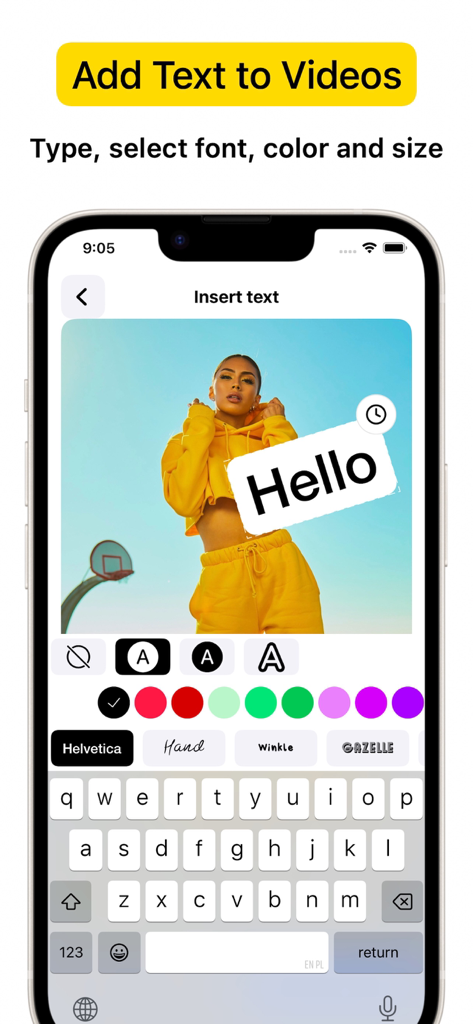
사용자 지정 텍스트와 글꼴을 비디오 녹화에 추가하는 VideoCam+ 앱을 보여주는 iPhone 인터페이스

사용자 지정 텍스트와 글꼴을 비디오 녹화에 추가하는 VideoCam+ 앱을 보여주는 iPhone 인터페이스

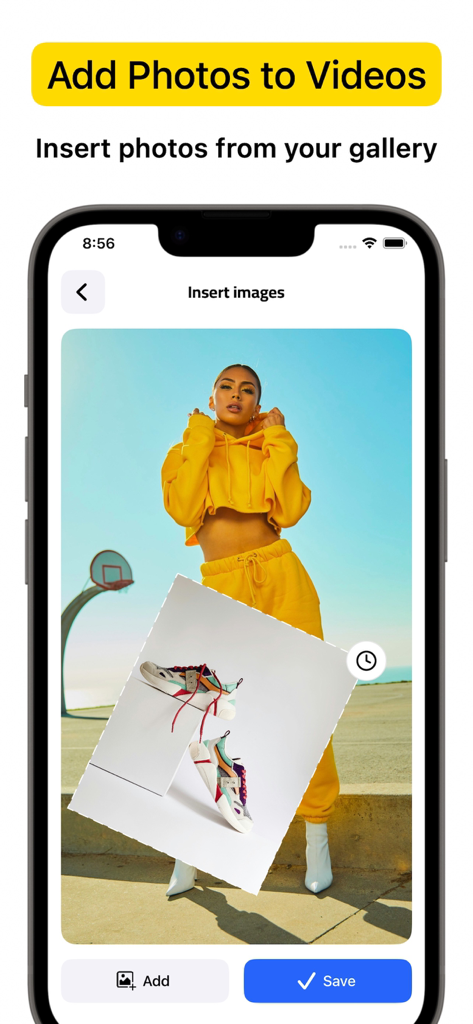
갤러리에서 비디오 녹화에 사진 오버레이를 삽입하는 방법을 보여주는 VideoCam plus 앱 인터페이스

갤러리에서 비디오 녹화에 사진 오버레이를 삽입하는 방법을 보여주는 VideoCam plus 앱 인터페이스

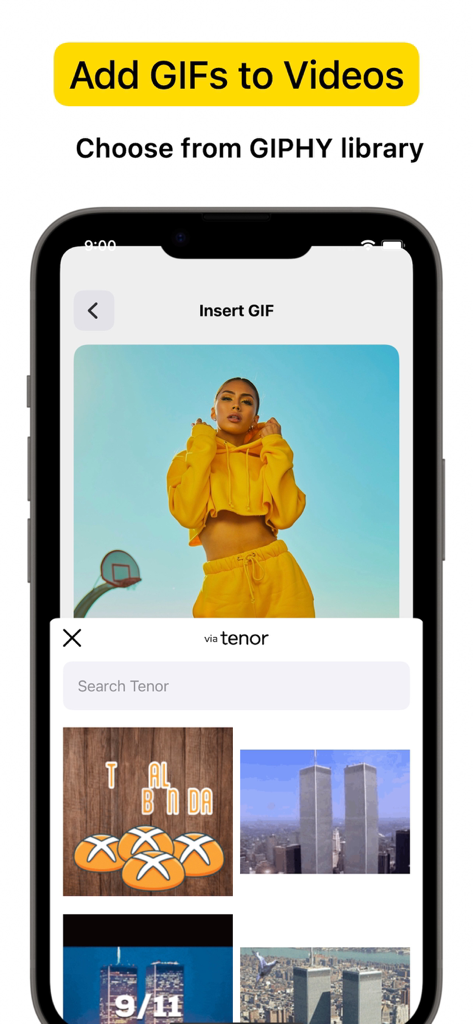
라이브러리에서 GIF를 비디오 프로젝트에 삽입하기 위한 VideoCam plus 앱 인터페이스를 보여주는 iPhone 화면

라이브러리에서 GIF를 비디오 프로젝트에 삽입하기 위한 VideoCam plus 앱 인터페이스를 보여주는 iPhone 화면

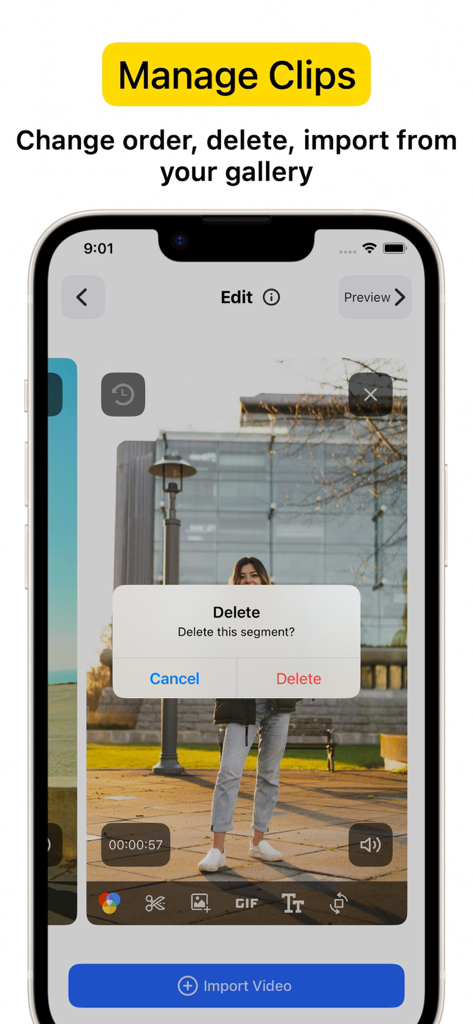
녹화된 세그먼트 위에 클립 삭제 확인 대화 상자가 있는 VideoCam+ 앱 인터페이스를 보여주는 스마트폰 화면

녹화된 세그먼트 위에 클립 삭제 확인 대화 상자가 있는 VideoCam+ 앱 인터페이스를 보여주는 스마트폰 화면

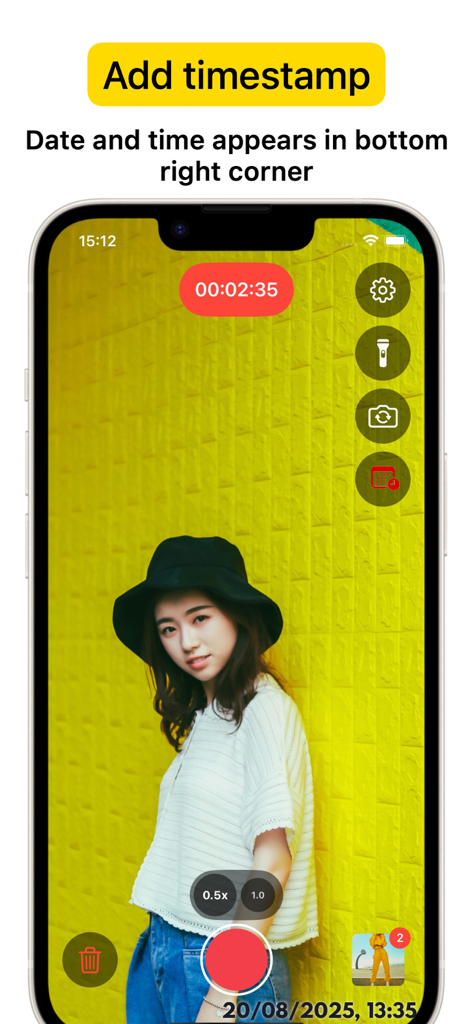
녹화 세션과 오른쪽 하단 모서리에 있는 날짜 및 시간 타임스탬프가 있는 VideoCam plus 앱 인터페이스를 보여주는 iPhone 화면

녹화 세션과 오른쪽 하단 모서리에 있는 날짜 및 시간 타임스탬프가 있는 VideoCam plus 앱 인터페이스를 보여주는 iPhone 화면

한 번에 캡처, 생성 및 브랜딩

이 앱을 돋보이게 하는 도구, 972K+ 명의 사용자가 선택.

⏸️

매끄러운 일시 중지 & 재개

녹화를 즉시 중지하고 시작하여 완벽한 스토리를 포착하세요. 나중에 여러 클립을 이어 붙이는 번거로움 없이 단일의 연속적인 비디오를 만드세요.

실시간 창의적 오버레이

촬영 중에 콘텐츠를 브랜딩하세요. 로고, 텍스트 또는 재미있는 GIF를 비디오 세션에 직접 추가하여 튜토리얼과 브이로그를 몇 초 만에 소셜 미디어 준비 상태로 만드세요.

🕒

프로 타임스탬프 & 4K 품질

크리스탈처럼 선명한 4K 정밀도로 모든 순간을 기록하세요. 내장된 타임스탬프는 전문가, 부동산 중개인 및 피트니스 코치를 위한 필수적인 작업 증거를 제공합니다.

앱 소개

에 대해 알아야 할 모든 것 VideoCam+ Video Recorder.

설명

Powerful all-in-one Video Recorder & Video Editor lets you create camera video sessions, manage recorded clips and add Text / Image / GIF to video. Video Camera with Timestamp Camera Capture every detail in HD or 4K, with the option to add a timestamp. VideoCam+ functions as an advanced video camera with a built-in timestamp camera. GIF Creation and GIF Integration in Videos Make any moment memorable by creating GIFs directly from your video recordings with this video recorder. The GIF feature lets you add fun elements or GIF animations to your videos for extra creativity, making this video camera perfect for social media, tutorials, or creative vlogging. Add Photos and Text to Your Videos Add photos directly into your video with this video camera to create richer stories. You can also overlay text to highlight details, or add a personal touch to your recorded video. This makes VideoCam+ an excellent camera for tutorials, presentations, and storytelling. Pause and Resume Recording The pause recoding feature lets you stop and resume seamlessly, making this video camera ideal for long-form content. This video camera allows you to pause, which is perfect for continuous content creation. Video Editing with a Flexible Video Recorder Text Overlays and Customizations Overlay text anywhere in your video recordings. This camera allows you to adjust text style, size, and color to match your vision, adding an extra layer of personalization to every recorded video. Why Choose VideoCam+? VideoCam+ is designed for those who want a video camera that does more than basic recording. Its timestamp camera helps create organized, clear memories; its Video to GIF feature adds animated fun; and it supports adding photos and text for professional-quality results. This video camera is perfect for: Vloggers needing continuous recording with a timestamp camera and pause feature. Content Creators who want video editor that integrates GIFs, photos, and text into videos, also Video to GIF. Professional Users requiring a video editor to document events accurately and clearly. FAQ Can I add photos and GIFs to any video? Yes, VideoCam+ allows you to integrate photos and GIFs into your recorded videos, maximizing the capabilities of this recorder. How does the pause work during recording? With this recorder, simply hit pause to stop recording, then resume. VideoCam+ makes every recording session seamless, letting you focus on your creative flow. Does the app support adding timestamps to GIFs? Currently, timestamp apply to video recordings only, but you can easily create GIFs from a timestamp video for a fully branded look. Download VideoCam+ now and turn every moment into a video masterpiece with the most versatile video camera / video editor around. Whether you’re filming, converting Video to GIF, organizing events with a timestamp camera, or adding photos and text to enhance each video, VideoCam+ has everything you need in one powerful recorder to capture, customize, and share your best moments. Start Premium with a free trial. Once the trial is over, you’ll be charged a monthly subscription fee. Premium will automatically renew unless auto-renew is turned off at least 24 hours before the end of the current period. You can go to your Settings > iTunes Account & App Store > Apple ID > Subscriptions to manage your subscription and turn auto-renew off. Your iTunes Account will be charged when the purchase is confirmed. Terms of Use: http://videocam.wiseapps.pl/policies/videocam_tc.html Privacy Policy: http://videocam.wiseapps.pl/policies/videocam_privacy_policy.html

최신 버전

6.3

크기

20.7 MB

출시일

2015년 8월 18일

한 번에 비디오 걸작 만들기

15,000명 이상의 최고 평점 크리에이터들과 함께하세요. 4K로 녹화하고, 매끄러운 일시 중지 및 재개 기능을 사용하고, 타임스탬프 또는 GIF를 즉시 추가하세요. 지금 무료 체험을 시작하세요.

다운로드: App Store

App information, icons, screenshots, and descriptions displayed on this page are sourced from the Apple App Store and are the property of their respective developers. Download estimates and rankings are based on MWM's proprietary models and may not reflect actual figures. This page is provided for informational and analytical purposes only.

Believe this page infringes your intellectual property? File a dispute