Vizio TV Remote: VizCast

Vizio TV Remote: VizCast

다운로드: App Store
로고: Vizio TV Remote: VizCast

Vizio TV 리모컨: VizCast - 거실을 위한 궁극의 스마트 컨트롤

분실된 리모컨과 투박한 버튼에 작별을 고하세요. 스마트폰에서 즉시 탐색하고, 볼륨을 조절하고, 좋아하는 스트리밍 앱을 실행하세요.

다운로드: App Store

개발사

Zain Saeed Mughal

카테고리

Utilities

다운로드

2K+

사용자 평점

4.7/5

총 평가 수

100

지원 언어

1

스마트 컨트롤, 시각화

이 인터페이스를 사용하는 2K+ 명의 사용자.

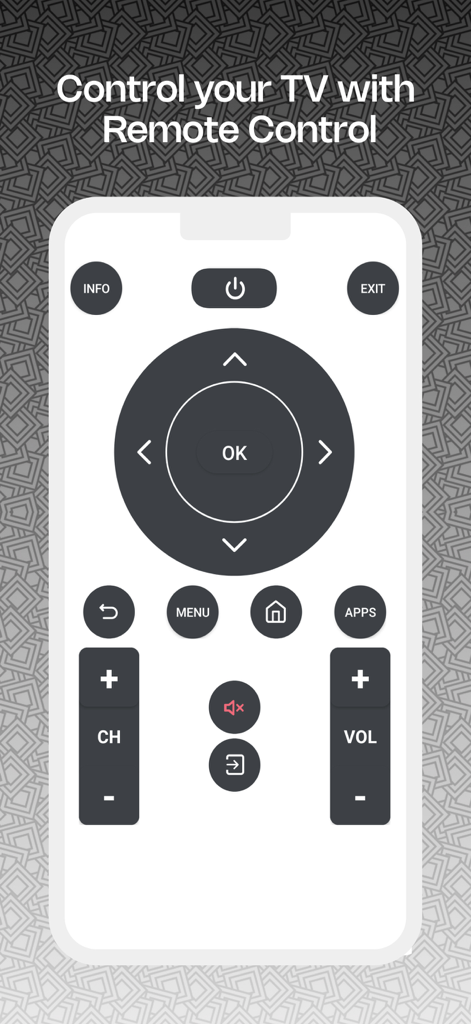
스마트폰에서 Vizio TV용 디지털 리모컨을 보여주는 VizCast 앱의 사용자 인터페이스.

스마트폰에서 Vizio TV용 디지털 리모컨을 보여주는 VizCast 앱의 사용자 인터페이스.

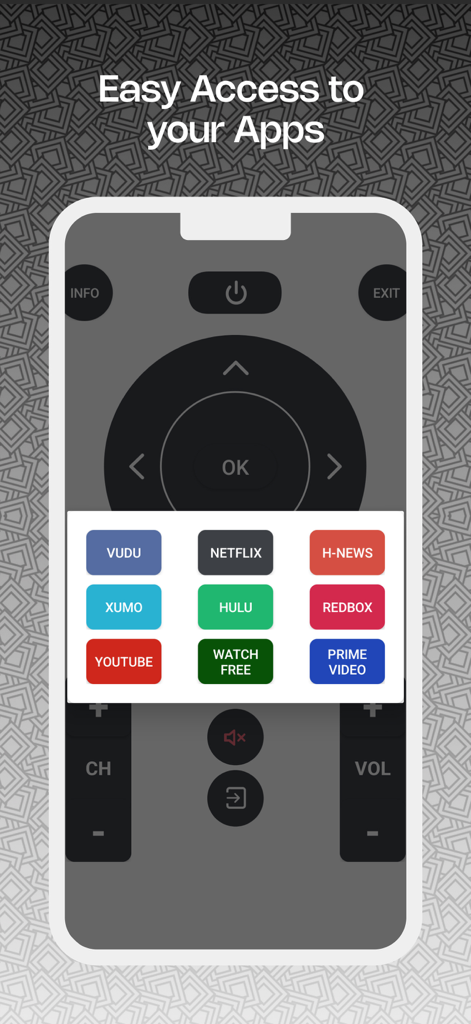
Netflix Hulu 및 Prime Video와 같은 스트리밍 서비스에 대한 쉬운 액세스 바로가기를 보여주는 VizCast 앱 인터페이스. 스마트폰 화면에 표시됩니다

Netflix Hulu 및 Prime Video와 같은 스트리밍 서비스에 대한 쉬운 액세스 바로가기를 보여주는 VizCast 앱 인터페이스. 스마트폰 화면에 표시됩니다

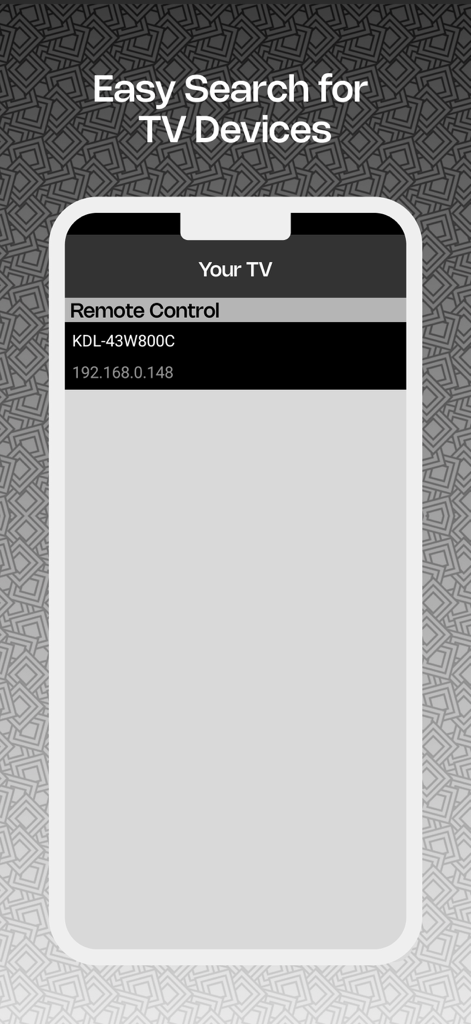
Vizio TV Remote VizCast 앱에서 감지된 스마트 TV 장치 목록을 보여주는 스마트폰 화면

Vizio TV Remote VizCast 앱에서 감지된 스마트 TV 장치 목록을 보여주는 스마트폰 화면

엔터테인먼트를 완벽하게 제어하세요

이 앱을 돋보이게 하는 도구, 2K+ 명의 사용자가 선택.

📱

즉각적인 Wi-Fi 연결

설정 번거로움을 잊으세요. 홈 네트워크를 통해 Vizio 스마트 TV에 즉시 연결하고 몇 초 안에 좋아하는 프로그램을 탐색하세요.

🚀

직접 앱 실행기

투박한 TV 메뉴를 스크롤하는 것을 멈추세요. 즉시 시청을 위해 휴대폰 인터페이스에서 Netflix, YouTube 및 Disney+를 직접 실행하세요.

🕹️

정밀 터치 컨트롤

기존 플라스틱 리모컨보다 더 자연스럽고 빠른 느낌을 주는 반응형 화살표 키와 볼륨 컨트롤로 유동적인 탐색을 경험하세요.

앱 소개

에 대해 알아야 할 모든 것 Vizio TV Remote: VizCast.

설명

Simplify your viewing with intuitive navigation from your smartphone, enhancing your TV experience. 1. Connect instantly to TV for immediate control. 2. Navigate with ease using intuitive arrow keys for smooth TV interaction. 3. Open and manage your favorite TV apps directly from the remote interface. 4. Adjust volume with responsive controls. 5. Connect your phone to smart TV, ensuring both devices are on the same Wi-Fi network for seamless control. Customer Support ◇ You can reach customer support to provide feedback and expect a prompt response. Your feedback is valuable for the improvement of this Vizio TV remote app. ◇ Updates are continuously rolled out to enhance its performance. Disclaimer This app is not affiliated with official brand. It has been created solely for user convenience, enabling them to control their TV from their mobile device. Upgrade to subscription plan Get access to the remote control experience with ads free, weekly, monthly and yearly subscription plan. Your payment will be charged to your iTunes Account at confirmation of purchase. Secondly, your subscription will renew automatically, but you can turn off auto-renewal by accessing your Account Settings 24 hours before the end of the current period. Terms of Use: https://www.apple.com/legal/internet-services/itunes/dev/stdeula/ Contact us at: zsmapps2024@gmail.com Download now and experience the future of Vizio TV Remote control today!

최신 버전

1.5

크기

10.9 MB

출시일

2024년 12월 1일

리모컨을 다시는 찾지 마세요

더 스마트한 시청 경험으로 업그레이드한 수천 명의 Vizio 사용자와 함께하세요. 지금 VizCast를 다운로드하여 휴대폰에서 TV를 제어하고, 앱을 실행하고, 쉽게 입력하세요.

다운로드: App Store
FAQ

자주 묻는 질문

에 대해 알아야 할 모든 것 Vizio TV Remote: VizCast

Vizio TV 리모컨: VizCast란 무엇인가요?

Vizio TV 리모컨: VizCast는 스마트폰에서 TV를 직관적으로 탐색하고 제어할 수 있는 앱으로, 전반적인 시청 경험을 향상시킵니다.

Vizio TV 리모컨: VizCast를 TV에 어떻게 연결하나요?

Vizio TV 리모컨: VizCast를 연결하려면 휴대폰과 스마트 TV가 동일한 Wi-Fi 네트워크에 연결되어 있는지 확인하십시오. 그러면 앱이 즉시 연결되어 바로 제어할 수 있습니다.

Vizio TV 리모컨: VizCast로 TV 앱을 제어할 수 있나요?

예, Vizio TV 리모컨: VizCast를 사용하면 Netflix 및 YouTube와 같은 서비스에서 볼 수 있듯이 앱의 리모컨 인터페이스에서 즐겨찾는 TV 앱을 직접 열고 관리할 수 있습니다.

Vizio TV 리모컨: VizCast는 공식 Vizio 제품인가요?

아니요, Vizio TV 리모컨: VizCast는 공식 Vizio 브랜드와 제휴하지 않았습니다. TV 제어 시 사용자 편의를 위해 개발된 독립적인 애플리케이션입니다.

Vizio TV 리모컨: VizCast는 광고 없는 경험을 제공하나요?

예, Vizio TV 리모컨: VizCast는 주간, 월간, 연간 구독 요금제를 통해 광고 없는 리모컨 제어 경험을 제공합니다.

Vizio TV 리모컨: VizCast의 구독은 어떻게 작동하나요?

Vizio TV 리모컨: VizCast 구독(주간, 월간, 연간 옵션 포함)은 iTunes 계정으로 청구됩니다. 24시간 전에 해제하지 않으면 자동 갱신됩니다.

Vizio TV 리모컨: VizCast는 어떤 탐색 기능을 제공하나요?

Vizio TV 리모컨: VizCast는 부드러운 탐색을 위한 직관적인 화살표 키와 전원, 메뉴, 홈 및 볼륨 제어를 위한 전용 버튼을 제공합니다.

Vizio TV 리모컨: VizCast는 스마트 TV를 어떻게 찾나요?

Vizio TV 리모컨: VizCast는 TV 장치를 쉽게 검색할 수 있도록 합니다. 앱 내에서 선택할 수 있도록 발견된 TV의 이름과 IP 주소를 표시합니다.

App information, icons, screenshots, and descriptions displayed on this page are sourced from the Apple App Store and are the property of their respective developers. Download estimates and rankings are based on MWM's proprietary models and may not reflect actual figures. This page is provided for informational and analytical purposes only.

Believe this page infringes your intellectual property? File a dispute