Web Blocker - block web pages

Web Blocker - block web pages

다운로드: App Store
로고: Web Blocker - block web pages

Web Blocker - 웹 페이지 차단: PIN으로 집중력과 개인 정보 보호

Safari에서 방해 요소를 제거하는 가장 사적인 방법입니다. 사용자 지정 예약을 설정하고, 안전한 4자리 코드로 특정 웹사이트를 잠그고, 생산성을 유지하세요. 구독 없음, 데이터 추적 없음, 완전한 제어만 가능합니다.

다운로드: App Store

개발사

Mai Tuan Viet

카테고리

Utilities

다운로드

1K+

사용자 평점

1.0/5

총 평가 수

0

지원 언어

1

작동하는 개인 정보 보호

이 인터페이스를 사용하는 1K+ 명의 사용자.

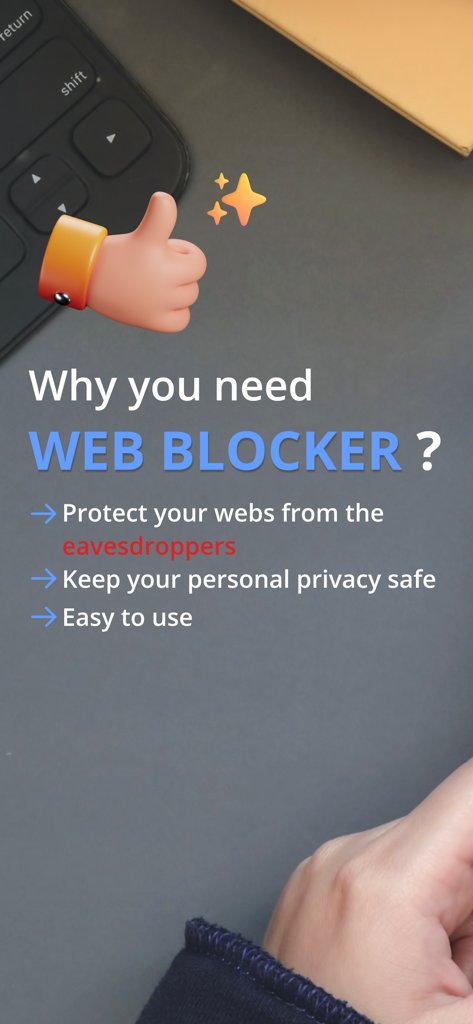
개인 정보 보호 및 사용 편의성과 같은 Web Blocker 앱의 이점을 강조하는 스크린샷

개인 정보 보호 및 사용 편의성과 같은 Web Blocker 앱의 이점을 강조하는 스크린샷

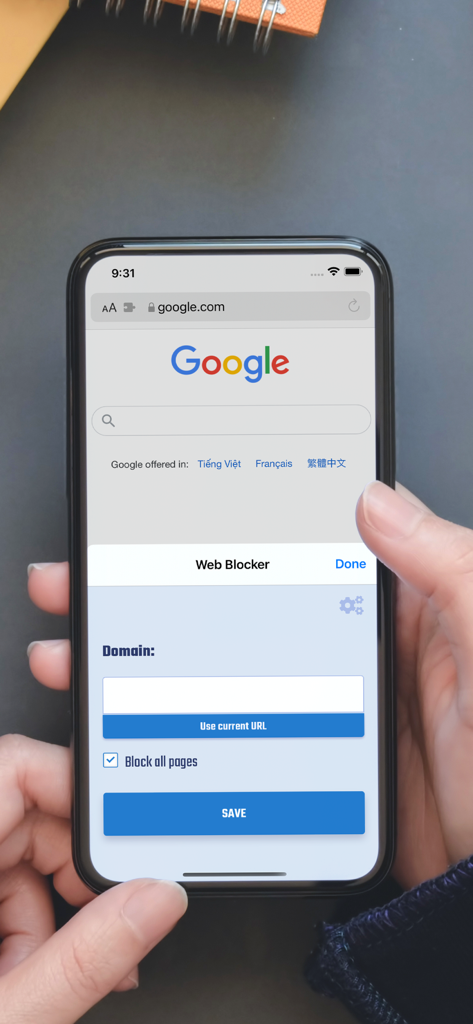
특정 웹사이트 도메인을 차단하기 위한 iPhone Safari 브라우저의 Web Blocker 앱 인터페이스

특정 웹사이트 도메인을 차단하기 위한 iPhone Safari 브라우저의 Web Blocker 앱 인터페이스

집중된 작업 환경을 상징하는 스웨터 소매를 한 사람의 팔 옆 어두운 책상 위에 놓인 커피 잔의 미니멀리스트 오버헤드 뷰

집중된 작업 환경을 상징하는 스웨터 소매를 한 사람의 팔 옆 어두운 책상 위에 놓인 커피 잔의 미니멀리스트 오버헤드 뷰

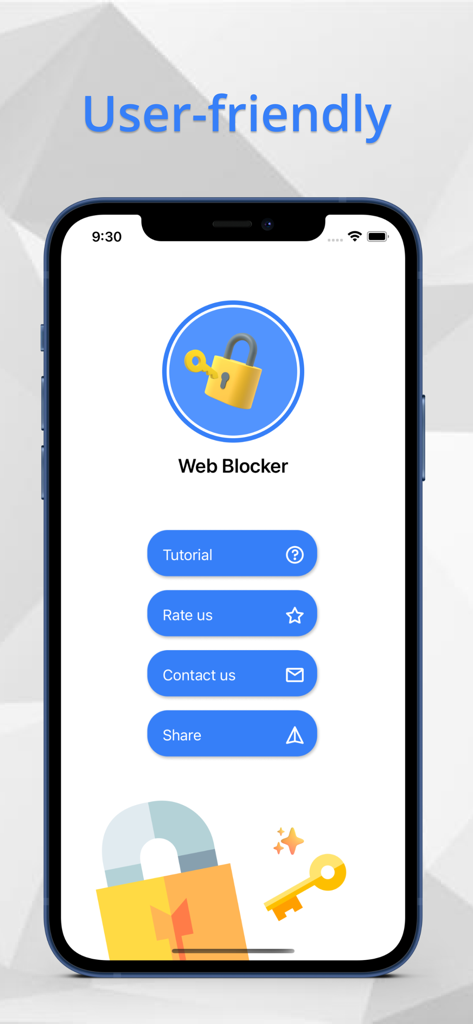
튜토리얼 및 설정을 위한 옵션이 있는 사용자 친화적인 인터페이스를 보여주는 Web Blocker 앱 홈 화면.

튜토리얼 및 설정을 위한 옵션이 있는 사용자 친화적인 인터페이스를 보여주는 Web Blocker 앱 홈 화면.

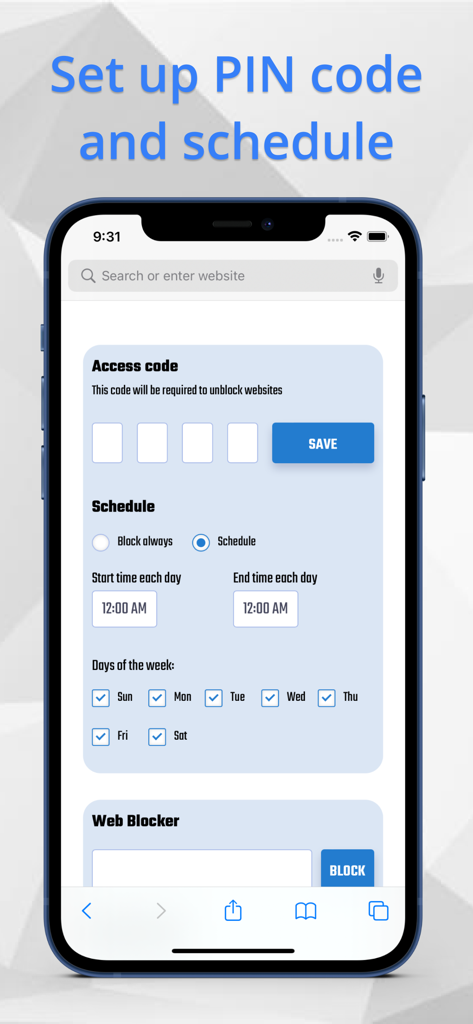
4자리 액세스 코드 및 웹사이트 차단을 위한 사용자 지정 가능한 주간 예약에 대한 설정을 보여주는 Web Blocker 앱 인터페이스.

4자리 액세스 코드 및 웹사이트 차단을 위한 사용자 지정 가능한 주간 예약에 대한 설정을 보여주는 Web Blocker 앱 인터페이스.

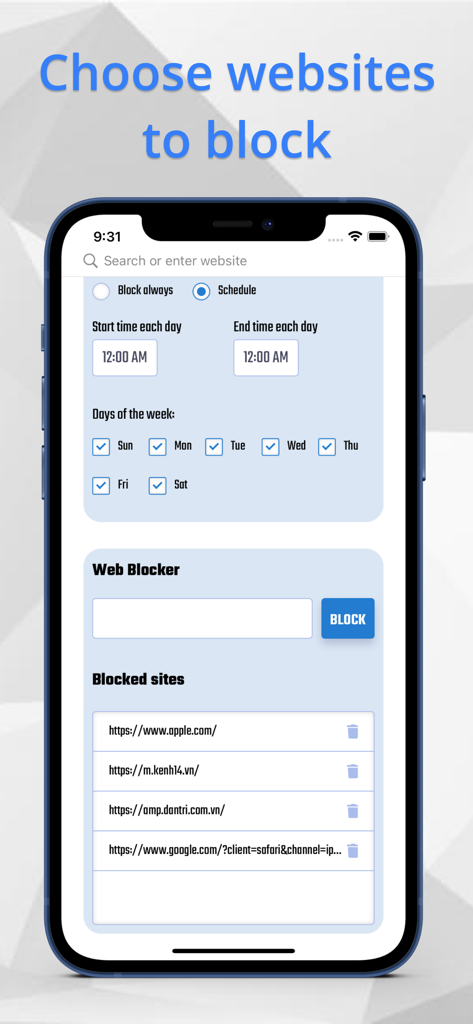
iPhone에서 웹사이트 예약 옵션과 차단된 URL 목록을 보여주는 Web Blocker 앱 인터페이스

iPhone에서 웹사이트 예약 옵션과 차단된 URL 목록을 보여주는 Web Blocker 앱 인터페이스

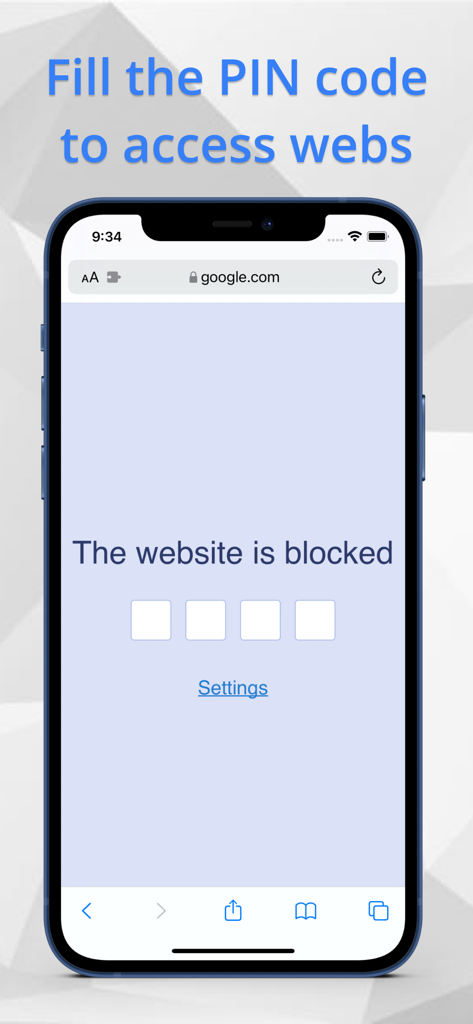
Web Blocker Safari 확장을 통해 액세스하기 위해 4자리 PIN 코드가 필요한 iPhone의 차단된 웹사이트

Web Blocker Safari 확장을 통해 액세스하기 위해 4자리 PIN 코드가 필요한 iPhone의 차단된 웹사이트

디지털 시간 제어권을 되찾으세요

이 앱을 돋보이게 하는 도구, 1K+ 명의 사용자가 선택.

🔒

안전한 PIN 보호

특정 웹사이트에 4자리 장벽을 추가하세요. 무분별한 스크롤 습관을 끊고 의식적인 중단을 통해 집중력을 되찾으세요.

📅

스마트 시간 예약

생산성을 자동화하세요. 가장 방해가 되는 사이트를 차단하도록 특정 시간이나 요일을 설정하여 가장 중요한 순간에 집중력을 유지하세요.

🛡️

개인 정보 보호 우선 디자인

귀하의 데이터는 귀하의 것입니다. 외부 서버에 PIN 또는 차단된 URL을 저장하지 않으므로 완전한 개인 정보 보호와 마음의 평화를 제공합니다.

앱 소개

에 대해 알아야 할 모든 것 Web Blocker - block web pages.

설명

Web Blocker is an amazing tool that helps you to block your web pages access with PIN code through Safari browser. ( base on new Safari Extensions ) Using Web Blocker, you can protect your personal privacy from the eavesdroppers. All the chosen websites will be blocked with PIN code. You can also arrange the specific time to active your block. Follow 4 easy steps to use Web Blocker: 1. Open Safari Extensions -> Web Blocker 2. Open Settings to establish your PIN code and time schedule. 3. Fill the URL of the website you want to block 4. The chosen webs will be blocked immediately Featues - PIN code included 4 numbers - Time schedule of days and specific time period. - Webpages which protected by PIN code BE MINDFUL that : We do not save your PIN code or webpages that you use in Web Blocker in any other system to protect your personal privacy, so make sure to remember your PIN code or write it down in case you forget. After you access your PIN code, the webpage will remain unblocked for a moment of time. PURCHASE RIGHT AWAY with ONLY 1.99$ to use this fantastic tool to keep your web pages safe from the eavesdroppers.

최신 버전

1.0

크기

3.4 MB

출시일

2021년 10월 26일

집중력과 개인 정보를 되찾을 준비가 되셨나요?

간단한 4자리 PIN으로 무분별한 스크롤을 멈추고 브라우징 습관을 보호하세요. 구독 없음, 데이터 추적 없음, 순수한 규율만으로 1회 $1.99에 개인 정보를 우선하는 Safari 확장 프로그램을 받으세요.

다운로드: App Store

App information, icons, screenshots, and descriptions displayed on this page are sourced from the Apple App Store and are the property of their respective developers. Download estimates and rankings are based on MWM's proprietary models and may not reflect actual figures. This page is provided for informational and analytical purposes only.

Believe this page infringes your intellectual property? File a dispute