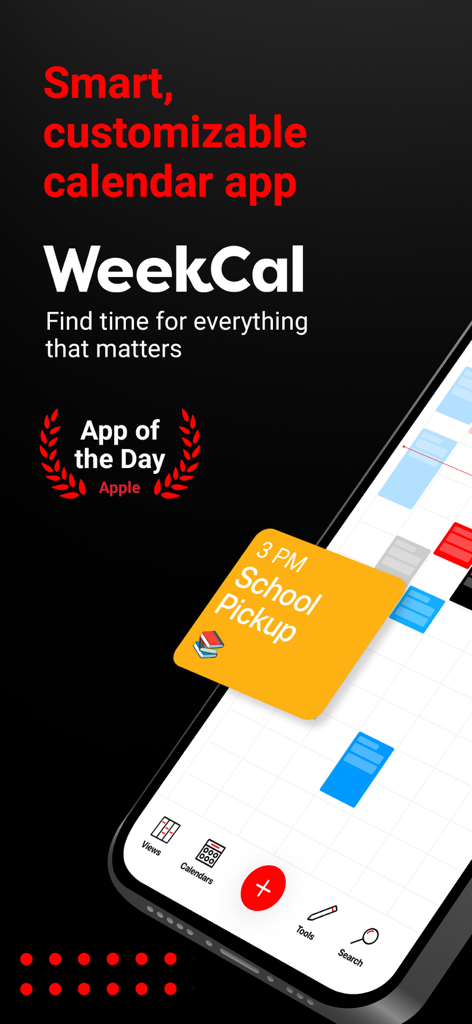
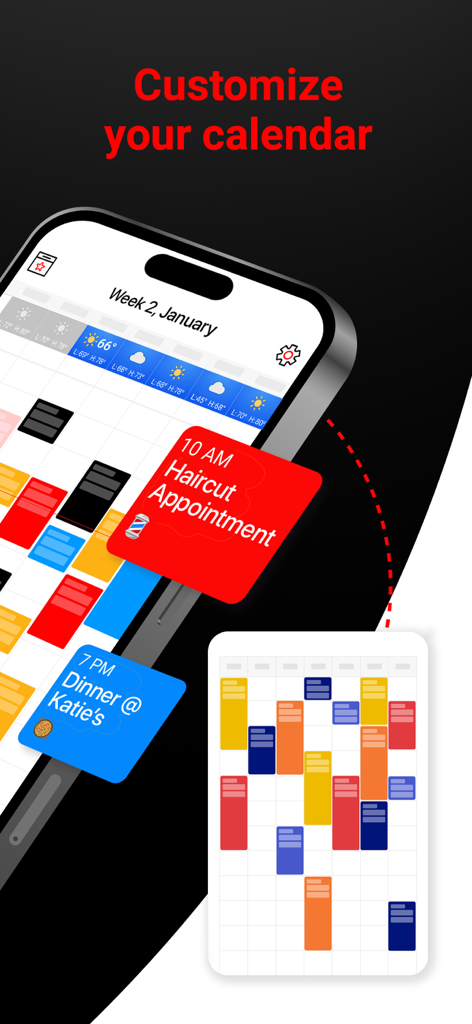
Week Calendar 앱에서 색상으로 구분된 이벤트 블록과 예약된 약속이 있는 사용자 정의 가능한 캘린더 인터페이스
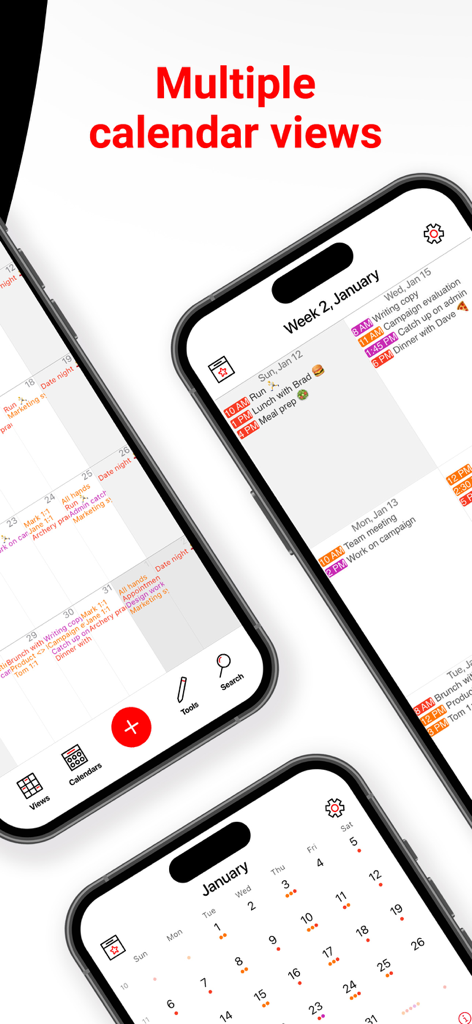
세 개의 아이폰에 일정 및 월별 보기 포함 다양한 캘린더 보기 레이아웃 표시
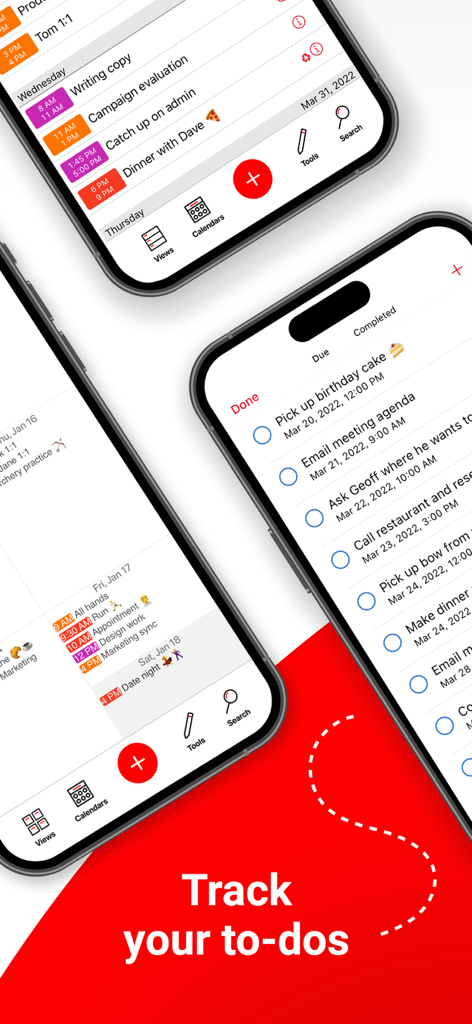
Week Calendar 앱 인터페이스에 아이폰 화면에 할 일 목록 및 작업 추적기 표시
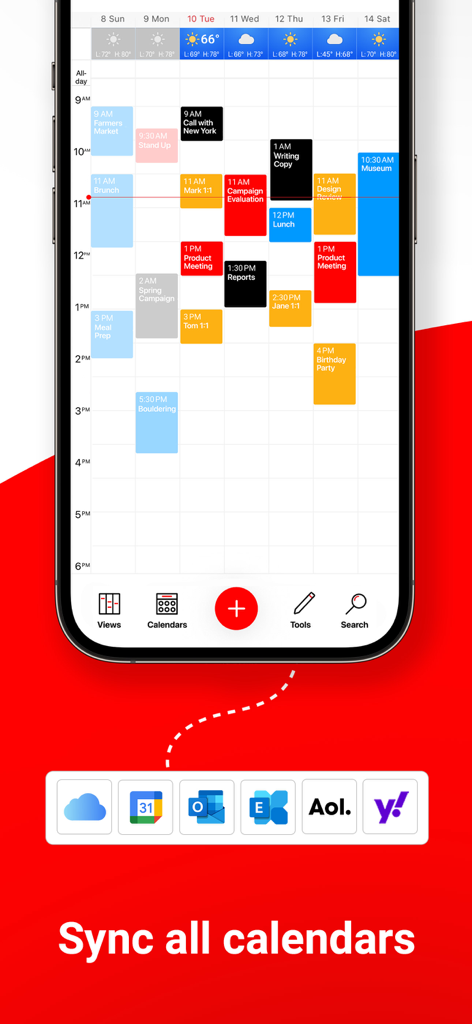
Week Calendar 앱에 주간 일정 및 iCloud, Google, Outlook 캘린더 동기화 옵션 표시
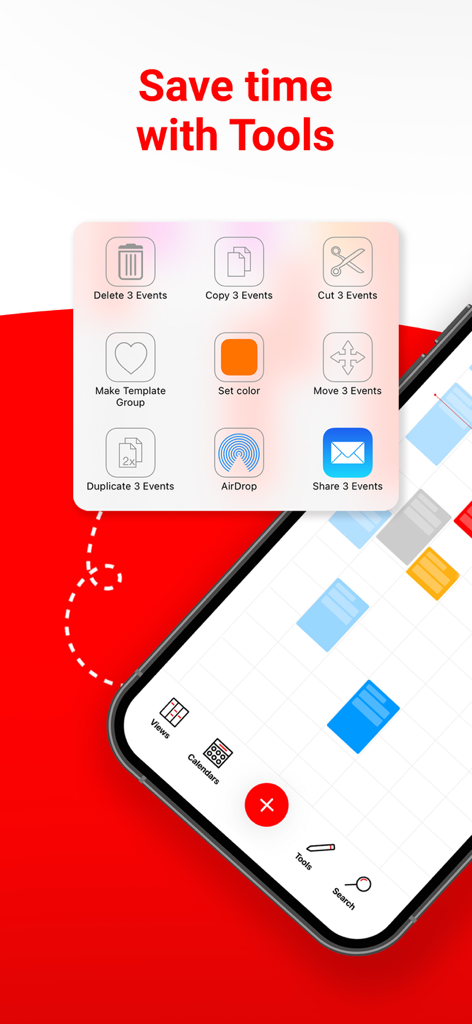
Week Calendar 앱 스크린샷에 복사, 이동, 삭제와 같은 캘린더 이벤트 일괄 편집을 위한 도구 메뉴 표시
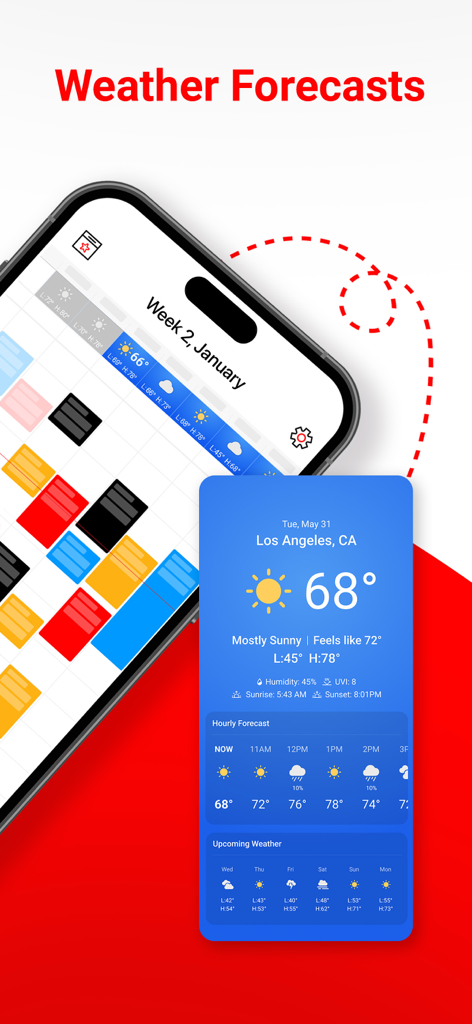
Week Calendar 앱 인터페이스에 통합된 지역 날씨 예보 및 시간별 온도 업데이트 표시
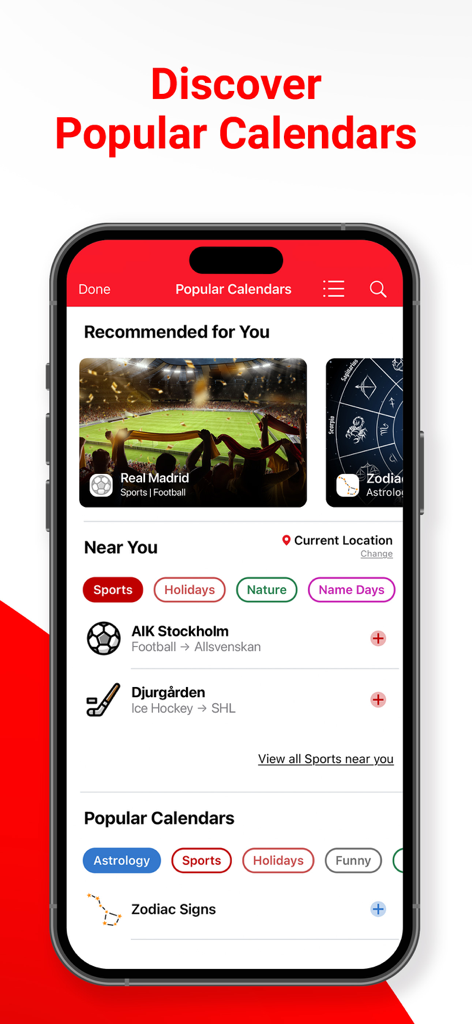
스마트폰 화면에 스포츠 및 별자리 추천이 포함된 Week Calendar 앱의 인기 캘린더 탐색 기능 표시
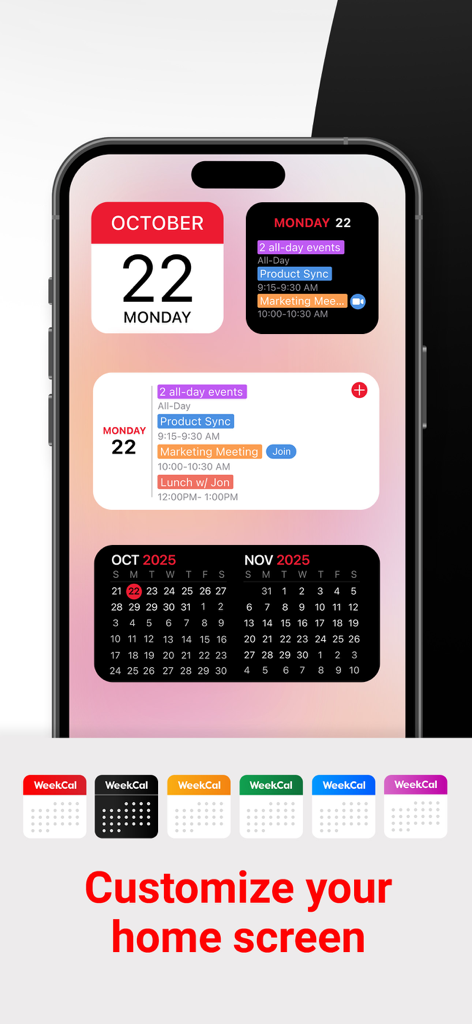
아이폰 디스플레이에 사용자 정의 가능한 Week Calendar 홈 화면 위젯 및 아이콘 표시
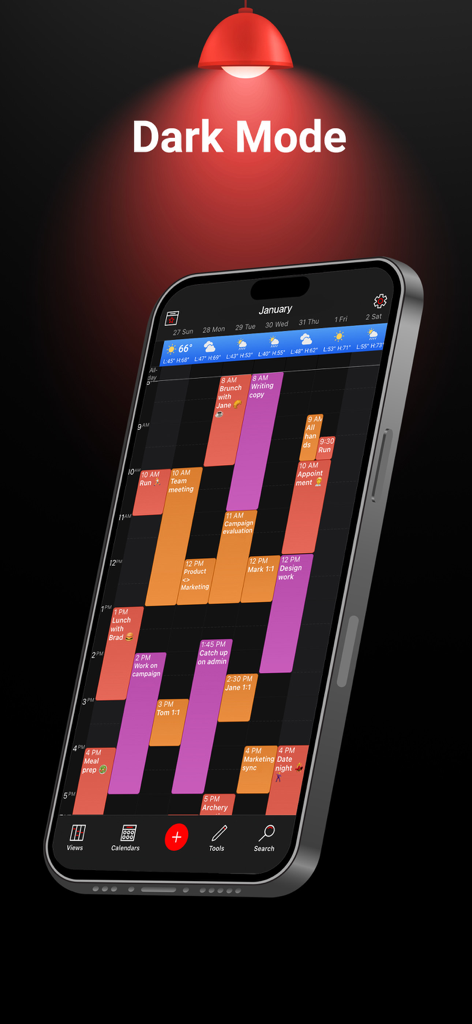
아이폰에서 색상으로 구분된 주간 플래너를 보여주는 다크 모드의 Week Calendar 앱 인터페이스
프로처럼 시간을 마스터하세요
이 앱을 돋보이게 하는 도구, 1M+ 명의 사용자가 선택.
🗓️
한눈에 보는 시각적 명확성
일별, 일정, 그리고 많은 분들이 사랑하는 미니 월별 보기 간에 전환하여 계속 클릭할 필요 없이 모든 이벤트 세부 정보를 확인하세요.
🔄
하나의 통합 제어 센터
iCloud, Google, Outlook을 하나의 아름다운 보기로 원활하게 동기화하고, 통합 날씨와 원탭 미팅 링크까지 제공합니다.
⚡
번개처럼 빠른 일정 관리
드래그 앤 드롭으로 이벤트를 즉시 재예약하거나 사용자 정의 템플릿을 사용하여 가장 자주 사용하는 약속을 몇 초 안에 자동화하세요.
앱 소개
에 대해 알아야 할 모든 것 Week Calendar - Smart Planner.
설명
*****RATED ONE OF THE BEST CALENDAR APPS*****
Whether you use iCloud, Exchange/Outlook, Yahoo or Google Calendar, WeekCal is one of the most adaptable, customizable, and user-friendly calendar apps, loved by people around the world.
PEOPLE LOVE WEEKCAL:
"The mini month is SO useful to me. It's just about like the month view in google calendar I can see all my events in one view.”
“This is the only calendar app I use for both work and personal scheduling.”
CUSTOM CALENDAR VIEWS
WeekCal provides clear & detailed views of your events, displayed the way you want! Choose from Day, Agenda, Mini Month, Month & Year views. WeekCal exceeds limitations of basic calendar apps by bringing simplicity & functionality to streamline your busy life.
AUTOMATE YOUR CALENDAR
Easy-to-use automations & templates allow you to create a calendar that works for you.
● Move events by simply dragging, copying & pasting
● Assign colors to categorize different kinds of events
● Customize repeating event options
SAVE TIME
Adding, repeating, and moving events is easy with WeekCal. Plus the intuitive interface, powerful functionality, and personalization options make WeekCal fun to use for everyone.
GET MORE WITH WEEKCAL PRO
Enjoy the full range of WeekCal features, including:
● Add Lock & Home Screen widgets to view upcoming events at-a-glance on your device
● Access to all Views, including Day, Agenda, Mini Month, Month & Year
● Full access to Popular Calendars
● Create & manage Reminders in a dedicated view
● One-tap access to virtual meetings with ‘Join Meeting’ button
INTRODUCING WEATHER FORECASTS
See upcoming Weather Forecasts on your calendar, right where you need them. Unlike other weather services, Weather Forecasts for WeekCal is built right into your calendar to give you accurate & convenient weather information.
SUBSCRIBE TO POPULAR CALENDARS
Discover personalized Popular Calendar recommendations to add curated & auto-updating calendars focused on current events. Top categories include Sports, Holidays, Nature & more.
MOST-LOVED FEATURES
● Customize the look of your calendar, including Dark Mode & other custom color schemes
● Create event templates & rules for recurring events
● Select a custom WeekCal app icon, available in over 10 colors
● Use WeekCal on Apple Watch
● Sync to major calendar services including iCloud, iCal, Google, Exchange, Outlook, CalDAV, Birthdays & Subscriptions
● Easily reschedule events by dragging & dropping
● Add events easily at the right time using tap-and-hold
● Customize your Tools menu to quickly change events
● Invite participants and/or share events via email, Messages & WhatsApp
● Navigate with multiple services including Apple Maps, Google Maps, Citymapper, Garmin, Here, iGo, Maps.me, Moovit, MotionX, Sygic, TransitApp, Waze, Yandex, 高德地图
● Choose alternate Calendars including Chinese, Hebrew, Indian, Islamic & Persian
● Get support in your own time zone
Please Note: Recurring subscriptions are billed annually. Account will be charged for renewal 24 hours prior to the end of the current subscription period at the regular non-discounted price of the current subscription, unless canceled earlier. The subscription fee is charged to your iCloud account at confirmation of purchase. You may manage your subscription and turn off auto-renewal by going to your Account Settings after purchase. Payment will be charged to your iTunes account at confirmation of purchase.
Terms of Use: https://maplemedia.io/terms-of-service/
Questions or feedback? Email us at support@weekcal.com, or find FAQs at www.weekcal.com/
최신 버전
16.0.42
크기
243.0 MB
출시일
2010년 7월 29일
일정뿐만 아니라 시간을 마스터하세요
캘린더를 제어 센터로 전환한 100만 명 이상의 전문가 및 바쁜 부모들과 함께하세요. 업무와 개인적인 삶을 손쉽게 동기화하고 WeekCal로 하루를 되찾으세요.
FAQ
자주 묻는 질문
에 대해 알아야 할 모든 것 Week Calendar - Smart Planner
WeekCal은 무엇인가요?
WeekCal은 매우 적응성이 뛰어나고 사용자 정의 가능한 캘린더 앱입니다. iCloud, Google, Outlook과 같은 주요 캘린더 서비스와 동기화되고, 명확한 이벤트 보기와 자동화 기능을 제공합니다.
WeekCal은 다른 캘린더 서비스와 동기화되나요?
네, WeekCal은 iCloud, Exchange, Outlook, Yahoo, Google Calendar, iCal, CalDAV, 생일, 구독 등 주요 캘린더 서비스와 동기화됩니다.
사용자는 WeekCal 앱의 모양을 사용자 정의할 수 있나요?
네, 사용자는 WeekCal 앱의 모양을 사용자 정의할 수 있습니다. 다크 모드, 사용자 정의 색상 구성표, 10가지 이상의 색상 중에서 사용자 정의 앱 아이콘 선택과 같은 옵션이 있습니다.
WeekCal은 어떤 캘린더 보기를 제공하나요?
WeekCal은 일, 일정, 미니 월, 월, 년 등 다양한 캘린더 보기를 제공합니다. 이러한 보기는 사용자가 이벤트를 정리하는 데 도움이 됩니다.
사용자는 WeekCal에서 이벤트를 어떻게 관리할 수 있나요?
WeekCal은 사용자가 이벤트를 드래그, 복사 및 붙여넣기를 통해 관리할 수 있도록 합니다. 사용자는 이벤트를 분류하기 위해 색상을 지정하고 반복 이벤트 옵션을 쉽게 사용자 정의할 수 있습니다.
WeekCal PRO에서 사용할 수 있는 추가 기능은 무엇인가요?
WeekCal PRO는 잠금 및 홈 화면 위젯, 모든 보기 액세스, 인기 캘린더, 미리 알림, '회의 참가' 버튼을 제공합니다. 이러한 기능은 캘린더 기능을 향상시킵니다.
WeekCal은 날씨 예보를 제공하나요?
네, WeekCal은 내장된 날씨 예보를 제공합니다. 사용자는 편의와 정확성을 위해 캘린더에서 직접 예정된 날씨 정보를 볼 수 있습니다.
WeekCal 사용자는 인기 캘린더를 구독할 수 있나요?
네, WeekCal 사용자는 인기 캘린더를 구독할 수 있습니다. 이 앱은 스포츠, 공휴일, 자연과 같은 카테고리에서 엄선된 자동 업데이트 캘린더를 추천합니다.
WeekCal에 미리 알림 또는 할 일 기능이 포함되어 있나요?
네, WeekCal PRO에는 미리 알림을 만들고 관리하기 위한 전용 보기가 포함되어 있습니다. 이를 통해 사용자는 캘린더 이벤트와 함께 할 일 항목을 추적할 수 있습니다.
WeekCal 구독은 어떻게 작동하나요?
WeekCal 구독은 연간 청구되며 자동으로 갱신됩니다. 계정은 갱신 24시간 전에 일반 가격으로 청구되며, 조기에 취소하지 않는 한 갱신됩니다.
App information, icons, screenshots, and descriptions displayed on this page are sourced from the Apple App Store and are the property of their respective developers. Download estimates and rankings are based on MWM's proprietary models and may not reflect actual figures. This page is provided for informational and analytical purposes only.
Believe this page infringes your intellectual property? File a dispute