WIDEX MOMENT

WIDEX MOMENT

다운로드: App Store
로고: WIDEX MOMENT

WIDEX MOMENT: AI 기반의 순수하고 자연스러운 사운드

AI의 힘으로 청취 경험을 완벽하게 제어하세요. 번화한 레스토랑에서의 또렷한 대화부터 원활한 iPhone 스트리밍까지, 타협 없는 삶을 위해 모든 사운드 디테일을 개인화하세요.

개발사

Widex AS

카테고리

Medical

다운로드

565K+

사용자 평점

3.0/5

총 평가 수

900

지원 언어

43

손끝에서 느껴지는 정밀함

이 인터페이스를 사용하는 565K+ 명의 사용자.

WIDEX MOMENT 앱 환영 화면, '청취 경험 제어' 텍스트와 Widex 로고 표시

WIDEX MOMENT 앱 환영 화면, '청취 경험 제어' 텍스트와 Widex 로고 표시

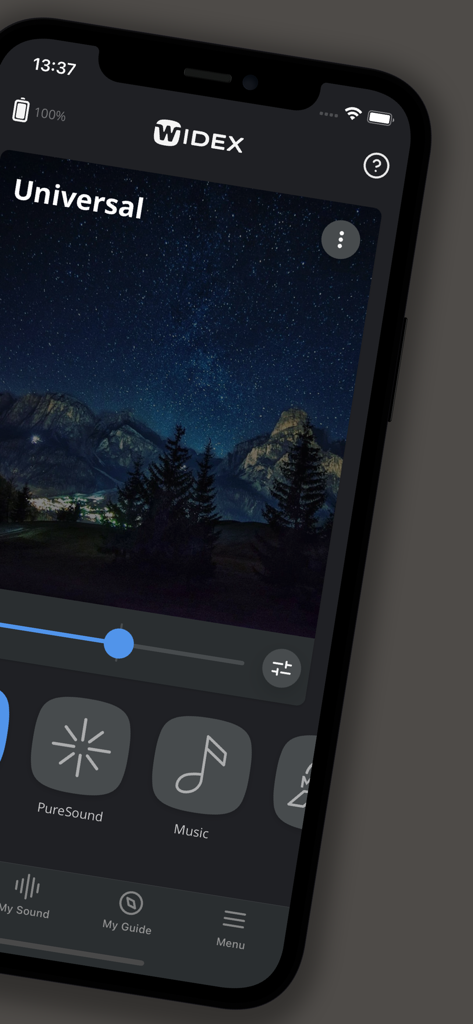
iPhone에서 WIDEX MOMENT 앱 인터페이스, Universal 사운드 프로그램 표시, 볼륨 조절 및 프로파일 선택 기능 포함

iPhone에서 WIDEX MOMENT 앱 인터페이스, Universal 사운드 프로그램 표시, 볼륨 조절 및 프로파일 선택 기능 포함

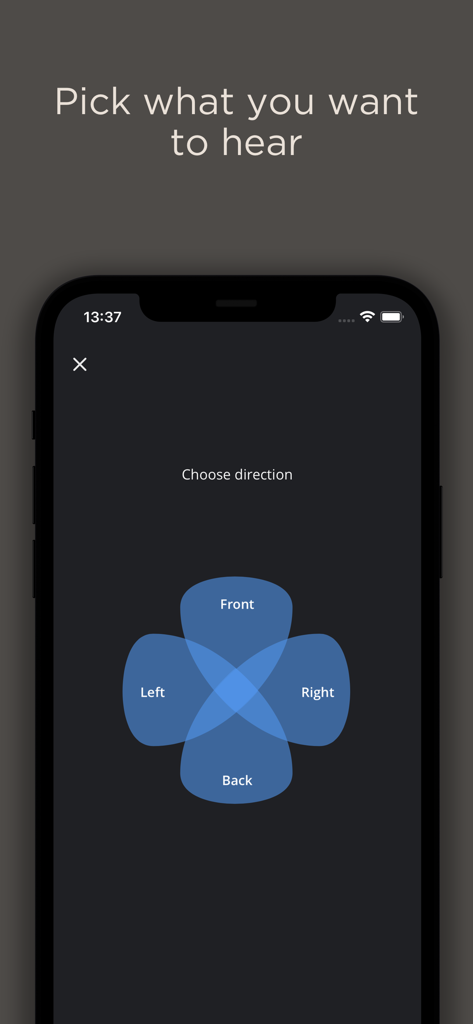
WIDEX MOMENT 앱 방향 청취 초점 선택기

WIDEX MOMENT 앱 방향 청취 초점 선택기

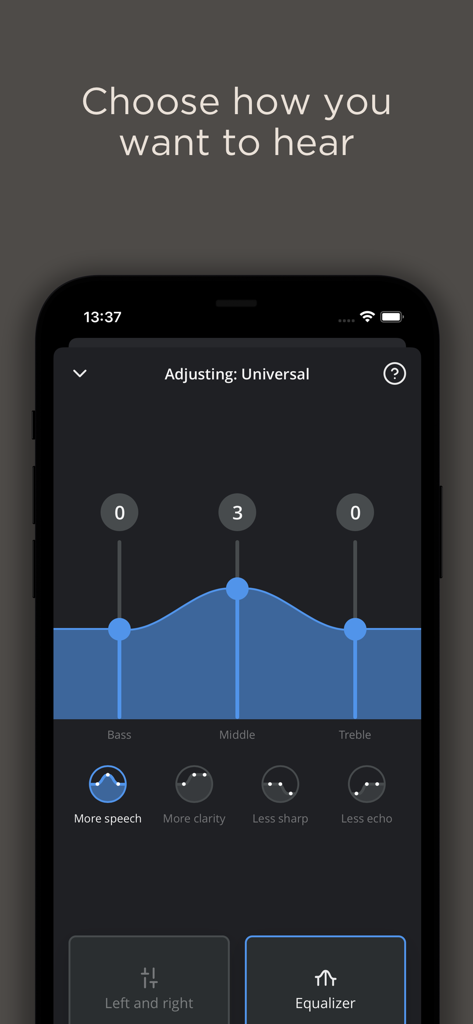
WIDEX MOMENT 앱 인터페이스, 저음, 중음 및 고음 조절을 위한 이퀄라이저 컨트롤 표시

WIDEX MOMENT 앱 인터페이스, 저음, 중음 및 고음 조절을 위한 이퀄라이저 컨트롤 표시

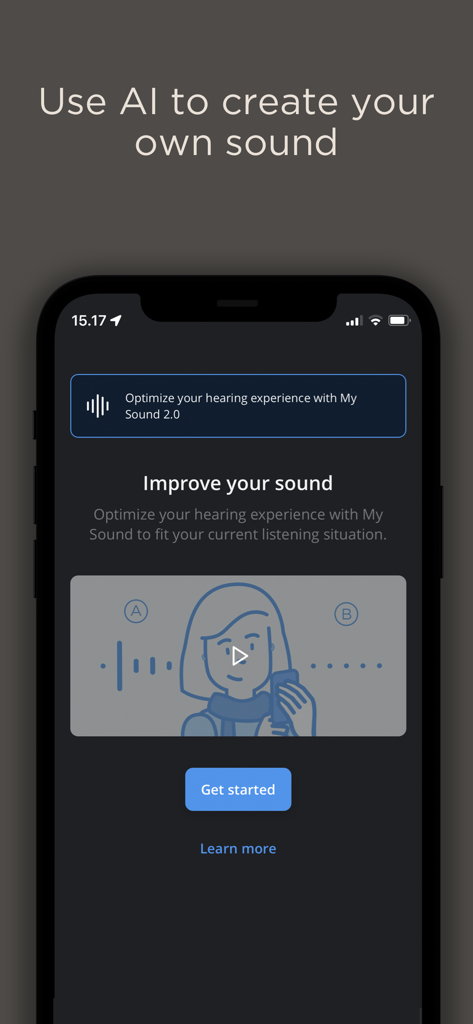
WIDEX MOMENT 앱 화면, My Sound라는 AI 개인화 기능 표시

WIDEX MOMENT 앱 화면, My Sound라는 AI 개인화 기능 표시

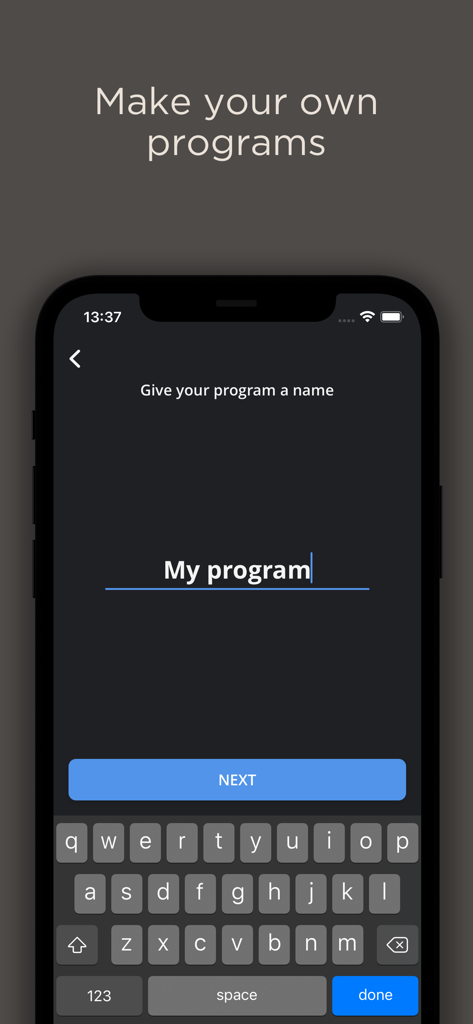
WIDEX MOMENT 앱에서 맞춤형 청취 프로그램에 이름을 지정하기 위한 모바일 인터페이스

WIDEX MOMENT 앱에서 맞춤형 청취 프로그램에 이름을 지정하기 위한 모바일 인터페이스

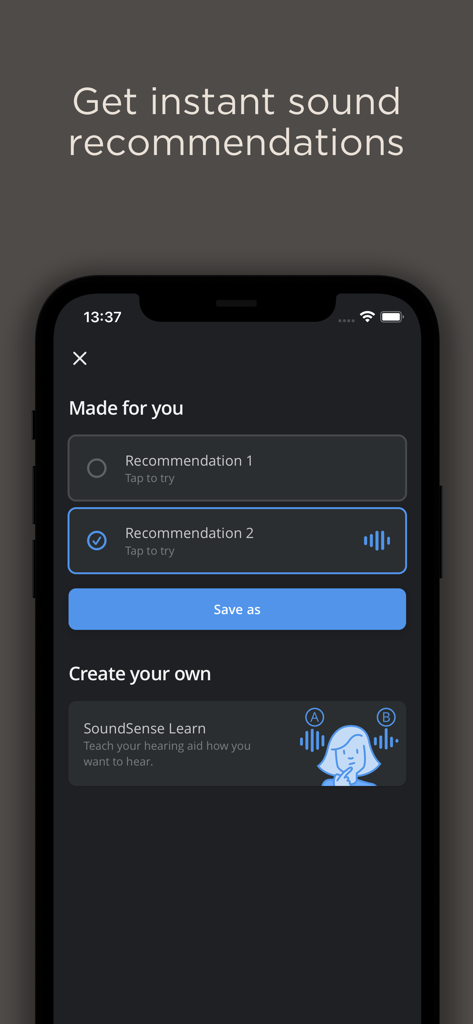
WIDEX MOMENT 앱 인터페이스, AI 사운드 추천 및 맞춤형 청취 프로파일을 위한 SoundSense Learn 기능 표시

WIDEX MOMENT 앱 인터페이스, AI 사운드 추천 및 맞춤형 청취 프로파일을 위한 SoundSense Learn 기능 표시

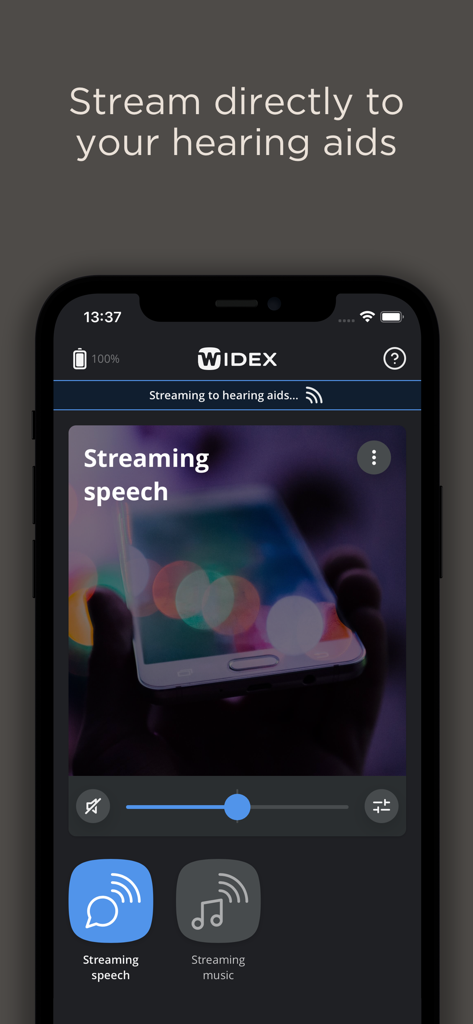
WIDEX MOMENT 앱 인터페이스, 음성 및 음악을 위한 보청기로의 직접 오디오 스트리밍 표시

WIDEX MOMENT 앱 인터페이스, 음성 및 음악을 위한 보청기로의 직접 오디오 스트리밍 표시

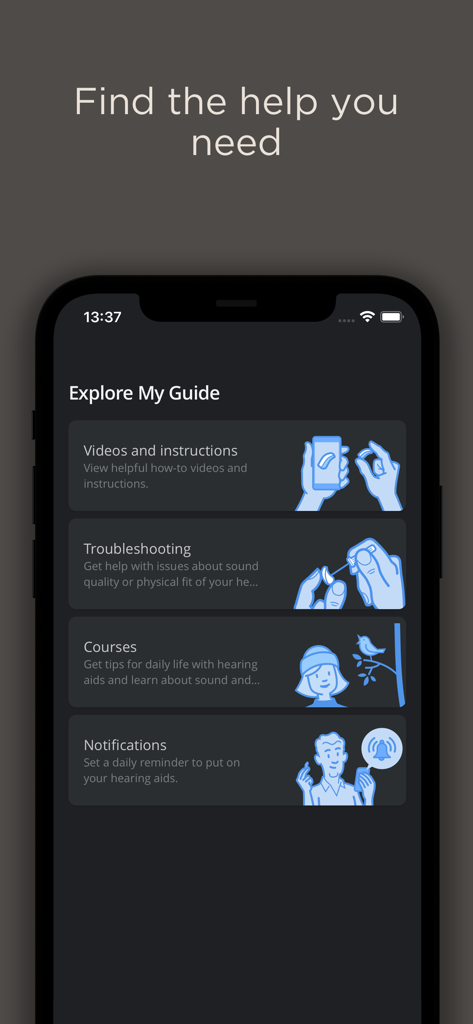
Widex Moment 앱 My Guide 화면, 도움말 동영상, 문제 해결 및 보청기 팁 옵션 표시

Widex Moment 앱 My Guide 화면, 도움말 동영상, 문제 해결 및 보청기 팁 옵션 표시

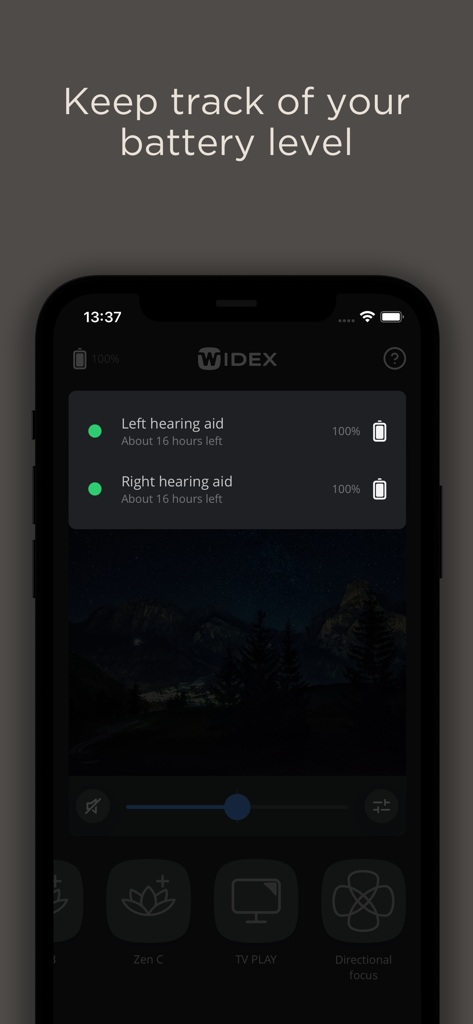
WIDEX MOMENT 앱 인터페이스, 왼쪽 및 오른쪽 보청기에 대한 배터리 잔량 및 예상 남은 시간 표시

WIDEX MOMENT 앱 인터페이스, 왼쪽 및 오른쪽 보청기에 대한 배터리 잔량 및 예상 남은 시간 표시

활동적인 라이프스타일을 위한 맞춤형 청취

이 앱을 돋보이게 하는 도구, 565K+ 명의 사용자가 선택.

🧠

AI 기반 SoundSense

기본 설정으로 만족하지 마세요. 고급 인공 지능을 사용하여 보청기가 실시간으로 원하는 소리를 정확하게 인식하도록 하세요.

섬세한 디지털 제어

Apple Watch 또는 iPhone에서 직접 볼륨을 조절하거나 프로그램을 전환하여 개인 정보를 보호하세요. 아무도 귀하가 조정을 하고 있다는 것을 알지 못할 것입니다.

📞

또렷한 직접 스트리밍

중요한 것과 연결을 유지하세요. 프리미엄 고품질 오디오로 보청기에 직접 전화, 음악 및 팟캐스트를 스트리밍하세요.

리뷰 분석

사용자 리뷰 인사이트.

감정 점수

31%
부정적

요약

Users express significant frustration with the mobile app, primarily due to frequent Bluetooth disconnections, app crashes, and a critical lack of timely software updates, especially concerning compatibility with newer iOS versions like 17, 18, and 26.0. Many reviews highlight that the app often fails to maintain a stable connection, impacting the functionality of their expensive hearing aids. While some appreciate the app's customization features, its ease of use, and the 'PureSound' setting for enhancing conversations, a considerable number struggle with saving personalized settings, report bugs with 'My Sound' options, and request essential features such as Lock Screen widgets and improved VoiceOver compatibility.

주요 테마

App Development & Support(4)
Connectivity Issues(3)
Customization & Settings Management(3)
Sound Quality (App-controlled)(2)
User Interface & Accessibility(1)
App Stability & Crashes(1)

앱 소개

에 대해 알아야 할 모든 것 WIDEX MOMENT.

설명

Personalize your listening experience whenever you want to. Take control of your hearing aid With a tap you can change program, adjust volume and mute/unmute your hearing aids directly from the Home screen. Pick what you want to hear Use our Directional focus program to focus on the sounds you want to hear, and less on the sounds you don't. Choose how you want to hear Adjust the bass, middle and treble of individual programs so your hearing aids sound just how you want them to. Use AI to create your own sound Get creative and teach your hearing aids how you want to hear using our artificial intelligence (AI) technology in SoundSense Learn. Make your own programs You never have to worry about "getting things wrong". Save sound changes as a new program and give it a name. Get instant sound recommendations We'll offer you recommendations to optimize your sound based on how users around the world have used their hearing aids. Stream directly to your hearing aids Hear phone calls, music and everything else from your phone directly in your hearing aids. And much, much more... Transparency and respecting your privacy are important to us. Some app features can only be used if you give the relevant permissions. However, you can always choose to decline these permissions and not use these features, without affecting the rest of your app experience. We continuously update our device compatibility list. Please visit our website to see the latest devices we support: https://www.widex.com/en/support/compatibility/ The user guide for the app can be accessed from the app settings menu. Alternatively, you can download the user guide in electronic form from https://www.wsaud.com/widex/ or order a printed version from the same address. The printed version will be made available to you free of charge within 7 working days. Manufactured by WSAUD A/S Nymøllevej 6 3540 Lynge Denmark UDI-DI (01)05706069930313 Product number: 5 300 0021 In case of a serious incident, report the occurrence to the manufacturer of the device.

최신 버전

1.9.0

크기

117.0 MB

출시일

2020년 3월 2일

청취 경험을 완벽하게 제어하세요

AI로 사운드를 개인화하는 수천 명의 활성 사용자와 함께하세요. 오늘 WIDEX MOMENT를 다운로드하여 iPhone 또는 Apple Watch에서 섬세하게 귀하의 라이프스타일에 맞춰진 순수하고 자연스러운 오디오를 즐기세요.

다운로드: App Store

App information, icons, screenshots, and descriptions displayed on this page are sourced from the Apple App Store and are the property of their respective developers. Download estimates and rankings are based on MWM's proprietary models and may not reflect actual figures. This page is provided for informational and analytical purposes only.

Believe this page infringes your intellectual property? File a dispute