WiFi QR Connect

WiFi QR Connect

다운로드: App Store다운로드: Google Play
로고: WiFi QR Connect

WiFi QR Connect: Wi-Fi를 스캔, 연결 및 관리하는 가장 빠른 방법

한 글자도 입력하지 않고 몇 초 안에 모든 네트워크에 연결하세요. 카메라 또는 갤러리에서 QR 코드를 스캔하고, 저장된 비밀번호를 확인하고, 연결 기록을 쉽게 관리하세요.

개발사

David Serrano Canales

카테고리

Utilities

다운로드

301K+

사용자 평점

4.7/5

총 평가 수

600

지원 언어

9

순식간에 연결

이 인터페이스를 사용하는 301K+ 명의 사용자.

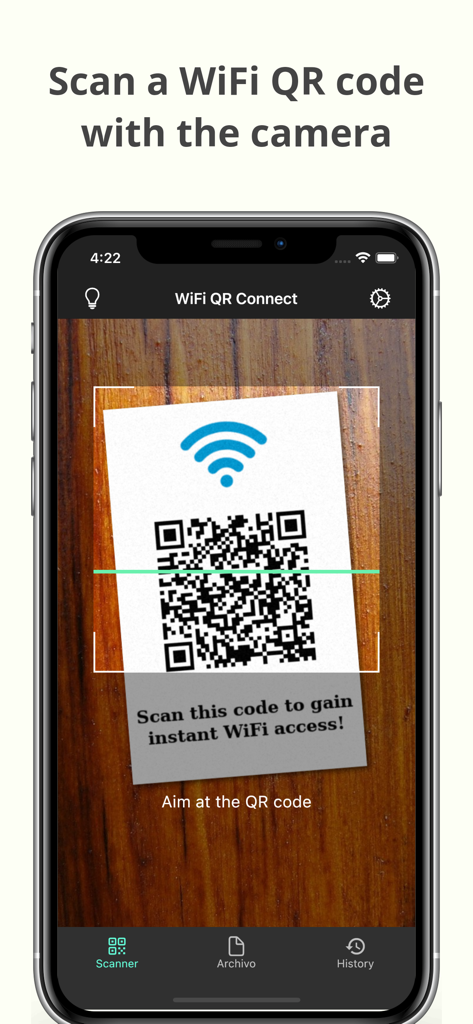
스마트폰 화면에 Wi-Fi QR 코드 스캔 앱이 표시되어 즉시 Wi-Fi 액세스를 위해 QR 코드를 스캔하고 있습니다.

스마트폰 화면에 Wi-Fi QR 코드 스캔 앱이 표시되어 즉시 Wi-Fi 액세스를 위해 QR 코드를 스캔하고 있습니다.

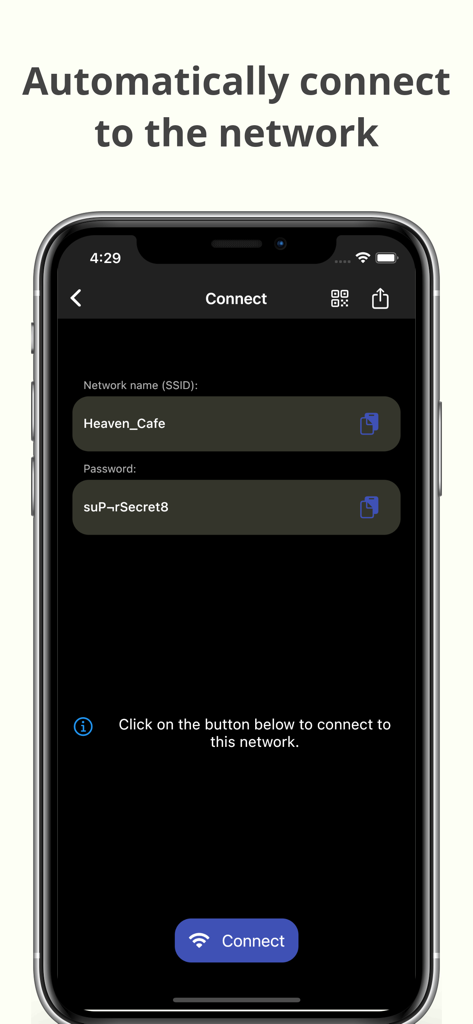
WiFi QR Connect 앱 인터페이스에서 자동 네트워크 연결을 위한 SSID 및 비밀번호가 표시됩니다.

WiFi QR Connect 앱 인터페이스에서 자동 네트워크 연결을 위한 SSID 및 비밀번호가 표시됩니다.

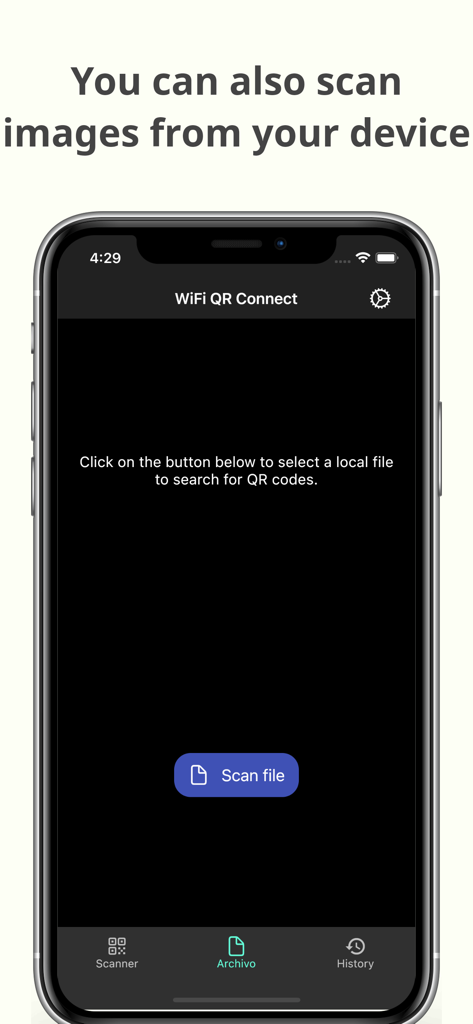
저장된 이미지 파일에서 QR 코드를 스캔하기 위한 WiFi QR Connect 앱 인터페이스.

저장된 이미지 파일에서 QR 코드를 스캔하기 위한 WiFi QR Connect 앱 인터페이스.

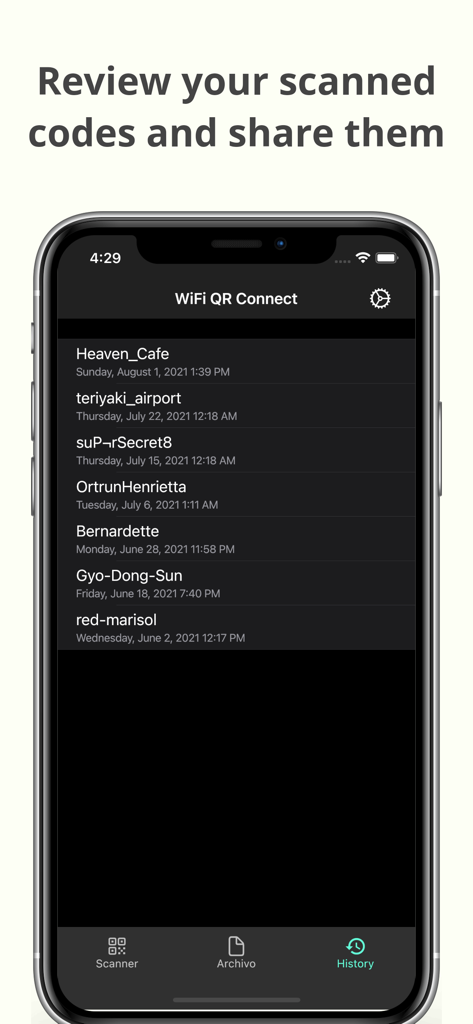
WiFi QR Connect 모바일 앱 내에서 이전에 스캔한 Wi-Fi 네트워크의 기록 목록입니다.

WiFi QR Connect 모바일 앱 내에서 이전에 스캔한 Wi-Fi 네트워크의 기록 목록입니다.

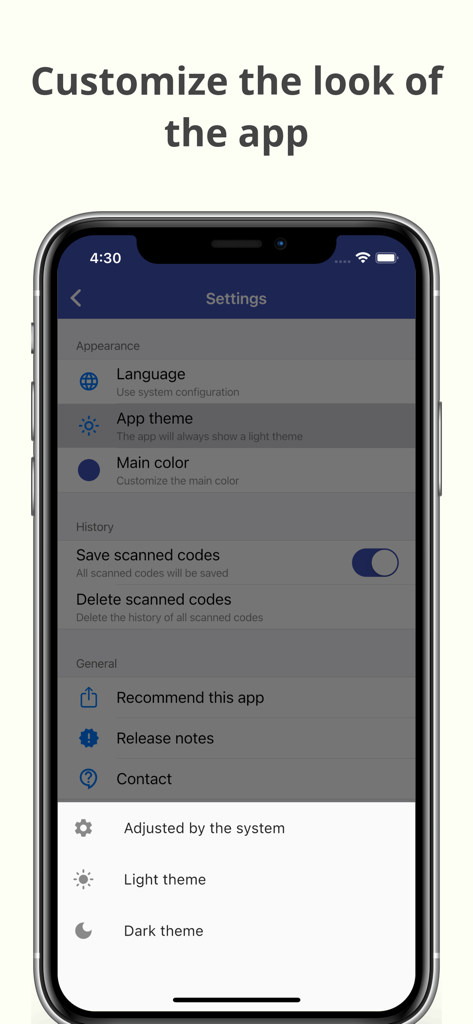
WiFi QR Connect 앱의 모양과 테마를 사용자 지정하기 위한 설정 화면입니다.

WiFi QR Connect 앱의 모양과 테마를 사용자 지정하기 위한 설정 화면입니다.

몇 초 안에 간편한 Wi-Fi 액세스

이 앱을 돋보이게 하는 도구, 301K+ 명의 사용자가 선택.

즉시 스캔 및 연결

수동 입력을 건너뛰세요. 카메라를 QR 코드에 가져다 대면 한 글자도 입력하지 않고 자동으로 네트워크에 연결됩니다.

📂

스마트 연결 기록

디지털 노마드에게 완벽합니다. 스캔한 모든 네트워크를 저장하여 즐겨 찾는 카페나 호텔을 다시 방문할 때 빠르게 다시 연결할 수 있습니다.

🔑

비밀번호 확인 및 공유

기기 간의 격차를 해소하세요. 저장된 비밀번호를 검색하여 손님을 돕거나 Wi-Fi 공유가 실패했을 때 노트북을 연결하세요.

앱 소개

에 대해 알아야 할 모든 것 WiFi QR Connect.

설명

WiFi QR Connect allows you to connect to a Wi-Fi network by scanning a QR code. Just open the app and point your device's rear camera at the code you want. The app will scan it and allow you to join that network without the need to enter any data manually. Features: - Automatic connection to Wi-Fi networks by scanning QR codes - You can also scan an image file from your device that contains a code - Quickly retrieve all scanned codes in History section - Ability to view the password of the network > Where can I found the QR codes? You can find QR codes with Wi-Fi network information in various places, for example on the bottom of routers (to be able to connect to the network they provide) or in public places such as cafes or restaurants where the owners have printed these codes so that customers can easily connect to the network that these places provide. > Is it possible to generate these types of codes myself for guests to connect to my home network? Yeah! You can use a code generation tool to create these codes. You can then print them out or simply show them to your guests right from your phone to get them connected. An example of an online generation tool is QiFi: https://qifi.org/ > How to use this application? Once you have opened the application, the code scanner that uses your device's camera will be activated automatically. Frame the code to scan and the application will automatically detect it. Alternatively, you can also choose an image file that contains a QR code from your local file system. Once the code has been scanned you will be presented with information regarding it, along with the option to connect automatically. Press the connect button and the app will automatically try to connect to the provided network. Please note that for the connection to be established correctly the network must be available, your device must be within range, and the data provided in the code must be correct. > What else can this app do? In addition to what is mentioned above, this app also allows you to recover any codes that you have previously scanned. You will be able to see its data just as if you had just scanned it. In addition, it also has several additional options such as sharing the code or viewing the network password. --- In short, WiFi QR Connect is your ideal tool to connect to Wi-Fi networks easily and quickly by scanning a QR code. It has been designed with simplicity in mind so that its use is agile and natural. Download now and simplify the way you connect to wireless networks!

최신 버전

2.38.0

크기

66.8 MB

출시일

2021년 7월 23일

비밀번호 입력은 그만. 연결을 시작하세요.

Wi-Fi 연결의 번거로움을 없앤 300,000명 이상의 사용자와 함께하세요. 지금 WiFi QR Connect를 다운로드하고 즉각적이고 오류 없는 네트워크 액세스의 궁극적인 편리함을 경험하세요.

다운로드: App Store다운로드: Google Play

App information, icons, screenshots, and descriptions displayed on this page are sourced from the Apple App Store and are the property of their respective developers. Download estimates and rankings are based on MWM's proprietary models and may not reflect actual figures. This page is provided for informational and analytical purposes only.

Believe this page infringes your intellectual property? File a dispute