Zulu Time Now - UTC GMT Clock

Zulu Time Now - UTC GMT Clock

다운로드: App Store
로고: Zulu Time Now - UTC GMT Clock

Zulu Time Now: 전문가를 위한 정확한 UTC 및 GMT 시간 측정

원활한 Zulu 시간 및 현지 시간 동기화로 정신 계산을 없애세요. 조종사, 군인 및 아마추어 무선 운영자를 위해 제작되었으며, 높은 정확도의 Apple Watch 컴플리케이션, 잠금 화면 위젯 및 TAF/METAR 및 줄리안 날짜 형식 지원 기능을 갖추고 있습니다.

다운로드: App Store

개발사

Bonsaisoft LLC

카테고리

Utilities

다운로드

300

사용자 평점

4.6/5

총 평가 수

600

지원 언어

5

한눈에 보는 정밀도

이 인터페이스를 사용하는 300 명의 사용자.

조종사가 조종석에서 시계를 확인하며 Zulu 시간을 정확하게 추적하는 모습

조종사가 조종석에서 시계를 확인하며 Zulu 시간을 정확하게 추적하는 모습

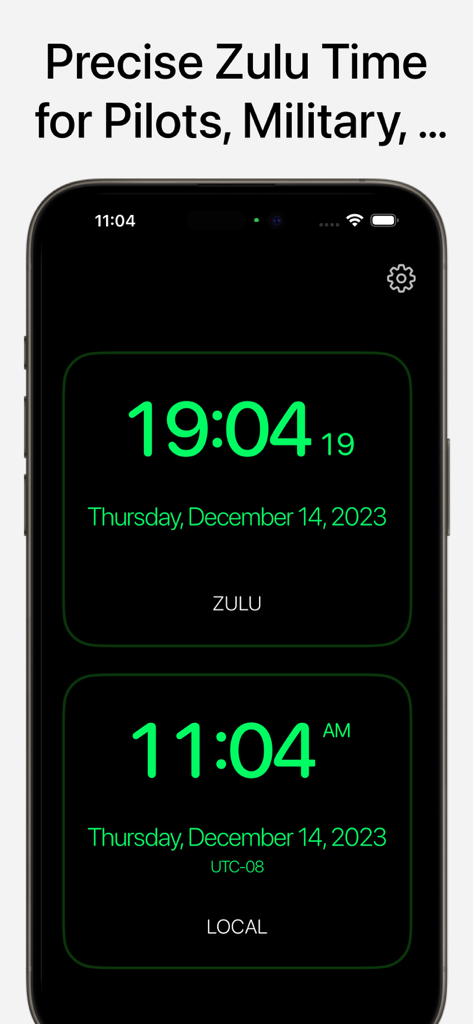
어두운 배경에 녹색 텍스트로 동기화된 Zulu 및 현지 시간 표시가 있는 Zulu Time Now 앱을 보여주는 iPhone 화면

어두운 배경에 녹색 텍스트로 동기화된 Zulu 및 현지 시간 표시가 있는 Zulu Time Now 앱을 보여주는 iPhone 화면

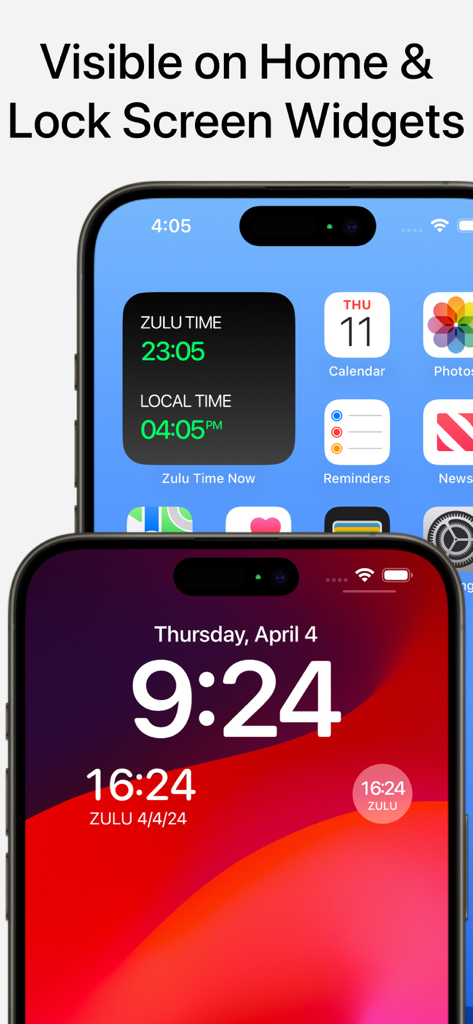
iPhone 홈 및 잠금 화면에 표시된 Zulu Time 및 UTC 시계 위젯

iPhone 홈 및 잠금 화면에 표시된 Zulu Time 및 UTC 시계 위젯

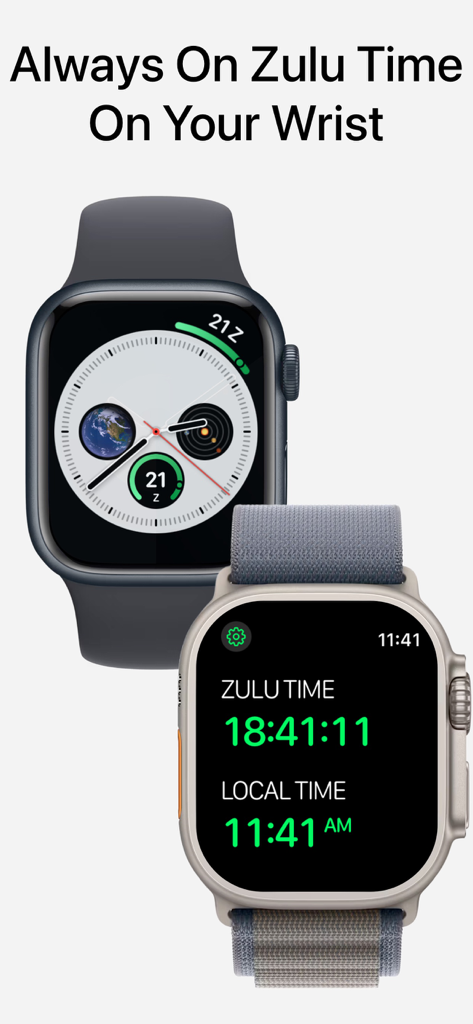
Apple Watch 화면에 UTC 및 현지 시간이 표시된 Zulu Time Now 앱

Apple Watch 화면에 UTC 및 현지 시간이 표시된 Zulu Time Now 앱

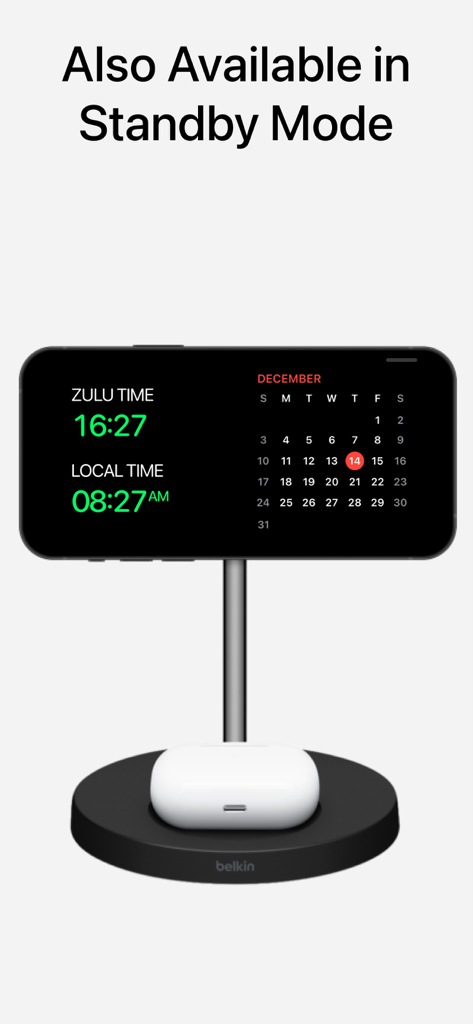
충전 스탠드에 대기 모드로 표시된 iPhone의 Zulu 및 현지 시간

충전 스탠드에 대기 모드로 표시된 iPhone의 Zulu 및 현지 시간

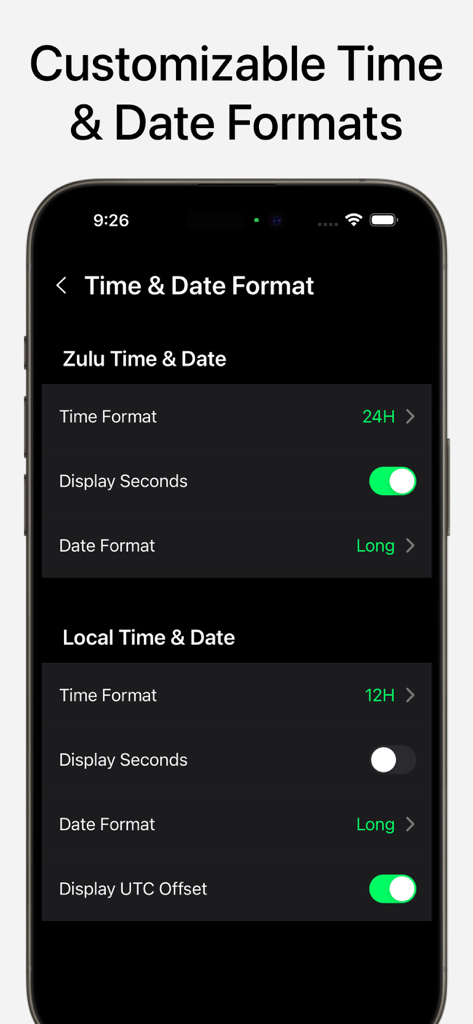
Zulu 및 현지 시간 및 날짜 형식 사용자 지정을 위한 Zulu Time Now 앱 설정 화면

Zulu 및 현지 시간 및 날짜 형식 사용자 지정을 위한 Zulu Time Now 앱 설정 화면

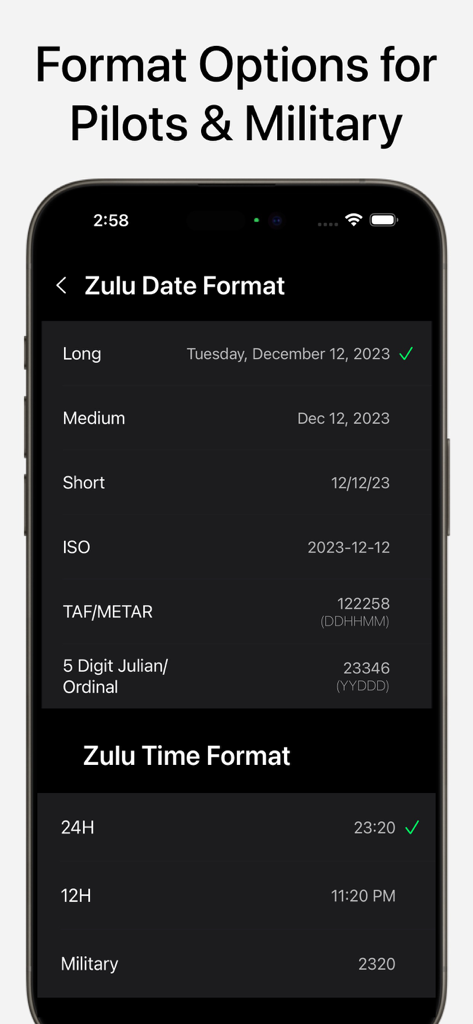
조종사 및 군인을 위한 TAF METAR 및 줄리안 날짜를 포함한 다양한 Zulu 날짜 및 시간 형식 옵션을 표시하는 메뉴

조종사 및 군인을 위한 TAF METAR 및 줄리안 날짜를 포함한 다양한 Zulu 날짜 및 시간 형식 옵션을 표시하는 메뉴

전문가를 위한 임무 필수 정밀도

이 앱을 돋보이게 하는 도구, 300 명의 사용자가 선택.

한눈에 보는 Zulu 시간

조종사 및 중요 현장 운영자를 위해 설계된 전문가 수준의 Apple Watch 컴플리케이션으로 손목에서 바로 UTC에 액세스하세요.

✈️

전문가용 특수 형식

TAF/METAR, 5자리 줄리안 날짜 및 군용 시간 간에 즉시 전환하여 특정 산업 표준에 맞추세요.

🎛️

전략 사령부 센터

iOS 17 대기 모드 및 홈 화면 위젯을 활용하여 장치를 전용 핸즈프리 글로벌 시간 스테이션으로 전환하세요.

앱 소개

에 대해 알아야 할 모든 것 Zulu Time Now - UTC GMT Clock.

설명

Introducing "Zulu Time Now" – Your Ultimate Time Companion! Stay in sync with the world and elevate your timekeeping experience with our innovative iOS app designed for pilots, military personnel, amateur radio operator and casual users. "Zulu Time Now" seamlessly integrates Zulu time (UTC/GMT) with your local time, offering a comprehensive set of features to cater to your timekeeping preferences. Key Features: • Zulu and Local Time Display: Effortlessly view Zulu time and your local time in both portrait and landscape modes, ensuring you're in tune with global and regional time zones. Both times are adjustable just by sliding your finger sideways. • Time Zones display: Add cities, countries, or time zones to see current times instantly, and easily adjust past or future times by sliding sideways for precise planning. • Apple Watch App & Complications: Stay connected on the go with our Apple Watch integration. Check Zulu time directly from your wrist with our sleek interface and enhanced complications, perfect for pilots and busy professionals. • Home & Lock Screen Widgets: Access Zulu time conveniently from your Home and Lock screens with our dynamic widgets, providing at-a-glance information without the need to open the app. • Standby mode: Users can add the widget in the new Standby mode, introduced by Apple with iOS 17. It allows users to display the Zulu and local times at all time, while the device is charging in landscape mode. • Customizable Time and Date Formats: Tailor the app to your preferences with configurable time and date formats. Choose between 24-hour, 12-hour, or Military time formats, and select from options like long, medium, short, ISO, TAF/METER, and 5-digit Julian (ordinal) date formats. • Seconds Display: Precision matters! Opt to display seconds for Zulu and/or local times, keeping you on track with every passing moment. Devices supported • All iPhones and iPads with iOS 16 and above • All Apple Watches with WatchOS 9 and above. • Please note that Apple Watch Series 4 and later models support WatchOS 9 or higher. Whether you're in military, a pilot, an amateur radio operator or simply someone who values precision in timekeeping, "Zulu Time Now" is your go-to app for staying connected to global time standards. Download now and embark on a journey where time knows no boundaries!

최신 버전

1.28

크기

9.7 MB

출시일

2023년 12월 21일

군사적 정밀도로 세계 시간을 마스터하세요

정신 계산은 그만두고 완벽하게 동기화 상태를 유지하세요. 모든 비행, 임무 및 방송에 Zulu Time Now를 사용하는 수천 명의 조종사, 운영자 및 전문가와 함께 하세요.

다운로드: App Store

App information, icons, screenshots, and descriptions displayed on this page are sourced from the Apple App Store and are the property of their respective developers. Download estimates and rankings are based on MWM's proprietary models and may not reflect actual figures. This page is provided for informational and analytical purposes only.

Believe this page infringes your intellectual property? File a dispute