
Esta página não é uma página oficial do aplicativo ou de seu desenvolvedor, mas uma publicação editorial independente criada para fins informativos e de comentário. Salvo indicação expressa em contrário, nem o aplicativo nem seu desenvolvedor são afiliados, endossados, patrocinados, autorizados ou oficialmente conectados à MWM, Apple, Google Play, ao editor do aplicativo ou ao desenvolvedor do aplicativo, e nada nesta página implica que o aplicativo foi desenvolvido utilizando os serviços da MWM. Todas as marcas comerciais, logotipos, capturas de tela e outros conteúdos permanecem propriedade de seus respectivos proprietários.

TXT Official Light Stick Ver.2
Faça parte da magia. Conecte seu light stick para se juntar ao oceano sincronizado do show e personalize suas cores para uma experiência de fã personalizada em casa ou no palco.
Downloads
256K+Avaliação
Total de avaliações
100Editor
Categoria
EntertainmentIdiomas
13Última versão
1.5Tamanho
47.9 MBData de lançamento
6 de fev. de 2024Experimente a Magia do TXT
Da primeira fila da turnê mundial ao conforto do seu quarto, desbloqueie todo o potencial do seu Official Light Stick Ver.2.
Sincronização Perfeita no Show
Junte-se ao lendário 'Oceano de Light Stick'. Emparelhe as informações do seu assento para sincronizar com a música e os efeitos para uma experiência imersiva ao vivo.
Suas Cores de Assinatura
Expresse seu estilo no Modo Manual. Escolha qualquer cor do espectro para transformar seu espaço ou criar o cenário perfeito para redes sociais.
Perguntas Frequentes
Tudo o que você precisa saber sobre TXT Official Light Stick Ver.2
Como conecto o TXT Official Light Stick Ver.2 ao meu smartphone via Bluetooth?
Para conectar o TXT Official Light Stick Ver.2, desligue-o, em seguida, pressione os botões do meio e inferior simultaneamente por dois segundos até que ele pisque em azul. Ative o Bluetooth do seu smartphone e emparelhe-o com o Light Stick.
Qual é a função do 'Modo Concerto' no aplicativo TXT Official Light Stick Ver.2?
O 'Modo Concerto' no aplicativo TXT Official Light Stick Ver.2 permite o emparelhamento com as informações do ingresso do show. Este recurso sincroniza o Light Stick com os efeitos do palco, aprimorando a experiência do show. Este modo é ativado dias antes de um show.
Quando é o momento recomendado para emparelhar o TXT Official Light Stick Ver.2 para um show?
Os usuários devem emparelhar seu TXT Official Light Stick Ver.2 para um show aproximadamente um ou dois dias antes. Isso permite atualizações de firmware e a conclusão do emparelhamento, evitando possíveis atrasos ou falhas devido ao congestionamento no local.
Posso personalizar a cor e os efeitos de iluminação do meu TXT Official Light Stick Ver.2?
Sim, os usuários podem personalizar o TXT Official Light Stick Ver.2. Usando o 'Modo Próprio' no aplicativo, conectado via Bluetooth, os usuários podem ajustar sua cor, brilho e efeito de piscar diretamente de seus smartphones.
Que tipo de pilhas o TXT Official Light Stick Ver.2 requer?
O TXT Official Light Stick Ver.2 requer três pilhas alcalinas AAA. É essencial substituir as pilhas antigas por novas antes do uso para garantir o desempenho ideal e evitar problemas como escurecimento ou desligamentos inesperados durante os shows.
Quais permissões são necessárias para que o aplicativo TXT Official Light Stick Ver.2 opere?
O aplicativo TXT Official Light Stick Ver.2 requer permissão NFC para verificar informações de ingressos e permissão Bluetooth para conectar-se ao Light Stick. Essas permissões são obrigatórias para as funcionalidades principais do aplicativo.
As capturas de tela e a descrição a seguir são provenientes diretamente da listagem oficial da loja do aplicativo e são propriedade do desenvolvedor.
App Store
Capturas
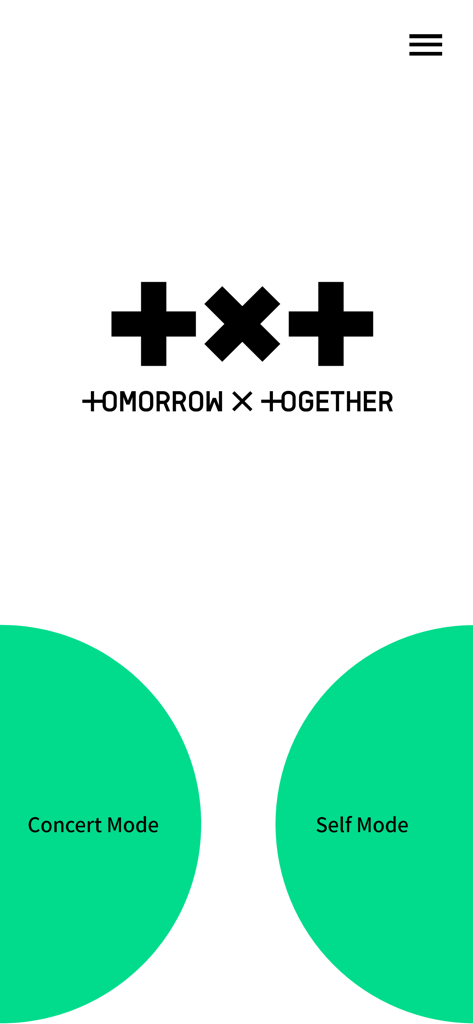
Tela inicial do aplicativo TXT Official Light Stick com botões de seleção Modo Show e Modo Manual
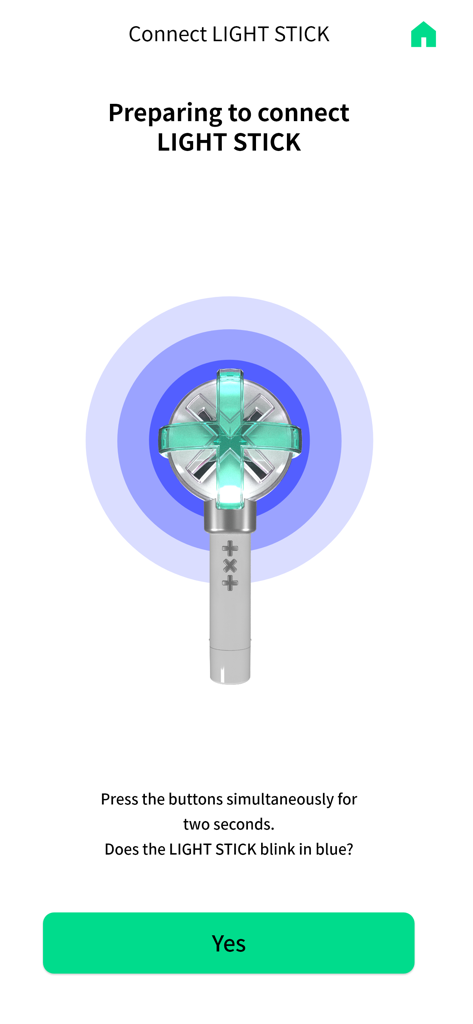
Tela do aplicativo de smartphone mostrando instruções para emparelhar o light stick oficial do TXT via bluetooth
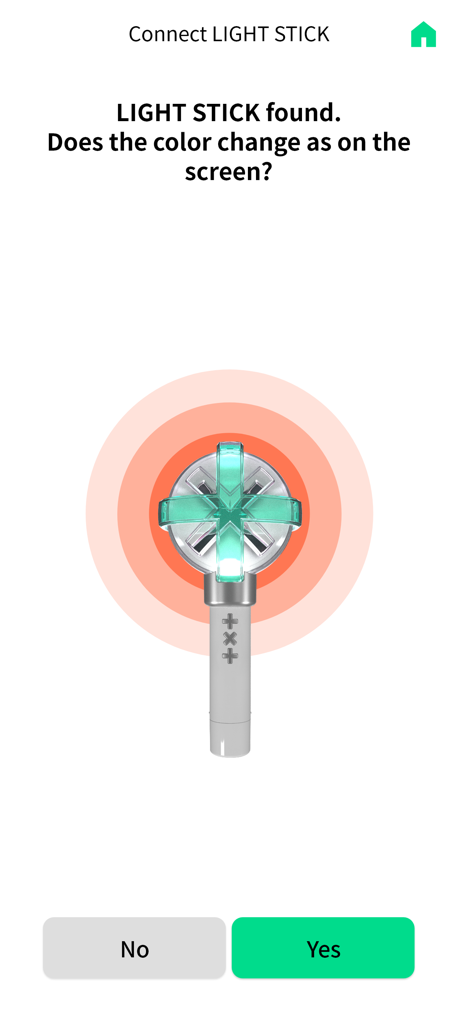
Tela de conexão Bluetooth para TXT Official Light Stick Ver.2 pedindo para confirmar a mudança de cor da luz
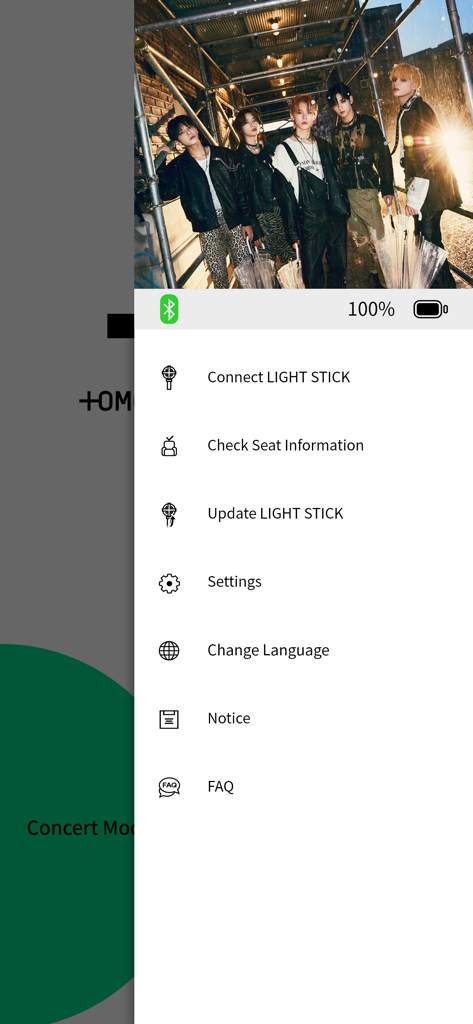
Menu do aplicativo TXT Official Light Stick Ver.2 mostrando configurações e opções de conexão do light stick
Descrição
Download
Apps Semelhantes
Apps com recursos e experiência semelhantes

wePix arena
FREDERIC GIRY

Stadium FX
CUE Audio, LLC

CrowdFX
Jamie Severns

Top Hat - Better Learning
TopHatMonocle Corp

Poll Everywhere
Poll Everywhere, Inc.

&TEAM Official Light Stick V1
HYBE Co., Ltd

iClicker Student
HPHLP

PointSolutions
Turning Technologies, LLC

Budweiser Sports App
Fandom Connect Operating Pty Ltd
Esta página não é uma página oficial do aplicativo ou de seu desenvolvedor, mas uma publicação editorial independente criada para fins informativos e de comentário. Salvo indicação expressa em contrário, nem o aplicativo nem seu desenvolvedor são afiliados, endossados, patrocinados, autorizados ou oficialmente conectados à MWM, Apple, Google Play, ao editor do aplicativo ou ao desenvolvedor do aplicativo, e nada nesta página implica que o aplicativo foi desenvolvido utilizando os serviços da MWM. Todas as marcas comerciais, logotipos, capturas de tela e outros conteúdos permanecem propriedade de seus respectivos proprietários.