
Diese Seite ist keine offizielle Seite der App oder ihres Entwicklers, sondern eine unabhängige redaktionelle Veröffentlichung, die zu Informations- und Kommentarzwecken erstellt wurde. Sofern nicht ausdrücklich anders angegeben, sind weder die App noch ihr Entwickler mit MWM, Apple, Google Play, dem App-Herausgeber oder dem Entwickler der App verbunden, von ihnen unterstützt, gesponsert, autorisiert oder anderweitig offiziell verbunden, und nichts auf dieser Seite impliziert, dass die App unter Verwendung der Dienste von MWM entwickelt wurde. Alle Marken, Logos, Screenshots und andere Inhalte bleiben Eigentum ihrer jeweiligen Inhaber.


Adobe Fresco: Draw & Paint App
Nutzen Sie die Leistung von professionellen Live-Pinselstrichen und Motion-Tools auf Ihrem iPad und iPhone. Entwickelt für Kreative, die mühelos skizzieren, malen und ihren Prozess teilen möchten.
Downloads
12M+Bewertung
Bewertungen gesamt
193K+Herausgeber
Kategorie
Graphics & DesignSprachen
19Neueste Version
7.1.0Größe
894.4 MBErstveröffentlichung
24. Sept. 2019Meistern Sie Ihr Handwerk – überall
Erwecken Sie Ihre kreative Vision mit der fortschrittlichsten Zeichen- und Mal-App für das iPad und iPhone zum Leben. Von realistischen Live-Pinselstrichen bis hin zu Animationen auf Profi-Niveau – Adobe Fresco bietet Ihnen ein komplettes Studio.
Realistische Live-Pinselstriche
Erleben Sie digitale Farbe, die sich wie das Original verhält. Beobachten Sie, wie Aquarellfarben verlaufen und sich vermischen, oder tragen Sie dicke Ölfarben auf, um atemberaubende, texturierte Meisterwerke mit physikbasierter Präzision zu schaffen.
Kunst in Bewegung
Verwandeln Sie Ihre Illustrationen in auffällige Inhalte. Verwenden Sie einfache Bewegungspfade und Frame-by-Frame-Tools, um Ihre Arbeit für TikTok, Instagram Reels oder professionelle Portfolios zu animieren.
Häufig gestellte Fragen
Alles, was Sie über wissen müssen Adobe Fresco: Draw & Paint App
Was ist Adobe Fresco?
Adobe Fresco ist eine kostenlose Zeichen- und Malanwendung. Sie wurde für digitale Künstler entwickelt und ist mit iPad und iPhone kompatibel, einschließlich Apple Pencil Pro.
Ist Adobe Fresco eine kostenlose App?
Ja, Adobe Fresco ist eine kostenlose Zeichen- und Malanwendung.
Welche Geräte unterstützen Adobe Fresco?
Adobe Fresco unterstützt iPad- und iPhone-Geräte. Es bietet Kompatibilität mit Apple Pencil Pro für ein verbessertes Zeichenerlebnis.
Kann ich meine Kunstwerke in Adobe Fresco animieren?
Ja, Adobe Fresco verfügt über Animationswerkzeuge und Pfadfunktionen. Benutzer können Frame-by-Frame-Animationen, GIFs und MP4-Videodateien erstellen.
Welche Arten von Pinseln bietet Adobe Fresco an?
Adobe Fresco bietet Tausende von Pixel- und Vektor-Pinseln sowie exklusive Live-Pinsel. Benutzer können auch Photoshop .abr-Dateien importieren.
Unterstützt Adobe Fresco Ebenen?
Ja, Adobe Fresco unterstützt unbegrenzte Ebenen. Diese Funktion ermöglicht es Benutzern, komplexe Kunstwerke mit unendlichen Möglichkeiten zu erstellen.
Kann ich meine Adobe Fresco-Projekte geräteübergreifend synchronisieren?
Ja, Adobe Fresco-Projekte werden automatisch mit Creative Cloud synchronisiert. Dies stellt sicher, dass Benutzer auf ihre Kunstwerke auf verschiedenen Geräten zugreifen und daran arbeiten können.
Wie funktioniert 'An Form ausrichten' in Adobe Fresco?
Die Funktion 'An Form ausrichten' in Adobe Fresco ermöglicht es Benutzern, am Ende eines Strichs die Maustaste gedrückt zu halten. Diese Aktion richtet einen perfekten Kreis, ein Polygon, eine Linie oder einen Bogen aus.
Kann Adobe Fresco Zeitraffer-Videos der Kunstschaffung exportieren?
Ja, Adobe Fresco exportiert Zeitraffer-Videos. Diese Funktion spielt die Erstellung von Kunstwerken von Anfang bis Ende ab und zeigt den künstlerischen Prozess.
Welche Dateiformate unterstützt Adobe Fresco für den Export?
Adobe Fresco unterstützt den Export von Kunstwerken in gängigen Formaten, darunter PNG, JPG und PSD-Dateien mit Ebenen. Es bietet eine nahtlose Integration mit Photoshop und Illustrator.
Hat Adobe Fresco einen 'Malen-innerhalb-Modus'?
Ja, Adobe Fresco verfügt über einen 'Malen-innerhalb-Modus'. Dieser Modus beschleunigt das Einfärben, indem er Pinselstriche auf die Linienkunst beschränkt und den Prozess rationalisiert.
Wie kann ich Farben in Adobe Fresco anpassen?
Adobe Fresco enthält Photoshop-ähnliche Einstellungsebenen. Diese ermöglichen es Benutzern, Änderungen an Helligkeit, Farbton/Sättigung und Farbbalance einfach zu testen und anzuwenden.
Bietet Adobe Fresco Zeichen-Tutorials an?
Ja, Adobe Fresco bietet Lerninhalte mit Schritt-für-Schritt- und Video-Tutorials. Benutzer können auch Inspiration aus der Fresco-Community entdecken.
Die folgenden Screenshots und die Beschreibung stammen direkt aus dem offiziellen Store-Eintrag der App und sind Eigentum des Entwicklers.
App Store
Screenshots
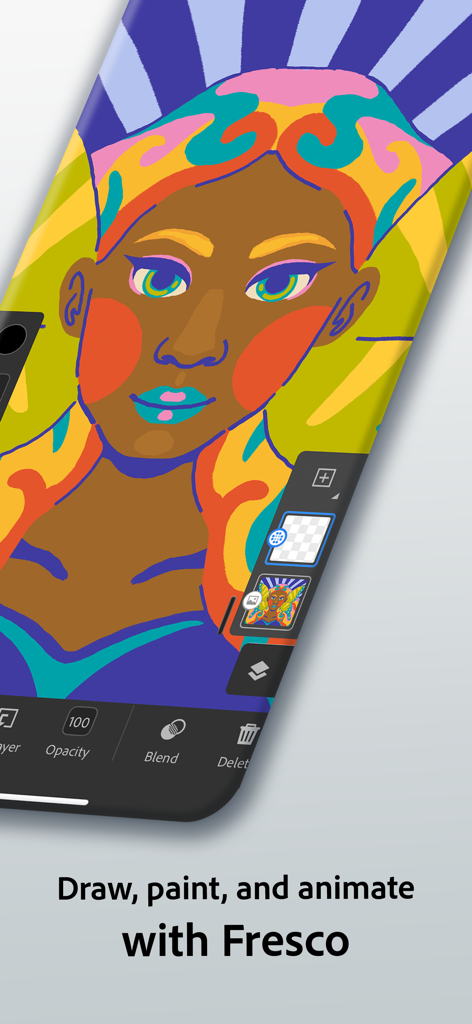
Digitale Illustration einer Frau in der Adobe Fresco App auf einem Smartphone
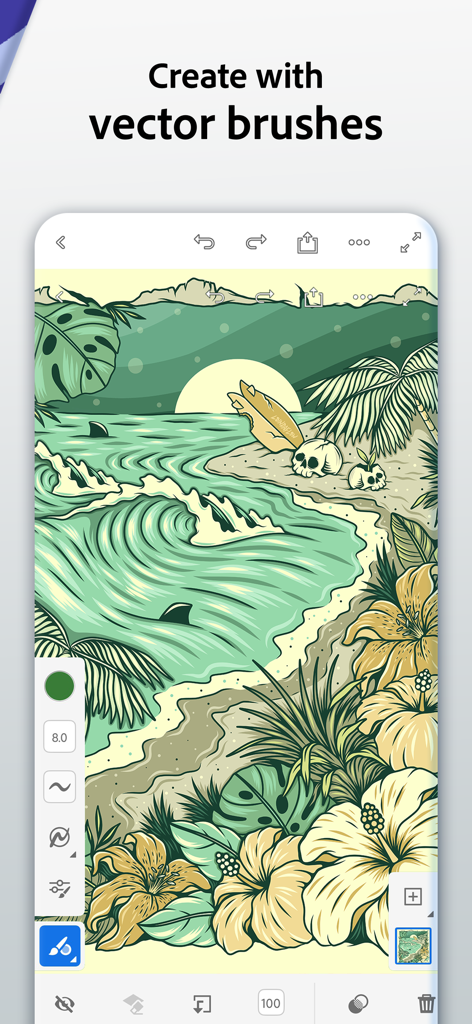
Adobe Fresco App-Oberfläche, die eine tropische Strandillustration zeigt, die mit Vektor-Pinselstrichen erstellt wurde.
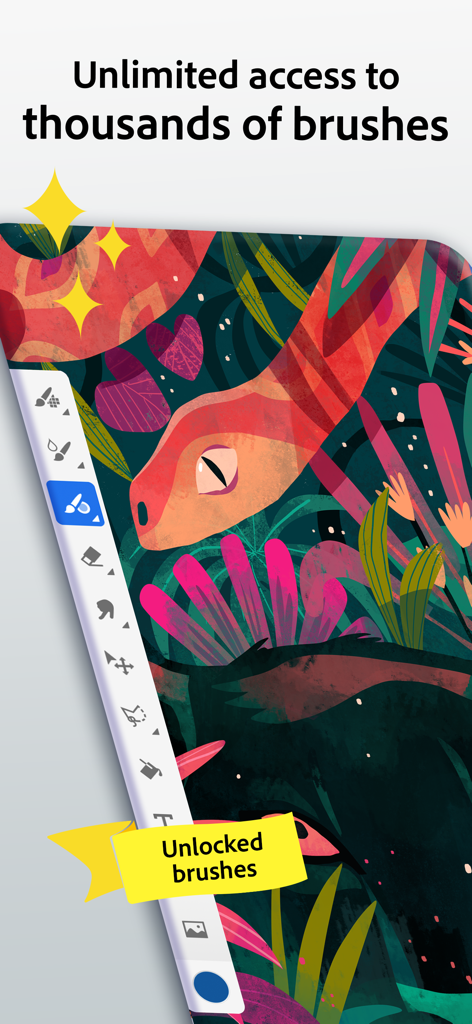
Adobe Fresco App-Oberfläche, die eine bunte Schlangenillustration und eine Seitenleiste mit Tausenden von Zeichen-Pinselstrichen zeigt
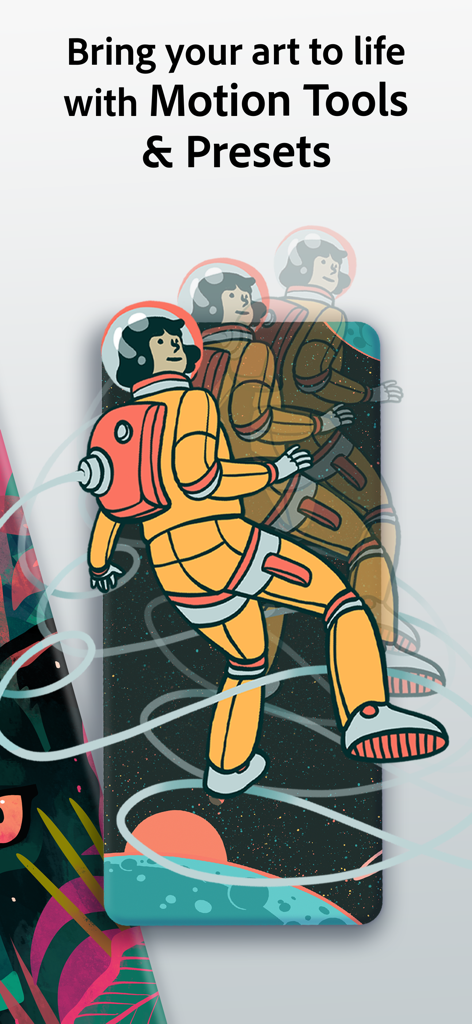
Adobe Fresco App-Screenshot, der Motion-Tools mit Astronauten-Animationskunstwerken zeigt
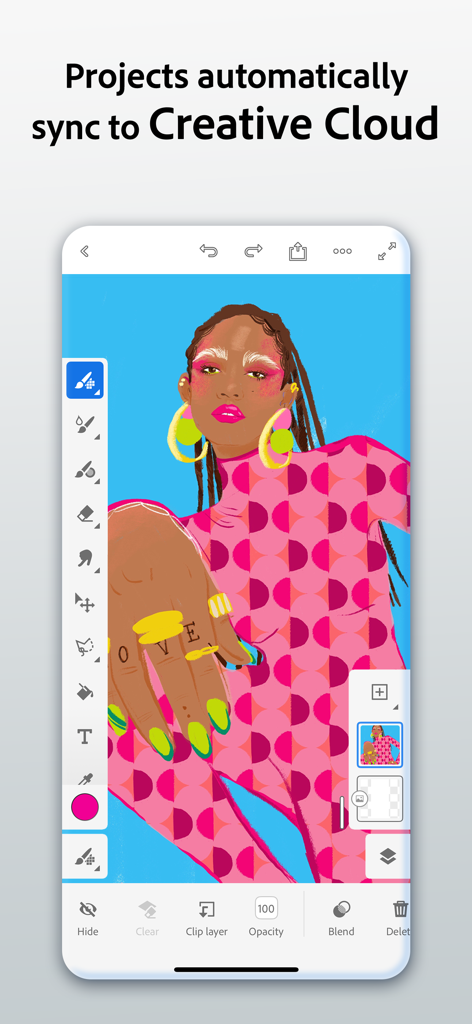
Adobe Fresco mobile App-Oberfläche, die eine farbenfrohe digitale Illustration und eine Cloud-Synchronisierungsfunktion zeigt
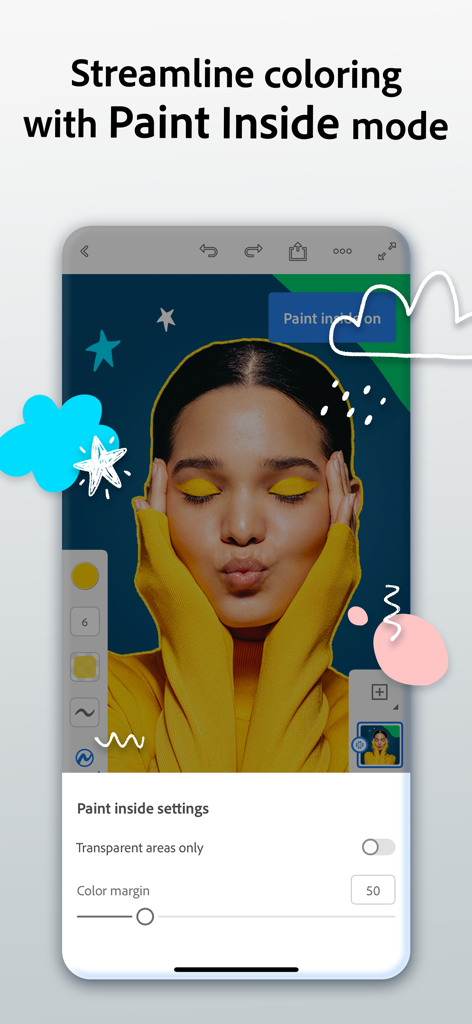
Adobe Fresco App-Oberfläche, die den Paint Inside-Modus zur präzisen Farbgebung auf einem Porträt zeigt
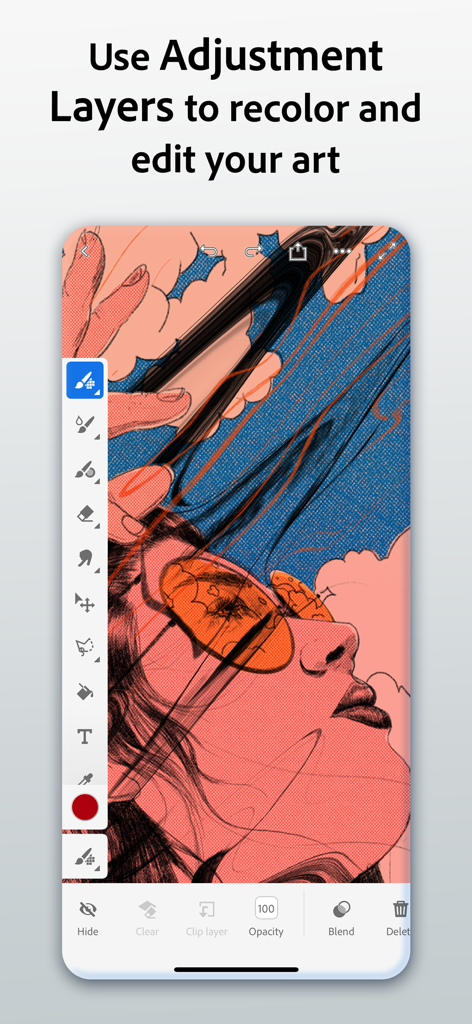
Adobe Fresco-Oberfläche, die zeigt, wie man Anpassungsebenen verwendet, um digitale Kunst auf einem Mobilgerät neu zu färben.
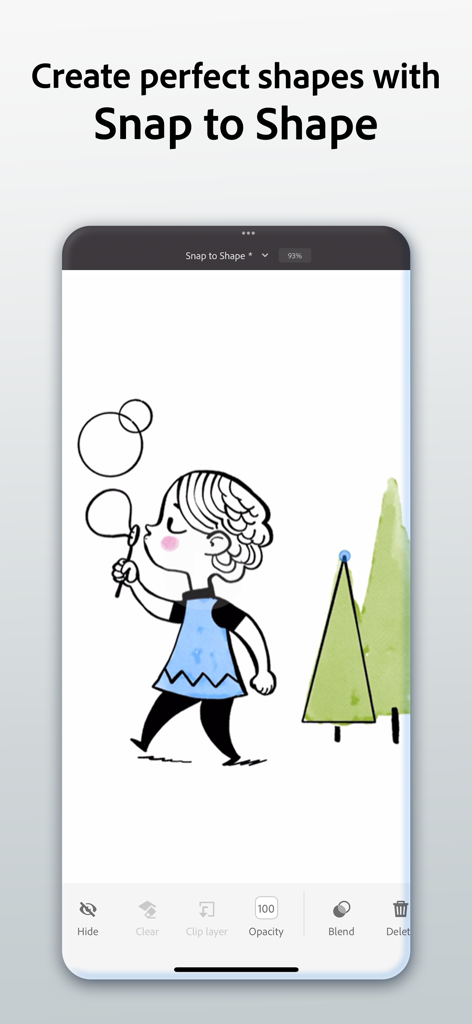
Adobe Fresco-Oberfläche, die das Snap to Shape-Tool demonstriert, das auf einer digitalen Illustration eines Mädchens und Bäumen verwendet wird
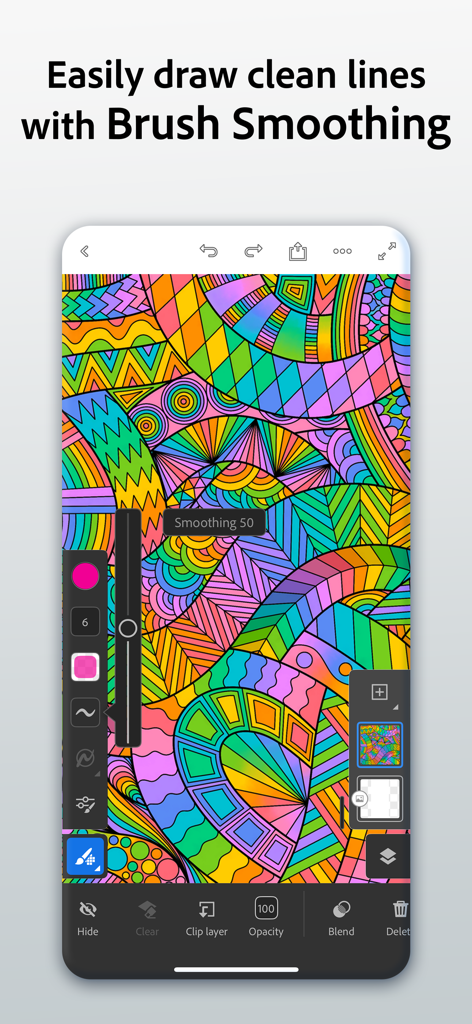
Adobe Fresco-Oberfläche, die das Pinselglättungswerkzeug auf einer bunten abstrakten digitalen Illustration zeigt
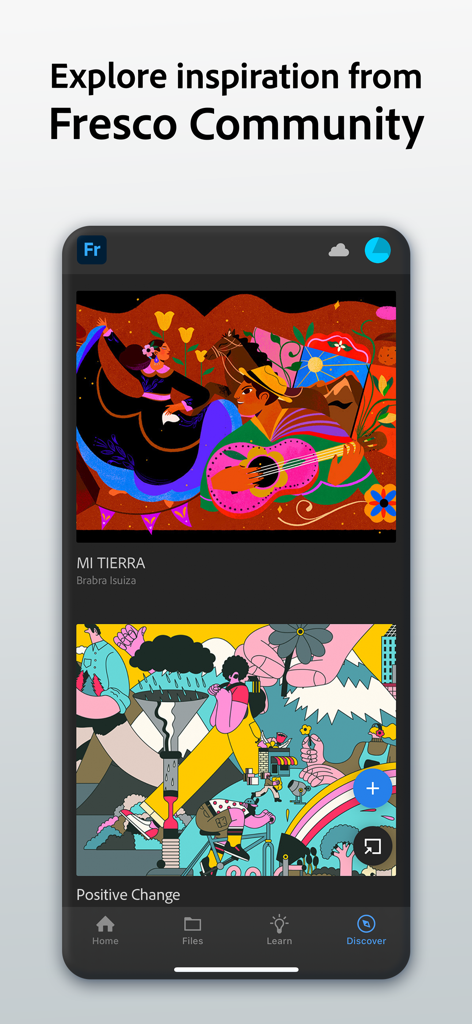
Adobe Fresco App-Oberfläche, die den Entdecken-Tab mit digitalen Illustrationen aus der Community zur kreativen Inspiration zeigt
Beschreibung
Download
Ähnliche Apps
Apps mit ähnlichen Funktionen und Nutzererfahrung

Sketchbook®
Sketchbook, Inc.

Mental Canvas Draw
Mental Canvas, Inc.

ibis Paint
ibis inc.

ibis Paint X
ibis inc.

Paper: Sketch, Draw & Create
Evernote Corporation

Art Set 4
Lofopi Ltd

MediBang Paint – Drawing & Art
MediBang inc.

Tayasui Sketches
SKETCHES SRL

Clip Studio Paint
CELSYS,Inc.
Diese Seite ist keine offizielle Seite der App oder ihres Entwicklers, sondern eine unabhängige redaktionelle Veröffentlichung, die zu Informations- und Kommentarzwecken erstellt wurde. Sofern nicht ausdrücklich anders angegeben, sind weder die App noch ihr Entwickler mit MWM, Apple, Google Play, dem App-Herausgeber oder dem Entwickler der App verbunden, von ihnen unterstützt, gesponsert, autorisiert oder anderweitig offiziell verbunden, und nichts auf dieser Seite impliziert, dass die App unter Verwendung der Dienste von MWM entwickelt wurde. Alle Marken, Logos, Screenshots und andere Inhalte bleiben Eigentum ihrer jeweiligen Inhaber.