
Diese Seite ist keine offizielle Seite der App oder ihres Entwicklers, sondern eine unabhängige redaktionelle Veröffentlichung, die zu Informations- und Kommentarzwecken erstellt wurde. Sofern nicht ausdrücklich anders angegeben, sind weder die App noch ihr Entwickler mit MWM, Apple, Google Play, dem App-Herausgeber oder dem Entwickler der App verbunden, von ihnen unterstützt, gesponsert, autorisiert oder anderweitig offiziell verbunden, und nichts auf dieser Seite impliziert, dass die App unter Verwendung der Dienste von MWM entwickelt wurde. Alle Marken, Logos, Screenshots und andere Inhalte bleiben Eigentum ihrer jeweiligen Inhaber.


Zoom Workplace
Der Arbeitsalltag zerfrisst sich oft im App-Wirrwarr. Die App rüstet den Nutzer mit einer KI-gestützten Kommandozentrale aus.
Downloads
250M+Bewertung
Bewertungen gesamt
8.8MHerausgeber
Kategorie
BusinessSprachen
17Neueste Version
7.0.0Größe
408.4 MBErstveröffentlichung
15. Aug. 2012Analyse der Zoom Workplace App
Eine Bewertung der Schlüsselmerkmale für umfassende Kommunikation und Zusammenarbeit.
KI-gestützte Zusammenarbeit
Die App integriert einen KI-Begleiter, der Meeting-Zusammenfassungen, Antworten auf Fragen während Besprechungen, Entwürfe für Kommunikationen und die Zusammenfassung von Chat-Verläufen ermöglicht. Es hilft Nutzern, ihre Produktivität zu steigern und manuelle Aufgaben zu reduzieren.
Integrierte Videokonferenzen
Es ermöglicht Nutzern, Meetings mit hochwertiger Video- und Audioqualität zu hosten oder daran teilzunehmen, was die persönliche Zusammenarbeit auch aus der Ferne fördert.
Umfassende Kommunikationszentrale
Die Plattform bietet Zoom Chat für Sofortnachrichten, Gruppenkommunikation und Dateifreigabe sowie Zoom Phone für robuste VoIP-Anrufe, wodurch die gesamte Kommunikation in einer Anwendung gebündelt wird.
Kollaboratives Dokumentenmanagement
Es erlaubt Nutzern, Dokumente in Echtzeit zu erstellen, zu bearbeiten und gemeinsam zu bearbeiten (Docs) und Ideen auf digitalen Whiteboards zu entwickeln, die sogar KI-generierte Mindmaps umfassen können.
Zentralisiertes Tagesmanagement
Die App vereint E-Mail und Kalender in einer Ansicht, wodurch das Planen von Meetings und das Überprüfen von Nachrichten ohne App-Wechsel optimiert wird.
Asynchrone Video-Nachrichten
Dieses Tool ermöglicht das Aufzeichnen und Teilen von kurzen Videonachrichten und Bildschirmaufnahmen (Clips), um Updates asynchron bereitzustellen, was Teams Flexibilität bei der Informationsaufnahme bietet.
Häufig gestellte Fragen
Alles, was Sie über wissen müssen Zoom Workplace
What is Zoom Workplace?
Zoom Workplace is an AI-first, open collaboration platform combining team chat, meetings, phone, whiteboard, calendar, mail, and docs. It streamlines communication and boosts productivity.
Does Zoom Workplace include an AI assistant?
Yes, Zoom Workplace includes AI Companion. It summarizes unread messages, drafts content, and provides meeting summaries. It is available with a paid Zoom license.
Is AI Companion an additional cost with Zoom Workplace?
No, AI Companion is available at no additional cost with your paid Zoom license for Zoom Workplace. It functions as your personal assistant across the platform.
Can I use Zoom Workplace on my mobile device?
Yes, you can use Zoom Workplace for iOS with any free or paid Zoom license. AI Companion features are also available on your mobile device.
Does Zoom Workplace support SMS messaging?
Yes, Zoom Workplace supports sending SMS text messages through its integrated phone functionality. This feature is part of its streamlined communication tools.
What productivity tools does Zoom Workplace offer?
Zoom Workplace helps improve productivity with Zoom Docs for organizing information, automated meeting summaries via AI Companion, and virtual whiteboards for brainstorming.
Can I move a Zoom Workplace meeting between devices?
Yes, you can seamlessly move a live meeting or call between different devices with a single tap in Zoom Workplace, enabling flexible work across locations.
Does Zoom Workplace offer security features?
Yes, Zoom Workplace ensures data security with enterprise-grade security and supports Single Sign-On (SSO). This protects your information while working on the go.
How do I upgrade to Zoom Workplace Pro?
You upgrade your free account to Zoom Workplace Pro. This subscription includes AI Companion, unlimited meetings up to 30 hours, and cloud recording.
What are the benefits of Zoom Workplace Pro?
Zoom Workplace Pro offers unlimited meetings up to 30 hours each, cloud recording up to 10GB, and the ability to assign meeting co-hosts and schedulers, plus AI Companion.
Can Zoom Workplace integrate with Apple CarPlay?
Yes, Zoom Workplace supports Apple CarPlay, allowing users to stay focused on the road. It also offers customizable Siri Shortcuts for hands-free voice commands.
Does Zoom Workplace allow chat message summarization?
Yes, Zoom Workplace uses AI Companion to provide a summary of your unread Team Chat messages, helping you get caught up quickly and efficiently.
Die folgenden Screenshots und die Beschreibung stammen direkt aus dem offiziellen Store-Eintrag der App und sind Eigentum des Entwicklers.
App Store
Screenshots
KI-Kollaboration Start
Die Startseite präsentiert das Markenlogo 'Zoom Workplace' und einen leuchtenden KI-Icon, der die intelligente Technologie der Plattform symbolisiert.
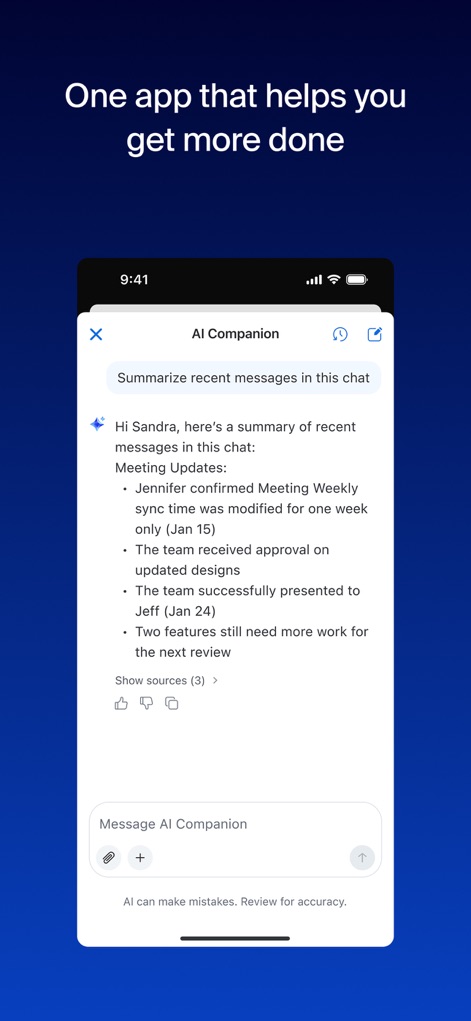
Chat-Zusammenfassung AI
Der Bildschirm zeigt eine KI-generierte Zusammenfassung der Chat-Nachrichten, inklusive prägnanter Punkte und der Option, die Quellen zu überprüfen.
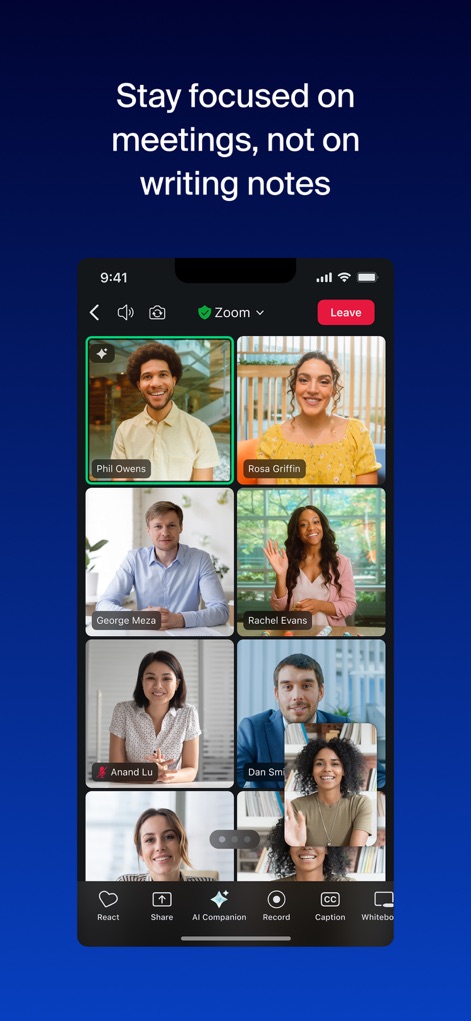
Meetings mit KI
Eine Videokonferenz mit mehreren Teilnehmern ist zu sehen, wobei der „AI Companion“-Button direkt im unteren Menü integriert ist und auf die intelligente Unterstützung hinweist.
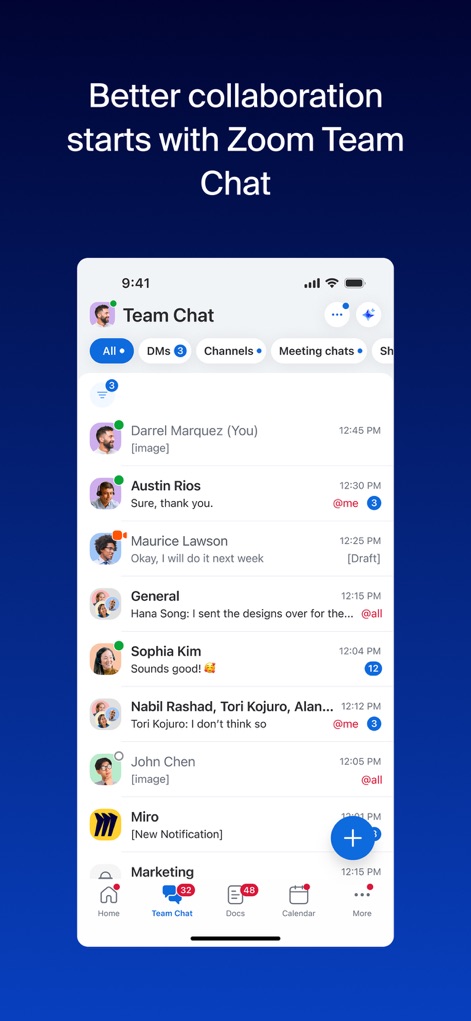
Team-Chat Übersicht
Die Ansicht zeigt die Team-Chat-Oberfläche mit individuellen und Gruppenkonversationen, übersichtlich strukturiert durch Kanäle und direkte Nachrichten.
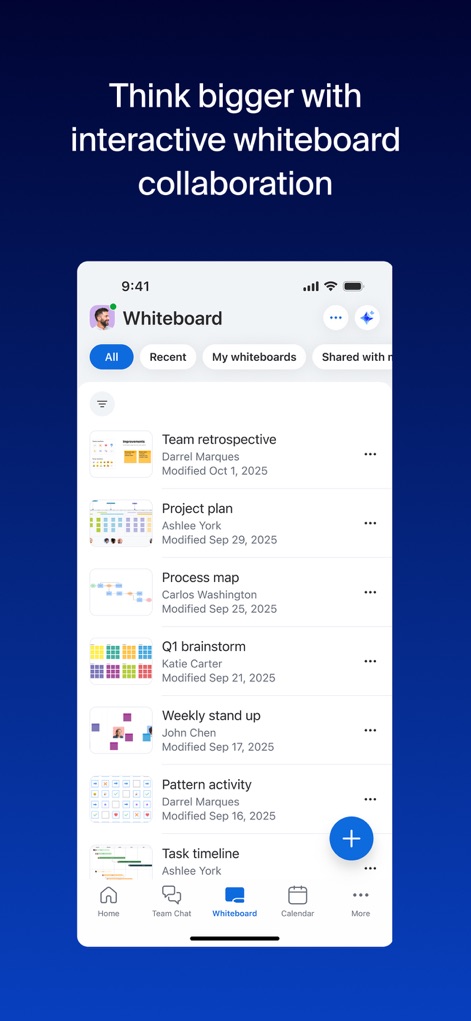
Interaktives Whiteboard
Nutzer können hier ihre Whiteboards verwalten, darunter die „Team retrospective“ und der „Project plan“, und neue Ideen visuell entwickeln.
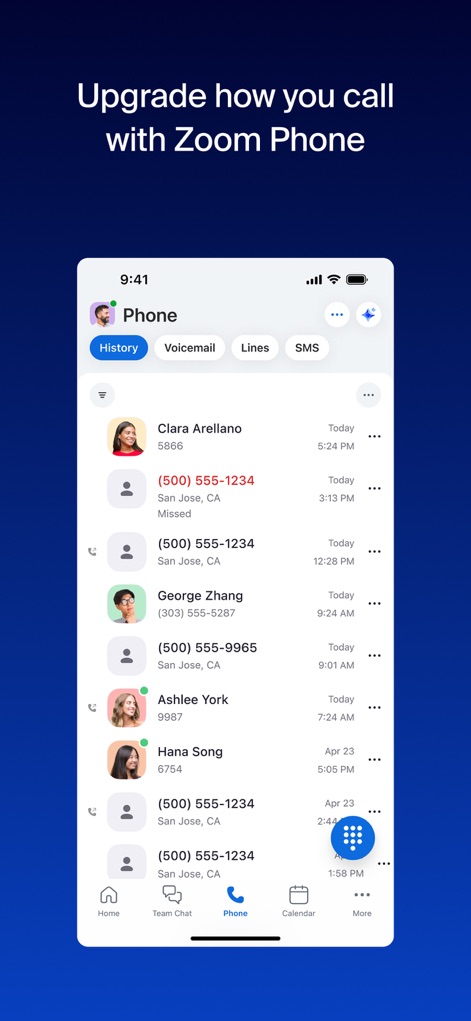
Anrufe managen
Die Telefonie-Oberfläche listet die Anrufliste mit Kontaktdaten und bietet einen schnellen Zugriff auf Voicemail und SMS-Funktionen.
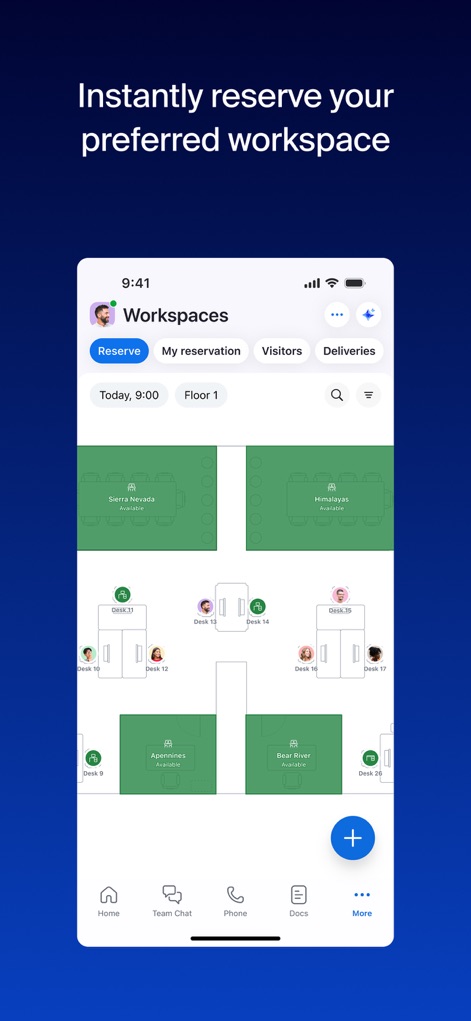
Arbeitsplatz buchen
Die App visualisiert die Buchung von Arbeitsplätzen auf einem Grundriss, wobei spezifische Schreibtische und Zonen für eine einfache Reservierung dargestellt sind.
Einheitliche Plattform
Die Abschlussansicht unterstreicht die Integration aller Funktionen auf einer einzigen, KI-gestützten Plattform, symbolisiert durch das bekannte Logo und den leuchtenden AI-Icon.
Beschreibung
Download
Ähnliche Apps
Apps mit ähnlichen Funktionen und Nutzererfahrung

GoTo
GoTo Group, Inc.

Lark - Team Collaboration
LARK TECHNOLOGIES PTE. LTD.

RingCentral
RingCentral, Inc

MTS Link
VEBINAR TEKHNOLOGII, OOO

Pronto Team Communication
Hit Labs, Inc.

Zoho Cliq - Team Communication
Zoho Corporation

Microsoft Teams
Microsoft Corporation

Google Meet
Google LLC
Google Chat
Google LLC
Diese Seite ist keine offizielle Seite der App oder ihres Entwicklers, sondern eine unabhängige redaktionelle Veröffentlichung, die zu Informations- und Kommentarzwecken erstellt wurde. Sofern nicht ausdrücklich anders angegeben, sind weder die App noch ihr Entwickler mit MWM, Apple, Google Play, dem App-Herausgeber oder dem Entwickler der App verbunden, von ihnen unterstützt, gesponsert, autorisiert oder anderweitig offiziell verbunden, und nichts auf dieser Seite impliziert, dass die App unter Verwendung der Dienste von MWM entwickelt wurde. Alle Marken, Logos, Screenshots und andere Inhalte bleiben Eigentum ihrer jeweiligen Inhaber.